What is the summer camp registration form template?
Camp registration week can mean dozens of paper forms with the same handwriting problems — an allergy that's hard to read, a pickup person's phone number missing, a swim ability question left blank. This summer camp registration form template puts the whole process online, walking parents through sessions, health details, pickup arrangements and consent in a clear order, so camp staff get complete, legible answers before the first day.
Because it's a form and not a paper packet, questions only appear when they matter: allergy or medication details only show up if a parent answers "Yes," a second pickup person's fields only appear if one is being added, and questions about walking home alone are there for older campers without cluttering the form for younger ones.
Every registration becomes a signed PDF in the camp's FileIt vault the moment it's submitted, so staff have one findable record per camper — no folder of loose papers to search through if a question comes up mid-session.
- Best for
- Summer camps, day camps and holiday programmes registering campers
- Filled in by
- A parent or guardian
- Time to complete
- About 10 minutes
- Includes
- Session and extended-care selection, conditional medical and pickup questions, photo consent, signature
Who uses a summer camp registration form?
- A day camp registering campers week by week across a summer programme
- A holiday club collecting allergy, medication and swimming details before the season starts
- Recording who is authorised to collect each camper, beyond just the registering parent
- Managing early drop-off and late pickup add-ons alongside the core registration
- Collecting photo and video consent for camp updates and marketing in one place
- Building a filed record for every camper that staff can check quickly during the day
Questions on this summer camp registration form
36 questions over 5 pages · includes signature, conditional questions, multiple pages, consent checkbox.
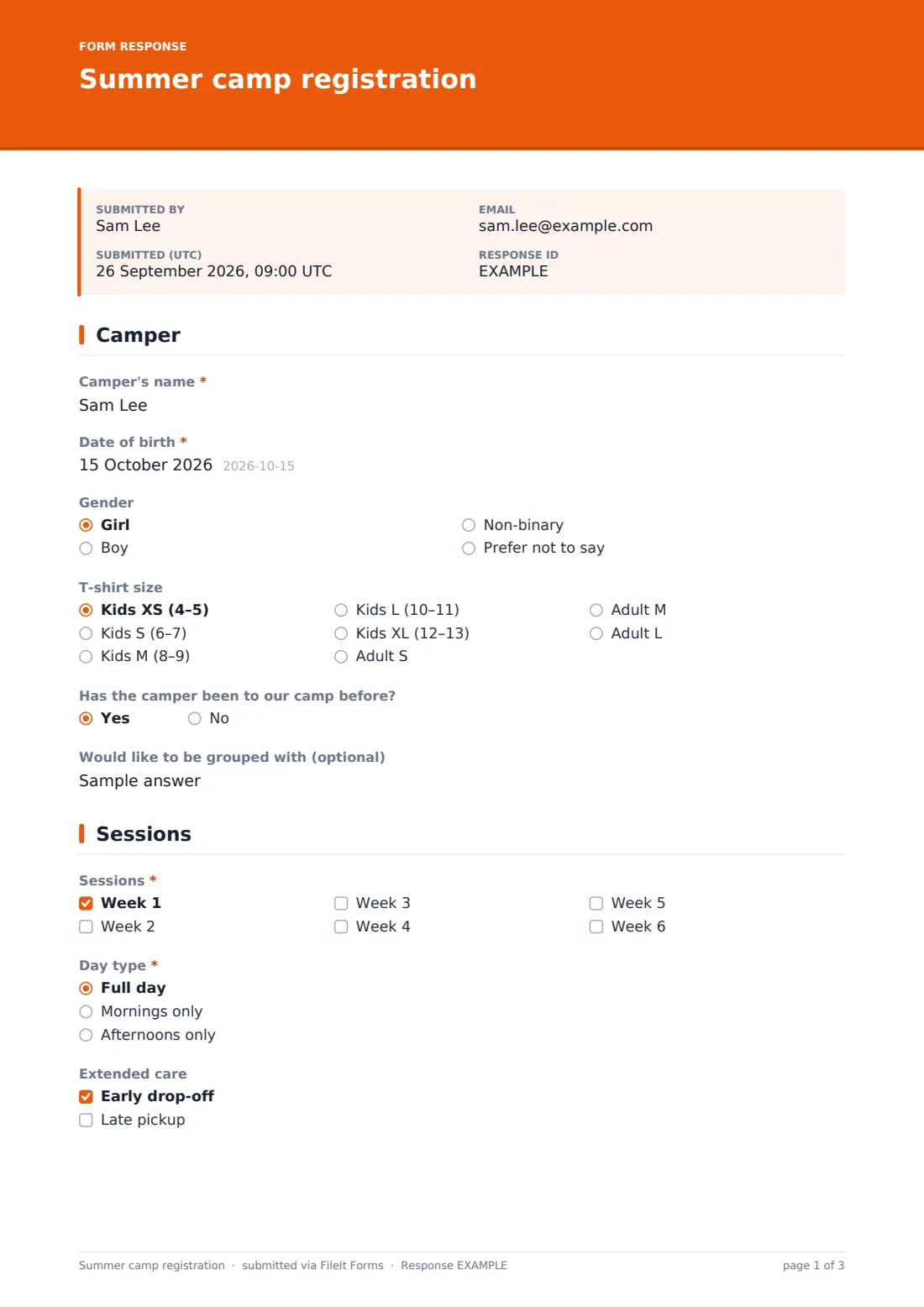
1 Camper
- Camper's name*
- Date of birth*
- Gender Girl · Boy · Non-binary · Prefer not to say
- T-shirt size Kids XS (4–5) · Kids S (6–7) · Kids M (8–9) · Kids L (10–11) · Kids XL (12–13) · Adult S · Adult M · Adult L
- Has the camper been to our camp before?
- Would like to be grouped with (optional)
2 Sessions
- Sessions* Week 1 · Week 2 · Week 3 · Week 4 · Week 5 · Week 6
- Day type* Full day · Mornings only · Afternoons only
- Extended care Early drop-off · Late pickup
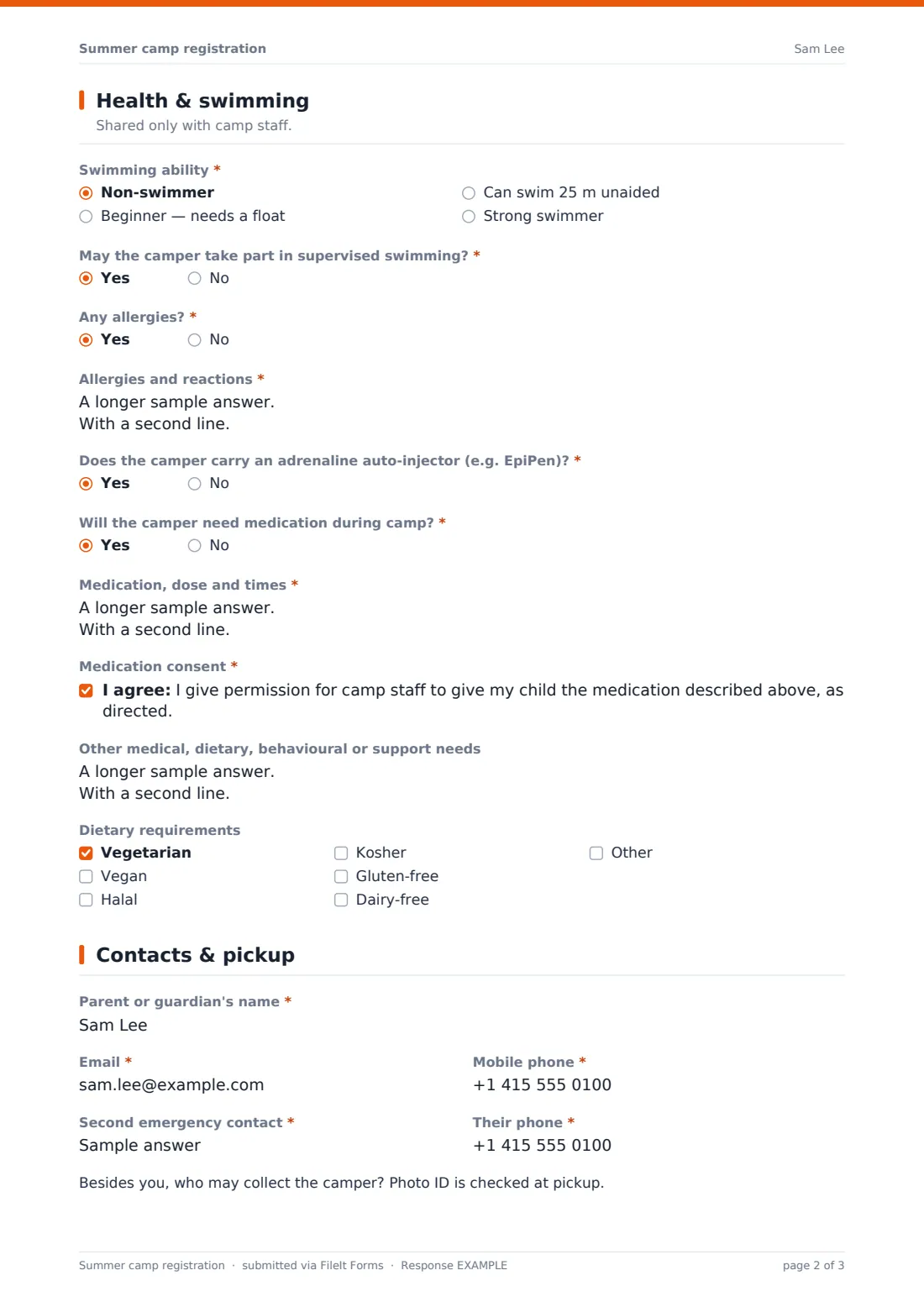
3 Health & swimming
- Swimming ability* Non-swimmer · Beginner — needs a float · Can swim 25 m unaided · Strong swimmer
- May the camper take part in supervised swimming?*
- Any allergies?*
- Allergies and reactions* asked only when it applies
- Does the camper carry an adrenaline auto-injector (e.g. EpiPen)?* asked only when it applies
- Will the camper need medication during camp?*
- Medication, dose and times* asked only when it applies
- Medication consent* asked only when it applies
- Other medical, dietary, behavioural or support needs
- Dietary requirements Vegetarian · Vegan · Halal · Kosher · Gluten-free · Dairy-free
4 Contacts & pickup
- Parent or guardian's name*
- Email*
- Mobile phone*
- Second emergency contact*
- Their phone*
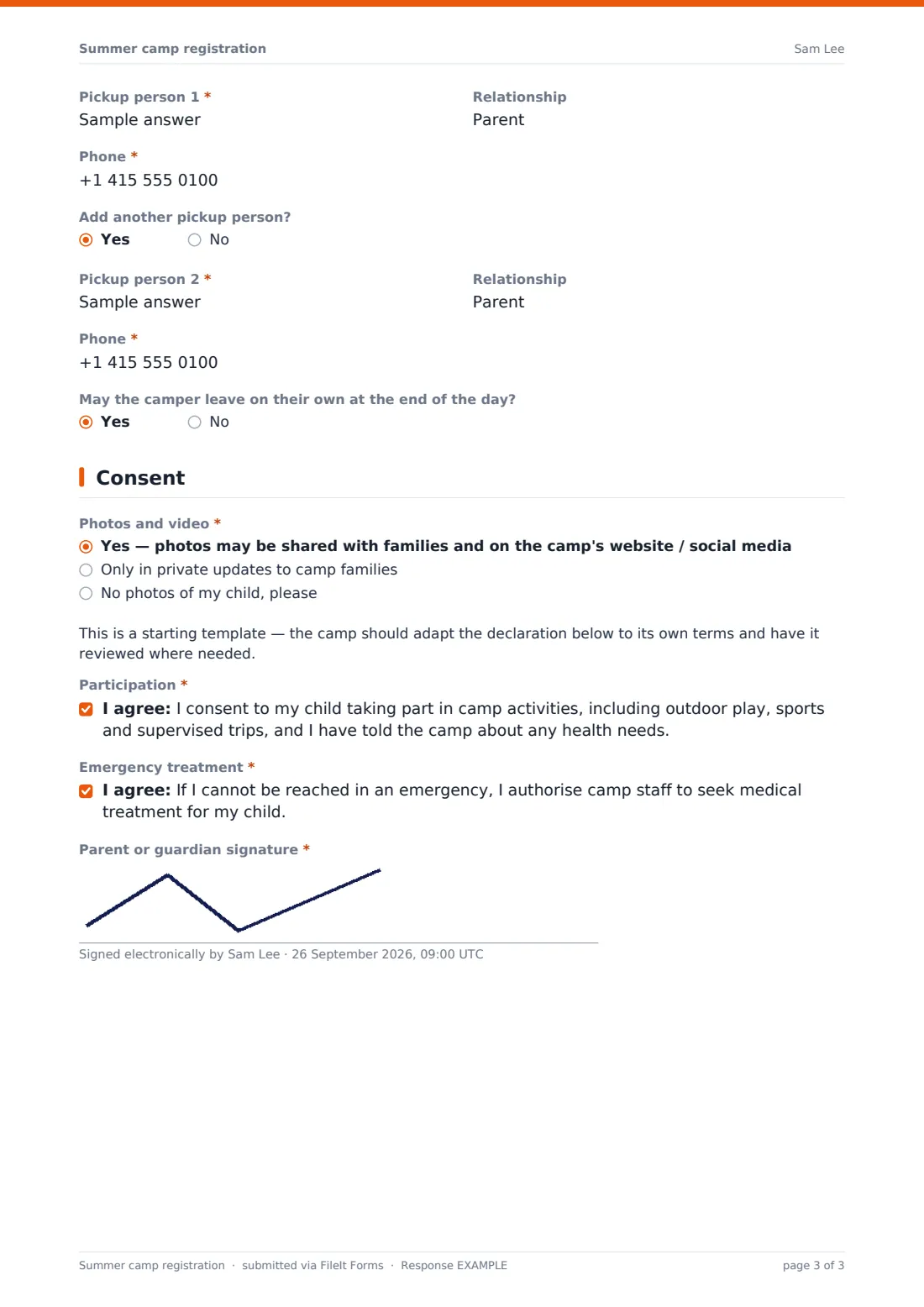
- Pickup person 1*
- Relationship
- Phone*
- Add another pickup person?
- Pickup person 2* asked only when it applies
- Relationship asked only when it applies
- Phone* asked only when it applies
- May the camper leave on their own at the end of the day?
5 Consent
- Photos and video* Yes — photos may be shared with families and on the camp's website / social media · Only in private updates to camp families · No photos of my child, please
- Participation*
- Emergency treatment*
- Parent or guardian signature*
The summer camp registration form, page by page
1 Camper
The form starts with the camper's name, date of birth, and optionally their gender and t-shirt size, along with whether they've attended the camp before and — if there's a friend they'd like to be grouped with, though the camp can't always promise it.
2 Sessions
Parents tick every week they'd like to book, choose full days, mornings only or afternoons only, and add early drop-off or late pickup if the camp offers extended care.
3 Health & swimming
Shared only with camp staff, this page starts with swimming ability — non-swimmer, beginner, can swim 25 metres unaided, or a strong swimmer — noting that everyone is assessed by a lifeguard on day one, and asks for consent to take part in supervised swimming.
It then asks about allergies; answering "Yes" opens fields for what the camper is allergic to, the reaction, what to do, and whether they carry an adrenaline auto-injector. A similar pattern applies to medication: saying "Yes" asks for the medication, dose and times, and a consent statement for staff to administer it as directed. The page also covers other medical, dietary or support needs, plus a checklist of dietary requirements like vegetarian, halal or gluten-free.
4 Contacts & pickup
This page collects the parent's name, email and mobile, plus a second emergency contact who isn't the parent. It then walks through who's authorised to collect the camper — a first pickup person's name, relationship and phone are required, and answering "Yes" to adding a second reveals the same fields again. A note reminds parents that photo ID is checked at pickup. For older campers, a final question asks whether they may leave on their own at the end of the day.
5 Consent
Parents choose their photo and video preference — shared publicly, shared only in private updates to camp families, or no photos at all — then review a note that this is a starting template the camp should adapt to its own terms. They finish by consenting to the camper taking part in camp activities, including outdoor play, sports and supervised trips, and to camp staff seeking emergency medical treatment if the parent can't be reached, signing to confirm both.
Make the template yours
- Replace the generic week labels with your camp's actual session dates
- Add a fee or payment method question if you collect deposits alongside registration
- Adjust the dietary and accessibility checklists to reflect what your kitchen and staff can actually accommodate
- Set a maximum number of responses per session so popular weeks don't overbook
- File each registration into a folder per session or per camper for quick access during the day
- Have your own legal adviser review the activity and emergency consent wording for your specific programme and location
Tips for a better summer camp registration form
- Ask allergy and medication questions plainly, and make sure the answers reach whoever supervises meals and medication on site, not just the office
- Confirm pickup people clearly with parents before day one — staff should never guess who's authorised to collect a child
- Keep swim ability answers as a starting point only; always confirm with an actual assessment on day one, as the form notes
- Set expectations early about your photo policy so families who prefer "no photos" are respected consistently
- This template is a starting point, not legal advice — check the activity and emergency treatment wording fits your camp's insurance and local regulations.
Every response becomes a PDF in your vault
As soon as a parent submits the registration, FileIt saves it as a signed PDF in your vault and sends an email notification, so your office knows a new camper has registered. If you've turned on a copy for the respondent, the parent also receives their own PDF to keep.
From there, most camps use the Responses table to check numbers by session, open a specific camper's record when a health or pickup question comes up during the day, and export the full list to CSV for staff rosters, meal planning or an emergency contact sheet by group.
- Start from this template. It opens in the FileIt Forms designer — change any question, add pages, set the rules for when questions appear.
- Share it. Turn on a public link, or send it to people by email, each with their own link. They don’t need a FileIt account.
- Get the answers as PDFs. Each response is saved as a PDF in the vault folder you choose, with uploaded files attached — and listed in a Responses table you can export to CSV.
Summer camp registration form: frequently asked questions
Is this summer camp registration template free?
Yes — it's included in the Forms app on every FileIt account, including the free plan, along with more than 160 other ready-made templates.
Do parents need a FileIt account to register?
No. Share the form as a public link on your camp's website or by email, and parents complete and submit it without signing up.
How do I access the registrations once submitted?
Every registration is saved automatically as a PDF in your FileIt vault, and you can view, filter and export all responses to CSV, for example for staff rosters.
Does the allergy question only ask for details if a camper has one?
Yes — the detailed allergy and medication fields only appear if a parent answers "Yes," thanks to conditional logic already set up in the template.
Can we track more than one pickup person per camper?
Yes — the form records a first pickup person by default and lets a parent add a second one if needed.
Is the consent in this form legally binding?
It's a plain-language starting point, not legal advice. Have your camp's activity and emergency treatment consent reviewed to make sure it fits your programme, insurance and local rules.
Can we limit how many campers register for a session?
Yes — set a maximum number of responses in the form's settings, and it will stop accepting new registrations once a session is full.