What is the photo & video release form template?
Using someone's photo or video without clear permission is one of the easiest ways to cause a problem you didn't see coming — a parent unhappy their child appeared in an ad, a staff member who didn't realise a training video would end up on the public website. This template asks for permission in specific, separate pieces: which media, which uses, whether the person can be named, and for how long, so nobody is agreeing to more than they realise.
A verbal "is it okay if I post this?" at an event is fast but leaves no record, and a blanket release buried in an event ticket's terms and conditions is easy to miss. A dedicated release form makes the choices explicit and gives the signer a genuine say — including the option to say no to naming them, or to limit use to a single event rather than indefinitely.
Every signed release is saved as a PDF in your FileIt vault the moment it's submitted, giving you a clear, dated, specific record of what was agreed for every photo, video or recording you might want to use later.
- Best for
- Schools, businesses, event organisers and anyone photographing or filming people for public use
- Filled in by
- The person featured, or a parent or guardian if they're under 18
- Time to complete
- About 3-4 minutes
- Includes
- Specific media and use checkboxes, a naming preference, a duration limit, and an on-screen signature
Who uses a photo & video release form?
- A school collecting permission before photos from an event appear on its website or newsletter
- A business filming staff or customer testimonials for use in marketing
- An event organiser covering a conference or festival for social media and press
- A studio or photographer needing a signed release before using client photos in a portfolio
- A nonprofit documenting a programme for use in a grant report or annual review
- Any organisation that wants specific, revocable permission rather than an assumed blanket right to use someone's image
Questions on this photo & video release form
16 questions over 2 pages · includes signature, conditional questions, multiple pages, consent checkbox.
1 About you
- Name of the person photographed / filmed*
- Email*
- Phone
- Event, shoot or project*
- Date
- Is this person under 18?*
- Parent / guardian's name* asked only when it applies
- Relationship to the child* asked only when it applies Parent · Legal guardian
2 Permission
- Media covered* Photographs · Video · Voice / audio recordings
- Where may they be used?* Our website · Social media · Print — brochures, posters, newsletters · Press and news media · Paid advertising · Internal use only (training, archive)
- May we name you alongside the image?* Yes, full name · First name only · No — do not name me
- For how long?* Until I withdraw consent · Two years · Only in coverage of this event
- Any restrictions or requests?
- Permission*
- Guardian confirmation* asked only when it applies
- Signature*
The photo & video release form, page by page
1 About you
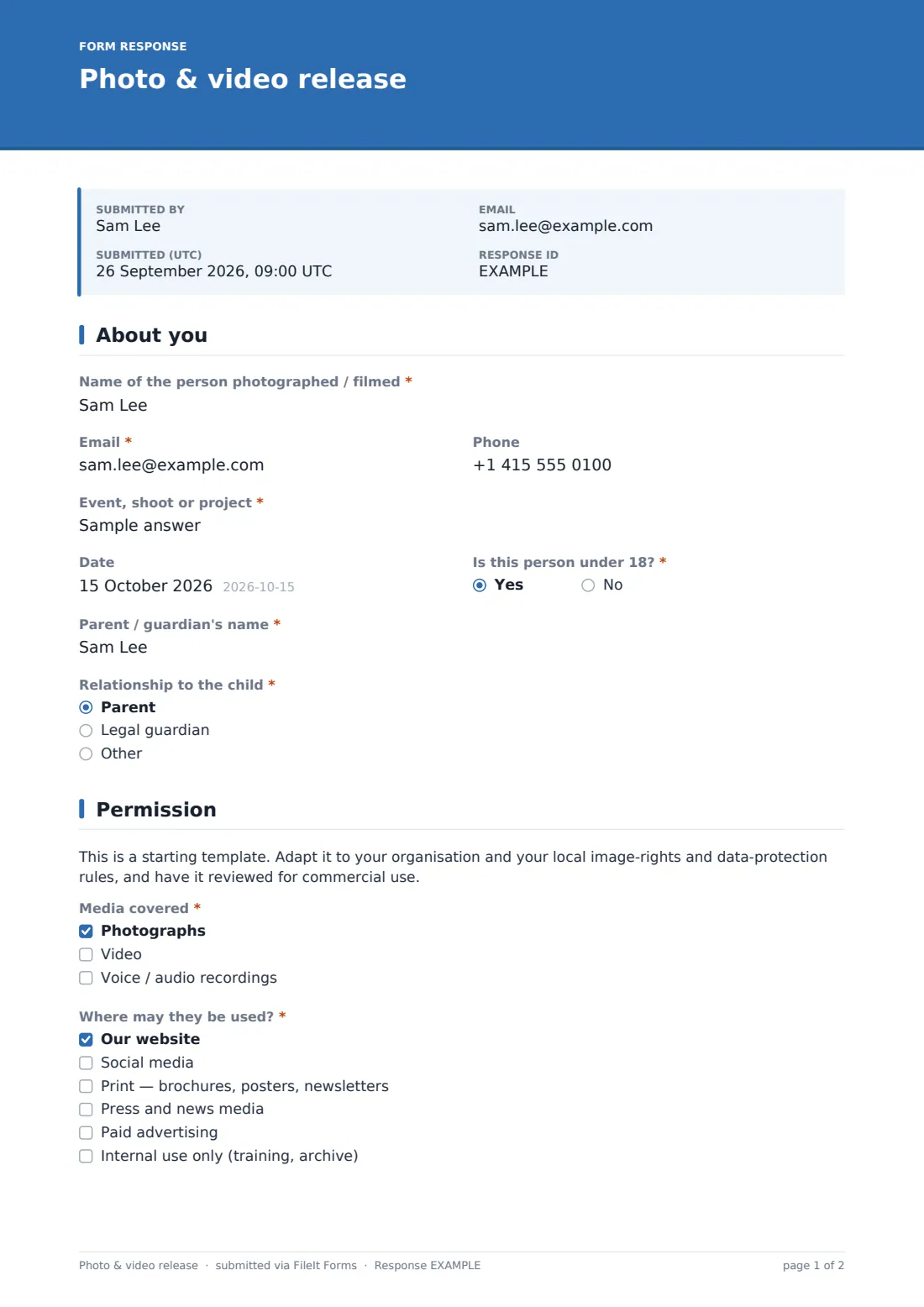
The form records the Name of the person photographed or filmed, their Email and Phone, and the Event, shoot or project the images relate to, with a Date. A yes/no for Is this person under 18? reveals fields for a parent or legal guardian's name and their relationship to the child — consent for a minor is captured explicitly, not assumed from a parent simply being present.
2 Permission
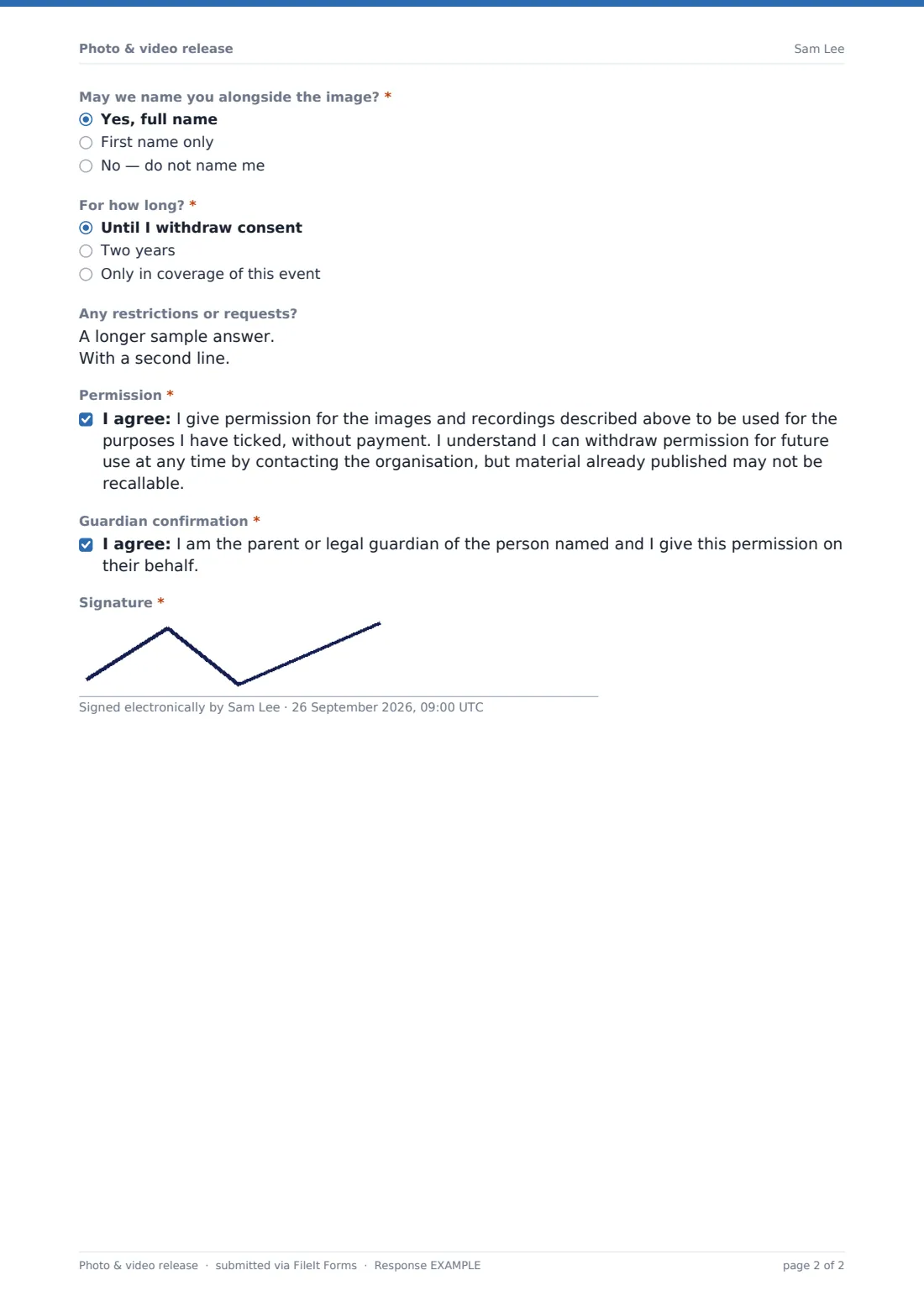
A clear note explains this is a starting template to be reviewed against local image-rights and data-protection rules, especially for commercial use. The signer then chooses which Media are covered — photographs, video, or voice and audio — and Where they may be used, from a website and social media through to press, paid advertising, or internal use only. A Naming preference lets them choose full name, first name only, or not to be named at all, and a Duration choice sets how long permission lasts: until withdrawn, two years, or only for coverage of the specific event. An optional Restrictions field lets the signer note anything they'd rather avoid, such as no close-ups. The signer then grants permission, a guardian confirms consent if the subject is a minor, and both sign on screen.
Make the template yours
- Add your organisation's own use categories if the default list doesn't cover a specific channel you use
- Set a default duration in your instructions if your organisation always uses a standard term, like two years
- Add a field for which specific photos or files the release applies to, if you're collecting releases after a shoot rather than before
- File releases under the event or project name so it's easy to check what's covered before publishing new material
- Turn on the emailed PDF copy so signers keep their own record of exactly what they agreed to
- Add a witness signature field if your organisation's policy requires one for minors
Tips for a better photo & video release form
- Collect the release before the shoot or event where possible, so there's no ambiguity about permission afterwards
- Respect the naming and restriction preferences exactly as given — a signer who asked not to be named should never appear captioned
- Keep a searchable record of who has and hasn't signed a release before you publish anything featuring identifiable people
- Review your standard wording periodically against local image-rights and data-protection rules, especially if you operate in more than one country
- Act promptly if someone withdraws consent for future use, and keep a note of the date they did so
Every response becomes a PDF in your vault
As soon as someone signs, FileIt saves the release as a PDF in your vault, and you get a notification. If you've enabled it, the signer also receives their own PDF copy, so both sides have an identical record of exactly what was agreed — which media, which uses, and for how long.
Most organisations check the Responses table before publishing anything featuring an identifiable person, confirming a signed release exists and that the intended use matches what was agreed. Because each release is filed as its own PDF, it's simple to pull one up months or years later if a question comes up about whether a particular use was actually covered.
- Start from this template. It opens in the FileIt Forms designer — change any question, add pages, set the rules for when questions appear.
- Share it. Turn on a public link, or send it to people by email, each with their own link. They don’t need a FileIt account.
- Get the answers as PDFs. Each response is saved as a PDF in the vault folder you choose, with uploaded files attached — and listed in a Responses table you can export to CSV.
Photo & video release form: frequently asked questions
Is this photo and video release form template free?
Yes, it's included in FileIt's Forms app on every account, including the free plan, and every question can be edited.
Does the person signing need a FileIt account?
No. You share a link by email or in person, and they fill it in and sign without creating an account.
Do we get a signed PDF for our records?
Yes, every submission is automatically saved as a PDF in your FileIt vault, complete with the signature.
Is this release legally binding?
The wording is a plain-language starting point, not legal advice — have it reviewed against your local image-rights and data-protection rules before relying on it, especially for commercial use.
Can someone limit how their image is used?
Yes — the form asks separately which media are covered, where they may be used, whether the person can be named, and for how long, so permission is specific rather than all-or-nothing.
How does this work for a minor?
If the subject is under 18, the form collects the parent or legal guardian's name and relationship, and requires a separate guardian confirmation alongside the signature.
Can someone withdraw permission later?
The consent statement explains the person can withdraw permission for future use at any time by contacting the organisation, though material already published may not be recallable.
Can we use this for a photographer's client shoot as well as an event?
Yes, the Event, shoot or project field is generic enough to cover a single photography session, an ongoing project, or a one-off event.