What is the confidentiality acknowledgement form template?
Before you share sensitive information — a business plan, a customer list, unreleased designs — you often want more than a verbal "of course, that's confidential." This template lays out plain-language confidentiality terms, walks the reader through them, and asks them to formally acknowledge and sign before they see anything.
It's built for situations where you need something lighter than a full mutual NDA drafted by a lawyer, but more than an email that says "please keep this quiet." It works well as a standalone acknowledgement, or alongside a fuller written agreement you've already sent separately — there's a question specifically for that.
Every acceptance is saved as a signed PDF in your FileIt vault the moment it's submitted, so you always have a dated, retrievable record of exactly who agreed to what, and when.
- Best for
- Small businesses and teams sharing confidential information with contractors, candidates or prospective partners
- Filled in by
- Anyone about to receive confidential information — employees, contractors, advisers or prospective partners
- Time to complete
- About 5 minutes
- Includes
- Plain-language confidentiality terms, a duration setting, and an on-screen signature
Who uses a confidentiality acknowledgement form?
- A start-up sharing an early product roadmap with a prospective investor or partner
- A small business giving a freelancer or contractor access to customer data or internal systems
- A company sharing financial information with a job candidate during a later interview stage
- A studio or agency showing unreleased creative work to a client before a contract is signed
- A consultant sharing a client's confidential documents with a subcontractor who needs to see them
- Any organisation that wants a quick, dated acknowledgement on file before a sensitive conversation
Questions on this confidentiality acknowledgement form
18 questions over 3 pages · includes signature, conditional questions, multiple pages, consent checkbox.
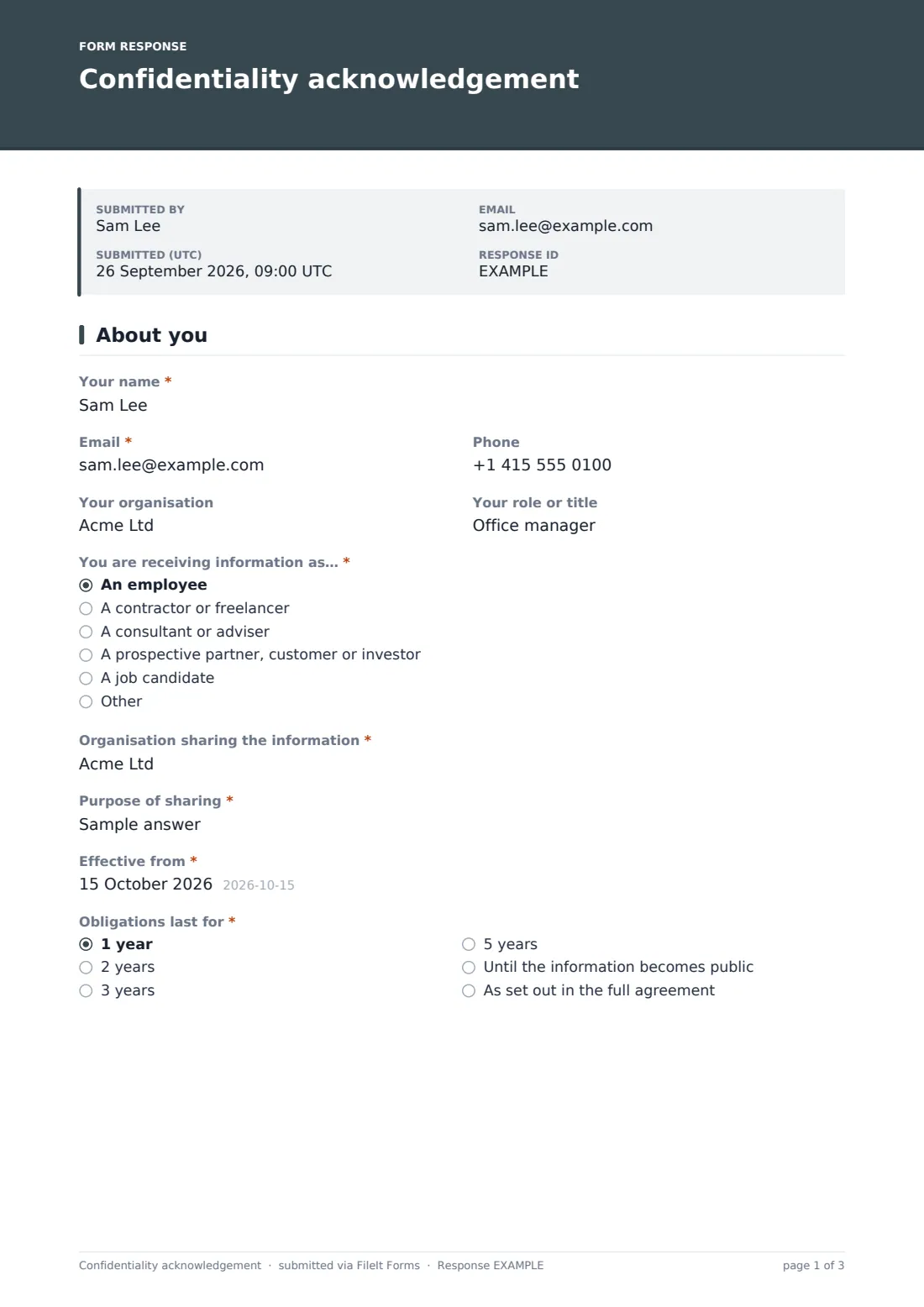
1 About you
- Your name*
- Email*
- Phone
- Your organisation
- Your role or title
- You are receiving information as…* An employee · A contractor or freelancer · A consultant or adviser · A prospective partner, customer or investor · A job candidate
- Organisation sharing the information*
- Purpose of sharing*
- Effective from*
- Obligations last for* 1 year · 2 years · 3 years · 5 years · Until the information becomes public · As set out in the full agreement
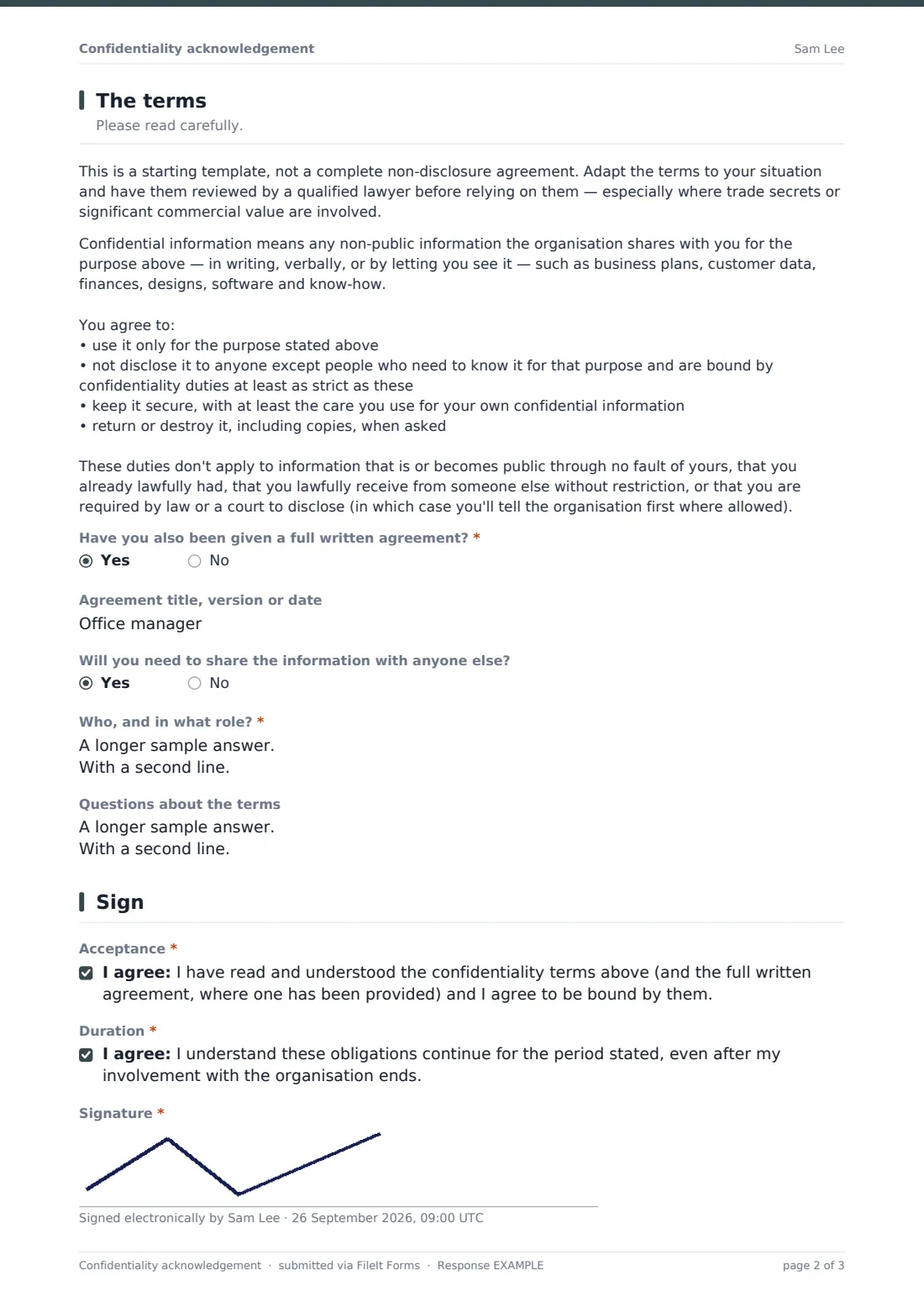
2 The terms
- Have you also been given a full written agreement?*
- Agreement title, version or date asked only when it applies
- Will you need to share the information with anyone else?
- Who, and in what role?* asked only when it applies
- Questions about the terms
3 Sign
- Acceptance*
- Duration*
- Signature*
The confidentiality acknowledgement form, page by page
1 About you
The signer starts with their Your name, Email, Phone and Organisation, plus what capacity they're receiving information in — employee, contractor, adviser, prospective partner or job candidate. They also record who's sharing the information (Organisation sharing the information), the Purpose of sharing, an Effective from date, and how long the obligations last, from one year up to "as set out in the full agreement."
Capturing the purpose in the signer's own words is useful later if you ever need to show the confidentiality obligation was tied to a specific, limited reason for sharing.
2 The terms
This page lays out what counts as confidential information and what the signer agrees to do with it: use it only for the stated purpose, not disclose it beyond people who need to know, keep it secure, and return or destroy it on request. It also lists the standard exceptions — information that's already public, already known, or required to be disclosed by law.
A clear note above the terms explains this is a starting template, not a complete legal agreement, and should be reviewed by a qualified lawyer before you rely on it for anything involving real trade secrets or significant commercial value. The form also asks whether a full written agreement has been given separately, and whether the signer will need to share the information with anyone else — if so, it asks who and in what role.
3 Sign
The signer confirms they've read and understood the terms (and any full agreement provided), acknowledges the obligations continue even after their involvement with the organisation ends, and adds their signature. That's the whole page — deliberately short, so there's no excuse not to finish it.
Make the template yours
- Rewrite the confidentiality terms paragraph to match your own agreement's wording once you've had it reviewed
- Add a checkbox or dropdown for which specific document or project the acknowledgement relates to, if you use this form repeatedly
- Change the duration options to match a standard term your organisation always uses
- Set a closing date so an old link can't still be used to collect acknowledgements months later
- File responses by contact type — employee, contractor or partner — using different vault folders or document titles
- Turn on the emailed PDF copy so the signer always has their own record of what they agreed to
Tips for a better confidentiality acknowledgement form
- Keep the stated purpose specific — "evaluating a possible partnership" is far more useful later than "general discussions"
- Don't rely on this template alone for anything involving real trade secrets, IP assignment or high commercial value — get it reviewed by a lawyer first
- Ask who else the information might be shared with up front, rather than finding out after the fact
- Keep a signed copy on file even for people you trust completely — memories of "what we agreed" fade faster than paper does
- Review your standard duration period occasionally; a term that made sense for one deal might be too short or too long for another
Every response becomes a PDF in your vault
As soon as someone signs, FileIt saves a PDF of their answers and signature into the vault folder you've set up — typically organised by the person or organisation who signed. You get a notification for every new acceptance, and if you've enabled it, the signer receives their own PDF copy by email, so both sides have the same record from day one.
Most people using this form check the Responses table before sharing anything sensitive, confirming the signature is there and the terms line up with what they're about to send. Because everything is timestamped and filed automatically, it's also easy to search back later and confirm exactly when — and under what terms — a particular person was given access.
- Start from this template. It opens in the FileIt Forms designer — change any question, add pages, set the rules for when questions appear.
- Share it. Turn on a public link, or send it to people by email, each with their own link. They don’t need a FileIt account.
- Get the answers as PDFs. Each response is saved as a PDF in the vault folder you choose, with uploaded files attached — and listed in a Responses table you can export to CSV.
Confidentiality acknowledgement form: frequently asked questions
Is this confidentiality acknowledgement form template free?
Yes, it's included in FileIt's Forms app on every account, including the free plan, and you can edit every question and every line of the terms.
Does the person signing need a FileIt account?
No. You send them a link by email or post it publicly, and they fill it in and sign without creating an account.
Is this a legally binding NDA?
The wording here is a plain-language starting point, not a complete legal agreement. For anything involving significant trade secrets or commercial value, have a qualified lawyer review the terms before you rely on them.
Can I use this alongside a full NDA my lawyer drafted?
Yes — there's a specific question asking whether a full written agreement has already been given, with a field to record its title, version or date, so this acknowledgement can sit alongside it rather than replace it.
Do we get a copy of what was signed?
Yes. Every submission becomes a PDF saved automatically in your FileIt vault, and you can also see and export all responses from the Responses table.
How is the signature captured?
The signer draws their signature on screen using their mouse, finger or stylus, right there in the form — no separate signing tool is needed.
Can we set how long the confidentiality obligation lasts?
Yes, there's a dropdown for the duration — from one year up to "as set out in the full agreement" — and the signer explicitly acknowledges the obligation continues after their involvement ends.
Can we ask the signer to list who else will see the information?
Yes — if they answer yes to needing to share it with anyone else, a follow-up question asks exactly who, and in what role.