What is the partnership inquiry form template?
"We'd love to partner with you" emails tend to arrive with wildly different amounts of detail — some are a single vague sentence, others a ten-page deck nobody has time to read. This template asks every prospective partner the same structured questions: who they are, what kind of partnership they're proposing, their audience, and what success would look like, so proposals can actually be compared side by side.
A public "partner with us" page that just lists an email address invites exactly the inconsistency that makes reviewing proposals slow. A structured form means every submission includes the basics you need to make a first judgement — audience size, proposed budget for sponsorships, timeline — without you having to reply just to ask the same three follow-up questions every time.
Every proposal is saved as a PDF in your FileIt vault, deck or media kit attached, so you can review a backlog of partnership ideas in one place rather than hunting through a shared inbox.
- Best for
- Businesses, nonprofits and creators who receive partnership or sponsorship pitches
- Filled in by
- Representatives of the organisation proposing the partnership
- Time to complete
- About 6-8 minutes
- Includes
- Partnership type selection, audience and budget details, and a file upload for a proposal deck
Who uses a partnership inquiry form?
- A media company or newsletter fielding sponsorship inquiries from brands
- A nonprofit reviewing proposed corporate partnerships or cause-marketing collaborations
- A software company evaluating potential integration or reseller partners
- An event organiser collecting sponsorship pitches ahead of an annual conference
- A creator or influencer standardising how brand partnership requests come in
- A membership organisation considering affiliate or co-marketing proposals from other businesses
Questions on this partnership inquiry form
20 questions over 2 pages · includes file upload, conditional questions, multiple pages.
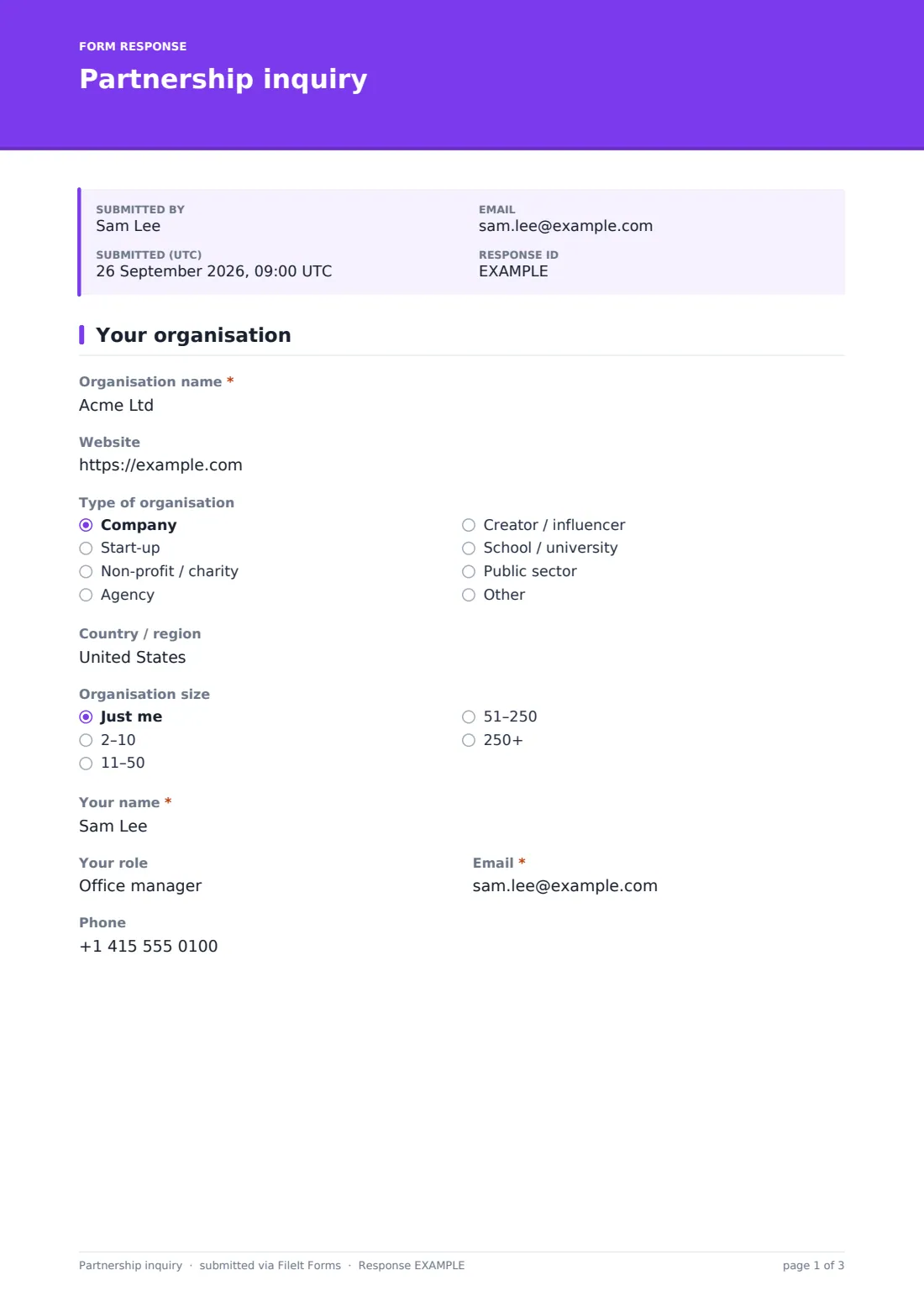
1 Your organisation
- Organisation name*
- Website
- Type of organisation Company · Start-up · Non-profit / charity · Agency · Creator / influencer · School / university · Public sector · Other
- Country / region
- Organisation size Just me · 2–10 · 11–50 · 51–250 · 250+
- Your name*
- Your role
- Email*
- Phone
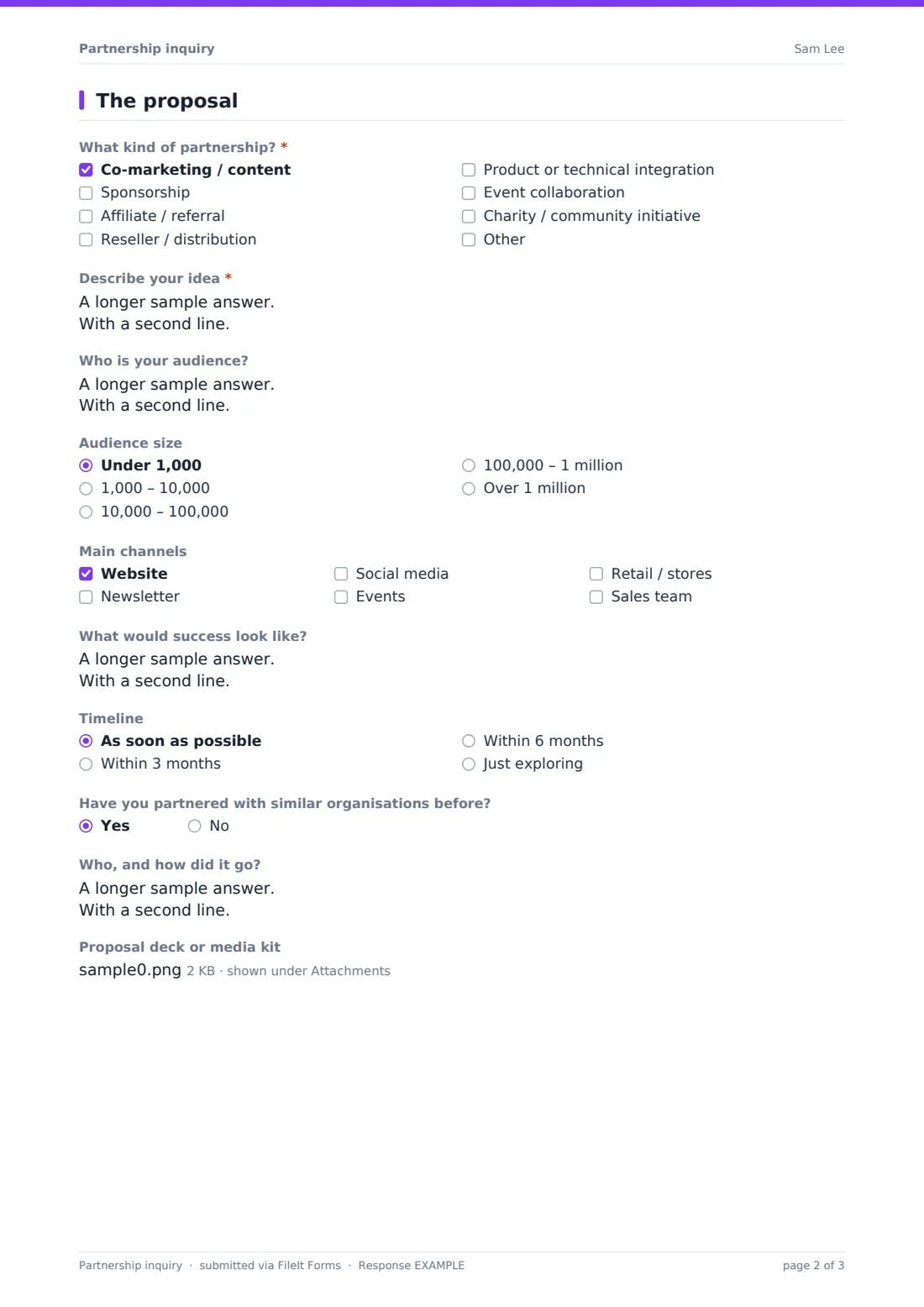
2 The proposal
- What kind of partnership?* Co-marketing / content · Sponsorship · Affiliate / referral · Reseller / distribution · Product or technical integration · Event collaboration · Charity / community initiative
- Sponsorship budget or amount sought asked only when it applies
- Describe your idea*
- Who is your audience?
- Audience size Under 1,000 · 1,000 – 10,000 · 10,000 – 100,000 · 100,000 – 1 million · Over 1 million
- Main channels Website · Newsletter · Social media · Events · Retail / stores · Sales team
- What would success look like?
- Timeline As soon as possible · Within 3 months · Within 6 months · Just exploring
- Have you partnered with similar organisations before?
- Who, and how did it go? asked only when it applies
- Proposal deck or media kit
The partnership inquiry form, page by page
1 Your organisation
The page opens with Organisation name, Website, Type of organisation, Country / region and Organisation size, followed by the contact's own name, role, email and phone. Capturing organisation type and size early gives you a quick sense of scale before reading the actual proposal.
2 The proposal
A checklist covers What kind of partnership? — co-marketing, sponsorship, affiliate, reseller, product integration, event collaboration, or a charity initiative — and choosing sponsorship reveals a specific Sponsorship budget or amount sought field. The proposer then describes their idea in Describe your idea, their Audience and its size, Main channels, and What would success look like?, along with a Timeline and whether they've Partnered with similar organisations before. A file upload lets them attach a proposal deck or media kit rather than trying to fit everything into text fields.
Make the template yours
- Add a required field asking how the proposer heard about your partnership programme, if you track that
- Set a minimum audience size or budget expectation in your instructions to filter out proposals that won't be a fit
- Route sponsorship proposals with a budget above a certain threshold to a different notification email or team
- File proposals by partnership type so co-marketing, sponsorship and integration requests are easy to review separately
- Add a confirmation message that sets expectations on response time, since applicants are often waiting to hear back
- Turn on a maximum number of responses if you only accept a limited number of partnership pitches per period
Tips for a better partnership inquiry form
- Ask for audience size and channels early — it's usually the fastest way to judge fit before reading the full pitch
- Set clear expectations in your confirmation message about how and when you review proposals, so applicants aren't left wondering
- Compare proposals against your own goals for the period, not just against each other, to avoid partnership drift
- Keep a simple internal note on each PDF (approved, declined, following up) so nothing sits unreviewed indefinitely
- Ask for a specific example of a past partnership if the "partnered before" answer is yes — track record matters more than intent
Every response becomes a PDF in your vault
As soon as an organisation submits a proposal, FileIt saves it as a PDF — including any attached deck or media kit — in your vault, and you get a notification straight away. Because every proposal follows the same structure, it's easy to open several side by side and compare audience size, budget and fit without re-reading a full pitch deck for each one.
Most teams work through new proposals using the Responses table, filtering by partnership type or reviewing them in the order they arrive, and exporting to CSV when they want to track decisions in a spreadsheet. Because the PDF and any attachments are filed together, a proposal that gets approved months later is still easy to find and refer back to.
- Start from this template. It opens in the FileIt Forms designer — change any question, add pages, set the rules for when questions appear.
- Share it. Turn on a public link, or send it to people by email, each with their own link. They don’t need a FileIt account.
- Get the answers as PDFs. Each response is saved as a PDF in the vault folder you choose, with uploaded files attached — and listed in a Responses table you can export to CSV.
Partnership inquiry form: frequently asked questions
Is this partnership inquiry form template free?
Yes, it's included in FileIt's Forms app on every account, including the free plan, and every field can be edited to match what you want to ask.
Does the person submitting a proposal need a FileIt account?
No. You share the form as a public link on your website or by email, and they submit their proposal without creating an account.
Do we get proposals as PDFs automatically?
Yes, every submission is saved as a PDF in your FileIt vault, with any uploaded deck or media kit attached to it.
Can proposers attach a pitch deck?
Yes, there's a file upload field specifically for a proposal deck or media kit, accepting PDFs, Word documents and images.
Can we ask for a sponsorship budget specifically?
Yes — choosing sponsorship as the partnership type reveals a dedicated budget field, so you don't need to ask separately.
Can we limit how many proposals come in?
Yes, you can set a maximum number of responses or a closing date if you only review partnership pitches during a specific window.
How do we compare multiple proposals?
Every response appears in a filterable table in FileIt, and you can export the whole list to CSV if you prefer to compare proposals in a spreadsheet.
Can we customise the types of partnership listed?
Yes, the partnership type checklist and every other question can be edited in the designer to match the kinds of collaboration you actually consider.