What is the parental consent — trip or activity form template?
Every school trip, sports activity or after-school outing needs the same thing from parents: clear permission, a way to reach them, and any medical information staff might need if something comes up. This template gathers all three in one short form, built to be filled in quickly on a phone as easily as a laptop.
A paper permission slip sent home in a bag can get lost, forgotten, or signed without really being read. An online form means the request goes straight to the parent, the medical and emergency contact fields are impossible to skip if they're marked required, and the signed consent comes back the same day rather than whenever the slip resurfaces at the bottom of a school bag.
As soon as a parent signs, FileIt saves the consent as a PDF in your vault, filed against that child, so staff running the activity can check who's confirmed and who hasn't without digging through a stack of paper.
- Best for
- Schools, clubs and activity organisers needing quick parental permission for a specific trip or activity
- Filled in by
- A parent or legal guardian, on behalf of their child
- Time to complete
- About 3-4 minutes
- Includes
- Medical details, an alternate contact, a photo-sharing choice, and an on-screen signature
Who uses a parental consent — trip or activity form?
- A school arranging a class trip and collecting signed permission from every parent
- A sports club or after-school programme running an off-site activity for the first time
- A youth group taking children on a day trip that needs documented parental agreement
- A summer camp or holiday programme collecting consent alongside medical information for a specific outing
- A community organisation running a one-off event for children where staff may need to arrange urgent care
- Any organiser who wants a fast, dated, signed record of permission rather than a verbal or paper agreement
Questions on this parental consent — trip or activity form
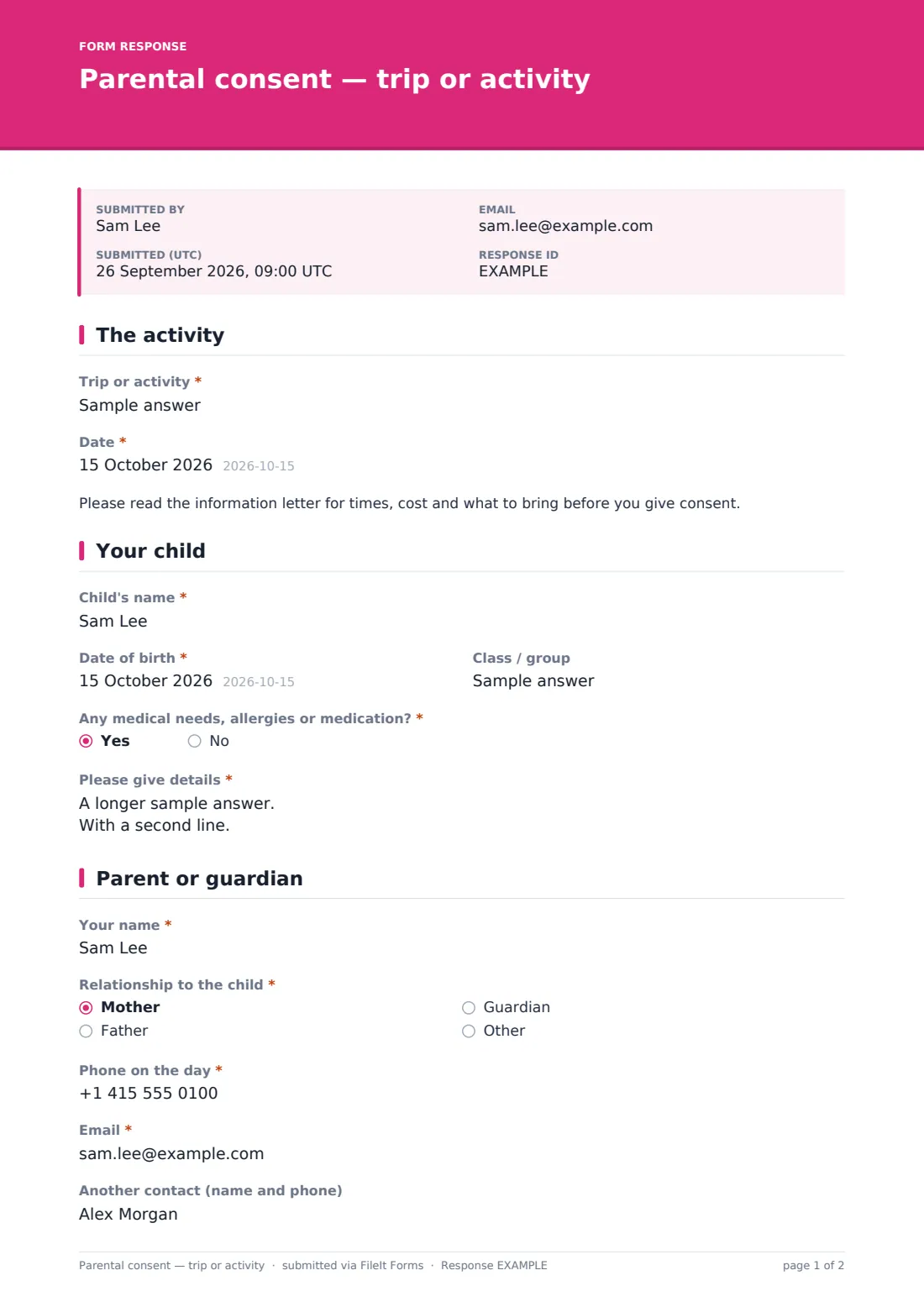
15 questions over 4 pages · includes signature, conditional questions, multiple pages, consent checkbox.
1 The activity
- Trip or activity*
- Date*
2 Your child
- Child's name*
- Date of birth*
- Class / group
- Any medical needs, allergies or medication?*
- Please give details* asked only when it applies
3 Parent or guardian
- Your name*
- Relationship to the child* Mother · Father · Guardian · Other
- Phone on the day*
- Email*
- Another contact (name and phone)
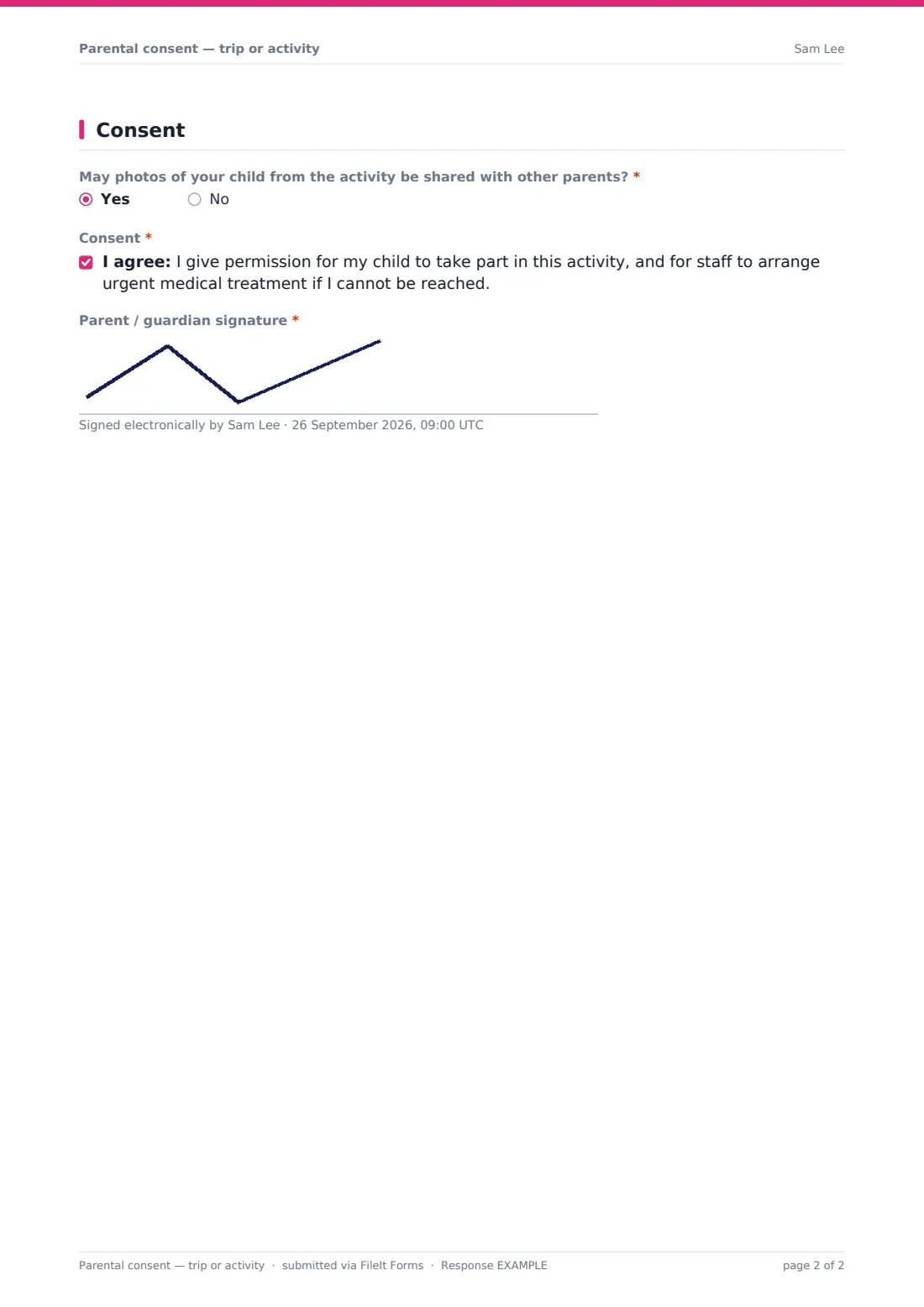
4 Consent
- May photos of your child from the activity be shared with other parents?*
- Consent*
- Parent / guardian signature*
The parental consent — trip or activity form, page by page
1 The activity
The organiser fills in the Trip or activity name and Date before sharing the form, along with a short note reminding parents to read the full information letter for times, cost and what to bring before giving consent — this form covers permission, not the full logistics.
2 Your child
The parent enters the Child's name, Date of birth and Class / group, then answers whether there are any medical needs, allergies or medication. Answering yes opens a required details field, so staff running the activity have exactly what they need without the parent having to volunteer it unprompted.
3 Parent or guardian
The parent gives their own name, Relationship to the child, a Phone number they can be reached on during the activity, their Email, and an optional Another contact (name and phone) in case the parent themselves can't be reached.
4 Consent
A yes/no question asks whether photos of the child from the activity may be shared with other parents, followed by the core consent statement: permission for the child to take part, and for staff to arrange urgent medical treatment if the parent can't be reached. The parent signs on screen to finish.
Make the template yours
- Add a cost or payment confirmation question if the trip requires a fee alongside consent
- Add specific equipment or clothing questions relevant to the activity, such as swimwear or hiking boots
- Set a closing date ahead of the trip so late responses don't cause last-minute headaches
- File each response under the child's own family folder in the vault so consent history is easy to find
- Turn on the emailed PDF copy so parents have their own record of what they agreed to
- Add a maximum number of responses if the activity has a capacity limit
Tips for a better parental consent — trip or activity form
- Send the consent request as early as possible, so parents with questions have time to ask before the deadline
- Make medical and allergy questions required, not optional — a missed detail here is the one that matters most on the day
- Keep an alternate contact on file for every child in case the primary parent can't be reached during the activity
- Check the Responses table against your attendance list before the trip to confirm every child has signed consent
- Be clear in your instructions that this form covers permission and medical details, not payment or full trip logistics
Every response becomes a PDF in your vault
As soon as a parent signs, FileIt saves the consent as a PDF in your vault, and you get a notification straight away. If you've turned on the emailed copy, the parent also receives their own PDF, giving them a record of exactly what they agreed to and when.
Organisers typically check the Responses table in the days before the activity, confirming every child on the list has a signed, complete consent form and following up quickly with anyone still missing. On the day itself, the PDF's medical and emergency contact details are exactly what staff need if something unexpected comes up.
- Start from this template. It opens in the FileIt Forms designer — change any question, add pages, set the rules for when questions appear.
- Share it. Turn on a public link, or send it to people by email, each with their own link. They don’t need a FileIt account.
- Get the answers as PDFs. Each response is saved as a PDF in the vault folder you choose, with uploaded files attached — and listed in a Responses table you can export to CSV.
Parental consent — trip or activity form: frequently asked questions
Is this parental consent form template free?
Yes, it's included in FileIt's Forms app on every account, including the free plan, and every question can be edited.
Do parents need a FileIt account to sign it?
No. You share a link by email or post it publicly, and parents fill it in and sign without creating an account.
Do we get the signed consent as a PDF?
Yes, automatically. Every submission is saved as a PDF in your FileIt vault, complete with the parent's signature.
Is this consent form legally binding?
The wording is a plain-language starting point, not legal advice. Check it fits your organisation's policies and any local rules on parental consent before relying on it, especially for higher-risk activities.
Can parents share medical information they'd rather not put in writing normally?
The medical details field only appears if they answer yes to having medical needs, allergies or medication, and it's collected securely — but for very sensitive conditions, it's still worth a direct conversation with school staff too.
Can we ask about photo permissions in the same form?
Yes, there's a specific yes/no question asking whether photos of the child from the activity may be shared with other parents.
How is the signature captured?
The parent or guardian draws their signature on screen, right there in the form, using a mouse, finger or stylus.
Can we limit how many families respond?
Yes, you can set a maximum number of responses or a closing date in the form settings if the activity has limited capacity.