What is the child pickup authorisation form template?
Home time is the moment safeguarding actually gets tested: a member of staff at the door, a child waiting, and someone unfamiliar walking up to collect them. A paper pickup list stuck in a folder in the office doesn't help much in that moment. This child pickup authorization form template lets parents list every adult who may collect their child directly online, along with the ID each person will show and, just as importantly, anyone who is specifically not allowed to collect the child.
An online version of this form beats a paper one because it's easier for parents to update — no hunting for the original sheet in a filing cabinet when a new grandparent needs adding, or a restriction changes. Parents fill it in from their phone, with no FileIt account of their own required, and staff always have the current version to hand.
Every submission becomes a signed PDF, automatically filed in your FileIt vault under whichever folder or child's record you choose, so the current authorised pickup list for each family is always exactly one click away.
- Best for
- Schools, nurseries, daycares and after-school or holiday clubs
- Filled in by
- A parent or legal guardian with parental responsibility
- Time to complete
- About 6 to 10 minutes, depending on how many adults are listed
- Includes
- Conditional questions for a second authorised adult, a collection password, restriction details, file upload for a court order, and a signature
Who uses a child pickup authorisation form?
- A primary school collecting an updated pickup list from every family at the start of the school year
- A daycare or nursery adding a new grandparent or babysitter to a child's approved collection list partway through term
- An after-school or holiday club that needs its own pickup authorisation separate from the main school's records
- A family managing a shared custody arrangement where only specific named adults, backed by a court order, may collect a child
- A setting introducing a collection password so staff can double-check an unfamiliar adult's identity before releasing a child
- A childminder keeping a written, dated record of exactly who is authorised, in case a question ever comes up later
Questions on this child pickup authorisation form
32 questions over 4 pages · includes signature, file upload, conditional questions, multiple pages, consent checkbox.
1 Your child
- Child's name*
- Date of birth*
- Class / group
- School, nursery or club
- Authorisation starts*
- How long does this apply?* Until I cancel it in writing · Until a specific date · One day only
- Authorisation ends* asked only when it applies
2 Authorised adults
- Name*
- Relationship to the child* Grandparent · Aunt / uncle · Adult sibling · Family friend · Neighbour · Nanny / babysitter · Step-parent · Other
- Mobile phone*
- Photo ID they will show* Passport · National ID card · Driving licence · Other
- Last 4 characters of the ID number
- Add another adult?*
- Name* asked only when it applies
- Relationship to the child* asked only when it applies Grandparent · Aunt / uncle · Adult sibling · Family friend · Neighbour · Nanny / babysitter · Step-parent · Other
- Mobile phone* asked only when it applies
- Photo ID they will show* asked only when it applies Passport · National ID card · Driving licence · Other
- Last 4 characters of the ID number asked only when it applies
- Anyone else? asked only when it applies
3 Restrictions
- Use a collection password?*
- Collection password* asked only when it applies
- Is anyone NOT allowed to collect your child?*
- Name(s) of the person or people* asked only when it applies
- Is this backed by a court order?* asked only when it applies Yes — a court order is in place · Proceedings are pending · No — it is a family arrangement
- Copy of the court order* asked only when it applies
- Anything staff should know asked only when it applies
4 Parent or guardian
- Your name*
- Relationship to the child* Mother · Father · Step-parent · Legal guardian · Grandparent · Foster carer · Other
- Mobile phone*
- Email*
- Authorisation*
- Signature*
The child pickup authorisation form, page by page
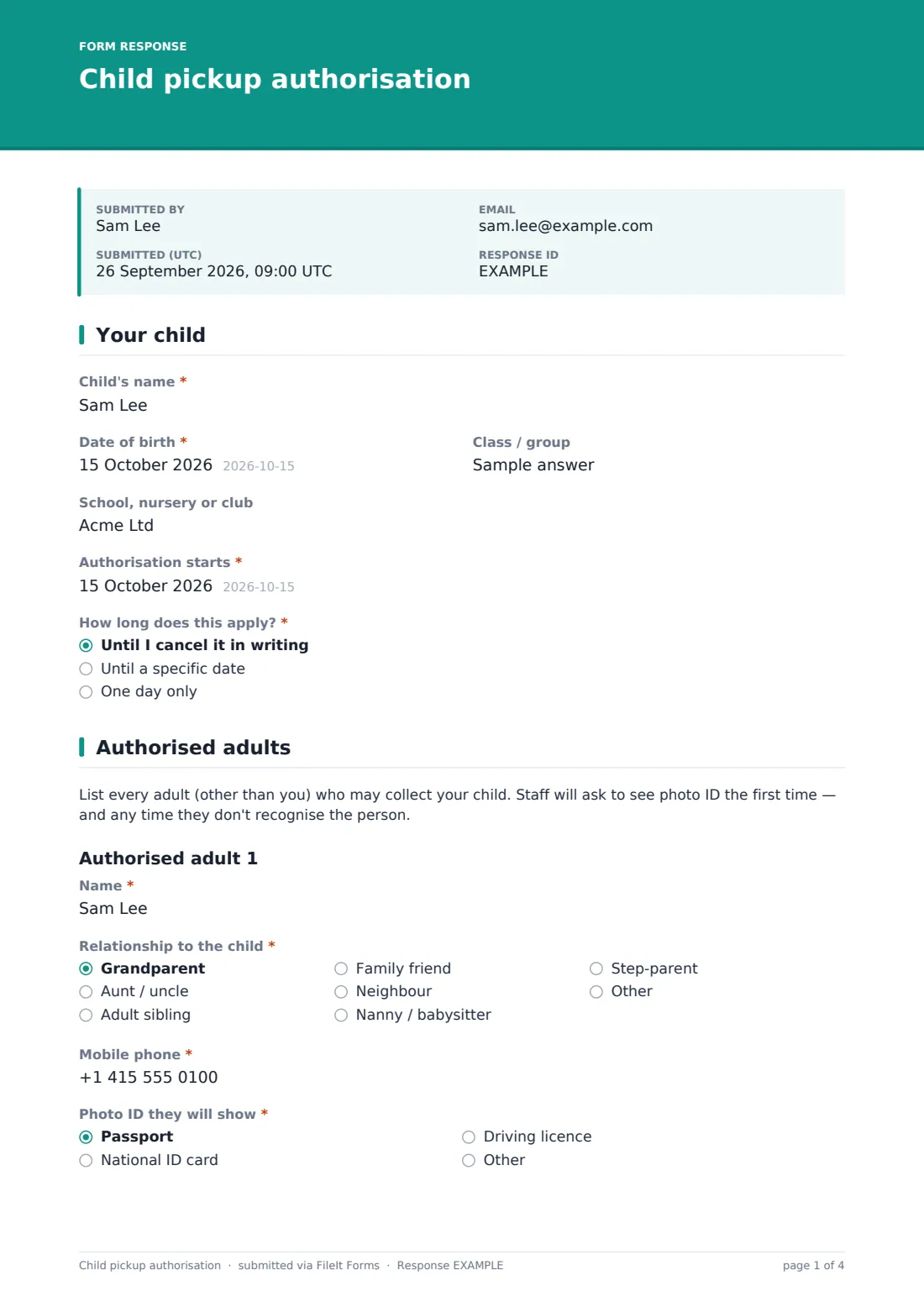
1 Your child
This page opens with the child's name, date of birth, class or group, and the school, nursery or club the form applies to. Parents then set when the authorisation starts and choose how long it applies for: until they cancel it in writing, until a specific end date, or for one day only — choosing "until a specific date" reveals a matching end-date field. That range of options means the same form template works equally well for a standing yearly authorisation and a one-off day when someone unusual is doing the school run.
2 Authorised adults
A short note reminds parents that staff will ask to see photo ID the first time someone collects a child, and any time staff don't recognise them. Parents then list a first authorised adult — name, relationship to the child (grandparent, aunt or uncle, adult sibling, family friend, neighbour, nanny or babysitter, step-parent, or other), mobile phone number, the type of photo ID they'll show, and, optionally, the last four characters of that ID number for staff to check at the door.
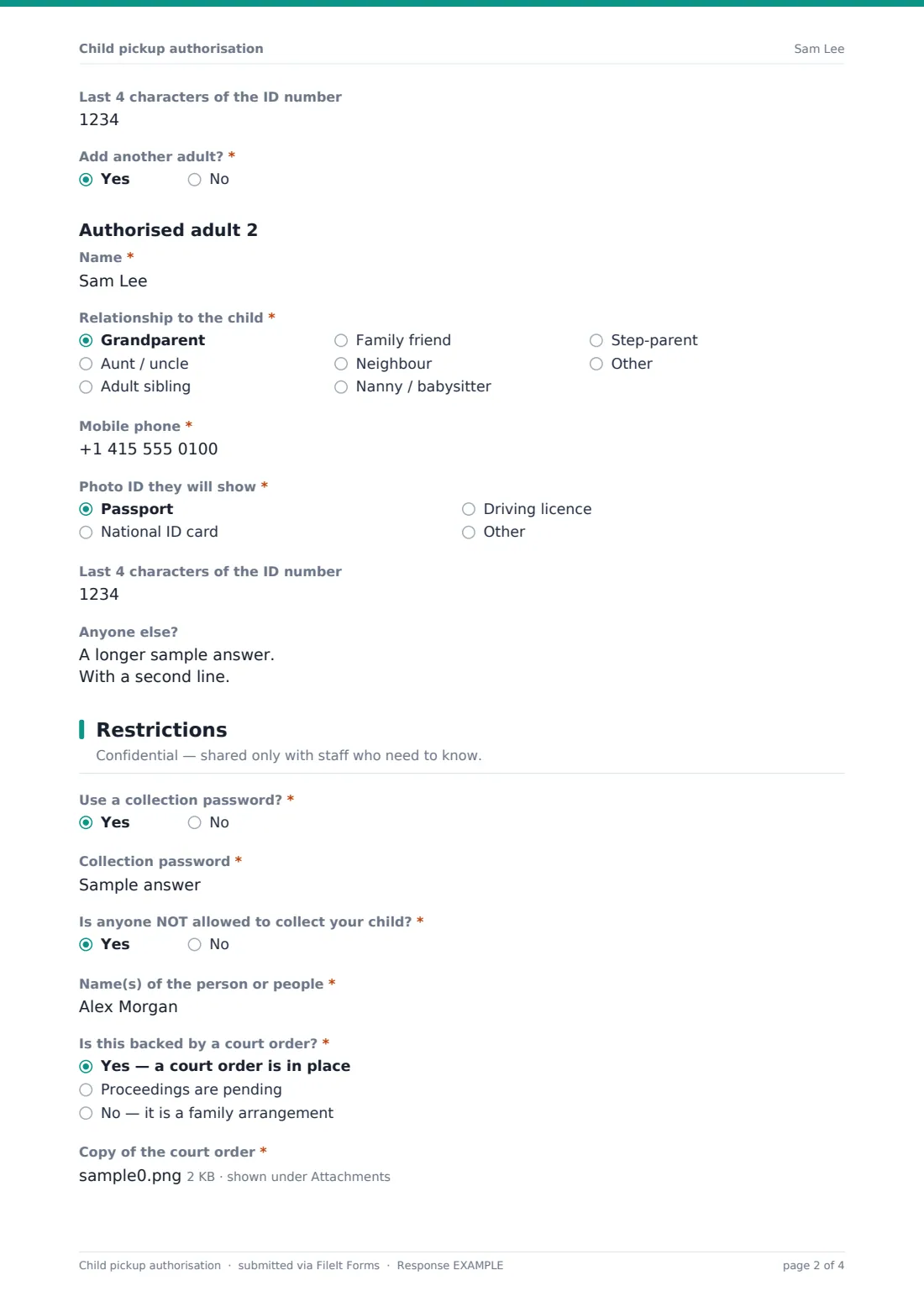
Answering "Yes" to "Add another adult?" reveals an identical set of fields for a second authorised adult, and a free-text box below catches anyone beyond that — useful for families with a longer list of trusted collectors.
3 Restrictions
Marked confidential and shared only with staff who need to know, this page asks whether the family wants to use a collection password — a word that anyone collecting the child must say, given only to the people on the approved list, and never a real password reused from elsewhere. It then asks directly whether anyone is not allowed to collect the child. Answering yes reveals fields for that person's name, whether the restriction is backed by a court order, is part of pending proceedings, or is a family arrangement without formal paperwork, a file upload for a copy of the court order when one applies, and a notes field for anything staff should know, including what to do if that person arrives.
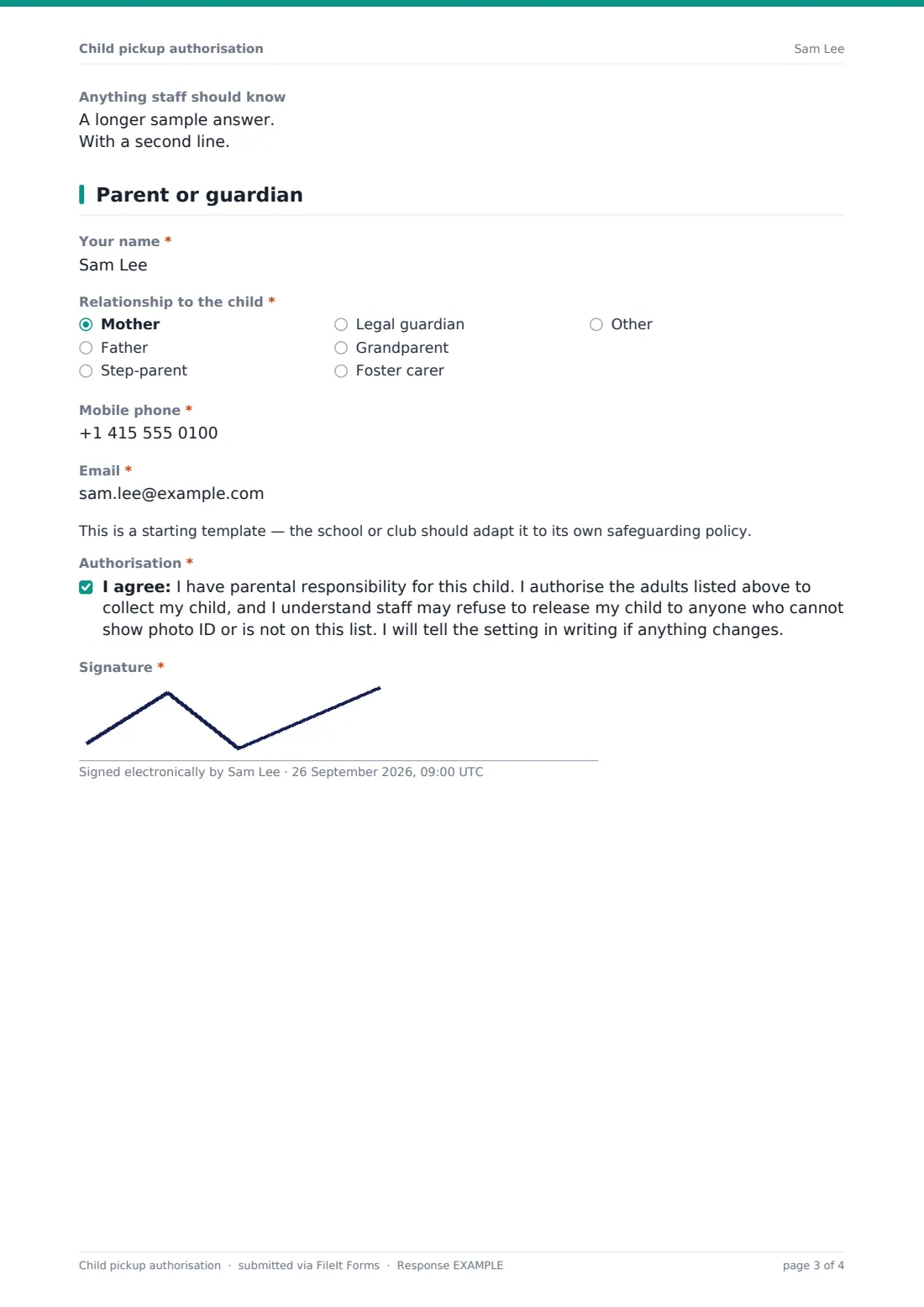
4 Parent or guardian
The form finishes with the parent's own name, their relationship to the child, mobile phone and email, a short note that this template is a starting point the school or club should adapt to its own safeguarding policy, a consent statement confirming the parent has parental responsibility and understands staff may refuse to release the child to anyone not on the list or without photo ID, and a signature drawn directly on screen.
Make the template yours
- Add a photo upload field for each authorised adult if your setting prefers a picture on file alongside the ID type
- Adjust the relationship dropdown options to match the family structures common at your setting
- Make the collection password mandatory for every family, rather than optional, by editing the required setting on that question
- File each submission directly into the child's own vault folder so pickup details sit alongside their other records
- Turn on a maximum number of responses per family if you want exactly one current authorisation on file and expect a new submission to replace the old one
- Add a school-year or term field so an authorisation clearly states which year it covers, useful if you re-collect this form annually
Tips for a better child pickup authorisation form
- Ask parents to re-submit this form whenever their pickup list changes, rather than trying to track edits over email or phone calls
- Train staff to actually check photo ID against the details on file — the form only works if it's used consistently at the door
- Keep restriction details genuinely confidential, visible only to staff who need to act on them, and handle any court order documents with particular care
- Encourage parents to keep collection passwords simple enough to remember but not something an outsider could easily guess
- Store the current authorisation somewhere staff can check quickly at pickup time, not just filed away for later reference
- Review and refresh authorisations at natural points — a new term, a house move, a change in family circumstances — rather than only when something goes wrong
Every response becomes a PDF in your vault
As soon as a parent submits the form, FileIt turns their answers — including the signature — into a PDF, names it using the document title pattern you've set (by default including the child's name), and files it in the vault folder you choose. Turning on owner notifications means your office or admin team knows immediately when a new or updated authorisation comes in, and an optional PDF copy can also be emailed straight to the parent for their own records.
From there, staff typically check the new PDF against the child's existing record and update whatever list they use at pickup time, whether that's printed for the door or referenced from the FileIt vault directly. The Responses table lets you filter to a specific family or search across every submission, and CSV export is useful if you need to build a combined pickup register across a whole class or setting.
- Start from this template. It opens in the FileIt Forms designer — change any question, add pages, set the rules for when questions appear.
- Share it. Turn on a public link, or send it to people by email, each with their own link. They don’t need a FileIt account.
- Get the answers as PDFs. Each response is saved as a PDF in the vault folder you choose, with uploaded files attached — and listed in a Responses table you can export to CSV.
Child pickup authorisation form: frequently asked questions
Is this child pickup authorization form template free?
Yes. It's included in the Forms app on every FileIt account, including the free plan, and every field can be edited to match your own policy.
Do parents need a FileIt account to fill this in?
No. You share a public link or send each family a personal emailed link, and they complete it without creating an account.
Do I receive the completed authorisation as a PDF?
Yes. Each submission, including the parent's signature, is automatically saved as a PDF in the vault folder you choose.
Is this form legally binding?
No — it's a plain-English consent and authorisation template, not a legal document, and the form itself says settings should adapt it to their own safeguarding policy. If a restriction involves a custody dispute, check it against any actual court order rather than relying on the form alone.
Can more than two authorised adults be listed?
Yes. The form has built-in fields for two named adults, plus a free-text box for listing any others beyond that.
How does the collection password work?
It's an optional word the parent chooses and shares only with people on their approved list; staff can ask for it as an extra check before releasing a child to someone they don't recognise. It's meant to be a simple shared word, not an actual account password.
What happens if a restricted person tries to collect the child?
The form records the restriction and any notes on what staff should do, but acting on it in the moment is down to your setting's own procedures — the form is a record, not an automated alert system.
How to create a pickup authorisation form for a school or nursery?
Start from this ready-made template in the FileIt Forms designer, adjust the questions to match your safeguarding policy, and share it with families by link or email — no coding or paperwork required.