What is the household emergency plan form template?
Most households mean to write down an emergency plan and never quite get around to it. This template turns the job into a short online form: fill it in together as a family, and by the end you have a single document that covers where to meet, who to call, what medical needs to remember, and where the water and gas shut-offs are.
An online form beats a scrawled note on the fridge or a half-finished spreadsheet because everyone can fill in their part from their own phone, nothing gets lost, and the questions prompt you for details you'd otherwise forget under pressure — like the out-of-area contact everyone should check in with, or where the pet carrier lives. Conditional questions only ask about medical needs, pets or insurance when they actually apply, so the form stays quick even though it covers a lot of ground.
Once submitted, FileIt turns the answers into a clean PDF and files it in your vault, so it's there on your phone the moment you need it — not just on paper in a drawer that might be inaccessible in an actual emergency.
- Best for
- Families and households preparing an emergency or disaster plan
- Filled in by
- One adult, ideally with the whole household weighing in
- Time to complete
- About 10-15 minutes
- Includes
- Conditional questions for medical needs, pets and insurance, plus long-text sections for contacts and routes
Who uses a household emergency plan form?
- Families in areas prone to wildfire, flood, earthquake or storms who want a plan ready before the season starts
- Households with young children, elderly relatives or anyone who needs medication, equipment or extra help during an evacuation
- Pet owners who need to record carriers, vet details and a pet-friendly place to stay
- Renters and homeowners who want their insurer and policy number in one place alongside the rest of the plan
- A parent updating the plan after moving house or after a new baby, pet or medical condition changes what needs covering
- Community or building coordinators who send the same template to several households so everyone has a consistent plan
Questions on this household emergency plan form
36 questions over 5 pages · includes conditional questions, multiple pages.
1 Household
- Your name*
- Email*
- Household*
- People living here*
- Home address*
- Who lives here*
- Risks where you live Fire · Flood · Earthquake · Storm / hurricane · Wildfire · Long power cut · Extreme heat or cold · Gas leak
2 Meeting places & evacuation
- Meeting place near home*
- Meeting place outside the neighbourhood*
- Where we'd go if we had to leave the area
- Evacuation routes and transport
- Emergency kit / go-bag is kept…
- Copies of important documents are…
3 Contacts
- Out-of-area contact*
- Their phone*
- Local contact / neighbour
- Their phone
- Emergency services number*
- Family doctor
- Schools and workplaces
4 Medical needs & pets
- Does anyone need medication, equipment or extra help in an emergency?*
- Who needs what* asked only when it applies
- Any pets?*
- Pets and what they need asked only when it applies
- Pet-friendly place to stay if we evacuate asked only when it applies
5 Utilities & insurance
- Water shut-off valve
- Gas shut-off
- Electricity main switch / fuse box
- Fire extinguisher / blanket
- Utility companies and emergency lines
- Do you have home or renters insurance?*
- Insurer asked only when it applies
- Policy number asked only when it applies
- Claims phone line asked only when it applies
- Review this plan again on
- Has everyone in the household walked through this plan?
The household emergency plan form, page by page
1 Household
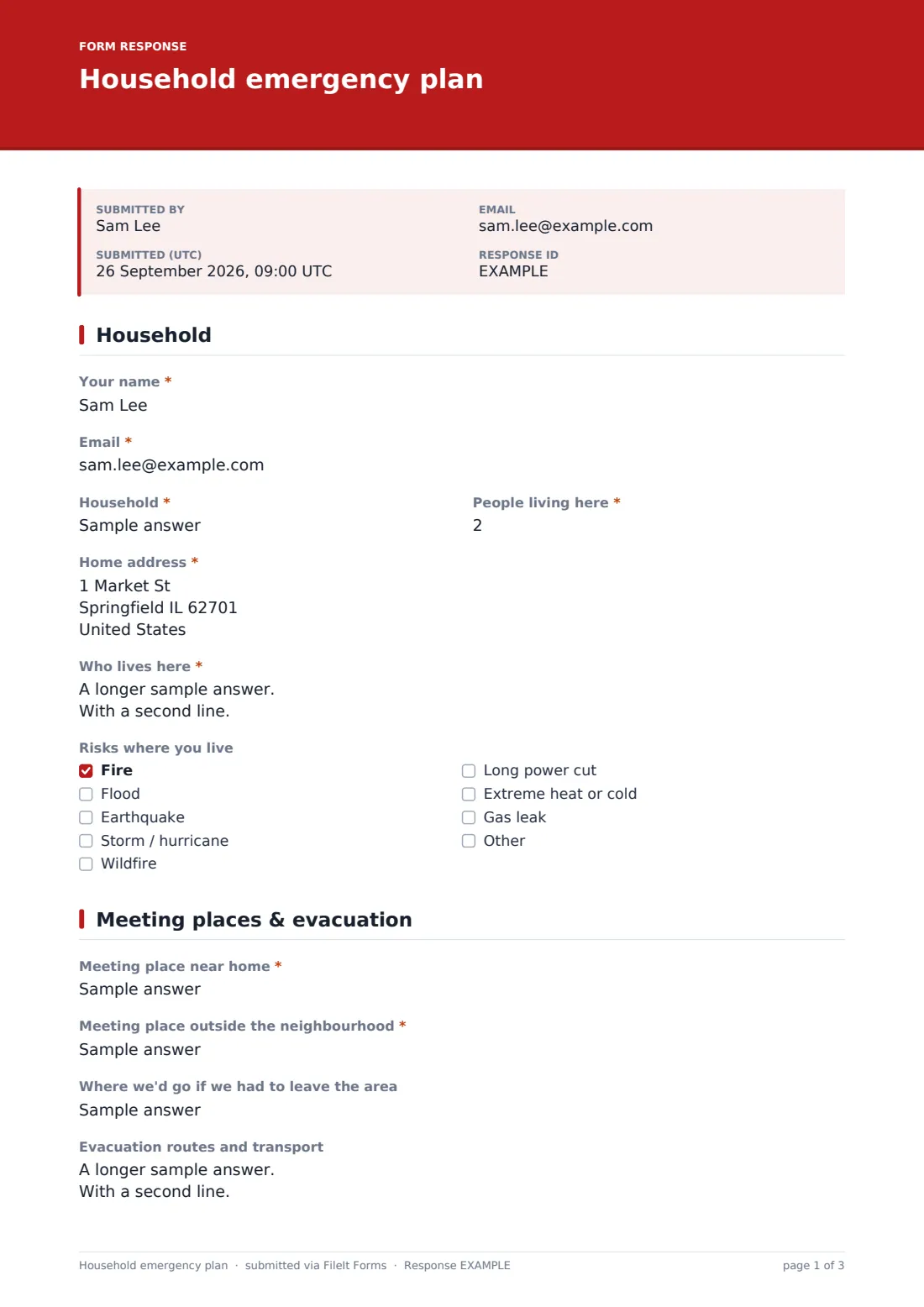
The form starts with who is filling it in, plus their email so FileIt can send a copy once it's submitted. It then asks for the household name, how many people live there, the home address, and a "Who lives here" box for listing each person's name, age and mobile number.
A "Risks where you live" checklist (fire, flood, earthquake, storm, wildfire, long power cuts, extreme heat or cold, gas leak, or an option to add your own) lets the rest of the plan focus on what's actually relevant to your area rather than every disaster type.
2 Meeting places & evacuation
This page nails down two meeting points that emergency planners always recommend: a spot right outside the house for a sudden emergency like a fire, and a second spot outside the neighbourhood in case you can't get home. There's also room for where you'd go if you had to leave the area entirely, and what routes or transport you'd use to get there.
Two short questions record where the go-bag is kept and where copies of important documents are stored — a good moment to note "in FileIt" alongside any physical copies.
3 Contacts
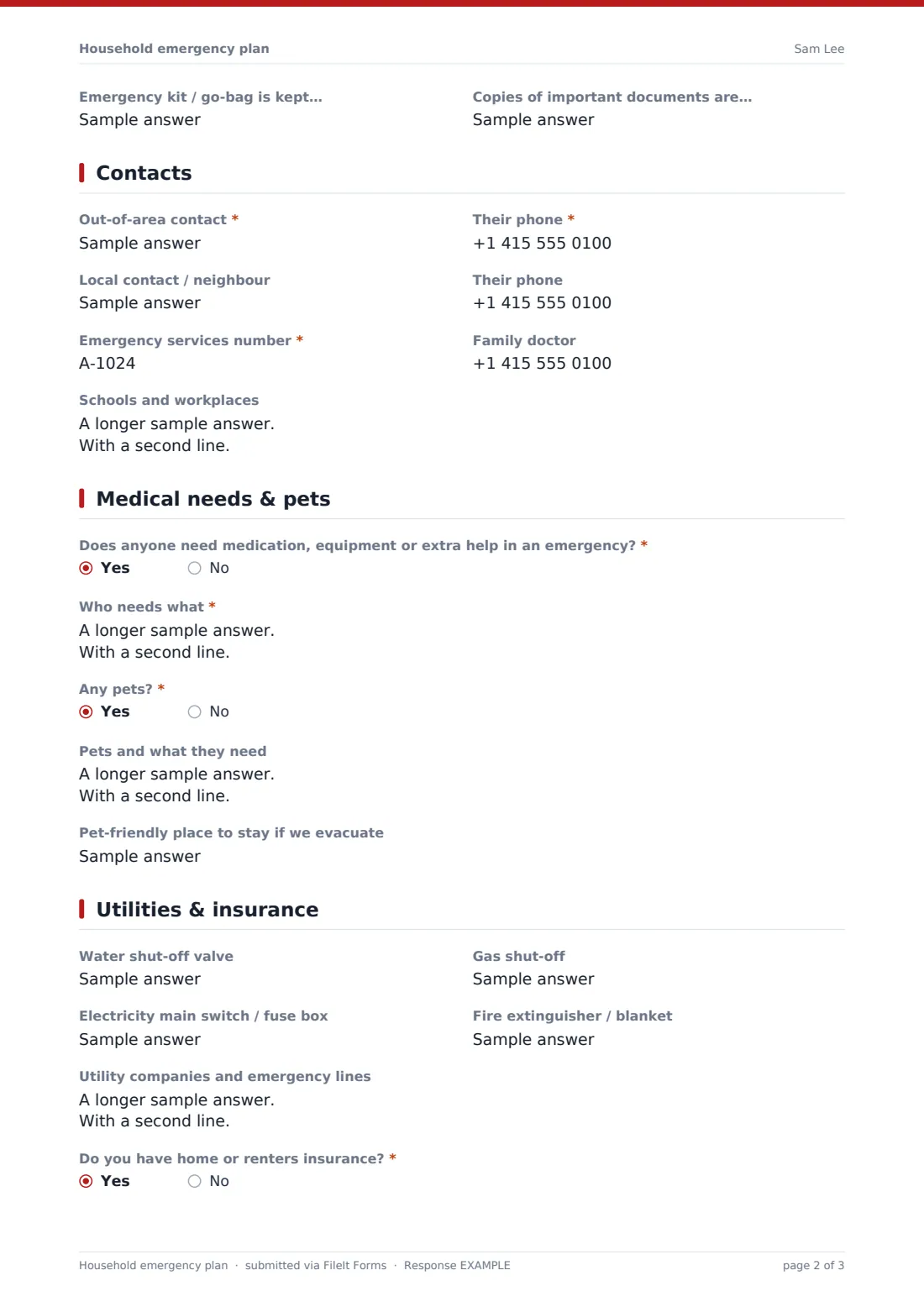
The out-of-area contact question explains why it matters: during a local emergency, long-distance calls often get through when local lines are jammed, so everyone in the family checks in with the same person. Below that are a local contact or neighbour, the local emergency services number, the family doctor, and a box for schools and workplaces with their own phone numbers and emergency plans if you know them.
4 Medical needs & pets
A yes/no question asks whether anyone needs medication, equipment or extra help in an emergency; answering Yes opens a "Who needs what" box, for example "Dad — insulin in the fridge" or "Gran — needs help on stairs, uses a walker." A second yes/no question does the same for pets, opening fields for what each pet needs and a pet-friendly place to stay if you have to evacuate.
Because these fields only appear when relevant, a household with no pets and no medical needs skips straight past them.
5 Utilities & insurance
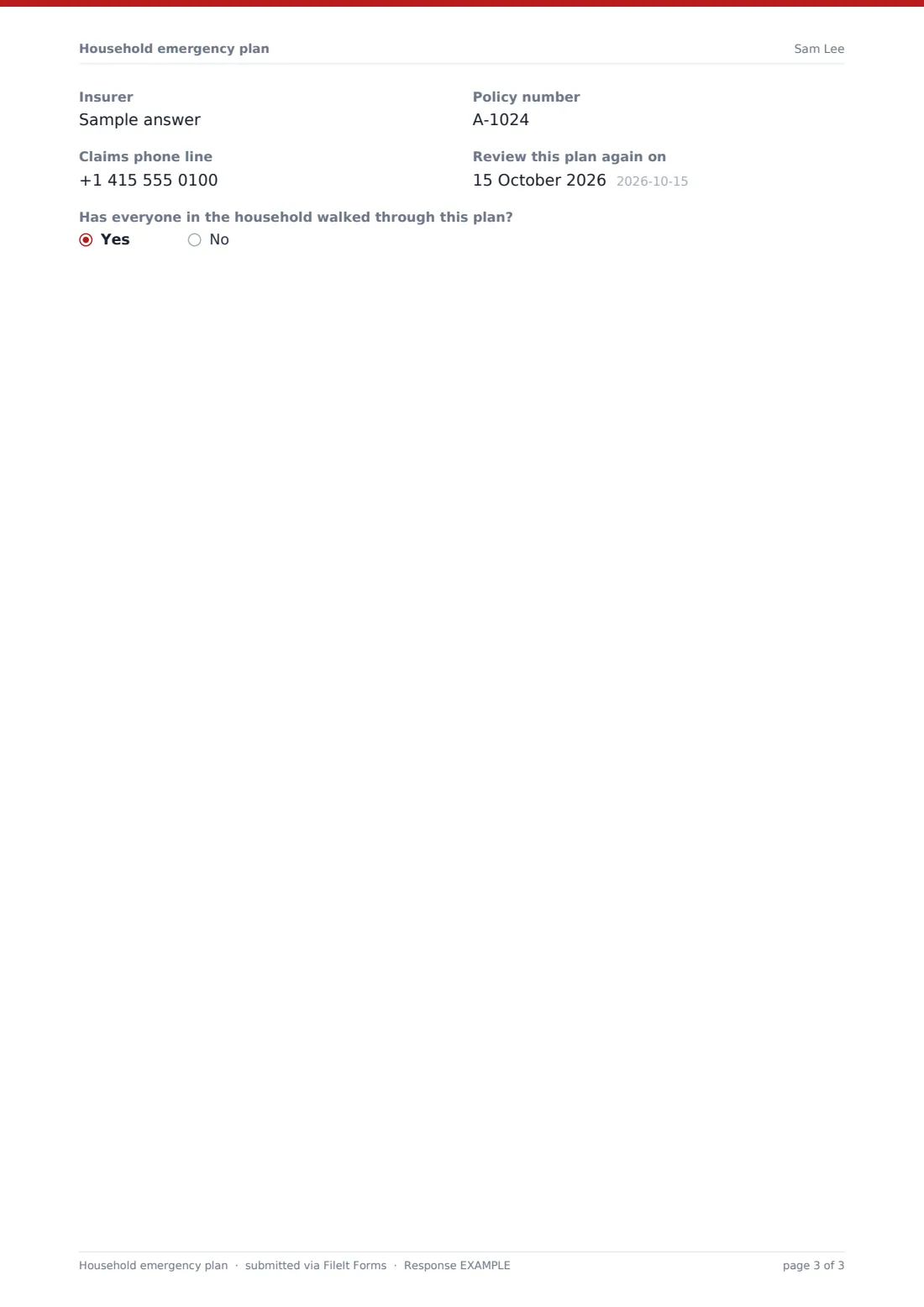
The last page records where to find the water shut-off valve, the gas shut-off, the electrical main switch and any fire extinguisher or blanket, plus a box for utility company emergency phone lines. If you answer Yes to having home or renters insurance, the form asks for the insurer, policy number and claims phone line so they're on hand if you need to file a claim afterwards.
It finishes with a reminder to set a review date — every six to twelve months, or whenever something changes — and a yes/no check on whether everyone in the household has actually walked through the plan.
Make the template yours
- Add or rename hazard options on page 1 to match risks specific to your area, such as landslides or tsunamis
- Add a question for a specific family member's school or workplace if the free-text box isn't enough
- Turn off "Collect respondent name/email" if a family member filling it in on a shared tablet shouldn't need to enter their own details
- Set the vault folder so the finished PDF files straight into a "Family" or "Household" folder alongside other important documents
- Change the document title pattern so multiple household plans (e.g. one per property) are easy to tell apart in the vault
- Add a question about backup power, generators or a water supply if that's relevant where you live
- Re-share the same form link every six months as a simple way to prompt the household to review and resubmit the plan
Tips for a better household emergency plan form
- Fill it in as a household activity rather than one person guessing — the details about medication, mobility and pets are easy to get wrong secondhand
- Keep phone numbers current; a plan with an old work number for the out-of-area contact is worse than no plan
- Only note what you'd actually want on hand in an emergency — avoid recording sensitive details like full account numbers
- Print the finished PDF and keep a copy in the go-bag as well as in FileIt, in case power or phones aren't working
- Walk through the plan out loud with kids so the meeting points and contact names are familiar, not just written down
- Revisit the plan after any house move, new pet, new medical condition or change of insurer
Every response becomes a PDF in your vault
As soon as the plan is submitted, FileIt turns it into a PDF and files it in the vault folder you chose, with the owner notified by email. If "send a copy to the respondent" is switched on, whoever filled it in also gets their own PDF copy in their inbox — handy for printing straight away.
From there, most households print a copy for the go-bag, share the PDF with everyone old enough to read it, and set a reminder to revisit the form in six months. Because every submission is saved, you can compare an old plan with a new one in the Responses table if the household changes and you fill the form in again.
- Start from this template. It opens in the FileIt Forms designer — change any question, add pages, set the rules for when questions appear.
- Share it. Turn on a public link, or send it to people by email, each with their own link. They don’t need a FileIt account.
- Get the answers as PDFs. Each response is saved as a PDF in the vault folder you choose, with uploaded files attached — and listed in a Responses table you can export to CSV.
Household emergency plan form: frequently asked questions
Is this household emergency plan template free?
Yes. It's one of FileIt's ready-made templates, available on every account including the free plan, and you can edit every question in it.
Does everyone in the family need a FileIt account to fill this in?
No. You can share the form by a public link or send it to specific family members by email — nobody needs a FileIt account to answer it.
How do I get a copy of the finished plan?
Every submission becomes a PDF saved in your FileIt vault automatically, and you can also turn on an emailed copy for whoever filled the form in, so they get their own PDF to print.
What if we don't have home or renters insurance?
Just answer No to that question and the insurer, policy number and claims line fields are skipped — nothing else in the plan depends on it.
Can I add hazards that aren't on the list, like landslides?
Yes. The risks checklist allows an "other" option, and you can edit the template in the designer to add your own permanent options too.
How often should we update this plan?
The template includes a review-date field with a rule of thumb of every six to twelve months, or sooner if you move house, get a pet, or someone's medical needs change.
Can I make a separate plan for each property we own?
Yes — share the form once per household and set a distinct document title or vault folder for each so the PDFs stay organized.