What is the travel health consultation form template?
Travel health advice depends on the details: exactly where someone's going, for how long, where they'll stay, what they'll be doing, which vaccines they've already had and what health conditions or medicines might affect their options. Collecting that before the appointment gives the nurse or pharmacist time to check current recommendations for each destination.
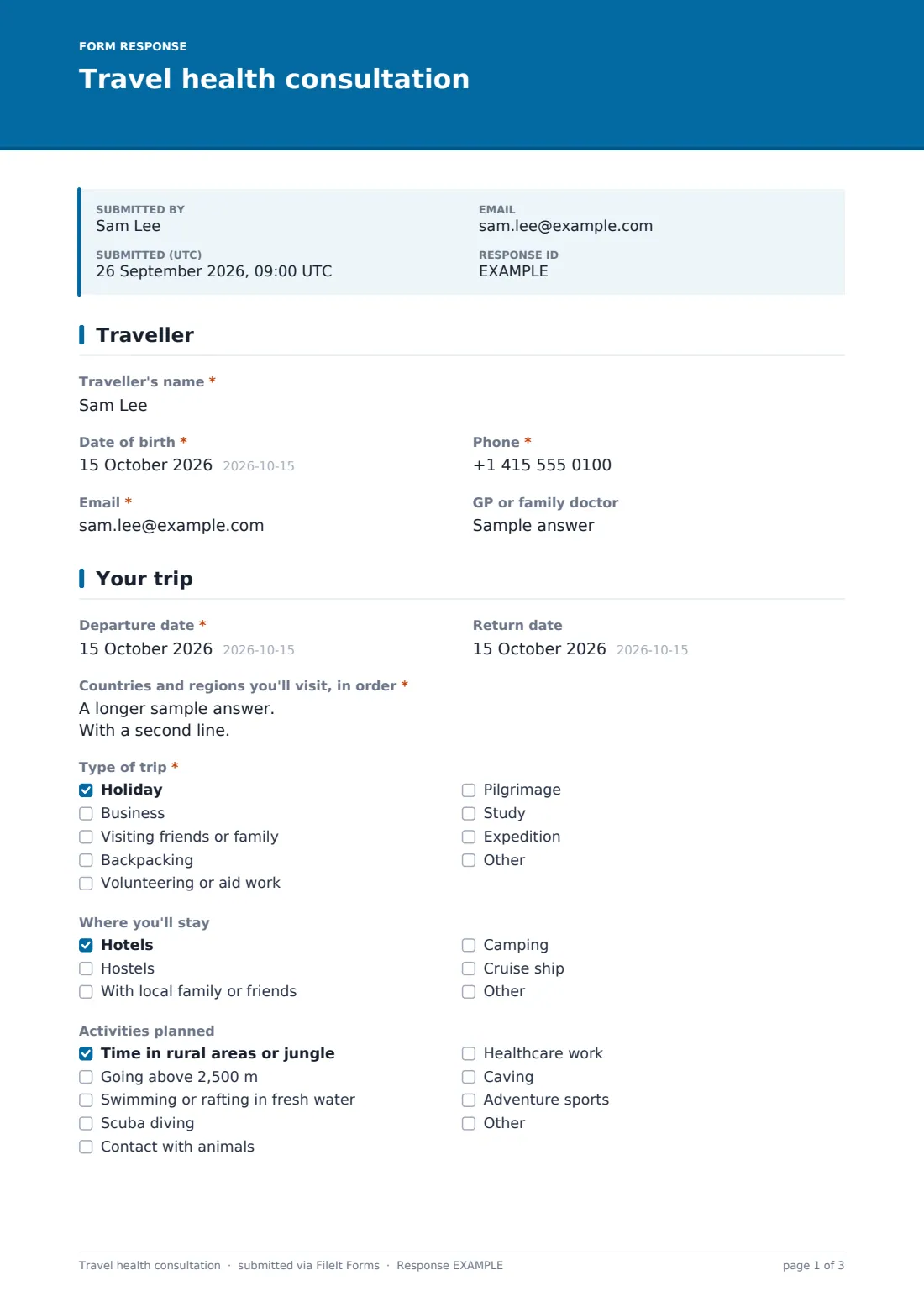
This template takes one traveller per form. It records contact details, then the trip: departure and return dates, countries and regions in order, the type of trip — from holidays and business to visiting family, backpacking, volunteering and pilgrimage — where they'll stay and planned activities such as rural travel, high altitude, fresh-water swimming, diving or animal contact.
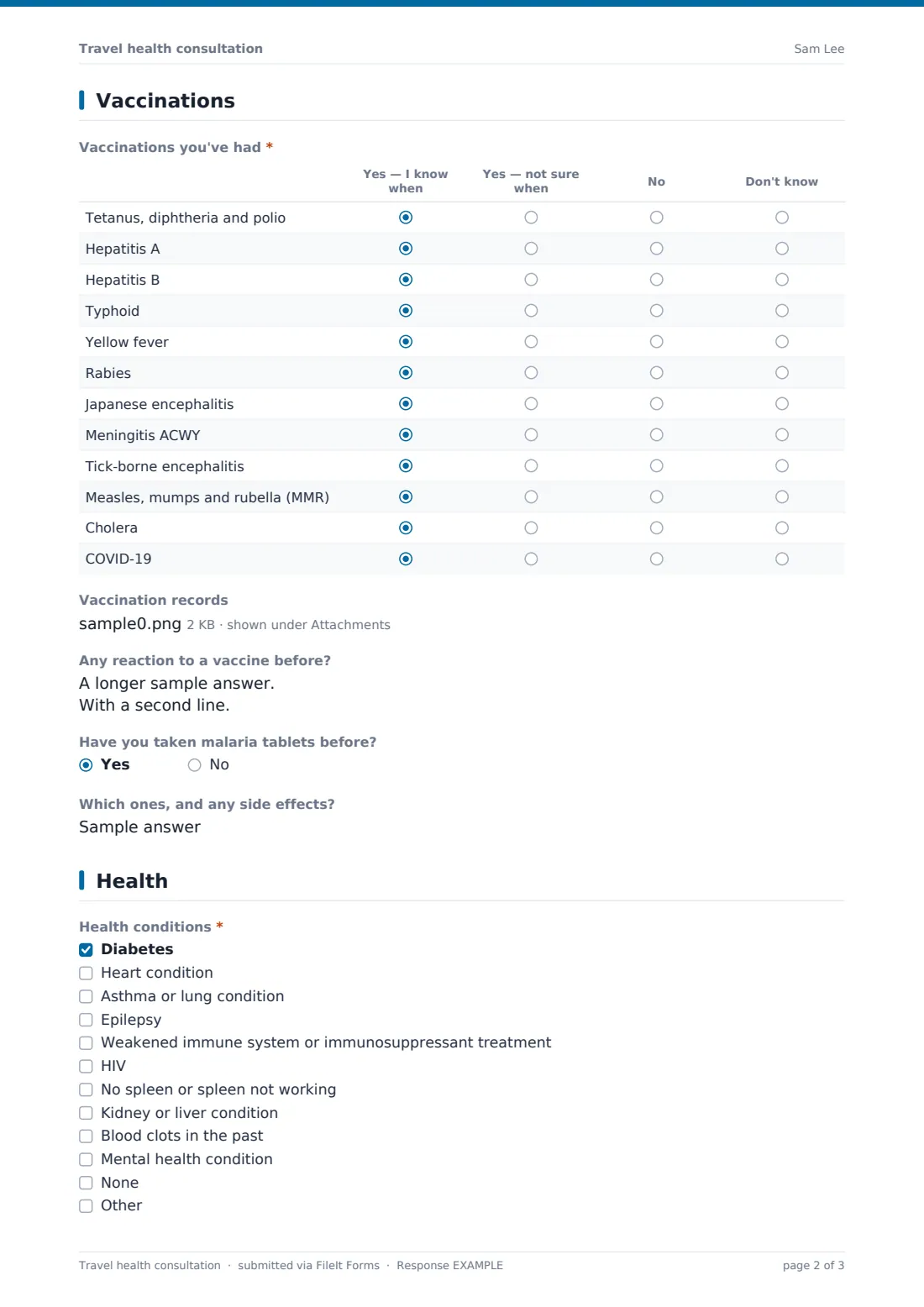
A vaccination grid covers twelve common travel and routine vaccines, with uploads for records, past reactions and previous malaria tablets. The health page covers conditions that affect vaccine or malaria choices, immune-suppressing treatment, medicines, allergies, pregnancy and travel insurance. Each consultation form is saved as a PDF in FileIt.
- Best for
- Travel clinics, pharmacies, GP practices, occupational health and university health services
- Filled in by
- The traveller, or a parent for a child
- Time to complete
- About 6 minutes
- Includes
- Itinerary and activities, vaccination history grid with uploads, malaria history, health conditions, medicines, allergies, pregnancy and consent
Who uses a travel health consultation form?
- Pharmacies booking travel vaccination appointments
- GP practices triaging travel health requests
- Employers sending staff on overseas assignments
- Universities preparing students for study or fieldwork abroad
- Charities briefing volunteers before aid placements
- Pilgrimage groups checking vaccine requirements before departure
Questions on this travel health consultation form
25 questions over 4 pages · includes file upload, conditional questions, multiple pages, consent checkbox, ratings.
1 Traveller
- Traveller's name*
- Date of birth*
- Phone*
- Email*
- GP or family doctor
2 Your trip
- Departure date*
- Return date
- Countries and regions you'll visit, in order*
- Type of trip* Holiday · Business · Visiting friends or family · Backpacking · Volunteering or aid work · Pilgrimage · Study · Expedition
- Where you'll stay Hotels · Hostels · With local family or friends · Camping · Cruise ship
- Activities planned Time in rural areas or jungle · Going above 2,500 m · Swimming or rafting in fresh water · Scuba diving · Contact with animals · Healthcare work · Caving · Adventure sports
- Highest altitude and how quickly you'll ascend asked only when it applies
3 Vaccinations
- Vaccinations you've had* Yes — I know when · Yes — not sure when · No · Don't know
- Vaccination records
- Any reaction to a vaccine before?
- Have you taken malaria tablets before?
- Which ones, and any side effects? asked only when it applies
4 Health
- Health conditions* Diabetes · Heart condition · Asthma or lung condition · Epilepsy · Weakened immune system or immunosuppressant treatment · HIV · No spleen or spleen not working · Kidney or liver condition · Blood clots in the past · Mental health condition · None
- Treatment that affects your immune system asked only when it applies
- Medicines you take
- Allergies
- Pregnancy* Pregnant · Planning a pregnancy · Breastfeeding · No · Not applicable
- Do you have travel insurance that covers your health?
- Questions for the nurse or pharmacist
- Consent*
The travel health consultation form, page by page
1 Traveller
The traveller gives their name, date of birth, phone, email and GP or family doctor.
2 Your trip
Enter the departure and return dates and list the countries and regions in the order they'll be visited. Tick the type of trip, where you'll stay — hotels, hostels, with family, camping or a cruise ship — and planned activities, from time in rural areas and fresh-water swimming to diving, animal contact, healthcare work, caving and adventure sports. Going above 2,500 m asks for the highest altitude and how quickly you'll ascend.
3 Vaccinations
A grid covers tetanus, diphtheria and polio, hepatitis A and B, typhoid, yellow fever, rabies, Japanese encephalitis, meningitis ACWY, tick-borne encephalitis, MMR, cholera and COVID-19. For each, the traveller says whether they've had it and know when, had it but aren't sure when, haven't had it, or don't know. Records can be uploaded, past vaccine reactions noted, and previous malaria tablets recorded with any side effects.
4 Health
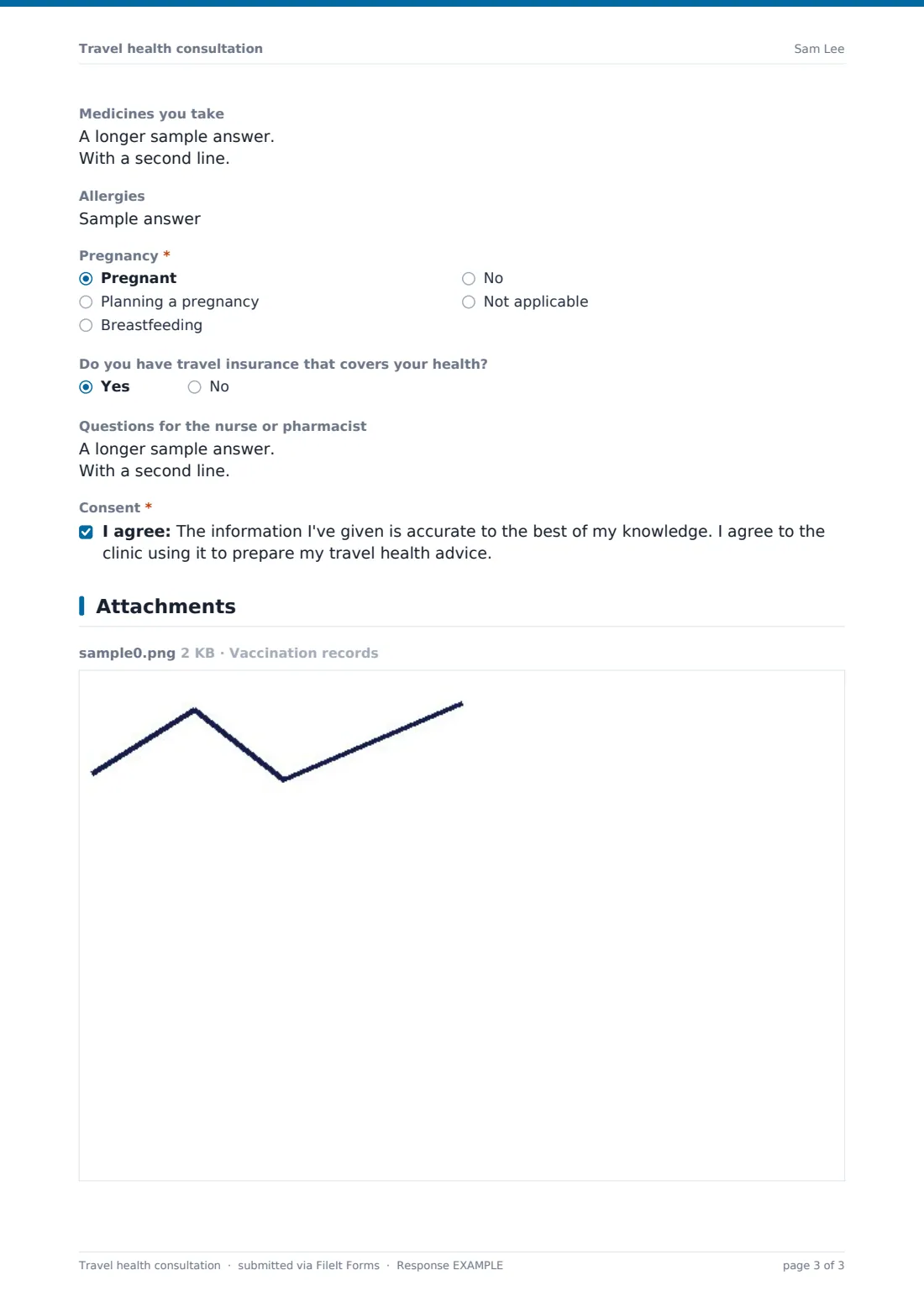
Tick health conditions such as diabetes, heart or lung conditions, epilepsy, a weakened immune system, HIV, no working spleen, kidney or liver conditions, blood clots or a mental health condition. Immune-suppressing treatment asks for details. The page also asks for medicines, allergies, pregnancy or breastfeeding, travel insurance, questions for the clinician and consent.
Make the template yours
- Add your clinic's prices for common vaccines to the cover text
- Edit the vaccine grid to match the vaccines you offer
- Add a question for a parent or guardian when the traveller is a child
- Route forms to the pharmacist or nurse who runs travel clinics
- Add your privacy notice to the consent statement
- File each traveller's form in a vault folder for the trip or group
Tips for a better travel health consultation form
- Encourage travellers to complete the form several weeks before departure
- Check destination recommendations close to the appointment — they change
- Ask travellers to bring vaccination records, even if they uploaded them
- Review immune-suppressing treatment before any live vaccine
- Cover food, water, insect bite and sun advice, not just vaccines
- Remind travellers that some countries need proof of certain vaccines at entry
Every response becomes a PDF in your vault
Each form is saved as a PDF in the vault folder you choose, with any vaccination records attached. The account owner can be emailed as soon as a traveller submits, and the traveller can receive a copy.
In Responses, filter by departure date to prioritise imminent trips, or export to CSV to see which destinations and vaccines are most requested.
- Start from this template. It opens in the FileIt Forms designer — change any question, add pages, set the rules for when questions appear.
- Share it. Turn on a public link, or send it to people by email, each with their own link. They don’t need a FileIt account.
- Get the answers as PDFs. Each response is saved as a PDF in the vault folder you choose, with uploaded files attached — and listed in a Responses table you can export to CSV.
Travel health consultation form: frequently asked questions
Is this travel health consultation template free?
Yes. It's part of the Forms app, included with every FileIt account, the free plan too.
Does the form tell travellers which vaccines they need?
No. It collects the information a nurse or pharmacist needs to give advice. Recommendations depend on the destination, the traveller and current guidance.
Can a family use one form?
Use one form per traveller so each person's vaccination history and health details stay separate.
Can travellers upload their vaccination records?
Yes. Up to three files — PDFs or photos of cards and certificates — can be attached.
Can I change the vaccines in the grid?
Yes. Edit the rows in the designer to add or remove vaccines.
Who can see the answers?
Responses are filed in your FileIt vault. Keep them in a folder only your clinical team can open.