What is the traveler profile form template?
Every booking goes faster when the traveler's details are already on file. Without one, agents end up chasing the same details by email before each trip. This traveler profile form template gathers all of it in one sitting, on two short pages.
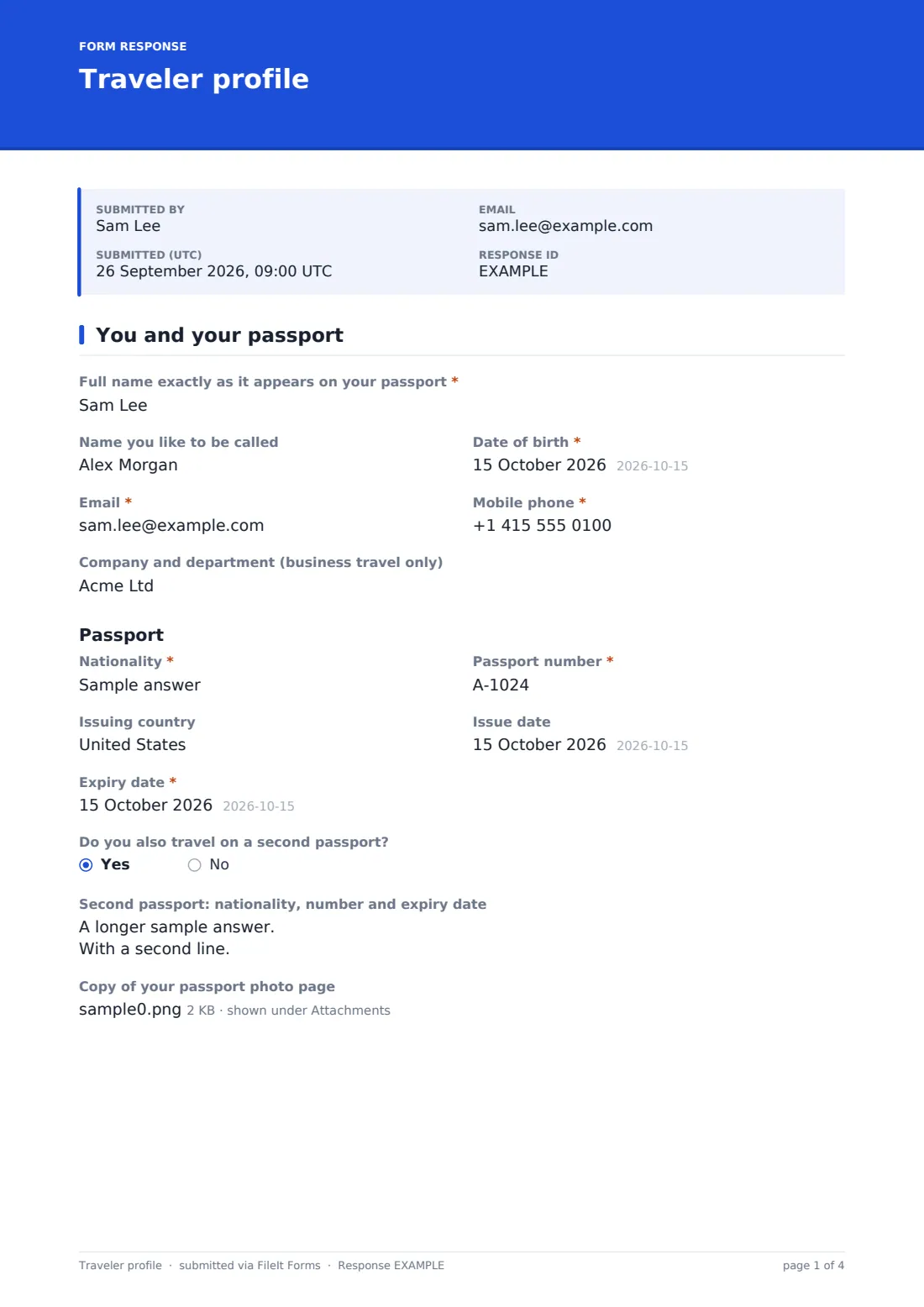
The first page covers identity: the full name exactly as it appears on the passport, date of birth, contact details, and the passport itself, including its number, issuing country and expiry date. Travelers who carry a second passport can add it. A checklist of trusted traveler programs follows, and ticking Known Traveler opens a required field for the Known Traveler Number (KTN) and the membership expiry date, so the number reaches the booking and doesn't stay in someone's inbox.
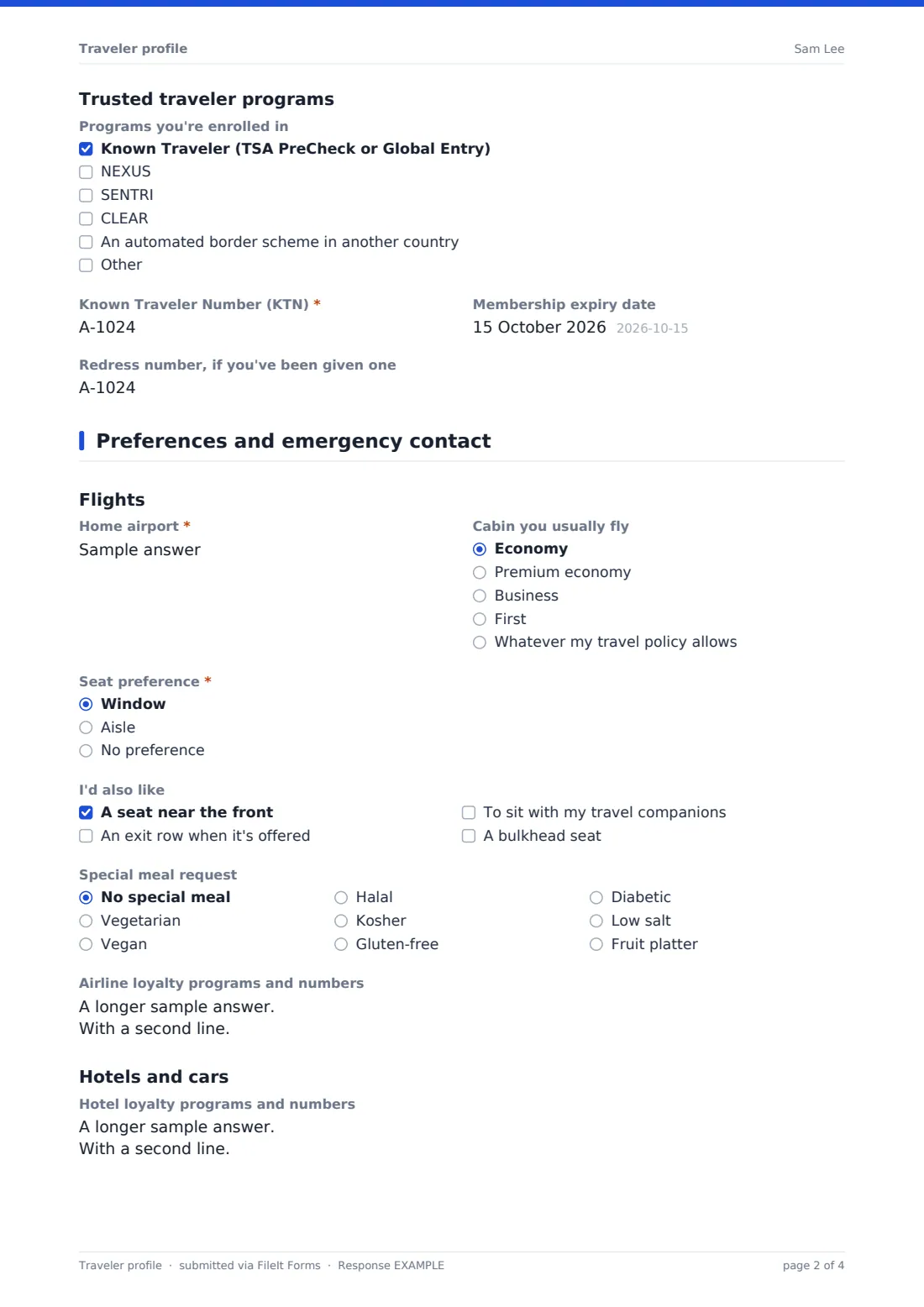
The second page covers how they like to travel: seat preference, cabin, special meal request, airline and hotel loyalty numbers, room preferences, rental car details, any assistance they need, and an emergency contact. Each profile is saved as a PDF in your FileIt vault, with the passport copy attached, so the whole team works from the same record.
- Best for
- Travel agents, travel management companies, executive assistants and company travel teams
- Filled in by
- The traveler, once, and again whenever something changes
- Time to complete
- About 8 minutes
- Includes
- Passport details and copy, Known Traveler Number logic, airline, hotel and car preferences, emergency contact and consent
Who uses a traveler profile form?
- A travel agency onboarding a new client before their first booking
- A company travel team building profiles for staff who travel for work
- An executive assistant keeping the details for the people they book for
- A sports team or touring group collecting passport and seating details for every member
- Refreshing profiles each year so passport expiry dates and loyalty numbers stay current
- Families who book through an agent and want each person's preferences on file
Questions on this traveler profile form
37 questions over 2 pages · includes file upload, conditional questions, multiple pages, consent checkbox.
1 You and your passport
- Full name exactly as it appears on your passport*
- Name you like to be called
- Date of birth*
- Email*
- Mobile phone*
- Company and department (business travel only)
- Nationality*
- Passport number*
- Issuing country
- Issue date
- Expiry date*
- Do you also travel on a second passport?
- Second passport: nationality, number and expiry date asked only when it applies
- Copy of your passport photo page
- Programs you're enrolled in Known Traveler (TSA PreCheck or Global Entry) · NEXUS · SENTRI · CLEAR · An automated border scheme in another country
- Known Traveler Number (KTN)* asked only when it applies
- Membership expiry date asked only when it applies
- Redress number, if you've been given one
2 Preferences and emergency contact
- Home airport*
- Cabin you usually fly Economy · Premium economy · Business · First · Whatever my travel policy allows
- Seat preference* Window · Aisle · No preference
- I'd also like A seat near the front · An exit row when it's offered · To sit with my travel companions · A bulkhead seat
- Special meal request No special meal · Vegetarian · Vegan · Halal · Kosher · Gluten-free · Diabetic · Low salt · Fruit platter
- Airline loyalty programs and numbers
- Hotel loyalty programs and numbers
- Room preferences High floor · Low floor · Away from the elevator · One large bed · Two beds · Accessible room · Quiet room
- Car rental company and member number
- Car size Compact · Mid-size · Full-size · SUV · Electric or hybrid · I rarely rent a car
- Do you need any assistance when you travel, such as a wheelchair or help with a medical device?
- What should we arrange?* asked only when it applies
- Other preferences we should know about
- Emergency contact name*
- Relationship to you*
- Their phone*
- Their email
- Country they live in
- Keeping your profile*
The traveler profile form, page by page
1 You and your passport
The page opens with Full name exactly as it appears on your passport, followed by the name the traveler likes to be called, date of birth, email and a mobile phone for messages about flight changes. Business travelers can add their company and department.
Under Passport, the traveler gives nationality, passport number, issuing country, issue date and expiry date. A short note under the expiry date mentions that many countries want at least six months left at arrival. Do you also travel on a second passport? opens a box for that passport's nationality, number and expiry. There's an upload for a copy of the passport photo page.
Under Trusted traveler programs, the traveler ticks any programs they belong to: Known Traveler (TSA PreCheck or Global Entry), NEXUS, SENTRI, CLEAR, an automated border scheme in another country, or one they type in. Ticking Known Traveler reveals Known Traveler Number (KTN), which is then required, and the membership expiry date. A last field takes a redress number for anyone who has one.
2 Preferences and emergency contact
The Flights section asks for the home airport, the cabin they usually fly (including Whatever my travel policy allows), seat preference (window, aisle or no preference), and extras such as an exit row, a bulkhead seat or sitting with travel companions. Special meal request lists the usual options, from vegetarian and halal to gluten-free and diabetic. Airline loyalty programs and numbers takes one program per line.
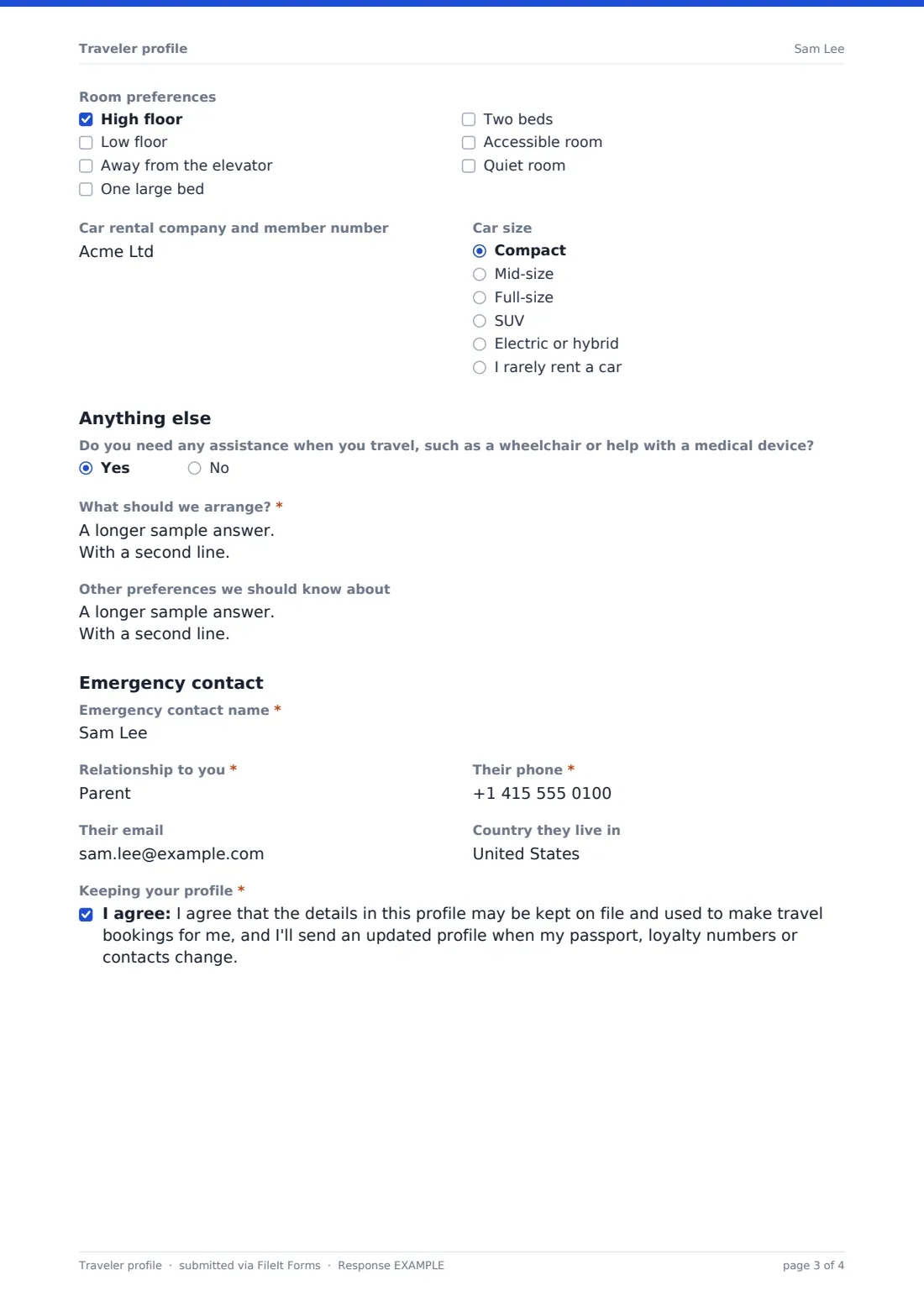
Hotels and cars collects hotel loyalty numbers, room preferences such as a high floor, away from the elevator, one large bed or an accessible room, the rental car company and member number, and the preferred car size. Do you need any assistance when you travel opens a required box for what should be arranged.
The page ends with the emergency contact: name, relationship, phone, email and the country they live in, then a consent to keep the profile on file and use it for bookings.
Make the template yours
- Change the cabin options to match your company's travel policy tiers
- Add a cost centre or employee number field for business travel
- Remove the car rental questions if your travelers rarely drive
- Set the vault folder so every profile files into one Travelers folder, or a folder per client
- Add your agency's name to the consent statement
- Add a dropdown for preferred airline alliance if your clients care about it
Tips for a better traveler profile form
- Ask travelers to copy their name letter for letter from the passport, including middle names, since a mismatch can cause problems at check-in
- Send the form again whenever a passport is renewed, so the new number and expiry date reach your records
- Limit who can open the folder where profiles are filed, since they contain passport details
- Check the emergency contact is someone who won't be on the same trip
Every response becomes a PDF in your vault
Each profile is saved as a PDF in the vault folder you choose, titled with the traveler's name, and the passport copy is attached to the same document. You get an email when a new profile comes in, and the traveler can be sent their own copy.
The Responses table lists every profile, so you can search for a traveler by name before a booking and export the list to CSV.
- Start from this template. It opens in the FileIt Forms designer — change any question, add pages, set the rules for when questions appear.
- Share it. Turn on a public link, or send it to people by email, each with their own link. They don’t need a FileIt account.
- Get the answers as PDFs. Each response is saved as a PDF in the vault folder you choose, with uploaded files attached — and listed in a Responses table you can export to CSV.
Traveler profile form: frequently asked questions
Is this traveler profile template free?
Yes. It's one of the starter templates in FileIt's Forms app, available on every plan, including free, and you can edit any question.
When does the Known Traveler Number field appear?
Only when the traveler ticks Known Traveler (TSA PreCheck or Global Entry) under trusted traveler programs. It's then required, with an optional membership expiry date.
Can travelers upload a copy of their passport?
Yes. There's an upload for the passport photo page that takes photos or PDFs, up to two files, and the copy is attached to the profile in your vault.
Do travelers need a FileIt account?
No. Share the form's link or send them a request by email, and they fill it in on a phone or computer without signing up.
Does the form book anything or send details to airlines?
No. It collects the traveler's details and preferences in one record. Your team still makes the bookings in its own systems.
Can one person fill in profiles for their whole family?
Yes. Multiple responses are allowed, so they can submit one profile per person from the same link.