What is the travel itinerary planner form template?
Booking a trip leaves you with a dozen confirmation emails, each with a different reference number and a different idea of what's important. When you're standing at a car rental desk at midnight, you want one page with everything on it. This itinerary planner builds that page as you go.
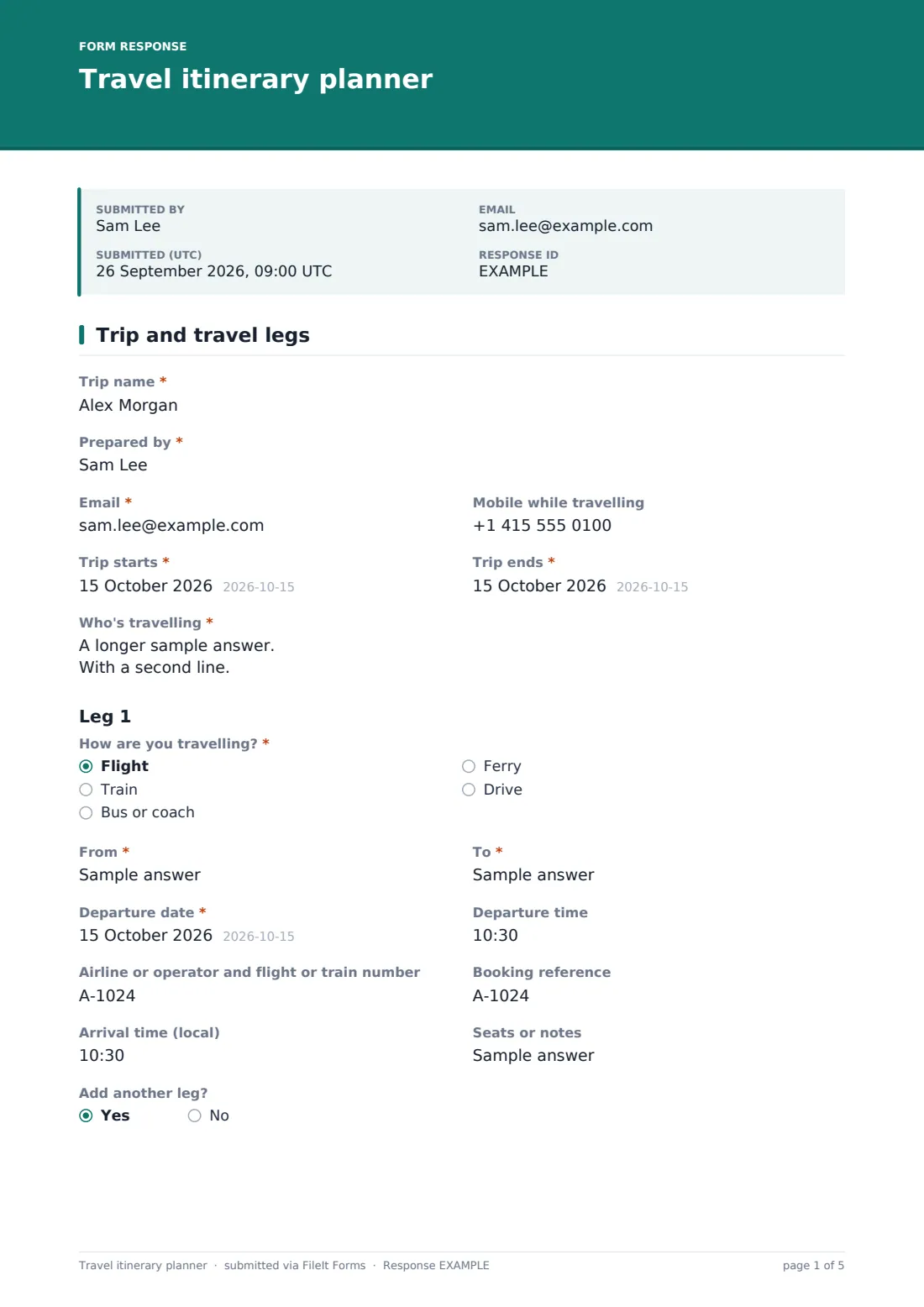
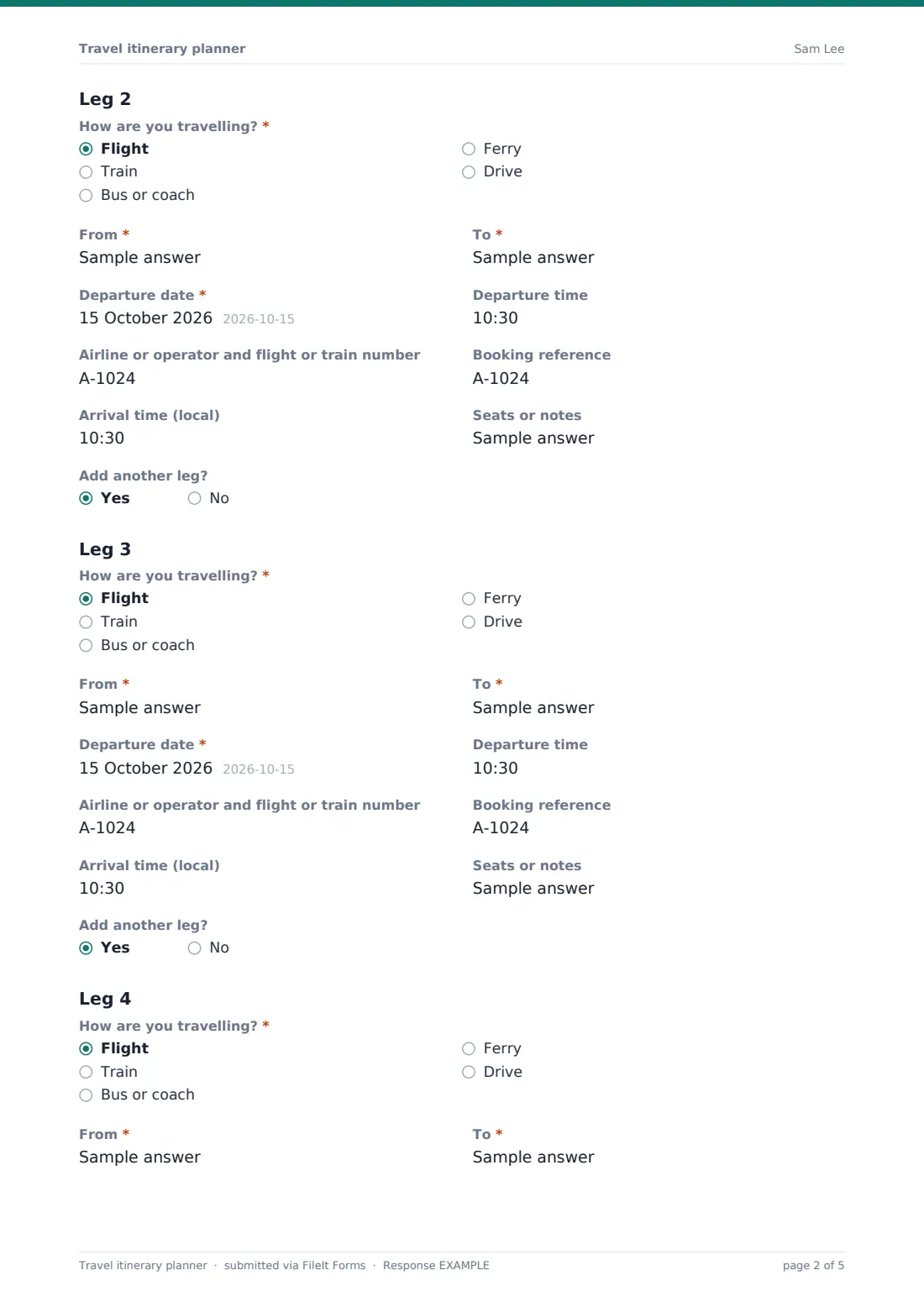
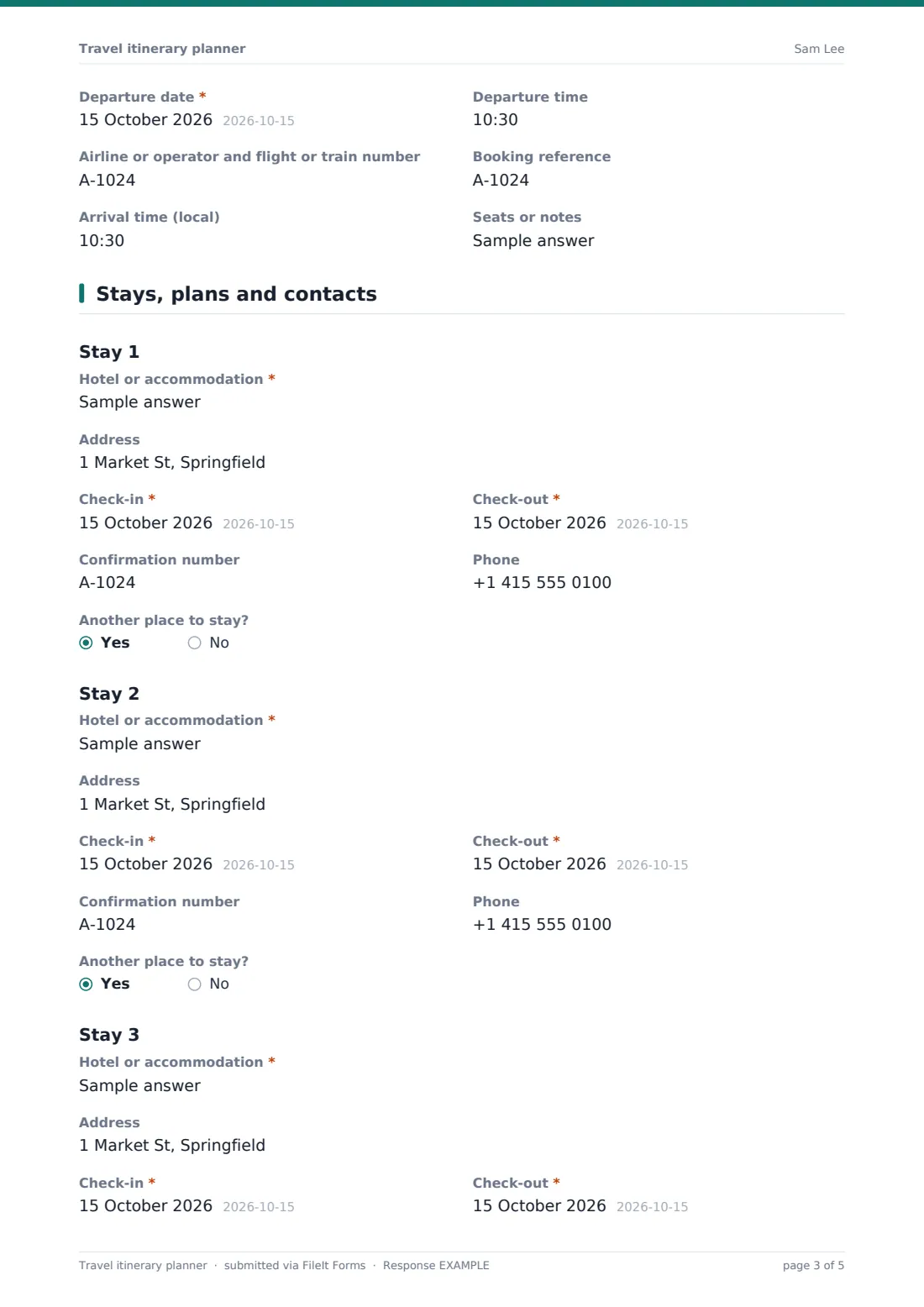
The first page holds the trip name, dates and who's travelling, then one section per leg. Each leg records how you're travelling (flight, train, bus, ferry or drive), from and to, departure date and time, the operator and flight or train number, the booking reference and the local arrival time. Answering yes to "Add another leg?" opens the next one, up to four. Places to stay work the same way on the second page, followed by car rental, a day-by-day plan and emergency contacts.
It suits families planning a holiday, someone booking a work trip, and travel agents who want to hand clients a clean summary. The finished itinerary is saved as a PDF in FileIt, with any tickets and confirmations you uploaded.
- Best for
- Holidaymakers, business travellers, group organisers and travel agents
- Filled in by
- Whoever is booking or organising the trip
- Time to complete
- 10 to 20 minutes, depending on the number of legs
- Includes
- Up to four travel legs and three stays, car rental, a daily plan, emergency contacts and uploads for tickets
Who uses a travel itinerary planner form?
- A family road trip with a ferry crossing and three different hotels
- A two-city business trip with flights, a train between cities and a rental car
- A travel agent sending a client one clear itinerary instead of a pile of emails
- A school or club trip organiser sharing timings with parents
- Leaving a copy with a relative at home so they know where you'll be each night
- Keeping a record of a past trip's bookings for expense claims
Questions on this travel itinerary planner form
82 questions over 2 pages · includes file upload, conditional questions, multiple pages.
1 Trip and travel legs
- Trip name*
- Prepared by*
- Email*
- Mobile while travelling
- Trip starts*
- Trip ends*
- Who's travelling*
- How are you travelling?* Flight · Train · Bus or coach · Ferry · Drive
- From*
- To*
- Departure date*
- Departure time
- Airline or operator and flight or train number
- Booking reference
- Arrival time (local)
- Seats or notes
- Add another leg?
- How are you travelling?* asked only when it applies Flight · Train · Bus or coach · Ferry · Drive
- From* asked only when it applies
- To* asked only when it applies
- Departure date* asked only when it applies
- Departure time asked only when it applies
- Airline or operator and flight or train number asked only when it applies
- Booking reference asked only when it applies
- Arrival time (local) asked only when it applies
- Seats or notes asked only when it applies
- Add another leg? asked only when it applies
- How are you travelling?* asked only when it applies Flight · Train · Bus or coach · Ferry · Drive
- From* asked only when it applies
- To* asked only when it applies
- Departure date* asked only when it applies
- Departure time asked only when it applies
- Airline or operator and flight or train number asked only when it applies
- Booking reference asked only when it applies
- Arrival time (local) asked only when it applies
- Seats or notes asked only when it applies
- Add another leg? asked only when it applies
- How are you travelling?* asked only when it applies Flight · Train · Bus or coach · Ferry · Drive
- From* asked only when it applies
- To* asked only when it applies
- Departure date* asked only when it applies
- Departure time asked only when it applies
- Airline or operator and flight or train number asked only when it applies
- Booking reference asked only when it applies
- Arrival time (local) asked only when it applies
- Seats or notes asked only when it applies
2 Stays, plans and contacts
- Hotel or accommodation*
- Address
- Check-in*
- Check-out*
- Confirmation number
- Phone
- Another place to stay?
- Hotel or accommodation* asked only when it applies
- Address asked only when it applies
- Check-in* asked only when it applies
- Check-out* asked only when it applies
- Confirmation number asked only when it applies
- Phone asked only when it applies
- Another place to stay? asked only when it applies
- Hotel or accommodation* asked only when it applies
- Address asked only when it applies
- Check-in* asked only when it applies
- Check-out* asked only when it applies
- Confirmation number asked only when it applies
- Phone asked only when it applies
- Renting a car?*
- Rental company* asked only when it applies
- Rental confirmation number asked only when it applies
- Pick-up location* asked only when it applies
- Pick-up date* asked only when it applies
- Return date* asked only when it applies
- Daily plan
- Tickets and timed entries
- Contact at home*
- Their phone*
- Travel insurance company
- Policy number
- Insurance emergency assistance number
- Nearest embassy or consulate
- Medical notes for the group
- Tickets and confirmations
The travel itinerary planner form, page by page
1 Trip and travel legs
Give the trip a name ("Lisbon and Porto, spring 2027", say), add your name as the person who prepared it, an email, your mobile while travelling, the start and end dates and everyone who's travelling.
Leg 1 asks "How are you travelling?", then From and To, the departure date and time, the airline or operator and flight or train number, the booking reference, the local arrival time and a box for seats or notes. Below it, "Add another leg?" opens Leg 2 with the same questions, and so on up to Leg 4. A simple return flight uses two legs. A multi-stop trip can use all four.
2 Stays, plans and contacts
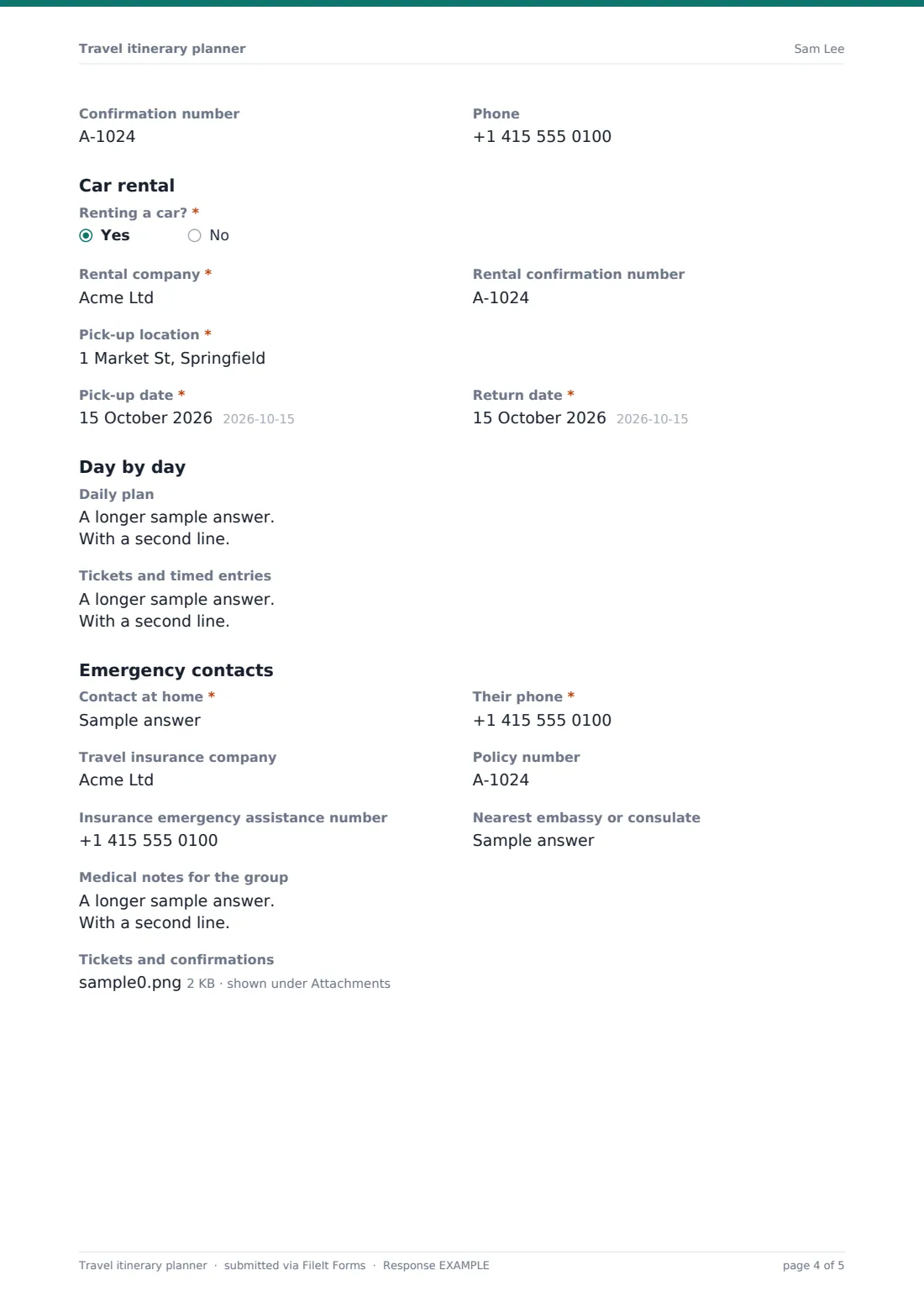
Stay 1 records the hotel or accommodation, address, check-in and check-out dates, confirmation number and phone. "Another place to stay?" adds a second and third stay. Then "Renting a car?": yes opens the rental company, confirmation number, pick-up location, pick-up date and return date.
The daily plan is one large box where you can write Day 1, Day 2 and so on, with a separate box for tickets and timed entries like tours, museums and restaurant bookings. Emergency contacts include a contact at home and their phone, the travel insurance company, policy number and emergency assistance number, the nearest embassy or consulate and medical notes for the group. Finally, upload up to 10 tickets and confirmations so they're filed with the itinerary.
Make the template yours
- Add more legs or stays by duplicating a section in the designer
- Remove the car rental section for trips where you won't drive
- Add a budget or currency field if you're tracking spending
- For travel agents: change the cover text and confirmation message to your agency's tone
- Make the emergency contact optional for short domestic trips
- Set the document title to include the trip name so PDFs are easy to find
Tips for a better travel itinerary planner form
- Use local times for arrivals and say so. Time zones are where itineraries usually go wrong
- Copy booking references exactly from the confirmation email, including letters that look like numbers
- Upload the e-tickets as you go rather than hunting for them the night before you leave
- Send the PDF to your contact at home before you set off
- If you're renting a car abroad, check what licence and documents the rental company needs well ahead
Every response becomes a PDF in your vault
The itinerary is saved as a PDF in your FileIt vault, and a copy is emailed to you so you have it on your phone. Uploaded tickets and confirmations are stored with it.
Travel agents can use the Responses table to see every client itinerary in one list and export the details to CSV. If you plan trips often, duplicate the form and adjust it for different kinds of trip.
- Start from this template. It opens in the FileIt Forms designer — change any question, add pages, set the rules for when questions appear.
- Share it. Turn on a public link, or send it to people by email, each with their own link. They don’t need a FileIt account.
- Get the answers as PDFs. Each response is saved as a PDF in the vault folder you choose, with uploaded files attached — and listed in a Responses table you can export to CSV.
Travel itinerary planner form: frequently asked questions
Is this travel itinerary planner free?
Yes. It's one of the ready-made templates in the Forms app on every FileIt account, including the free plan.
How many flights or legs can I add?
Up to four travel legs and three places to stay as it comes. You can add more sections in the designer if your trips are longer.
Does it book anything?
No. It records bookings you've already made elsewhere so you have one summary.
Can I change it after I submit?
Each submission is saved as its own PDF. If plans change, fill it in again and the newer PDF sits alongside the old one.
Can I share it with the people travelling with me?
Yes. Download or email the PDF from your vault, or share the vault folder it's filed in.
Does it work on a phone?
Yes. The form works in any mobile browser, and the questions for extra legs only appear when you ask for them, so it stays short.