What is the business travel risk assessment form template?
Sending staff abroad means thinking through what could go wrong before they leave: the security situation, health precautions, how they'll get around, what happens to the data on their laptop, and who to call if something does go wrong. A quick email approval rarely covers all of that, and it leaves no record of what was considered.
This business travel risk assessment gathers the trip details, an overall risk level with the specific risks that apply and how each will be reduced, health, transport and device precautions, and a contact plan with an emergency contact and check-in schedule. Choosing a high or extreme risk level shows a note about extra approval, so travellers know before they book.
The traveller signs a declaration, and the manager records their decision — approved, approved with conditions or not approved — and signs in the same form. The completed assessment is saved as a PDF in your FileIt vault, with the itinerary attached.
- Best for
- Companies, NGOs, universities and any organisation sending staff on business trips
- Filled in by
- The traveller, then their manager
- Time to complete
- About 10 minutes
- Includes
- Risk level and mitigation plan, health and device precautions, emergency contact, check-in plan, two signatures
Who uses a business travel risk assessment form?
- An employee plans a first trip to a new market
- A charity assesses field visits to areas with security concerns
- A university reviews staff travel to conferences overseas
- An engineering firm sends technicians to a remote project site
- An HR team keeps a record of travel risk assessments for its duty-of-care policy
- A manager approves a trip with conditions, such as using a pre-booked driver
Questions on this business travel risk assessment form
31 questions over 4 pages · includes signature, file upload, conditional questions, multiple pages, consent checkbox.
1 Traveller & trip
- Traveller*
- Work email*
- Mobile you'll carry while travelling*
- Department
- Line manager*
- Destination country*
- Cities or regions
- Departure date*
- Return date*
- Purpose of the trip*
- Is this your first visit to this destination?
- Where you'll be staying
2 Destination risks
- Overall risk level for this destination* Low · Medium · High · Extreme — travel advised against
- Have you read the current official travel advice for the destination?*
- Risks that apply to this trip* Street crime or theft · Civil unrest or demonstrations · Terrorism · Natural hazards or extreme weather · Disease outbreaks · Road safety · Kidnap or detention · Device searches or cyber threats · Risks linked to personal profile
- How will each risk be reduced?*
3 Health, transport & devices
- Are vaccinations or health precautions recommended for this destination?
- Health precautions arranged asked only when it applies
- Covered by the company travel insurance policy?*
- Local transport Pre-booked driver · Hotel car · Licensed taxi or ride-hail · Rental car · Public transport · Walking
- Device and data precautions Travelling with a clean loaner device · VPN always on · Carrying only the data I need · Encrypted device · No special precautions
4 Contact plan & approval
- Itinerary and bookings
- Local host or contact (name and phone)
- Emergency contact at home*
- Emergency contact phone*
- Check-in plan while away* Daily message to manager · On arrival and departure only · Via our travel-tracking app · Agreed separately
- Traveller's declaration*
- Traveller's signature*
- Manager's decision Approved · Approved with conditions · Not approved
- Conditions or reasons asked only when it applies
- Manager's signature
The business travel risk assessment form, page by page
1 Traveller & trip
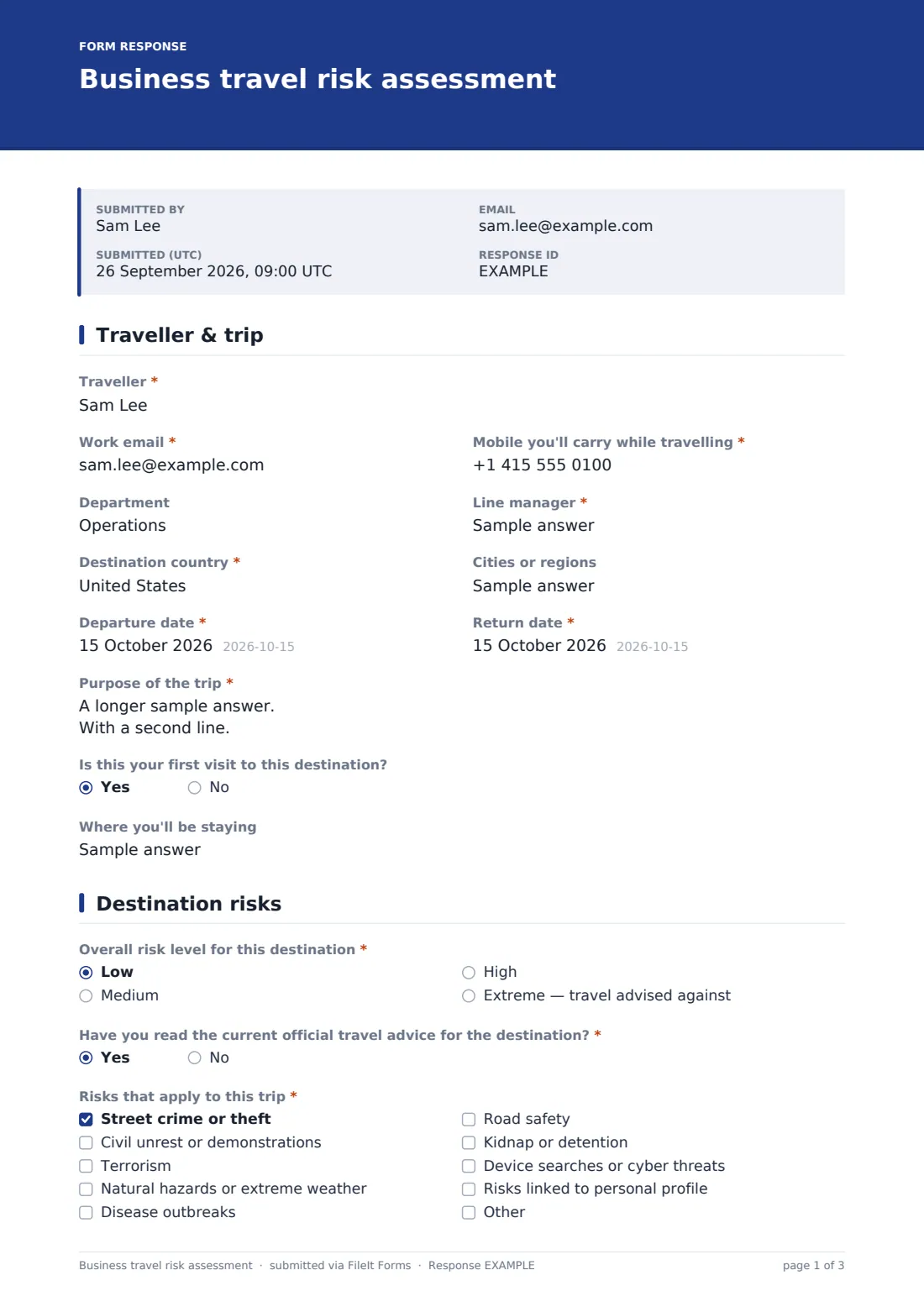
The traveller gives their name, work email, the mobile they'll carry, department and line manager, then the destination country, cities, departure and return dates and the purpose of the trip. They say whether it's their first visit and where they'll be staying.
2 Destination risks
A required overall risk level (low, medium, high or extreme) is set using official travel advice or your security provider, and the traveller confirms they've read the current advice. High and extreme choices each show a note about the approval needed. A checklist covers crime, unrest, terrorism, natural hazards, disease, road safety, kidnap or detention, device and cyber threats and risks linked to personal profile, and a required box asks how each risk will be reduced.
3 Health, transport & devices
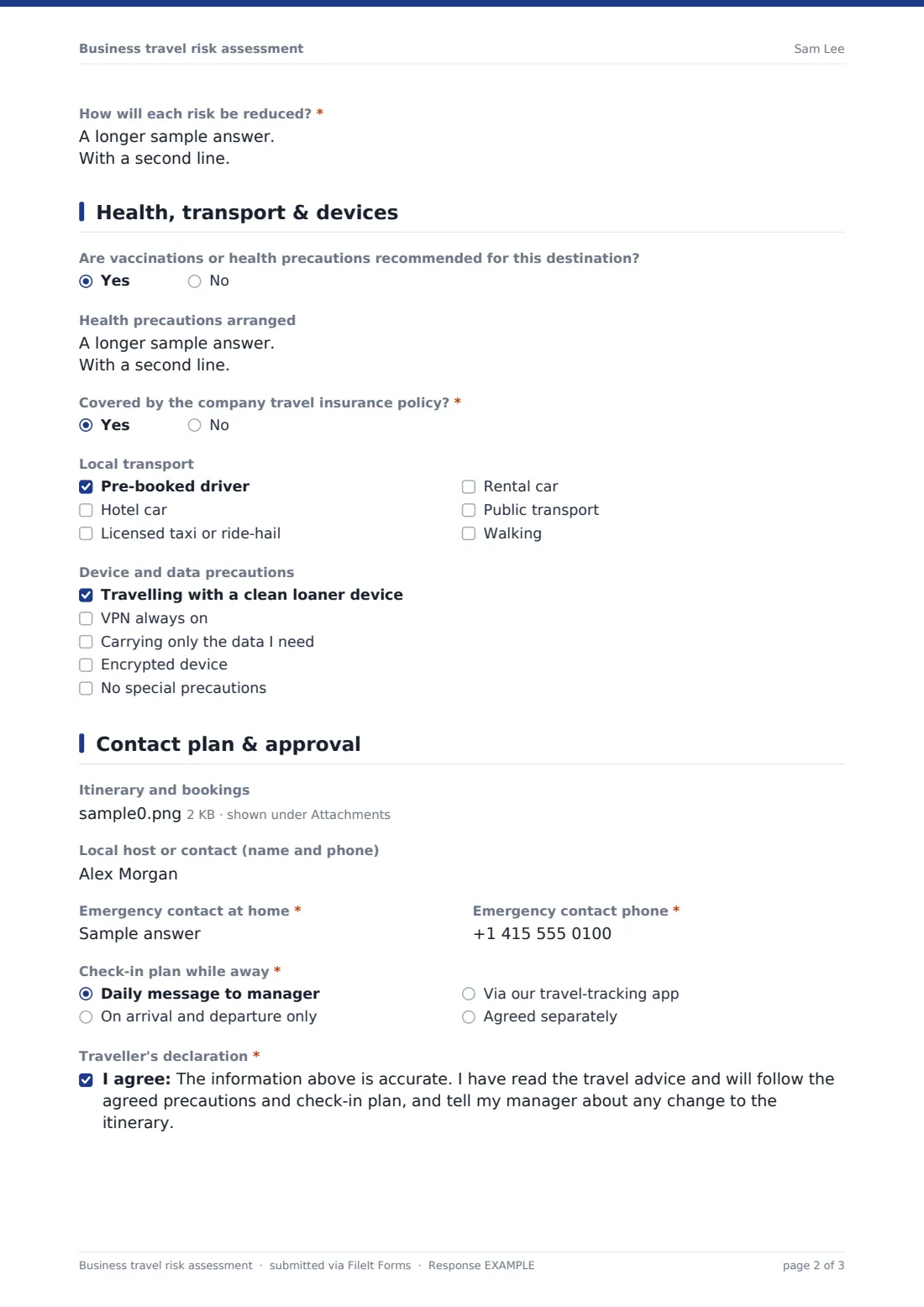
Travellers say whether vaccinations or health precautions are recommended, and if so what's arranged, and confirm they're covered by the company travel insurance. They tick how they'll get around locally and which device and data precautions they'll take, from a clean loaner laptop to an always-on VPN.
4 Contact plan & approval
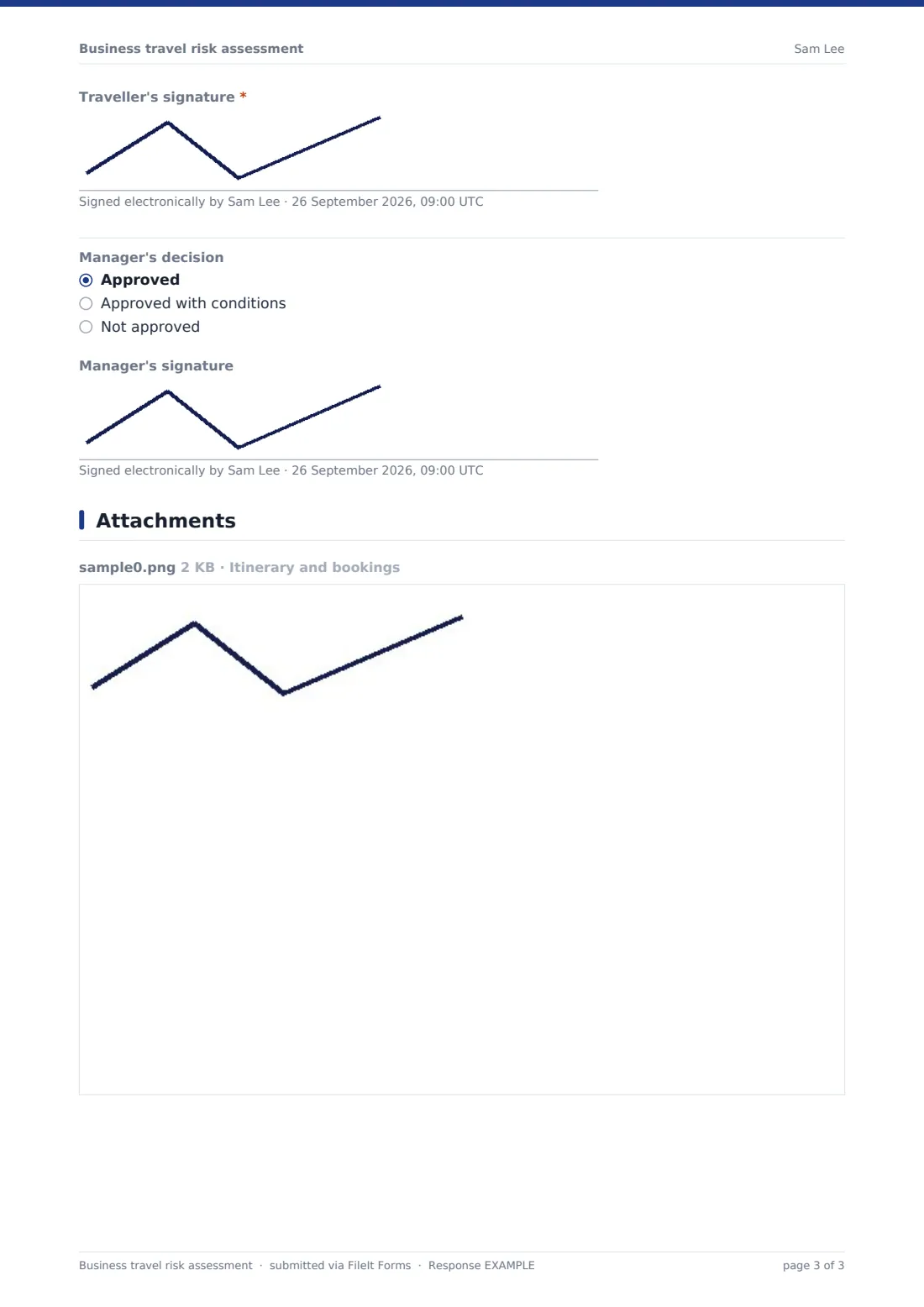
The itinerary and bookings can be uploaded, with a local contact, an emergency contact at home and a check-in plan while away. The traveller signs a declaration. Below a divider, the manager records their decision; any decision other than approved asks for conditions or reasons, followed by the manager's signature.
Make the template yours
- Rename the risk levels to match your company's travel risk ratings
- Add your security provider's contact details in a paragraph on the first page
- Add a question for travel to high-risk destinations, such as proof of a security briefing
- Send the form from HR with personal links so traveller details are prefilled
- Add the travel or security team to notification emails
- Remove the manager section if approvals happen in a separate workflow
Tips for a better business travel risk assessment form
- Complete the assessment before booking, not after — it may change the plan
- Check official travel advice again a few days before departure, as it can change
- Be specific in the mitigation box; "be careful" isn't a plan
- Agree the check-in plan with the manager before the traveller leaves
- Keep emergency contact details up to date for frequent travellers
Every response becomes a PDF in your vault
Each completed assessment, with both signatures and the uploaded itinerary, is saved as a PDF in your vault. The owner is notified, and the traveller gets a copy by email.
The Responses table lists every trip by traveller, destination and dates, and can be exported to CSV — useful for knowing who is travelling where at any given time.
- Start from this template. It opens in the FileIt Forms designer — change any question, add pages, set the rules for when questions appear.
- Share it. Turn on a public link, or send it to people by email, each with their own link. They don’t need a FileIt account.
- Get the answers as PDFs. Each response is saved as a PDF in the vault folder you choose, with uploaded files attached — and listed in a Responses table you can export to CSV.
Business travel risk assessment form: frequently asked questions
Is this travel risk assessment template free?
Yes. It's included in the Forms app on every FileIt account, including the free plan.
Does the form tell us how risky a destination is?
No. The traveller or your security team sets the risk level using official travel advice or your security provider. The form records the assessment.
Can the manager sign on the same form?
Yes. The last page has a manager's decision and signature. The form can be passed to the manager on the same device, or you can remove that section and approve separately.
Does filling in this form meet our legal duty of care?
The form is a record-keeping tool, not legal advice. Check your own obligations with your HR, legal or security advisers.
Can travellers attach their itinerary?
Yes. Up to five files — PDFs, Word documents or images.
Is the traveller's information private?
Responses are saved to the vault folder you choose, so you can limit it to HR or travel managers.
Can we send the form to a specific traveller?
Yes. Email a personal link from the Forms app and the traveller's name and email are attached to their response.