What is the job hazard analysis form template?
A job hazard analysis — also called a job safety analysis or JSA — breaks one task into the steps it's done in, then for each step asks what could hurt someone and what will stop it. This template takes a supervisor through that step by step, rates the risk left after controls, and records the PPE, permits, training and emergency arrangements the job needs.
JHAs written on paper at the tailgate are often generic, hard to read and filed nowhere. When the same job comes round again, nobody can find the last one. A form keeps each step's hazards and controls in their own fields, prompts for a manager review when overall risk is high, and stores the signed record where it can be reused.
The template runs on FileIt's Forms app, included on every FileIt account. Supervisors fill it in on a phone or tablet at the work area using a shared link, and every completed analysis becomes a PDF in your vault filed under the site or project.
- Best for
- Construction, maintenance, utilities, facilities and field service crews
- Filled in by
- The supervisor or lead hand planning the job, with the crew
- Time to complete
- About 15–25 minutes depending on the job
- Includes
- Step-by-step hazards and controls, residual risk ratings, PPE and permit checklists, crew brief, signature
Who uses a job hazard analysis form?
- Planning a non-routine maintenance task before the crew starts
- Reviewing an existing JHA after a near miss or incident
- Updating the analysis when the method, equipment or conditions change
- Documenting the hazards of a job for a client's contractor safety requirements
- Training new crew members on how a recurring task is done safely
- Building a library of analyses for jobs your team does often
Questions on this job hazard analysis form
38 questions over 4 pages · includes signature, file upload, conditional questions, multiple pages, consent checkbox.
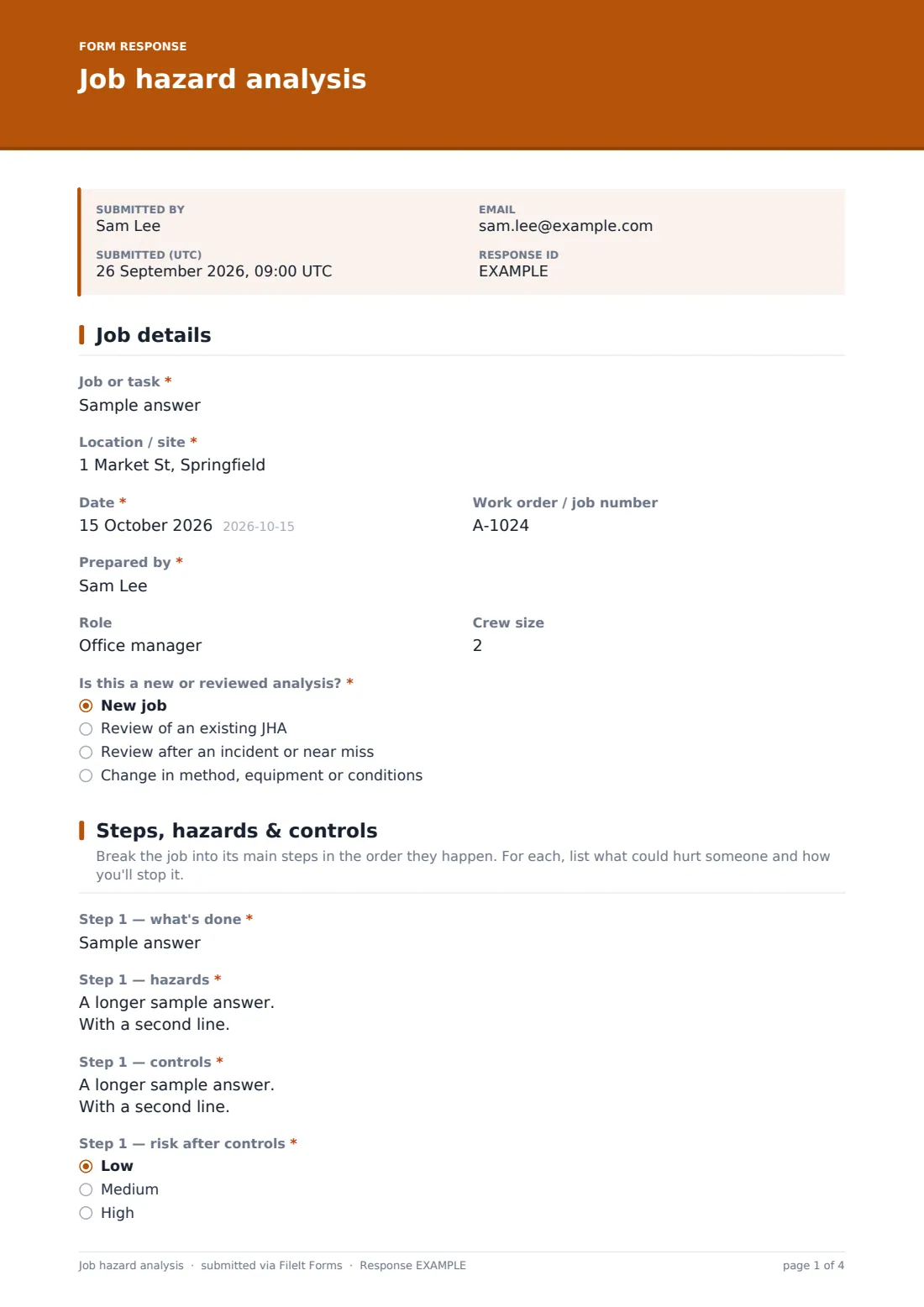
1 Job details
- Job or task*
- Location / site*
- Date*
- Work order / job number
- Prepared by*
- Role
- Crew size
- Is this a new or reviewed analysis?* New job · Review of an existing JHA · Review after an incident or near miss · Change in method, equipment or conditions
2 Steps, hazards & controls
- Step 1 — what's done*
- Step 1 — hazards*
- Step 1 — controls*
- Step 1 — risk after controls* Low · Medium · High
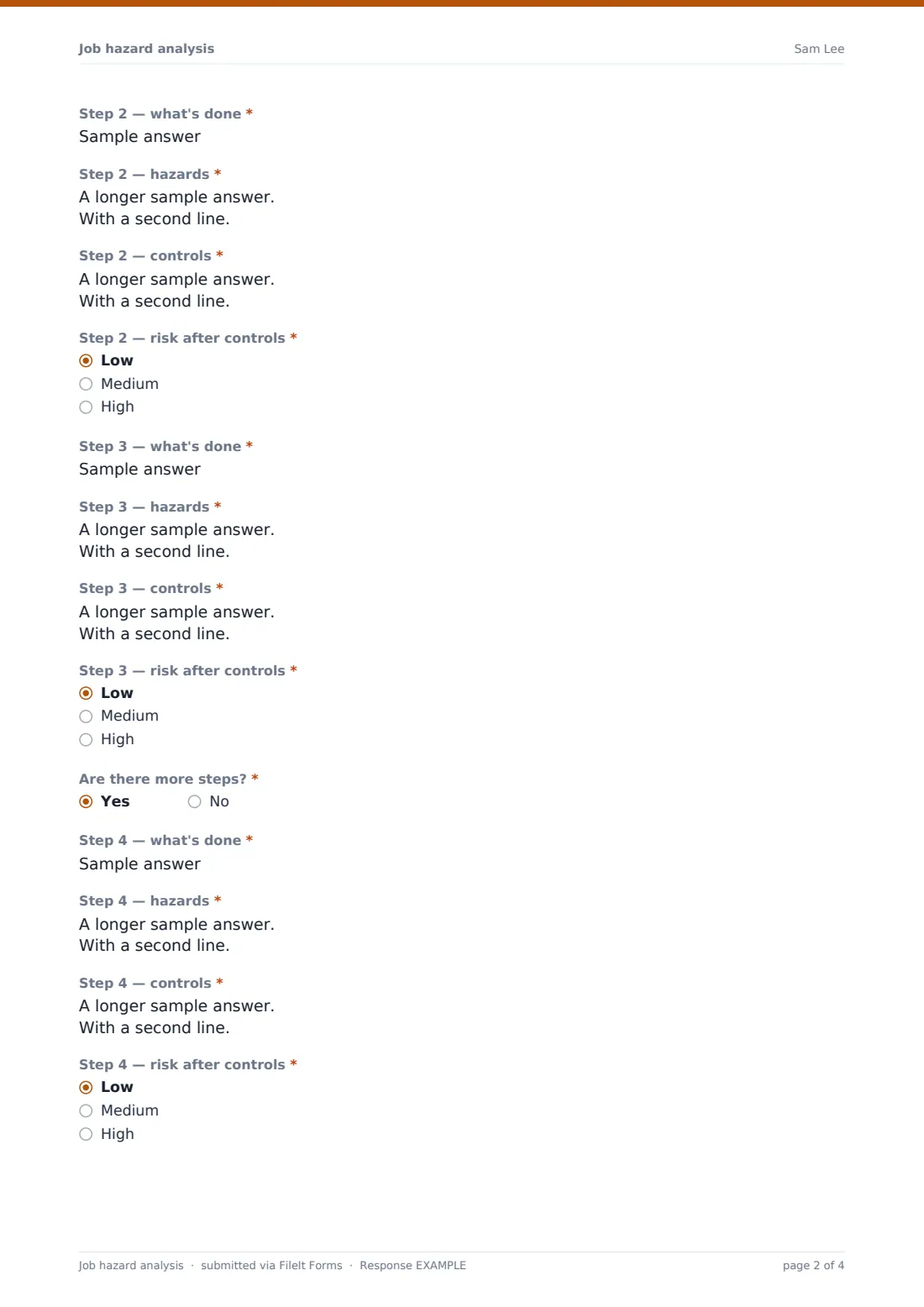
- Step 2 — what's done*
- Step 2 — hazards*
- Step 2 — controls*
- Step 2 — risk after controls* Low · Medium · High
- Step 3 — what's done*
- Step 3 — hazards*
- Step 3 — controls*
- Step 3 — risk after controls* Low · Medium · High
- Are there more steps?*
- Step 4 — what's done* asked only when it applies
- Step 4 — hazards* asked only when it applies
- Step 4 — controls* asked only when it applies
- Step 4 — risk after controls* asked only when it applies Low · Medium · High
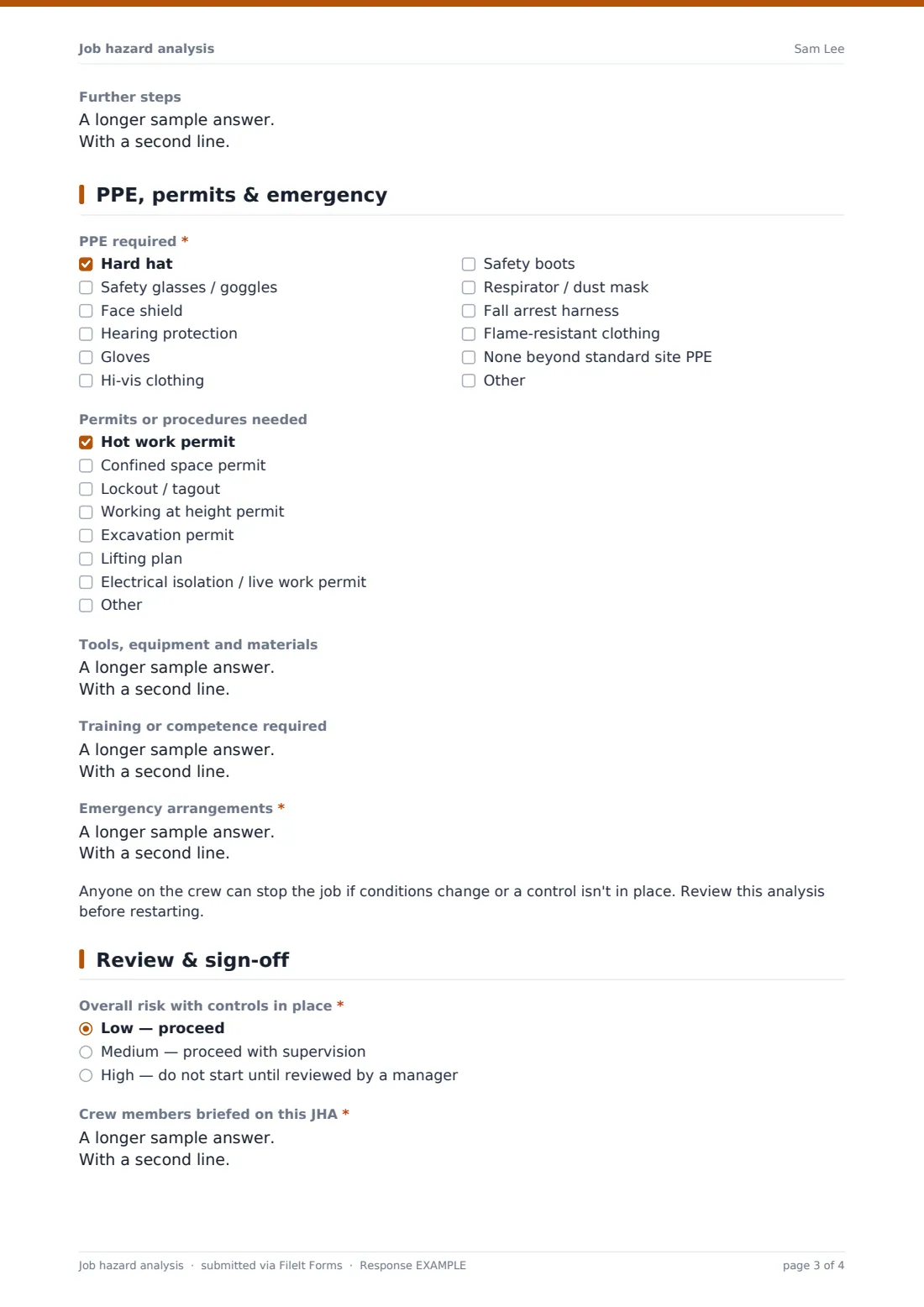
- Further steps asked only when it applies
3 PPE, permits & emergency
- PPE required* Hard hat · Safety glasses / goggles · Face shield · Hearing protection · Gloves · Hi-vis clothing · Safety boots · Respirator / dust mask · Fall arrest harness · Flame-resistant clothing · None beyond standard site PPE
- Permits or procedures needed Hot work permit · Confined space permit · Lockout / tagout · Working at height permit · Excavation permit · Lifting plan · Electrical isolation / live work permit
- Tools, equipment and materials
- Training or competence required
- Emergency arrangements*
4 Review & sign-off
- Overall risk with controls in place* Low — proceed · Medium — proceed with supervision · High — do not start until reviewed by a manager
- Reviewed / approved by* asked only when it applies
- Review date asked only when it applies
- Crew members briefed on this JHA*
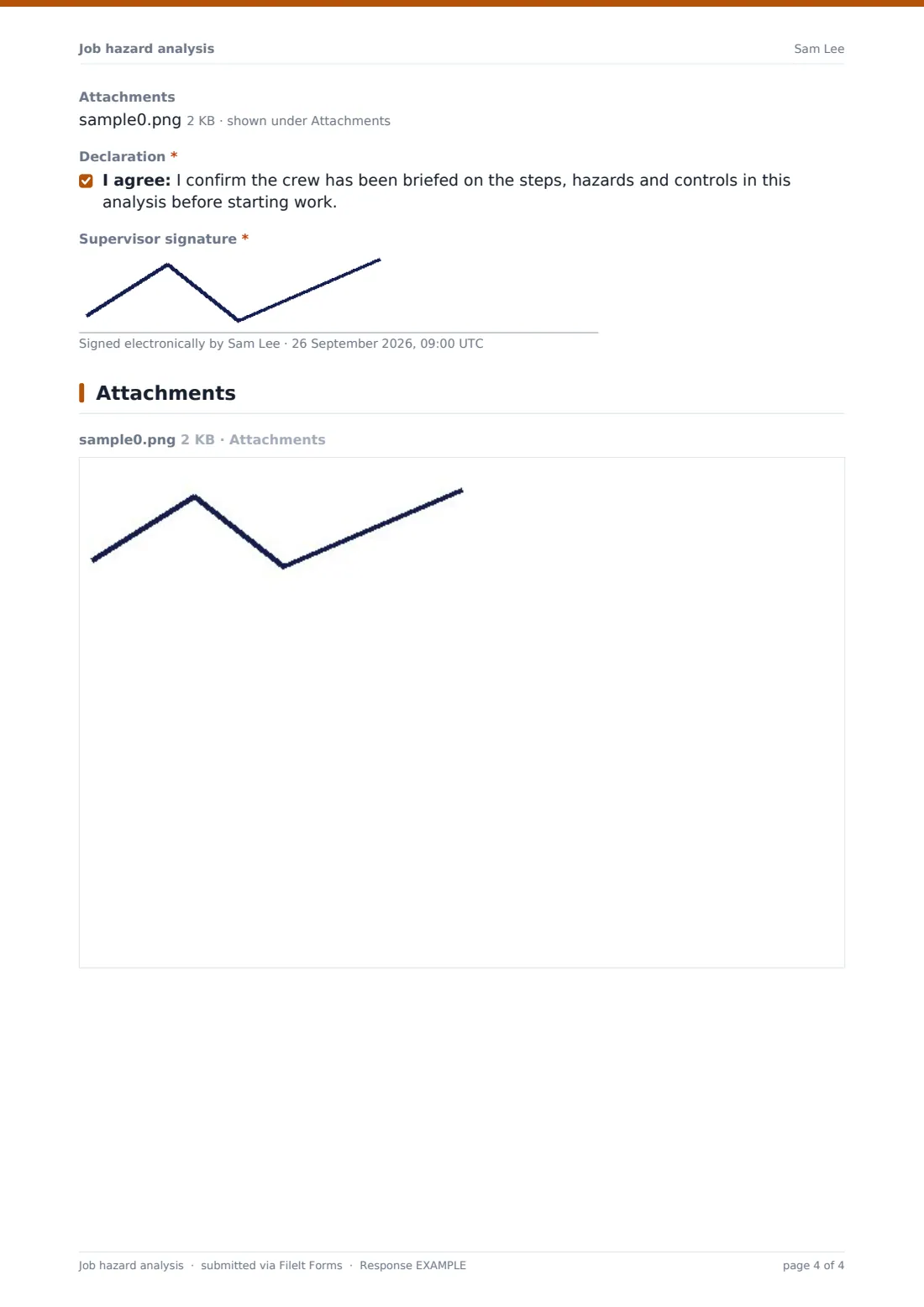
- Attachments
- Declaration*
- Supervisor signature*
The job hazard analysis form, page by page
1 Job details
The job or task, location, date and an optional work order number identify the analysis. The preparer gives their name and role, the crew size, and whether this is a new job, a review of an existing JHA, a review after an incident, or a change in method or conditions.
2 Steps, hazards & controls
Three required steps each have four questions: what's done, the hazards, the controls, and the risk remaining after controls — low, medium or high. A yes to more steps opens a fourth step in the same format plus a free-text box for any remaining ones.
3 PPE, permits & emergency
A checklist covers the PPE needed, from hard hats and eye protection to harnesses and flame-resistant clothing. A second checklist records the permits or procedures the job needs — hot work, confined space, lockout, height, excavation, lifting and electrical. Tools and equipment, required training and emergency arrangements follow, with a reminder that anyone can stop the job.
4 Review & sign-off
The supervisor rates overall risk with controls in place. Choosing high asks who reviewed and approved the job and when. The crew members briefed are listed, supporting documents can be attached, and the supervisor confirms the brief and signs.
Make the template yours
- Replace the low, medium and high ratings with your own risk matrix scores
- Add more step groups if your jobs usually have more than four main steps
- Edit the PPE and permit lists to match what your sites actually require
- Add a client or principal contractor sign-off for work on their premises
- File analyses into a folder per site or per job type to build a reusable library
- Add a signature field for each crew member if your process requires individual acknowledgment
Tips for a better job hazard analysis form
- Describe each step as an action — "lift the unit onto the roof", not "crane"
- Name specific hazards rather than categories — "hand caught in pinch point" beats "mechanical"
- Prefer controls that remove the hazard over PPE alone
- Do the analysis with the crew, not for them — they know where the job goes wrong
- Review the JHA whenever the job, tools or conditions change
- Keep a copy at the work location while the job is under way
Every response becomes a PDF in your vault
The completed analysis is saved as a PDF titled with the date and preparer's name, with any method statements or photos attached, and filed in the vault folder you chose. You're notified and the preparer gets a copy.
In the Responses table you can filter analyses by overall risk or job type and export them to CSV — useful for finding a previous JHA for the same job or reviewing high-risk work across sites.
- Start from this template. It opens in the FileIt Forms designer — change any question, add pages, set the rules for when questions appear.
- Share it. Turn on a public link, or send it to people by email, each with their own link. They don’t need a FileIt account.
- Get the answers as PDFs. Each response is saved as a PDF in the vault folder you choose, with uploaded files attached — and listed in a Responses table you can export to CSV.
Job hazard analysis form: frequently asked questions
Is this job hazard analysis template free?
Yes. It's included with the Forms app on every FileIt account, including the free plan.
Is a JHA the same as a JSA?
The terms are used interchangeably. Both break a task into steps and record the hazards and controls for each one.
Does the supervisor need a FileIt account?
No. They fill it in from the link you share, on any phone, tablet or computer.
How many steps can it hold?
Four structured steps plus a free-text box for any others. You can add more step groups in the designer.
Does this template meet OSHA or other regulatory requirements?
FileIt doesn't give legal or safety advice. The template is a starting point — check it against the requirements that apply to your work and adjust it.
Can crew members sign it?
The template lists the crew briefed and has one supervisor signature. Add signature fields in the designer if you want each person to sign.
Can I attach a method statement or drawings?
Yes. Up to five files — PDFs, Word documents or photos.