What is the toolbox talk record form template?
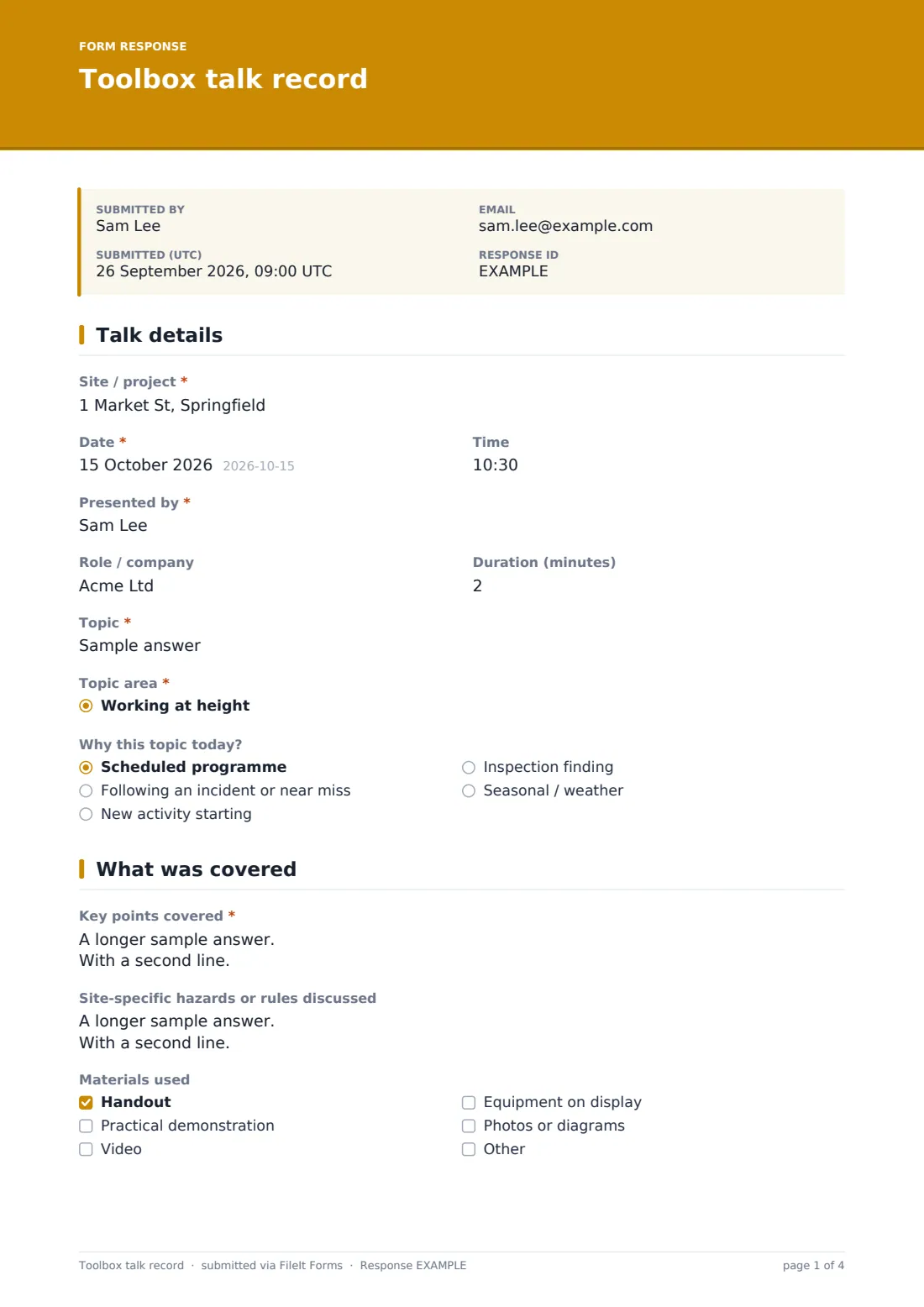
A toolbox talk record shows that a short safety briefing happened, what it covered and who heard it. This template captures the site, date, presenter and topic, the key points in the order they were given, questions the crew raised, any follow-up actions, and the attendee list — then the presenter signs it.
Paper sign-in sheets from toolbox talks tend to end up in a site cabin drawer, and the talk content is rarely written down at all. That makes it hard to show later what people were actually told. A form records the content alongside the names, and still lets you upload a photo of a paper sheet if the crew signed on paper.
It runs on FileIt's Forms app, included on every FileIt account. Presenters fill it in on a phone straight after the talk using a shared link, and each record becomes a PDF in your vault under the site or project.
- Best for
- Construction, trades, facilities and field teams running regular safety briefings
- Filled in by
- The supervisor or person who gave the talk
- Time to complete
- About 5 minutes after the talk
- Includes
- Topic area list, key points, follow-up action logic, attendee list, sheet upload, signature
Who uses a toolbox talk record form?
- A weekly toolbox talk on a construction site
- A daily pre-start or tailgate meeting before field work
- A briefing on lessons learned after an incident or near miss
- Introducing a new activity, piece of plant or site rule to the crew
- A seasonal talk on heat, cold or weather-related hazards
- Showing a client which safety briefings subcontractors attended
Questions on this toolbox talk record form
25 questions over 4 pages · includes signature, file upload, conditional questions, multiple pages, consent checkbox, ratings.
1 Talk details
- Site / project*
- Date*
- Time
- Presented by*
- Role / company
- Duration (minutes)
- Topic*
- Topic area* Working at height · PPE · Manual handling · Slips, trips and falls · Electrical safety · Plant and vehicles · Excavations · Hazardous substances · Fire and hot work · Heat and cold stress · Housekeeping · Lessons from an incident
- Why this topic today? Scheduled programme · Following an incident or near miss · New activity starting · Inspection finding · Seasonal / weather
2 What was covered
- Key points covered*
- Site-specific hazards or rules discussed
- Materials used Handout · Practical demonstration · Video · Equipment on display · Photos or diagrams
- Questions or concerns raised by the crew
- Do any concerns need follow-up action?*
- Follow-up actions, owner and due date* asked only when it applies
- Handout or talk notes
3 Attendance
- Number of attendees*
- Companies / trades present
- Attendee names*
- Signed attendance sheet (optional)
- Did attendees confirm they understood the talk?*
4 Sign-off
- How well did the talk land?
- Suggested next topic
- Declaration*
- Presenter signature*
The toolbox talk record form, page by page
1 Talk details
Site, date and time, the presenter's name and role, and how long the talk ran come first. The topic is written in full and also picked from a topic-area list — from working at height and PPE to lessons from an incident — so talks can be filtered later. An optional question records why the topic was chosen today.
2 What was covered
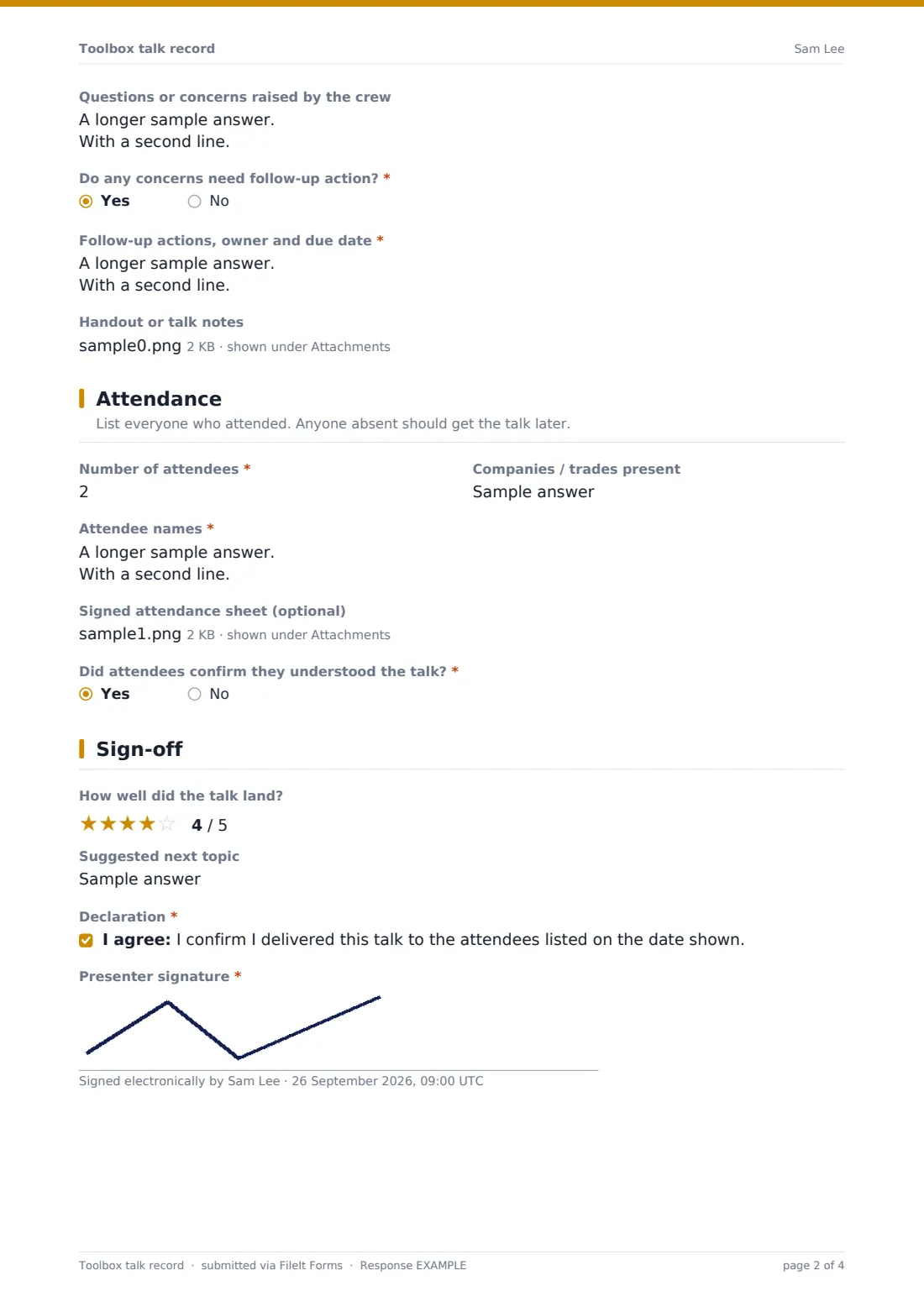
Key points covered is the heart of the record. Site-specific hazards or rules, the materials used and questions or concerns raised by the crew follow. If any concern needs follow-up, the form asks for the action, owner and due date. The handout or notes can be attached.
3 Attendance
The presenter gives the number of attendees, the companies or trades present and the names, one per line. A photo or scan of a paper sign-in sheet can be uploaded, and a yes/no records whether attendees confirmed they understood.
4 Sign-off
An optional star rating captures how well the talk landed and a field suggests the next topic. The presenter confirms they delivered the talk to the people listed and signs.
Make the template yours
- Replace the topic-area list with your own safety programme's topics
- Add signature fields if you want attendees to sign on the presenter's device
- Pre-fill the site name when you share a link per project
- Send records to your safety manager's address in the notification settings
- Add a question linking the talk to a specific incident or inspection reference
- File talks into a folder per site to build a full briefing history
Tips for a better toolbox talk record form
- Keep talks short and on one topic — the key points field should read like a list, not an essay
- Relate the topic to work actually happening on site that day
- Write down the crew's questions — they often reveal the real hazards
- Give every follow-up action an owner and a date
- Brief anyone who missed the talk and record it separately
- Rotate presenters so the crew hears from more than one voice
Every response becomes a PDF in your vault
Each talk is saved as a PDF titled with the date and presenter's name, with any handouts or sign-in sheets attached, and filed in the vault folder you chose. You're notified and the presenter gets a copy.
The Responses table lists every talk. Filter by topic area to see what's been covered, or export to CSV to show a client or auditor your briefing history for a site.
- Start from this template. It opens in the FileIt Forms designer — change any question, add pages, set the rules for when questions appear.
- Share it. Turn on a public link, or send it to people by email, each with their own link. They don’t need a FileIt account.
- Get the answers as PDFs. Each response is saved as a PDF in the vault folder you choose, with uploaded files attached — and listed in a Responses table you can export to CSV.
Toolbox talk record form: frequently asked questions
Is this toolbox talk template free?
Yes. It's included with the Forms app on every FileIt account, including the free plan.
Do attendees sign the form?
The template has one presenter signature and a list of attendee names. You can upload a photo of a paper sign-in sheet or add signature fields in the designer.
Does the presenter need a FileIt account?
No. They fill it in from the link you share.
Can I attach the talk handout?
Yes. Up to three files — PDFs, Word documents or images.
Is a toolbox talk the same as a tailgate meeting?
They're similar short safety briefings held at the work location. This form works for either.
Can I see which topics we've covered?
Yes. Topic area is a fixed list, so you can filter or export by it from the Responses table.
Does this satisfy training record requirements?
FileIt doesn't give legal advice. The form records what was covered and who attended; check whether that meets your own obligations.