
What is the site induction record form template?
A site induction record confirms that a new worker, contractor or visitor was briefed on a site's rules, emergency procedures, hazards and PPE before starting. This template collects their details and emergency contact, records competence cards with an optional photo, lets them tick each induction topic covered, and ends with a signed declaration.
Paper induction sheets pile up in site offices and are hard to search when you need to know whether someone was inducted, when, and whether their card was checked. A form keeps each person's induction as its own record and adapts to who's filling it in — visitors skip emergency contacts and cards but name their escort.
It runs on FileIt's Forms app, included on every FileIt account. Put the link on a tablet in the site office or a QR code at the gate, and each induction becomes a PDF filed in your vault under the site.
- Best for
- Construction sites, factories, warehouses, utilities and facilities
- Filled in by
- The worker or visitor, after the induction briefing
- Time to complete
- About 5 minutes
- Includes
- Visitor logic, emergency contact, card photo, 14 induction topics, PPE, signature
Who uses a site induction record form?
- Inducting new subcontractors on a construction project
- Agency workers starting at a warehouse or factory
- Visitors and clients touring a live site
- Delivery drivers who need the traffic and unloading rules
- Re-inducting workers when site conditions change
- Checking competence cards before work starts
Questions on this site induction record form
24 questions over 4 pages · includes signature, file upload, conditional questions, multiple pages, consent checkbox.
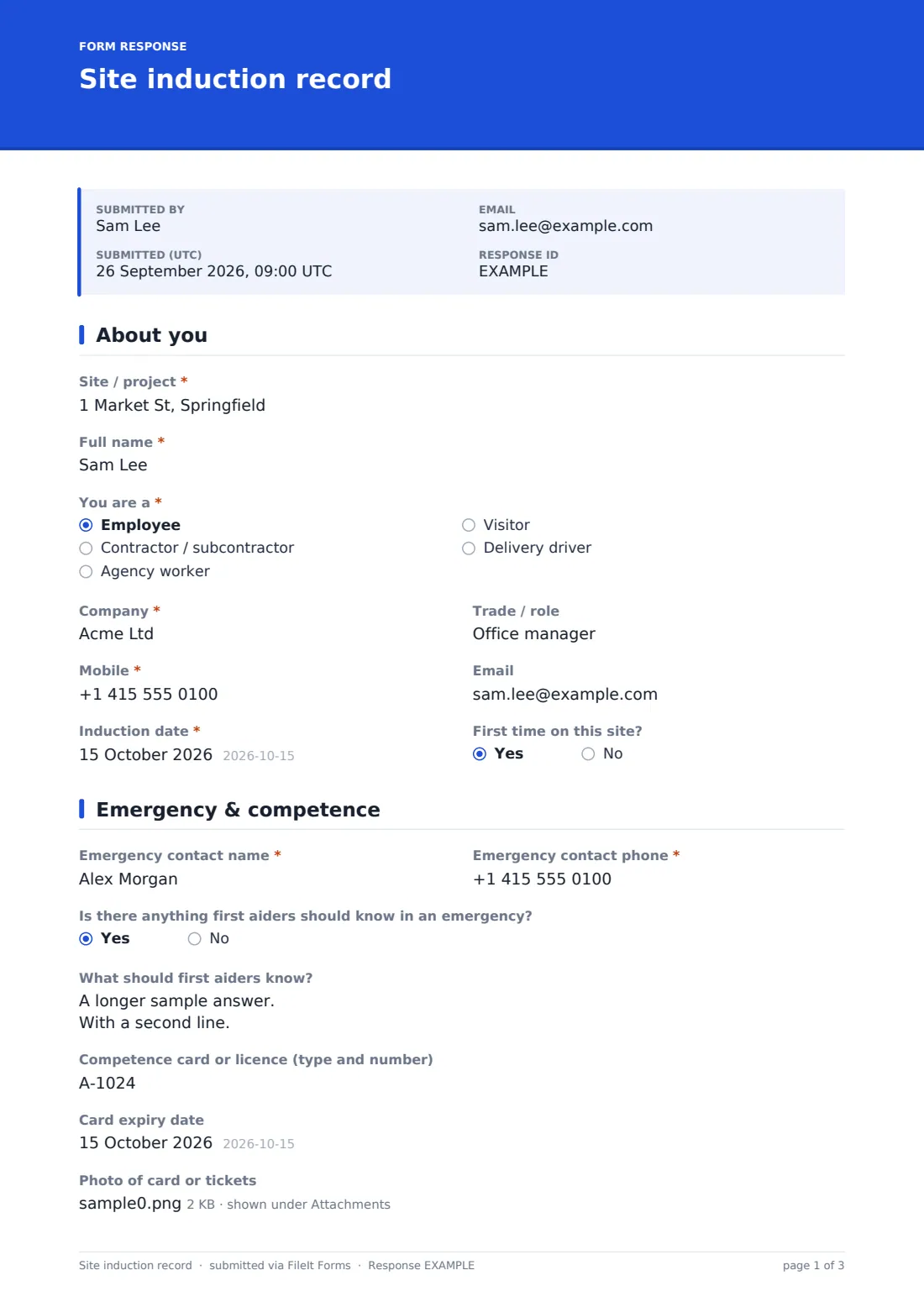
1 About you
- Site / project*
- Full name*
- You are a* Employee · Contractor / subcontractor · Agency worker · Visitor · Delivery driver
- Company*
- Trade / role
- Mobile*
- Induction date*
- First time on this site?
2 Emergency & competence
- Emergency contact name* asked only when it applies
- Emergency contact phone* asked only when it applies
- Is there anything first aiders should know in an emergency?
- What should first aiders know? asked only when it applies
- Competence card or licence (type and number) asked only when it applies
- Card expiry date asked only when it applies
- Photo of card or tickets asked only when it applies
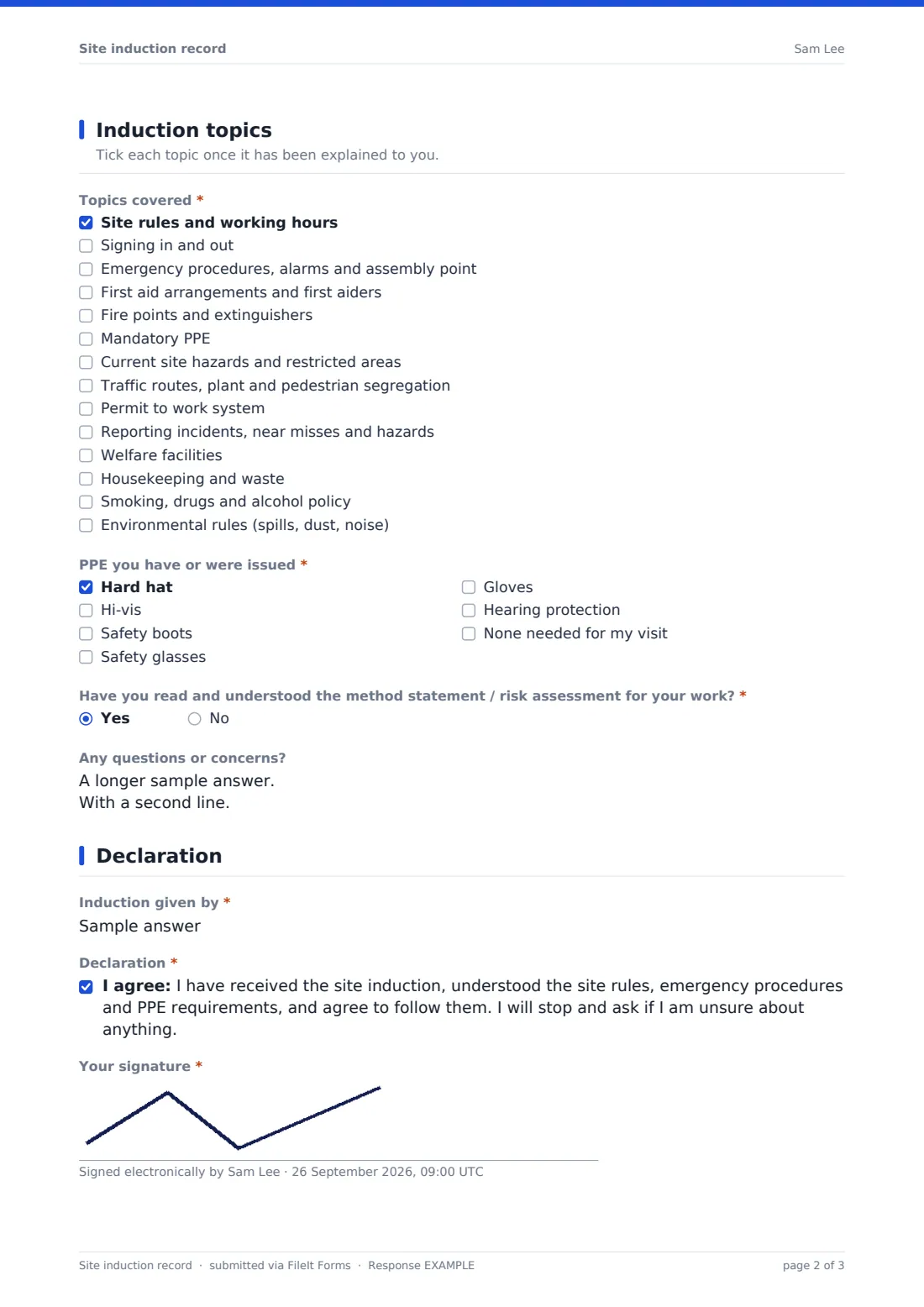
3 Induction topics
- Topics covered* Site rules and working hours · Signing in and out · Emergency procedures, alarms and assembly point · First aid arrangements and first aiders · Fire points and extinguishers · Mandatory PPE · Current site hazards and restricted areas · Traffic routes, plant and pedestrian segregation · Permit to work system · Reporting incidents, near misses and hazards · Welfare facilities · Housekeeping and waste
- PPE you have or were issued* Hard hat · Hi-vis · Safety boots · Safety glasses · Gloves · Hearing protection · None needed for my visit
- Have you read and understood the method statement / risk assessment for your work?* asked only when it applies
- Escorted by* asked only when it applies
- Any questions or concerns?
4 Declaration
- Induction given by*
- Declaration*
- Your signature*
The site induction record form, page by page
1 About you
Site, full name and whether they're an employee, contractor, agency worker, visitor or delivery driver come first, with company, trade, mobile, email, the induction date and whether it's their first time on site.
2 Emergency & competence
Everyone except visitors gives an emergency contact. An optional question lets people share anything first aiders should know. Workers record their competence card or licence and can upload a photo; entering a card asks for its expiry date.
3 Induction topics
The inductee ticks fourteen topics as they're explained — from site rules and emergency procedures to traffic routes, permits, reporting, welfare and environmental rules — and the PPE they have or were issued. Workers confirm they've read the method statement or risk assessment; visitors name their escort. Any questions can be noted.
4 Declaration
The person giving the induction is named, and the inductee agrees to the declaration and signs.
Make the template yours
- Replace the topics with your own induction content
- Add a short quiz with a few multiple-choice questions to check understanding
- Add your site's assembly point and emergency number to the cover text
- Create a shorter visitor-only version
- File inductions into a folder per site or project
- Send inductions to the site manager's address
Tips for a better site induction record form
- Give the induction in person first — the form records it, it doesn't replace it
- Check competence cards against the photo on the card
- Walk new starters to the assembly point, don't just describe it
- Re-induct when the site layout or hazards change significantly
- Keep health information optional and minimal
- Use a QR code at the gate so nobody starts without completing it
Every response becomes a PDF in your vault
Each induction is saved as a PDF titled with the person's name and filed in the vault folder you chose, with any card photos attached. You're notified and the inductee gets a copy if they gave an email.
The Responses table gives you a searchable list of everyone inducted on the site. Export it to CSV for a client, principal contractor or audit.
- Start from this template. It opens in the FileIt Forms designer — change any question, add pages, set the rules for when questions appear.
- Share it. Turn on a public link, or send it to people by email, each with their own link. They don’t need a FileIt account.
- Get the answers as PDFs. Each response is saved as a PDF in the vault folder you choose, with uploaded files attached — and listed in a Responses table you can export to CSV.
Site induction record form: frequently asked questions
Is this site induction template free?
Yes. It's included with the Forms app on every FileIt account, including the free plan.
Do workers need a FileIt account?
No. They fill it in from the link or QR code you share.
Does it work for visitors?
Yes. Choosing visitor skips emergency contacts and competence cards and asks who is escorting them.
Can I check competence cards?
Workers record their card type, number and expiry and can upload a photo. Checking the card is still up to you.
Does this replace the induction briefing?
No. It records that the briefing happened and what it covered.
Is health information required?
No. The first aid question is optional.
Can I add a quiz?
Yes. Add radio questions in the designer to check understanding of key rules.