

What is the subcontractor pre-qualification form template?
Before a new subcontractor starts work, most main contractors need the same basic assurances: are they insured, are they safe, and can someone vouch for their work? Chasing that information by email usually means certificates arriving as separate attachments, expiry dates buried in PDFs, and safety questions answered inconsistently from one company to the next. This subcontractor pre-qualification form template gathers it all in one structured submission.
The form only asks for what's relevant to the trade involved — for example, it asks for a licence number and certificate only if the subcontractor says their trade requires one, and it only asks for details of past incidents if any are reported. Every insurance section pairs the cover amount with its expiry date and a place to upload the actual certificate, so nothing has to be requested twice.
Once submitted, the whole pre-qualification — company details, uploaded certificates, safety declarations and references — becomes a single PDF filed in your FileIt vault, giving your procurement or site team one place to check before approving a subcontractor to work.
- Best for
- Main contractors, project managers and facilities teams vetting subcontractors
- Filled in by
- The subcontractor company's main contact
- Time to complete
- About 15 minutes
- Includes
- Insurance certificate uploads with expiry dates, conditional safety questions, two references, signature
Who uses a subcontractor pre-qualification form?
- A construction or facilities company building an approved list of subcontractors
- Checking insurance cover and expiry dates before allowing a trade onto a live site
- Screening a subcontractor's health and safety record ahead of a specific project
- Collecting consistent trade, capability and reference information before inviting tenders
- Renewing a subcontractor's pre-qualification annually, alongside updated certificates
- Recording due diligence for audit purposes on who was vetted, and when
Questions on this subcontractor pre-qualification form
48 questions over 5 pages · includes signature, file upload, conditional questions, multiple pages, consent checkbox.
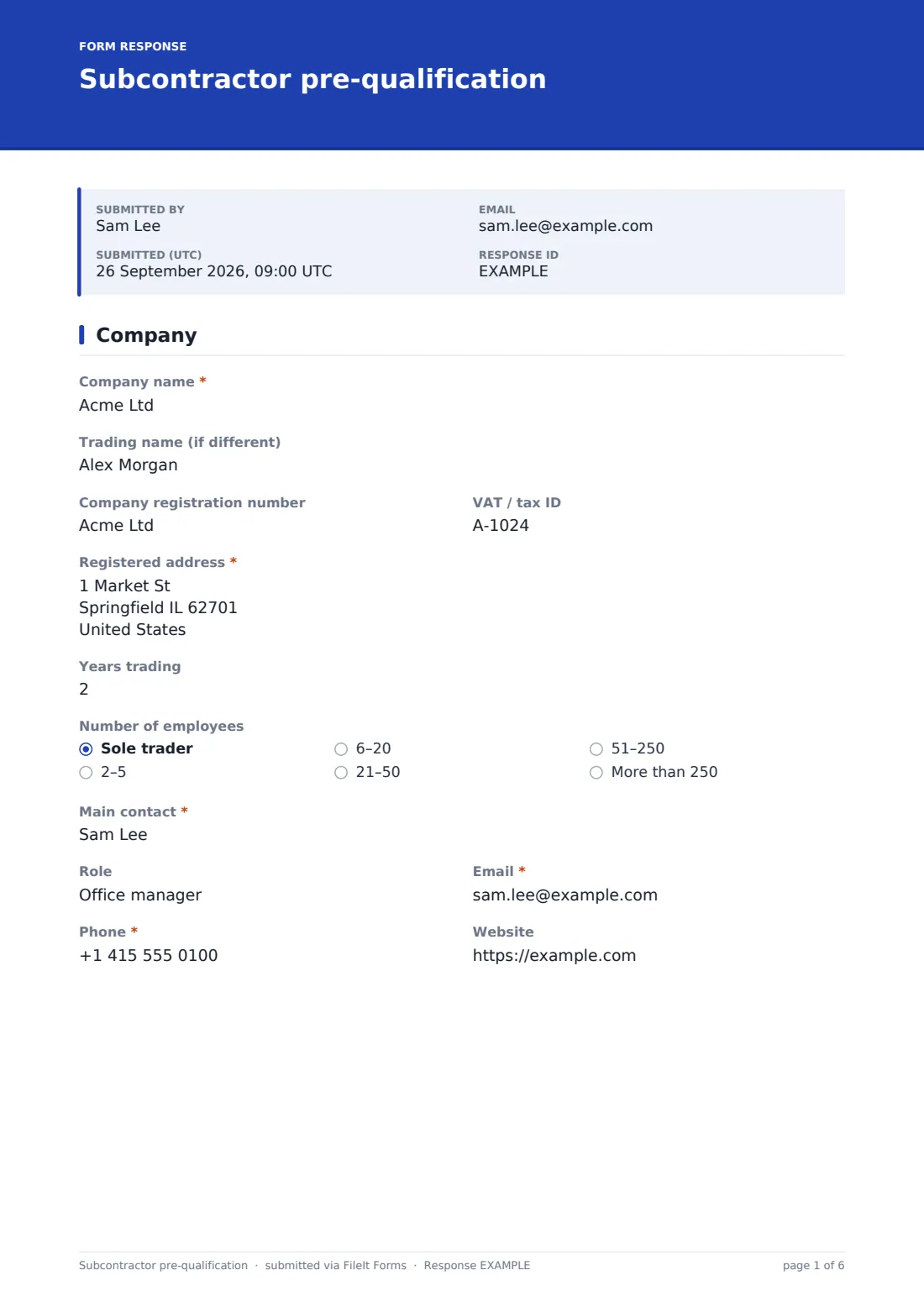
1 Company
- Company name*
- Trading name (if different)
- Company registration number
- VAT / tax ID
- Registered address*
- Years trading
- Number of employees Sole trader · 2–5 · 6–20 · 21–50 · 51–250 · More than 250
- Main contact*
- Role
- Email*
- Phone*
- Website
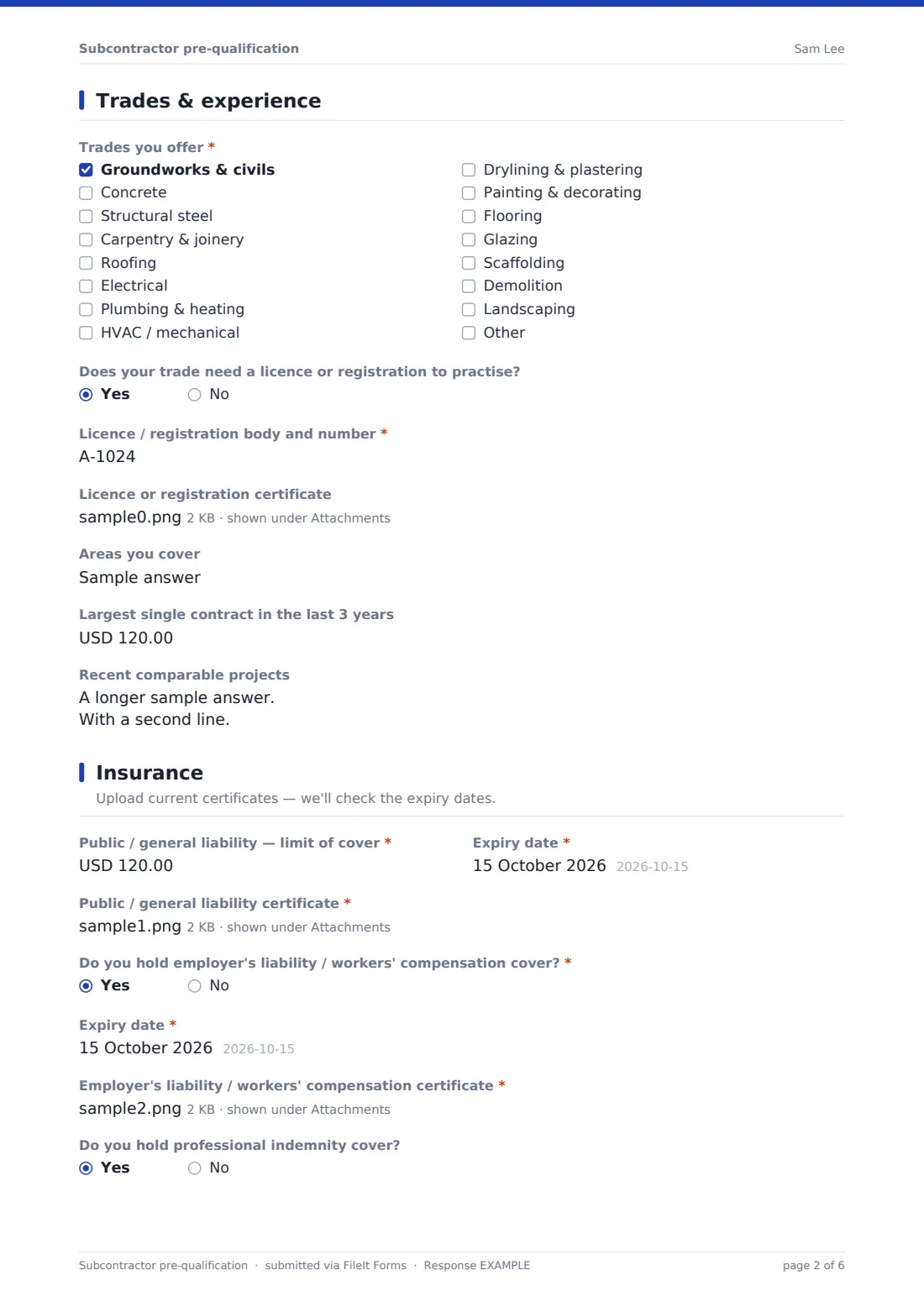
2 Trades & experience
- Trades you offer* Groundworks & civils · Concrete · Structural steel · Carpentry & joinery · Roofing · Electrical · Plumbing & heating · HVAC / mechanical · Drylining & plastering · Painting & decorating · Flooring · Glazing
- Does your trade need a licence or registration to practise?
- Licence / registration body and number* asked only when it applies
- Licence or registration certificate asked only when it applies
- Areas you cover
- Largest single contract in the last 3 years
- Recent comparable projects
3 Insurance
- Public / general liability — limit of cover*
- Expiry date*
- Public / general liability certificate*
- Do you hold employer's liability / workers' compensation cover?*
- Expiry date* asked only when it applies
- Employer's liability / workers' compensation certificate* asked only when it applies
- Why not?* asked only when it applies
- Do you hold professional indemnity cover?
- Professional indemnity certificate asked only when it applies
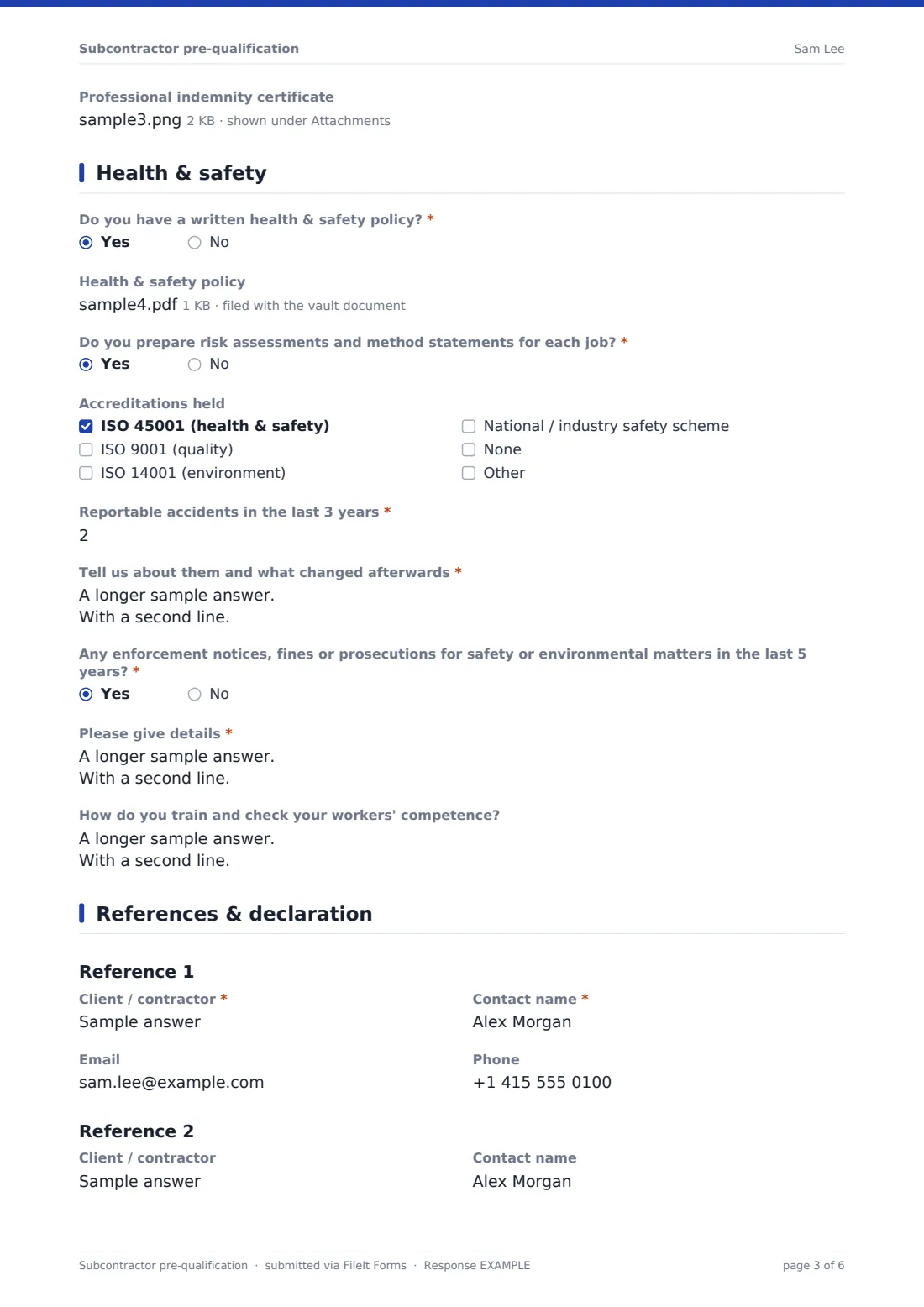
4 Health & safety
- Do you have a written health & safety policy?*
- Health & safety policy asked only when it applies
- Do you prepare risk assessments and method statements for each job?*
- Accreditations held ISO 45001 (health & safety) · ISO 9001 (quality) · ISO 14001 (environment) · National / industry safety scheme · None
- Reportable accidents in the last 3 years*
- Tell us about them and what changed afterwards* asked only when it applies
- Any enforcement notices, fines or prosecutions for safety or environmental matters in the last 5 years?*
- Please give details* asked only when it applies
- How do you train and check your workers' competence?
5 References & declaration
- Client / contractor*
- Contact name*
- Phone
- Client / contractor
- Contact name
- Phone
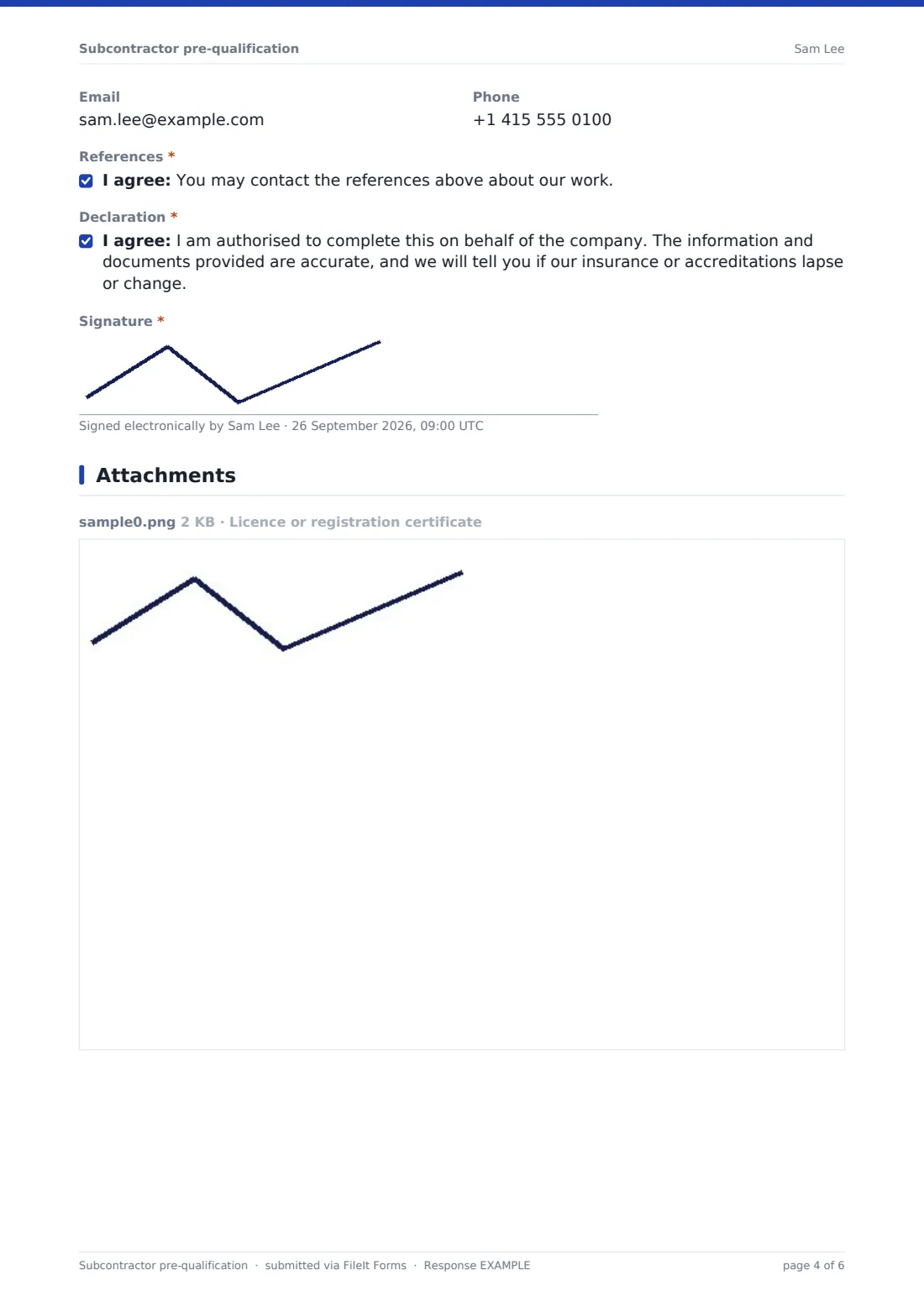
- References*
- Declaration*
- Signature*
The subcontractor pre-qualification form, page by page
1 Company
This page captures the basics: company and trading name, registration and tax numbers, registered address, years trading and number of employees, plus the main contact's name, role, email, phone and website — everything needed to identify who you'd be working with.
2 Trades & experience
Subcontractors tick every trade they offer, from groundworks and electrical to roofing, scaffolding and landscaping, with room to add one not listed. If their trade needs a licence or registration to practise, the form asks for the registration body and number, plus an optional upload of the certificate itself. It also asks about the areas they cover, their largest single contract in the last three years, and two or three recent comparable projects with client, value and year.
3 Insurance
Each type of cover follows the same pattern: the limit of cover, the expiry date, and a certificate upload. Public or general liability cover is required from everyone; employer's liability or workers' compensation cover is required too, unless the subcontractor explains why they don't need it (for example, a sole trader with no employees). Professional indemnity cover, needed for any design work, is asked for separately and only if the subcontractor holds it.
4 Health & safety
This page asks whether the subcontractor has a written health and safety policy (with an optional upload) and whether they prepare risk assessments and method statements for each job. It records any safety or quality accreditations held, such as ISO 45001 or a national safety scheme, and the number of reportable accidents in the last three years — a number above zero opens a question asking what happened and what changed afterwards. It also asks about any enforcement notices, fines or prosecutions in the last five years, and how the subcontractor trains and checks its workers' competence.
5 References & declaration
The subcontractor provides one required and one optional client or contractor reference, each with a contact name, email and phone. They confirm the references may be contacted, and finish with a declaration that they're authorised to complete the form, the information is accurate, and they'll flag if their insurance or accreditations lapse or change — signed to complete the submission.
Make the template yours
- Adjust the list of trades to match the work you typically subcontract
- Add a question for site-specific inductions or training certificates your projects require
- Set the vault folder so each subcontractor's pre-qualification files alongside their existing account, if you already have one
- Turn off multiple responses so each company completes pre-qualification only once, and use a fresh copy for renewals
- Add your own risk-scoring notes as an internal-only field for whoever reviews submissions
- Change the confirmation message to explain your typical review timescale
Tips for a better subcontractor pre-qualification form
- Check certificate expiry dates against the project's expected duration, not just today's date
- Follow up personally on any accident or enforcement history rather than relying on the written answer alone
- Actually call the references given — a written confirmation that references can be contacted is only the first step
- Re-run pre-qualification annually, since insurance and accreditations lapse and change over time
- Keep the approved subcontractor's PDF on file for the length of the contract and any warranty period, in case it's needed later
Every response becomes a PDF in your vault
As soon as a subcontractor submits their pre-qualification, FileIt saves the whole thing — company details, uploaded certificates and safety declarations — as a PDF in your vault, and you get an email notification straight away.
From there, most procurement or site teams use the Responses table to track which subcontractors are approved, review individual PDFs before authorising site access, and export the list to CSV to keep alongside a wider approved-supplier system or to flag upcoming insurance renewals.
- Start from this template. It opens in the FileIt Forms designer — change any question, add pages, set the rules for when questions appear.
- Share it. Turn on a public link, or send it to people by email, each with their own link. They don’t need a FileIt account.
- Get the answers as PDFs. Each response is saved as a PDF in the vault folder you choose, with uploaded files attached — and listed in a Responses table you can export to CSV.
Subcontractor pre-qualification form: frequently asked questions
Is this subcontractor pre-qualification form template free?
Yes — it's one of over 160 templates available in the Forms app on every FileIt account, including the free plan, and every question can be edited.
Does the subcontractor need a FileIt account to complete it?
No. You send them the link or a personal email invitation, and they complete and submit it without creating any account.
Where do the completed pre-qualifications go?
Each submission is saved automatically as a PDF in your FileIt vault, and you can review, filter and export every response from the Responses table.
Does the form only ask for a licence if the trade needs one?
Yes — that question and the certificate upload only appear if the subcontractor confirms their trade requires a licence or registration, using conditional logic already built into the template.
Can subcontractors upload their insurance certificates directly?
Yes — each type of cover has its own upload field, so you receive the actual certificate alongside the cover amount and expiry date, rather than having to request it separately.
Does completing this form guarantee approval to work?
No — this form collects the information you need to make a decision. Reviewing the answers, verifying certificates and checking references is a step your team carries out after the form is submitted.
Can we require subcontractors to re-submit annually?
The form doesn't automatically expire, but you can send it again each year as part of your renewal process and compare the new PDF against the previous one on file.