What is the working at height permit form template?
A working at height permit controls jobs where someone could fall and be injured — roof work, ceiling work, work from a MEWP, scaffold or ladder. This template asks first whether the work can be avoided, then records the access equipment, fall protection, pre-start checks, weather, a written rescue plan and the competent person who authorises it.
Falls from height are often linked to missing edge protection, unchecked harnesses and no plan for getting a suspended worker down. The form asks targeted follow-ups — a scaffold tag check if scaffold is used, a harness check if fall arrest is used, a ladder justification if ladders are ticked — so each permit fits the job.
It runs on FileIt's Forms app, included on every FileIt account. The competent person completes it at the work area on a phone or tablet, and each permit becomes a PDF in your vault under the site.
- Best for
- Construction, facilities, roofing, signage, maintenance and events crews
- Filled in by
- The competent person issuing the permit
- Time to complete
- About 10 minutes, plus close-out
- Includes
- Access and fall protection logic, eight pre-start checks, rescue plan, signature, close-out
Who uses a working at height permit form?
- Roof maintenance or repairs near an unprotected edge
- Installing lighting, signage or cabling from a MEWP
- Work from a scaffold or mobile tower
- Short-duration ladder work in an occupied building
- Rope access inspection or cleaning
- Contractor work at height on a client site
Questions on this working at height permit form
29 questions over 4 pages · includes signature, conditional questions, multiple pages, consent checkbox, ratings.
1 Work details
- Permit number
- Site / building*
- Exact location*
- Work to be done*
- Approximate working height (m)*
- People working at height*
- Date*
- Valid from*
- Valid until*
- Could the work be done from the ground or without working at height?*
- Why can't it be avoided?* asked only when it applies
2 Access & fall protection
- Access equipment* Scaffold · MEWP — boom lift · MEWP — scissor lift · Mobile tower · Podium steps · Ladder / stepladder · Roof with edge protection · Rope access
- Is the scaffold inspected and tagged safe?* asked only when it applies
- Is ladder use limited to short-duration, low-risk work?* asked only when it applies
- Fall protection* Guardrails / edge protection · Work restraint (prevents reaching the edge) · Fall arrest harness and lanyard · Certified anchor points · Safety nets or air bags · Fragile surface / opening covers
- Harnesses and lanyards pre-use checked and in date?* asked only when it applies
- Anchor points used asked only when it applies
3 Checks & rescue
- Pre-start checks* Yes · No · N/A
- Weather conditions
- Wind limit for this equipment
- Rescue plan*
- Is rescue equipment on site and the team trained to use it?*
4 Authorisation & close-out
- Competent person issuing the permit*
- Role / qualification
- Authorisation*
- Issuer signature*
- Is the work complete and the area made safe?*
- Closed at* asked only when it applies
- Close-out notes
The working at height permit form, page by page
1 Work details
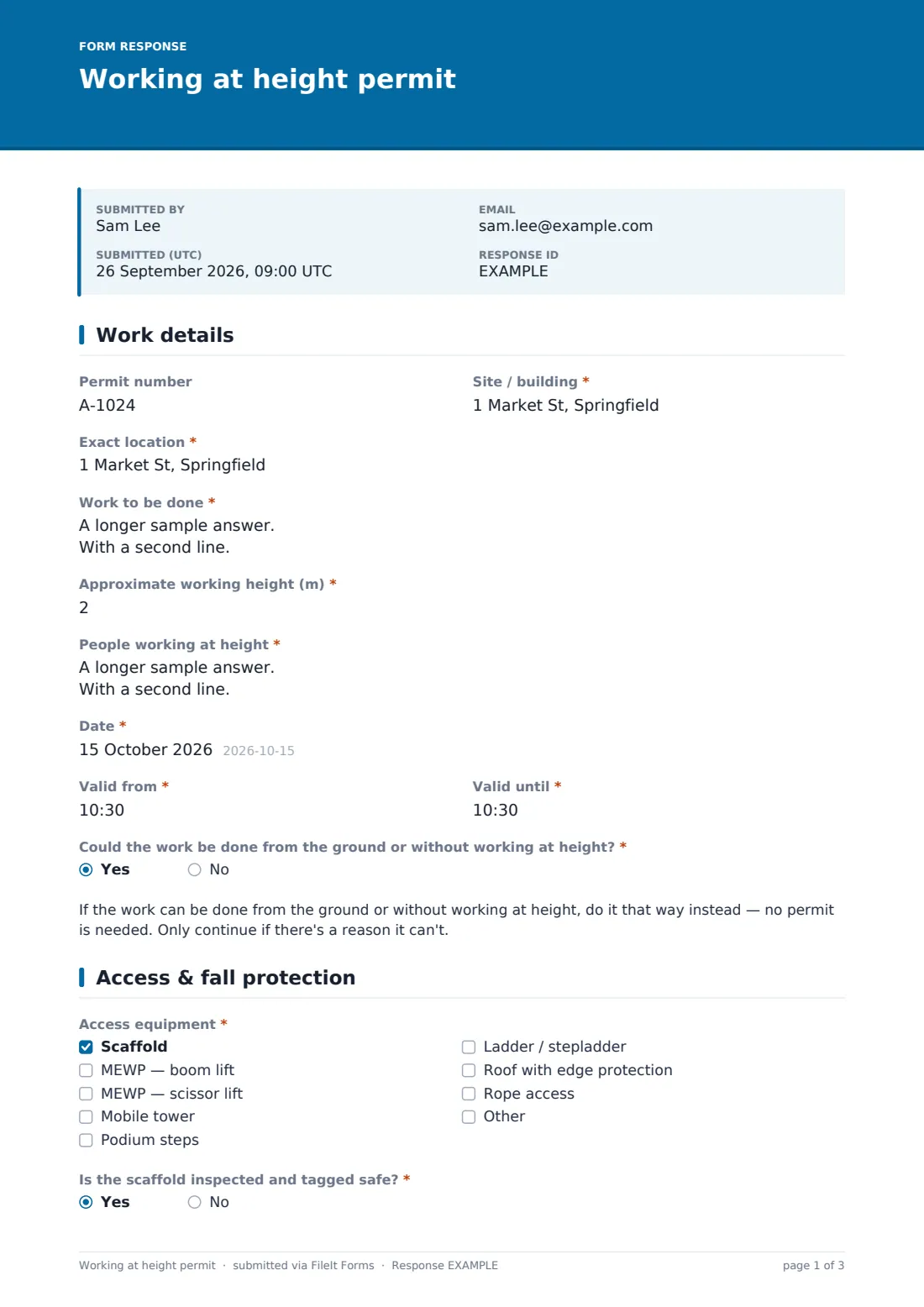
Permit number, site, exact location, the work and approximate height come first, then the names of everyone working at height and the date and time window. The form asks whether the work could be done without working at height: a yes shows a reminder to do it that way instead, and a no asks why it can't be avoided.
2 Access & fall protection
The issuer ticks the access equipment — scaffold, boom or scissor MEWP, mobile tower, podium, ladder, roof with edge protection or rope access. Scaffold asks for a tag check and ladders ask whether use is limited to short, low-risk work. Fall protection options run from guardrails and restraint to fall arrest, anchors, nets and fragile surface covers; fall arrest asks for a harness check and the anchor points used.
3 Checks & rescue
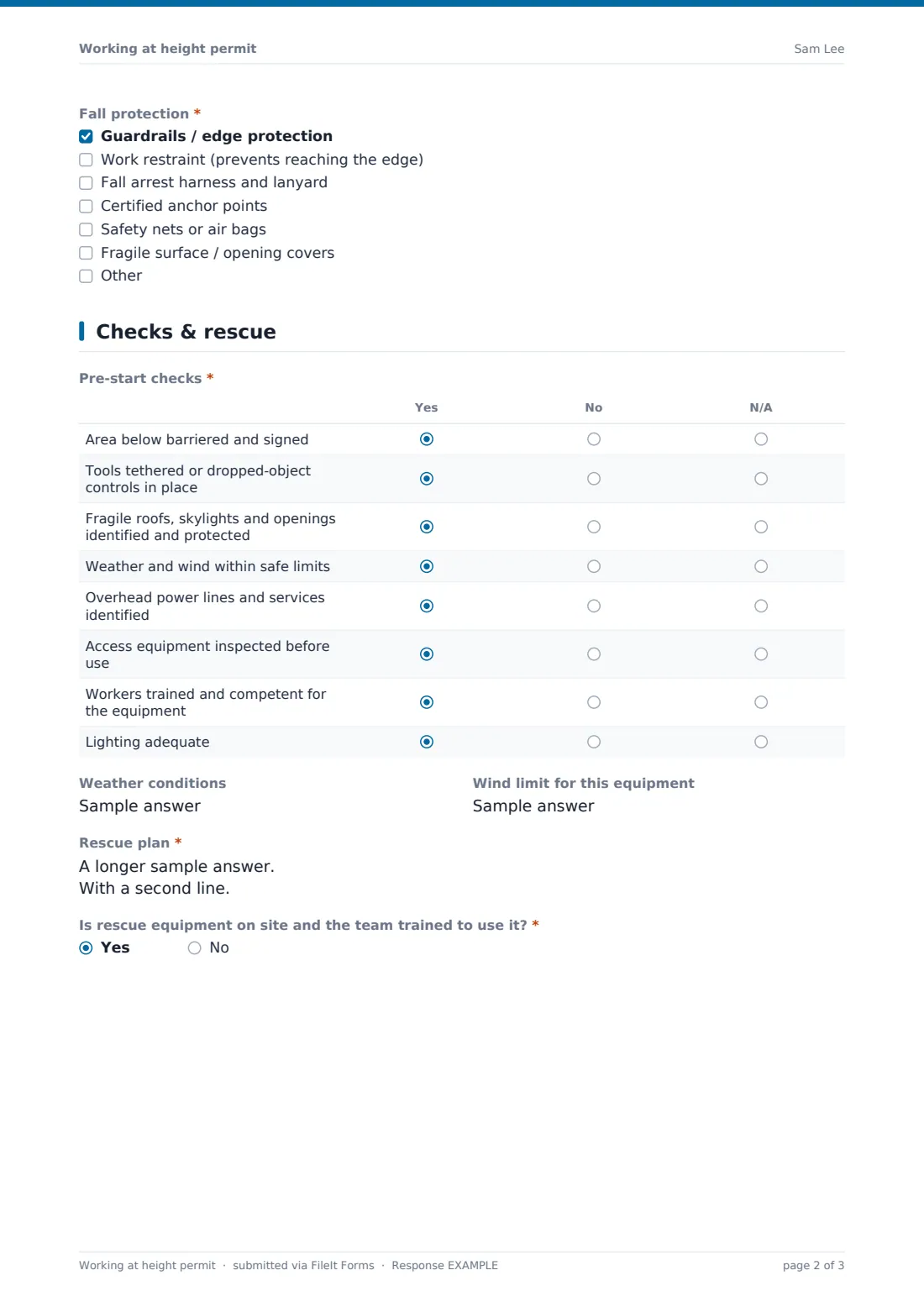
Eight pre-start checks are answered Yes, No or N/A — the area below barriered, dropped-object controls, fragile surfaces, weather, overhead lines, equipment inspected, competence and lighting. Weather and the equipment's wind limit are noted. A written rescue plan is required, and the issuer confirms rescue equipment and a trained team are on site.
4 Authorisation & close-out
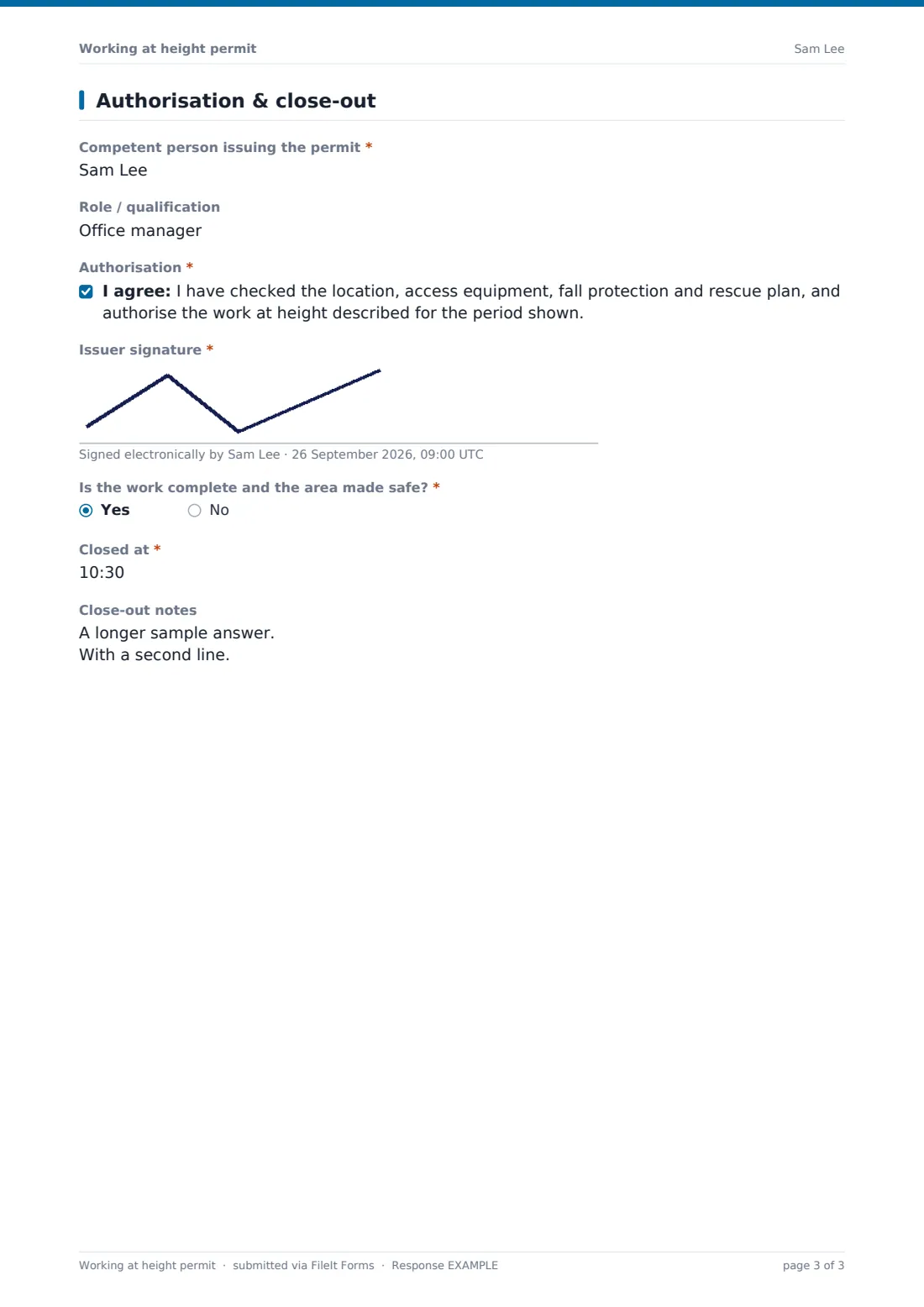
The competent person gives their name and role, confirms the authorisation and signs. When the work is complete, the close time and notes are recorded.
Make the template yours
- Add your own wind speed limits for each type of access equipment
- Add a signature for each worker to acknowledge the permit
- Add a dropdown of roofs or areas that always need a permit at your site
- Send permits to the site or facilities manager's address
- File permits into a folder per site or client
- Add a question for the MEWP operator's licence or card number
Tips for a better working at height permit form
- Ask whether the job can be done from the ground first — long-reach tools often avoid it
- Prefer guardrails and restraint over fall arrest
- Plan rescue before work starts — a suspended worker needs to be reached quickly
- Barrier the area below and tether tools
- Stop work when weather goes beyond the equipment's limits
- Check harness and lanyard labels for inspection dates
Every response becomes a PDF in your vault
The permit is saved as a PDF titled with the date and filed in the vault folder you chose. You're notified and the issuer gets a copy.
Authorisation and close-out are on one form, so it's normally submitted after the work ends. Use the Responses table to review permits by access type or site and export to CSV.
- Start from this template. It opens in the FileIt Forms designer — change any question, add pages, set the rules for when questions appear.
- Share it. Turn on a public link, or send it to people by email, each with their own link. They don’t need a FileIt account.
- Get the answers as PDFs. Each response is saved as a PDF in the vault folder you choose, with uploaded files attached — and listed in a Responses table you can export to CSV.
Working at height permit form: frequently asked questions
Is this working at height permit template free?
Yes. It's included with the Forms app on every FileIt account, including the free plan.
Does it satisfy the Work at Height Regulations or OSHA fall protection rules?
FileIt doesn't give legal or compliance advice. The permit covers common planning steps, but check it against the rules that apply to you.
Why does the form ask whether the work can be avoided?
Avoiding work at height is the first choice in most safety guidance. Recording the reason it can't be avoided shows it was considered.
Does the issuer need a FileIt account?
No. They fill it in from the link you share.
Can workers sign the permit?
The template has one issuer signature. Add signature fields for workers in the designer.
Can I use it for ladder work?
Yes. Ticking ladder asks whether use is limited to short-duration, low-risk work.
Can I attach a rescue plan document?
The rescue plan is a text field. Add a file upload in the designer if you want to attach a separate plan or drawing.