
What is the scaffold inspection form template?
A scaffold inspection form is the record a competent person completes when they check a scaffold before use, on a routine cycle, or after alteration, bad weather or damage. This template identifies the scaffold, runs through twenty checks across foundations and structure, platforms and access, and use and loading, then records defects, actions and the tag status the scaffold was left with.
Scaffold registers kept on paper are easy to fall behind on, and a tag on the scaffold doesn't show what was actually checked. A form records each item as Pass, Fail or N/A, asks for defect details only when something fails, and stores each inspection with photos under the scaffold's ID.
It runs on FileIt's Forms app, included on every FileIt account. Inspectors complete it on a phone on the scaffold, and each inspection becomes a PDF in your vault — building a register for each site.
- Best for
- Main contractors, scaffolding companies and site managers
- Filled in by
- A competent person trained to inspect scaffolds
- Time to complete
- About 10–15 minutes per scaffold
- Includes
- Three checklist matrices, defect logic, tag status, photos, signature
Who uses a scaffold inspection form?
- Handover inspection after a scaffold is erected
- Routine inspections on a regular cycle
- Re-inspection after alteration, adaptation or partial strike
- Checks after high winds or storms
- Mobile tower inspections before use
- Building a scaffold register for a construction site
Questions on this scaffold inspection form
26 questions over 3 pages · includes signature, file upload, conditional questions, multiple pages, consent checkbox, ratings.
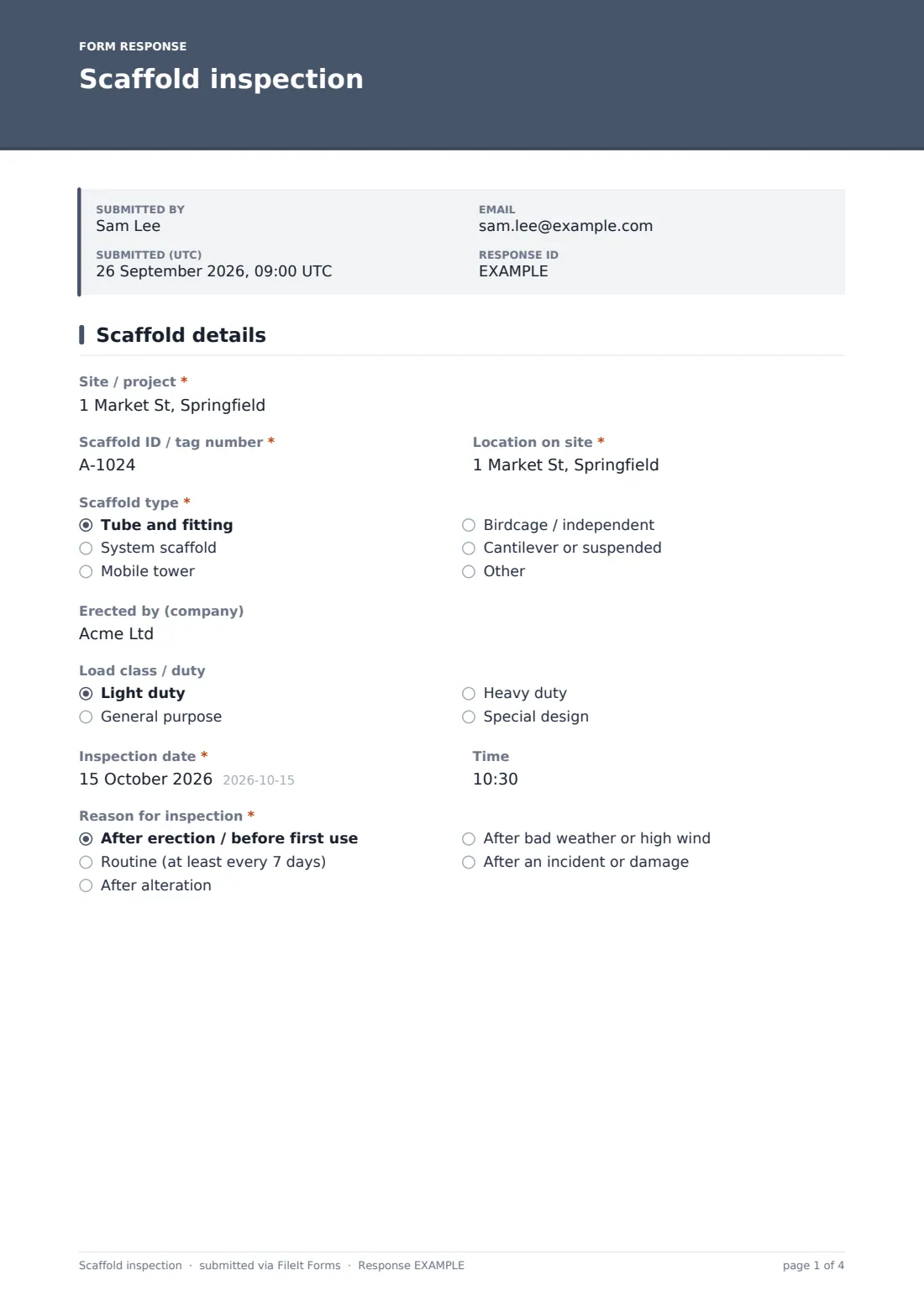
1 Scaffold details
- Site / project*
- Scaffold ID / tag number*
- Location on site*
- Scaffold type* Tube and fitting · System scaffold · Mobile tower · Birdcage / independent · Cantilever or suspended · Other
- Erected by (company)
- Load class / duty Light duty · General purpose · Heavy duty · Special design
- Inspection date*
- Time
- Reason for inspection* After erection / before first use · Routine (at least every 7 days) · After alteration · After bad weather or high wind · After an incident or damage
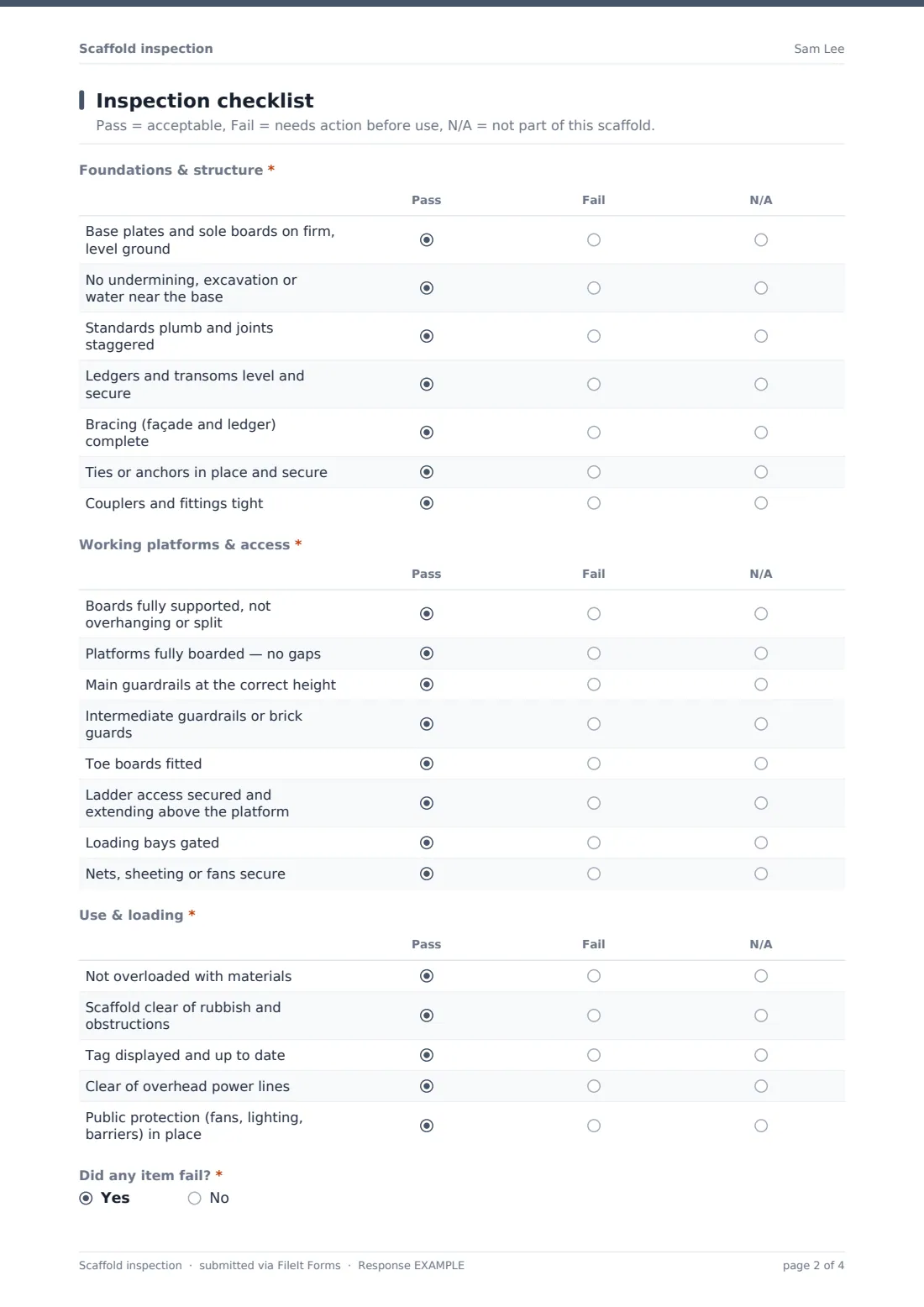
2 Inspection checklist
- Foundations & structure* Pass · Fail · N/A
- Working platforms & access* Pass · Fail · N/A
- Use & loading* Pass · Fail · N/A
- Did any item fail?*
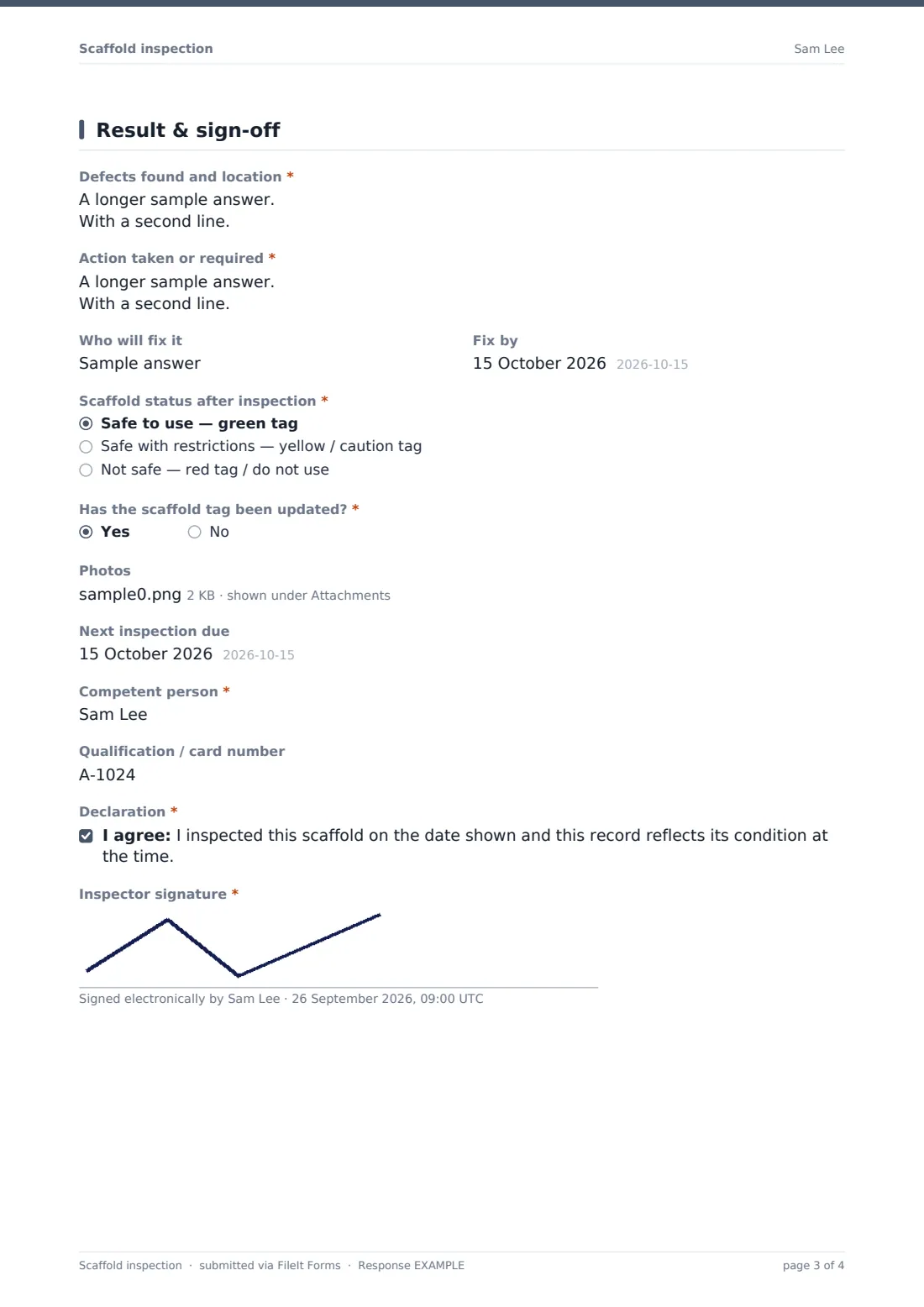
3 Result & sign-off
- Defects found and location* asked only when it applies
- Action taken or required* asked only when it applies
- Who will fix it asked only when it applies
- Fix by asked only when it applies
- Scaffold status after inspection* Safe to use — green tag · Safe with restrictions — yellow / caution tag · Not safe — red tag / do not use
- Restrictions on use* asked only when it applies
- Has the scaffold tag been updated?*
- Photos
- Next inspection due
- Competent person*
- Qualification / card number
- Declaration*
- Inspector signature*
The scaffold inspection form, page by page
1 Scaffold details
Site, scaffold ID or tag number, location and type identify the scaffold. The erecting company, load class, date and time, and the reason for the inspection — handover, routine, alteration, weather or incident — follow.
2 Inspection checklist
Foundations and structure covers base plates, undermining, standards, ledgers, bracing, ties and fittings. Working platforms and access covers boards, gaps, guardrails, toe boards, ladders, loading bays and sheeting. Use and loading covers overloading, housekeeping, tag display, overhead lines and public protection. A final question asks whether any item failed.
3 Result & sign-off
A failure opens defects found, action required, who will fix it and by when. The inspector sets the status — safe, safe with restrictions or not safe — and restrictions must be described if chosen. They confirm the tag has been updated, attach photos, set the next inspection date, give their name and qualification, and sign.
Make the template yours
- Match the tag colours in the status options to the tagging system you use
- Add a dropdown of scaffold IDs on your site
- Add checks for specific designs such as cantilevers, hoists or loading towers
- Send failed or unsafe inspections to the scaffolding contractor's address
- File inspections into a folder per site to keep a scaffold register
- Add a field for the design drawing reference on designed scaffolds
Tips for a better scaffold inspection form
- Update the physical tag at the same time as the form
- Never let anyone use a scaffold with a failed item that affects safety
- Record exact locations of defects — lift and bay numbers save time
- Check ties after any alteration — they're often removed for access
- Re-inspect after high winds even if the routine inspection isn't due
- Take a photo of the tag as part of the record
Every response becomes a PDF in your vault
Each inspection is saved as a PDF titled with the date, with photos attached, and filed in the vault folder you chose. You're notified and the inspector gets a copy.
Use the Responses table to filter by scaffold ID or status and export to CSV — a practical scaffold register for the site.
- Start from this template. It opens in the FileIt Forms designer — change any question, add pages, set the rules for when questions appear.
- Share it. Turn on a public link, or send it to people by email, each with their own link. They don’t need a FileIt account.
- Get the answers as PDFs. Each response is saved as a PDF in the vault folder you choose, with uploaded files attached — and listed in a Responses table you can export to CSV.
Scaffold inspection form: frequently asked questions
Is this scaffold inspection template free?
Yes. It's included with the Forms app on every FileIt account, including the free plan.
How often should scaffolds be inspected?
Rules vary by country. The cover text reflects a common rule of before first use, at least every 7 days and after alteration or bad weather — check the requirement that applies to you.
Does it meet the Work at Height Regulations or OSHA scaffold rules?
FileIt doesn't give legal or compliance advice. The checklist covers common inspection items; check it against your own requirements.
Does the inspector need a FileIt account?
No. They fill it in from the link you share.
Can I attach photos of defects?
Yes. Up to six images per inspection.
Can I use it for mobile towers?
Yes. Choose mobile tower as the type and mark items that don't apply as N/A.
Can I keep a scaffold register?
Yes. Every inspection is listed in the Responses table and can be exported to CSV.