What is the hot work permit form template?
A hot work permit controls work that produces sparks, flame or heat — welding, cutting, grinding, brazing, torch-applied roofing — outside a dedicated workshop. This template records what's being done and where, runs through a twelve-item fire precautions checklist, names the fire watcher, sets the time the permit is valid for, and has the issuer sign to authorise it. A close-out page records when work and the fire watch ended and that the area was checked.
Paper permit books get filled in partially, left unsigned at close-out, or lost. A form requires every precaution to be answered, makes the issuer sign before the permit is valid, and keeps the close-out on the same record so an unfinished permit is obvious.
The template runs on FileIt's Forms app, included on every FileIt account. Issuers complete it on a phone or tablet at the work location, and each permit becomes a PDF in your vault filed under the site.
- Best for
- Facilities, construction, manufacturing and maintenance teams controlling hot work
- Filled in by
- The permit issuer, with the person doing the work
- Time to complete
- About 10 minutes, plus close-out after the fire watch
- Includes
- 12-item precautions matrix, sprinkler logic, fire watch, two signatures, close-out
Who uses a hot work permit form?
- A contractor welding brackets in an occupied building
- Grinding or cutting steel in a plant room or warehouse
- Torch-applied roofing work
- Brazing or soldering pipework in a ceiling void
- Hot work in an area where sprinklers are impaired
- Keeping a record of every hot work permit issued at a site
Questions on this hot work permit form
31 questions over 4 pages · includes signature, conditional questions, multiple pages, consent checkbox, ratings.
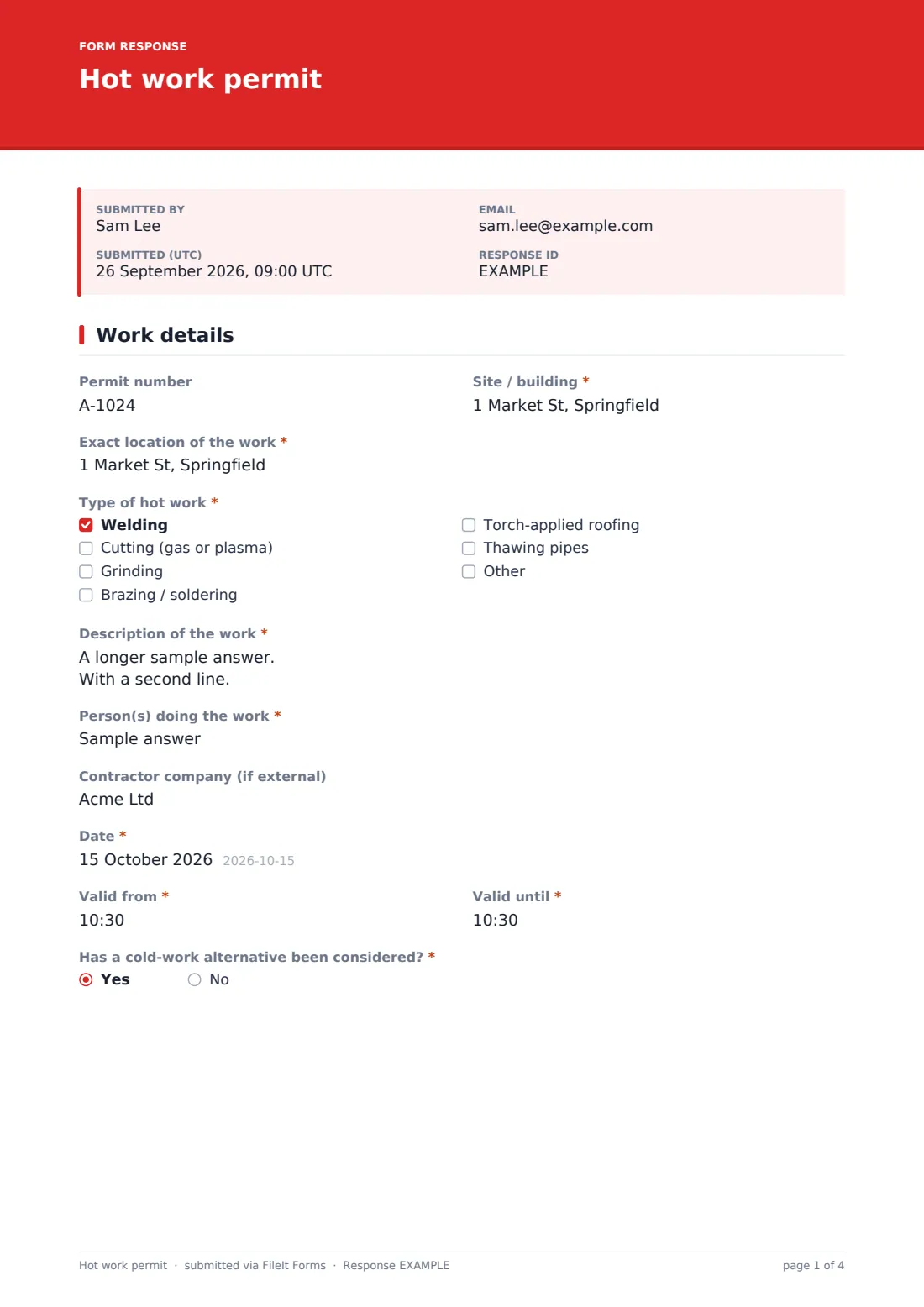
1 Work details
- Permit number
- Site / building*
- Exact location of the work*
- Type of hot work* Welding · Cutting (gas or plasma) · Grinding · Brazing / soldering · Torch-applied roofing · Thawing pipes
- Description of the work*
- Person(s) doing the work*
- Contractor company (if external)
- Date*
- Valid from*
- Valid until*
- Has a cold-work alternative been considered?*
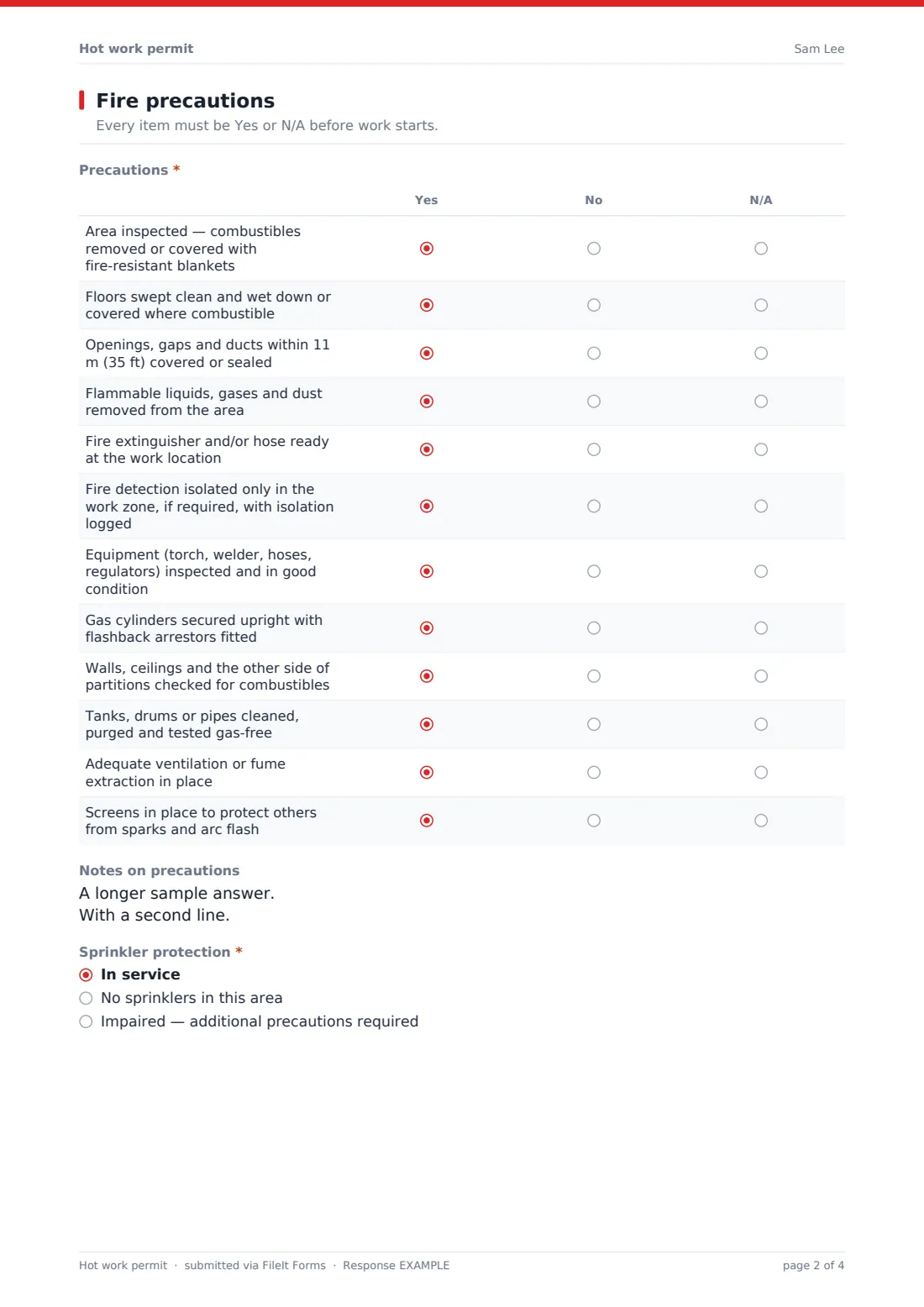
2 Fire precautions
- Precautions* Yes · No · N/A
- Notes on precautions
- Sprinkler protection* In service · No sprinklers in this area · Impaired — additional precautions required
- Additional precautions for impaired sprinklers* asked only when it applies
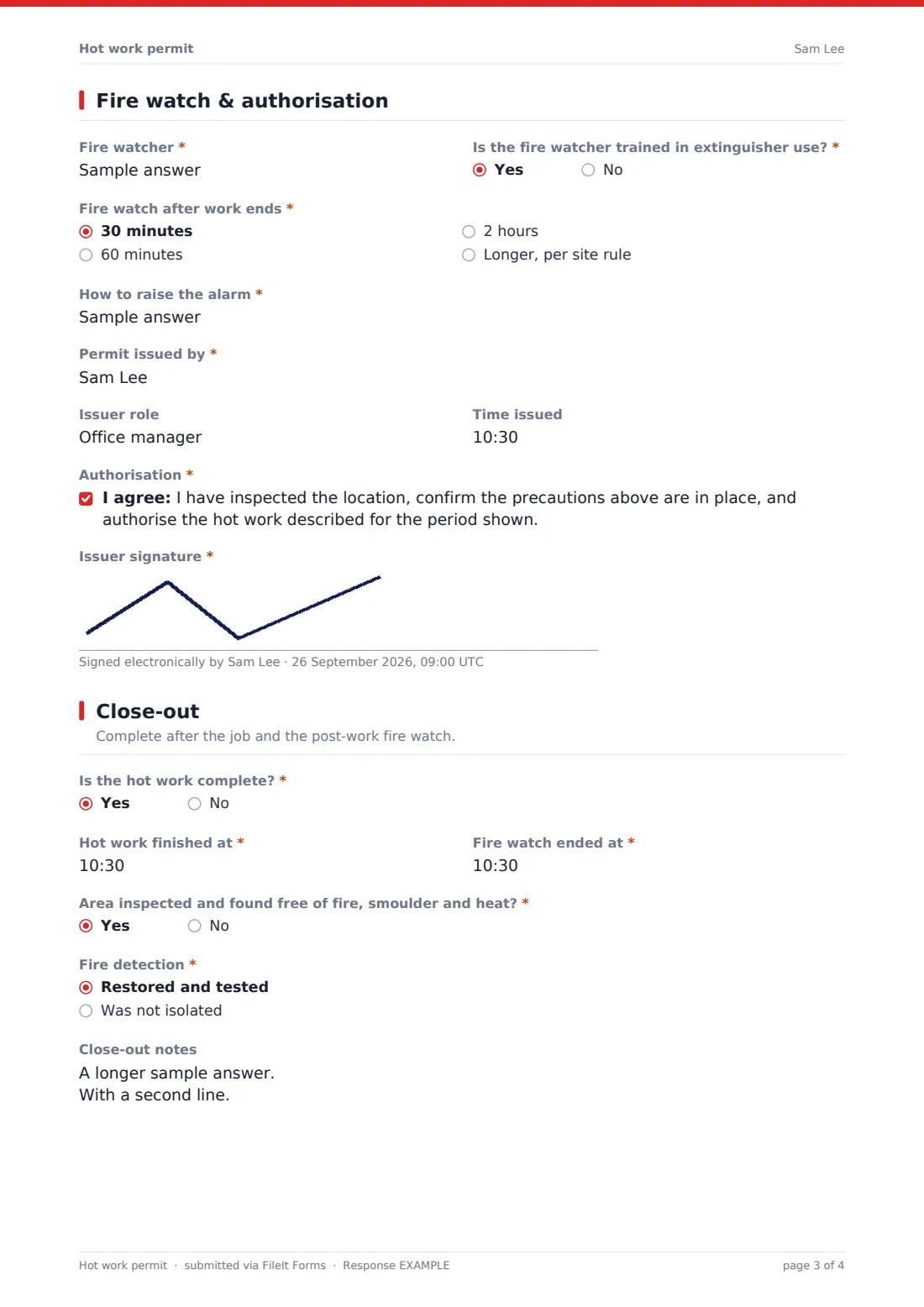
3 Fire watch & authorisation
- Fire watcher*
- Is the fire watcher trained in extinguisher use?*
- Fire watch after work ends* 30 minutes · 60 minutes · 2 hours · Longer, per site rule
- How to raise the alarm*
- Permit issued by*
- Issuer role
- Time issued
- Authorisation*
- Issuer signature*
4 Close-out
- Is the hot work complete?*
- Hot work finished at* asked only when it applies
- Fire watch ended at* asked only when it applies
- Area inspected and found free of fire, smoulder and heat?* asked only when it applies
- Fire detection* asked only when it applies Restored and tested · Was not isolated
- Close-out notes
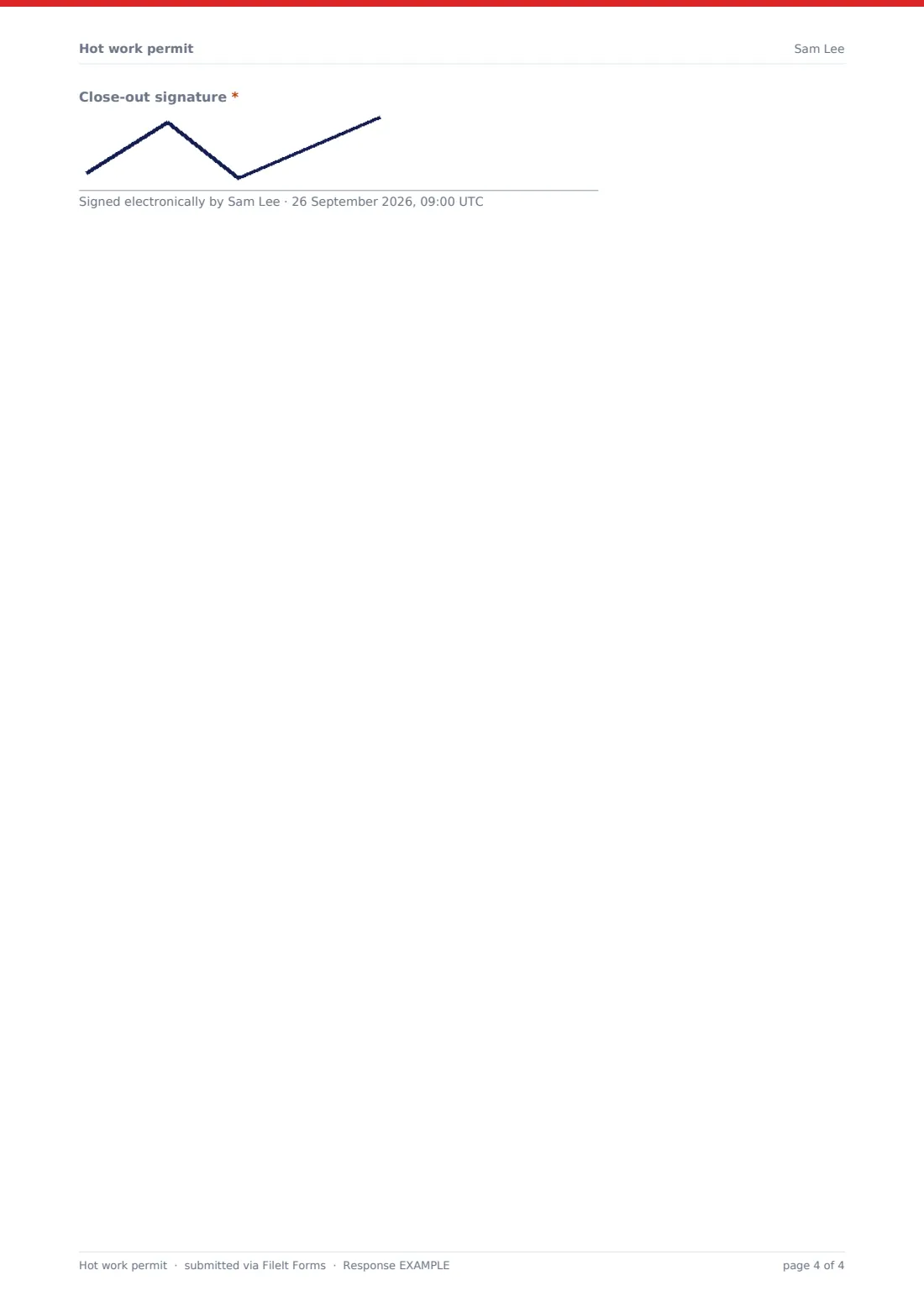
- Close-out signature*
The hot work permit form, page by page
1 Work details
An optional permit number, the site and the exact location start the permit. The issuer ticks the type of hot work, describes it, and names who is doing it and their company. Date and a valid-from and valid-until time set the window. A required question asks whether a cold-work alternative was considered.
2 Fire precautions
A matrix of twelve precautions — combustibles removed, floors cleaned, openings sealed, flammables removed, extinguisher ready, detection isolation, equipment and cylinders checked, the far side of walls checked, containers purged, ventilation and screens — is answered Yes, No or N/A. Notes explain anything marked No. The sprinkler question asks for additional precautions if protection is impaired.
3 Fire watch & authorisation
The fire watcher is named, with confirmation they're trained on extinguishers and how long the watch continues after work ends. How to raise the alarm, the issuer's name, role and time issued follow, and the issuer confirms the authorisation statement and signs.
4 Close-out
After the job, a yes to work complete asks for the time hot work finished, the time the fire watch ended, whether the area was found free of fire and heat, and whether fire detection was restored. Close-out notes cover an unfinished job, and a close-out signature completes the permit.
Make the template yours
- Edit the precautions to match your insurer's or site's hot work requirements
- Set the fire watch options to your own minimum duration
- Add a separate signature for the person doing the work
- Add your site's emergency number to the alarm question placeholder
- Send every permit to your facilities or safety manager's address
- File permits into a folder per site or building
Tips for a better hot work permit form
- Always ask whether the job can be done cold first
- Check the far side of walls and floors — sparks travel through gaps
- Keep the fire watcher on watch for the full period after work ends
- Limit each permit to one location and one shift
- Never leave a permit without a close-out — cancel it if work doesn't finish
- Restore fire detection before the fire watch leaves
Every response becomes a PDF in your vault
The permit is saved as a PDF titled with the date and filed in the vault folder you chose. You're notified and the issuer receives a copy to keep at the work location.
Because authorisation and close-out are on one form, the permit is normally submitted after close-out. If you need the authorised permit on file before work starts, split close-out into its own form or submit an updated copy. The Responses table lets you export all permits to CSV.
- Start from this template. It opens in the FileIt Forms designer — change any question, add pages, set the rules for when questions appear.
- Share it. Turn on a public link, or send it to people by email, each with their own link. They don’t need a FileIt account.
- Get the answers as PDFs. Each response is saved as a PDF in the vault folder you choose, with uploaded files attached — and listed in a Responses table you can export to CSV.
Hot work permit form: frequently asked questions
Is this hot work permit template free?
Yes. It's included with the Forms app on every FileIt account, including the free plan.
Does the issuer need a FileIt account?
No. They fill it in from the link you share.
Does this permit meet NFPA 51B, OSHA or insurer requirements?
FileIt doesn't give legal or compliance advice. The checklist reflects common hot work precautions — check it against the standards and insurer conditions that apply to you and edit it to match.
How long should the fire watch last?
That depends on your site rules, standards and insurer. The dropdown offers common durations and a longer option — set it to your own minimum.
Can the person doing the work sign too?
The template has an issuer signature and a close-out signature. Add another signature field in the designer for the operative.
What if the work doesn't finish on time?
Answer no to work complete, note it in close-out, sign, and issue a new permit for the next shift.
Can I keep a register of permits?
Yes. Every permit is listed in the Responses table and can be exported to CSV.