What is the lockout/tagout record form template?
A lockout/tagout record documents how a machine was made safe before maintenance: which energy sources were isolated, where, with which locks, whether stored energy was released, and how zero energy was verified. This template covers individual and group lockouts and ends with a release section confirming the area was cleared before locks came off.
Lockouts often happen without any written record, which makes it hard to confirm later that every energy source was isolated or who removed a lock. A form walks through the sequence in order, shows a do-not-start warning at verification if zero energy isn't confirmed, and keeps the record for the machine's maintenance history.
It runs on FileIt's Forms app, included on every FileIt account. Technicians complete it on a phone at the machine, and each record becomes a PDF in your vault under the site or asset.
- Best for
- Manufacturing, facilities, food processing, warehousing and maintenance contractors
- Filled in by
- The authorised person applying the lockout
- Time to complete
- About 5–10 minutes, plus release
- Includes
- Energy source checklist, group lockout logic, verification matrix, shift transfer, release checks, signature
Who uses a lockout/tagout record form?
- Clearing a jam or replacing a belt on a conveyor
- Servicing a compressor, pump or hydraulic press
- Electrical work on a machine's control panel
- A group lockout for a shutdown with several trades
- A lockout that continues across a shift change
- Building a maintenance history of isolations per machine
Questions on this lockout/tagout record form
31 questions over 4 pages · includes signature, conditional questions, multiple pages, ratings.
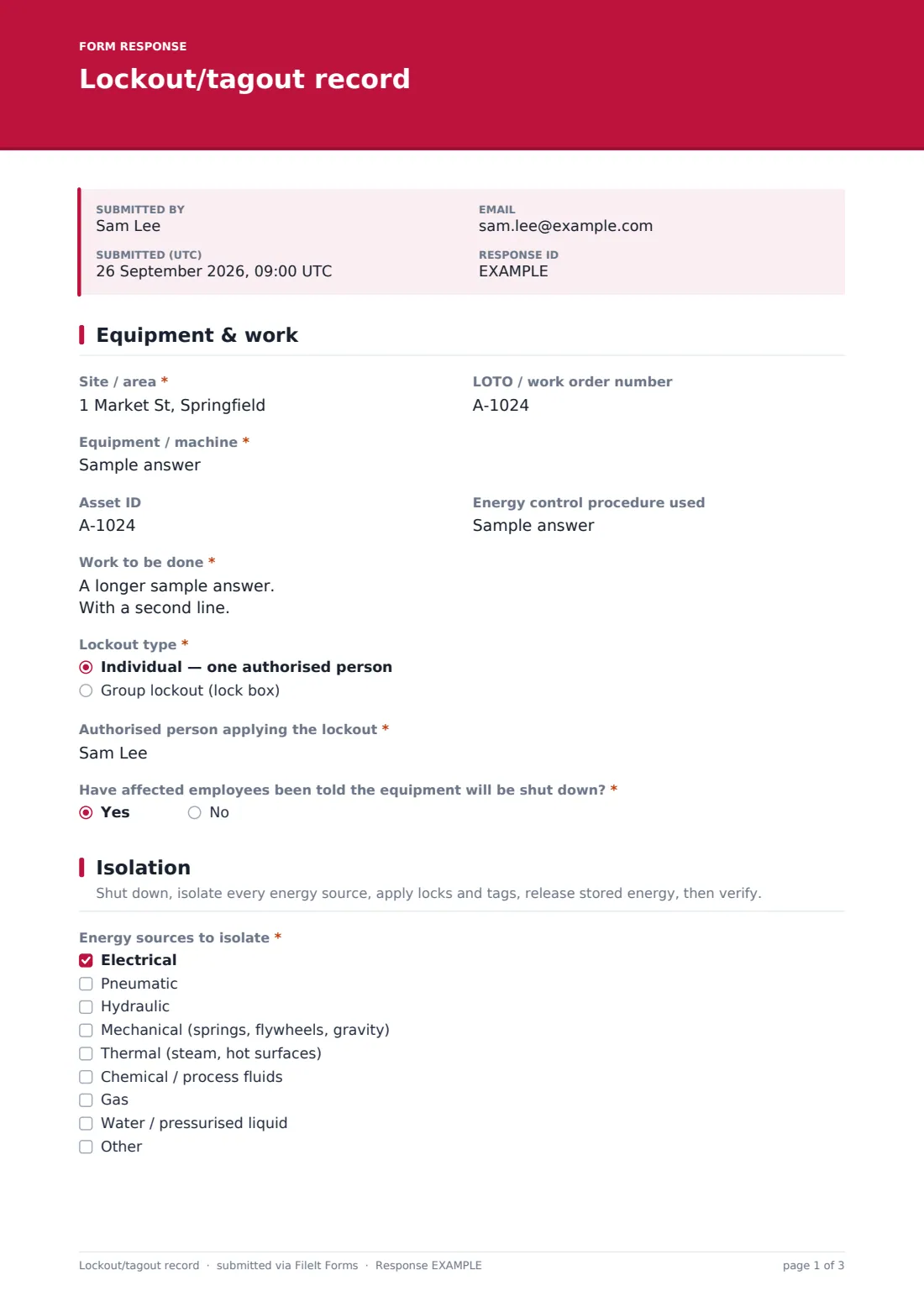
1 Equipment & work
- Site / area*
- LOTO / work order number
- Equipment / machine*
- Asset ID
- Energy control procedure used
- Work to be done*
- Lockout type* Individual — one authorised person · Group lockout (lock box)
- Authorised person applying the lockout*
- Have affected employees been told the equipment will be shut down?*
2 Isolation
- Energy sources to isolate* Electrical · Pneumatic · Hydraulic · Mechanical (springs, flywheels, gravity) · Thermal (steam, hot surfaces) · Chemical / process fluids · Gas · Water / pressurised liquid
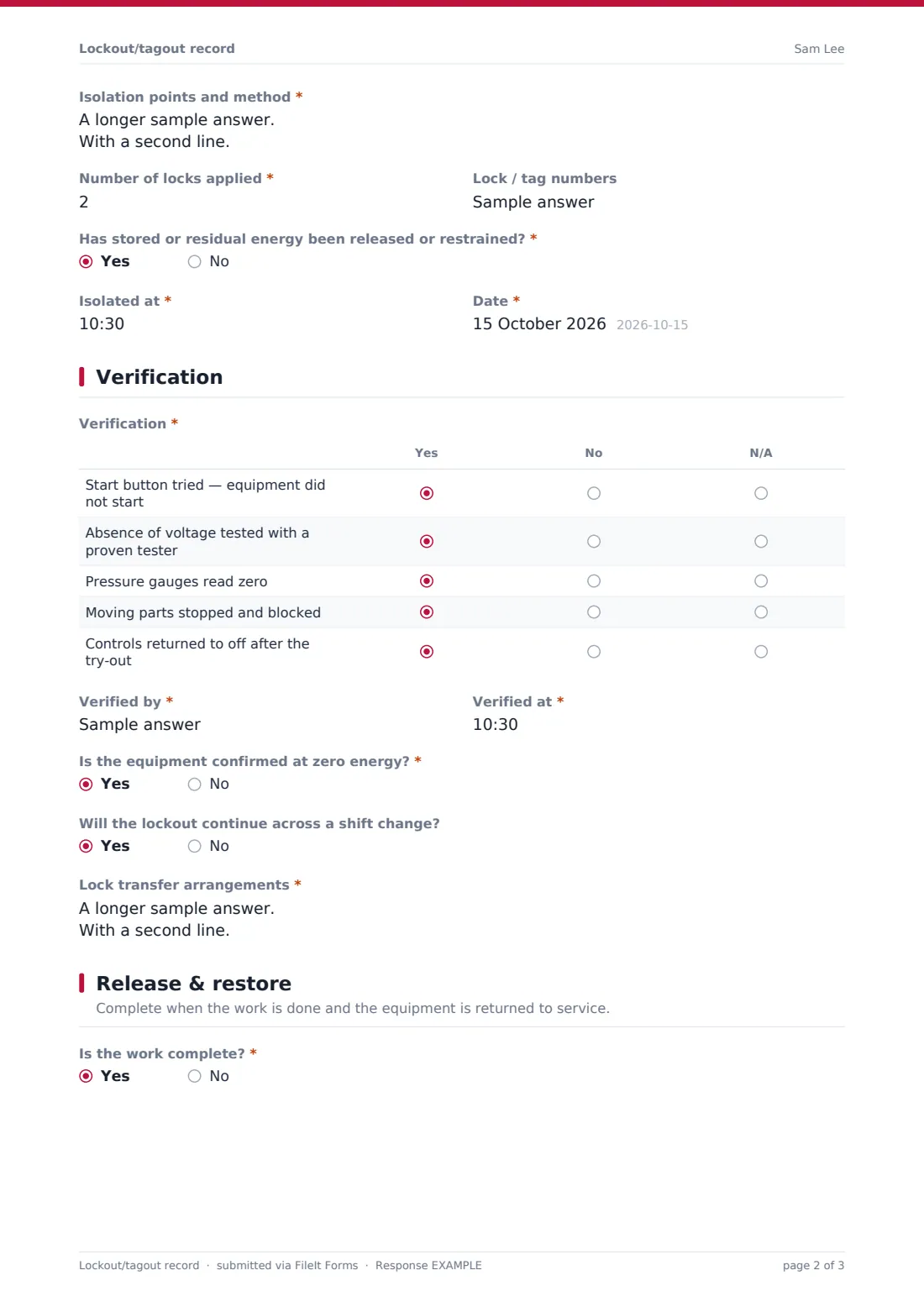
- Isolation points and method*
- Number of locks applied*
- Lock / tag numbers
- Group lock box number and coordinator* asked only when it applies
- People with personal locks on the box* asked only when it applies
- Has stored or residual energy been released or restrained?*
- Isolated at*
- Date*
3 Verification
- Verification* Yes · No · N/A
- Verified by*
- Verified at*
- Is the equipment confirmed at zero energy?*
- Will the lockout continue across a shift change?
- Lock transfer arrangements* asked only when it applies
4 Release & restore
- Is the work complete?*
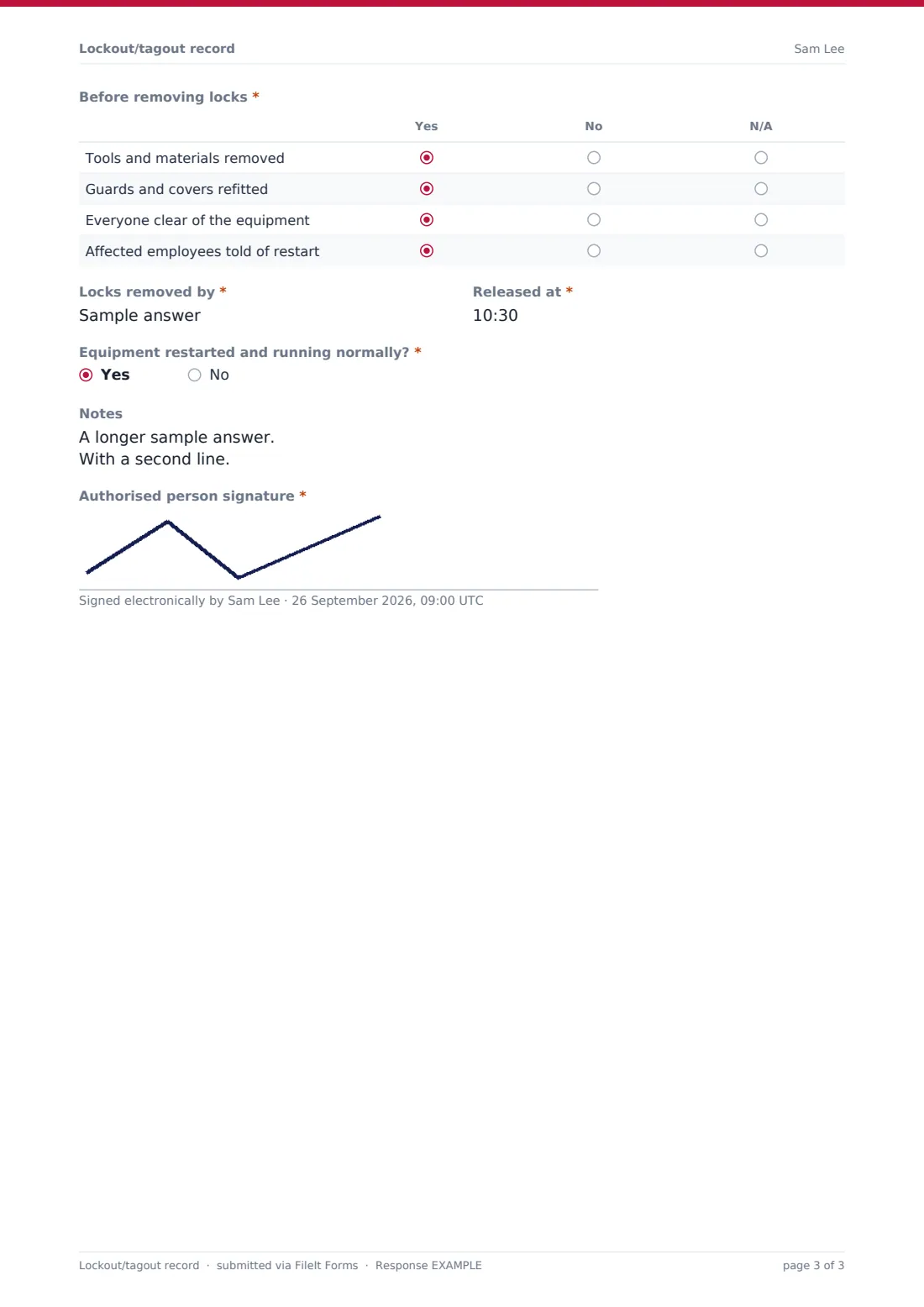
- Before removing locks* asked only when it applies Yes · No · N/A
- Locks removed by* asked only when it applies
- Released at* asked only when it applies
- Equipment restarted and running normally?* asked only when it applies
- Notes
- Authorised person signature*
The lockout/tagout record form, page by page
1 Equipment & work
Site, a LOTO or work order number, the equipment, asset ID and the energy control procedure used identify the job. The work is described, the lockout type chosen — individual or group — and the authorised person named. The form asks whether affected employees were told about the shutdown.
2 Isolation
The user ticks every energy source — electrical, pneumatic, hydraulic, mechanical, thermal, chemical, gas and water — and lists each isolation point and method. Number of locks and lock or tag numbers follow. A group lockout also asks for the lock box number, coordinator and everyone with a personal lock on the box. The form confirms stored energy was released and records when isolation happened.
3 Verification
A matrix records the try-out: start button tried, absence of voltage tested, gauges at zero, moving parts blocked and controls returned to off. The verifier and time are recorded, and a no to zero energy shows a do-not-start message. A lockout continuing across a shift change asks how locks will be transferred.
4 Release & restore
When the work is complete, checks confirm tools are removed, guards refitted, everyone clear and affected employees told. The person removing locks, the release time and whether the equipment restarted normally are recorded, with notes and the authorised person's signature.
Make the template yours
- Turn the equipment field into a dropdown of your machines and their procedure numbers
- Add machine-specific isolation points as a matrix for your most common equipment
- Add a supervisor signature for group lockouts
- Send records to your maintenance manager's address
- File records into a folder per machine for a full isolation history
- Add a field for abandoned-lock removal authorisation
Tips for a better lockout/tagout record form
- Always try to start the equipment after locking out — then return controls to off
- Test your voltage tester on a known live source before and after use
- Each worker in a group lockout should apply their own personal lock
- Never remove someone else's lock except under your abandoned-lock procedure
- Transfer locks at shift change so protection is never broken
- Tell affected employees before shutdown and before restart
Every response becomes a PDF in your vault
The record is saved as a PDF titled with the date and authorised person's name, and filed in the vault folder you chose. You're notified and the technician gets a copy.
Because isolation and release are on one form, it's normally submitted once the equipment is back in service. The Responses table lets you filter by equipment or energy source and export to CSV for periodic procedure reviews.
- Start from this template. It opens in the FileIt Forms designer — change any question, add pages, set the rules for when questions appear.
- Share it. Turn on a public link, or send it to people by email, each with their own link. They don’t need a FileIt account.
- Get the answers as PDFs. Each response is saved as a PDF in the vault folder you choose, with uploaded files attached — and listed in a Responses table you can export to CSV.
Lockout/tagout record form: frequently asked questions
Is this lockout/tagout record template free?
Yes. It's included with the Forms app on every FileIt account, including the free plan.
Does it meet OSHA 1910.147 or other LOTO rules?
FileIt doesn't give legal or compliance advice. The record follows the common lockout sequence, but you must check it against the regulations and your own energy control program.
Does it support group lockouts?
Yes. Choosing group lockout asks for the lock box number, coordinator and everyone with a personal lock on the box.
Does the technician need a FileIt account?
No. They fill it in from the link you share.
Can I add machine-specific procedures?
Yes. Edit the isolation points or add a matrix of steps for a particular machine in the designer.
What happens if verification fails?
Answering no to zero energy shows a message not to start work and to repeat the isolation and verification.
Can I see all isolations on one machine?
Yes. Filter the Responses table by equipment or file records into a folder per machine.