What is the immunization record form template?
Vaccination history usually lives in several places at once: a paper card from the pediatrician, a pharmacy receipt for a flu shot, a travel clinic certificate, an email from a workplace program. When a school, college, employer or travel clinic asks for proof, it's a search through drawers.
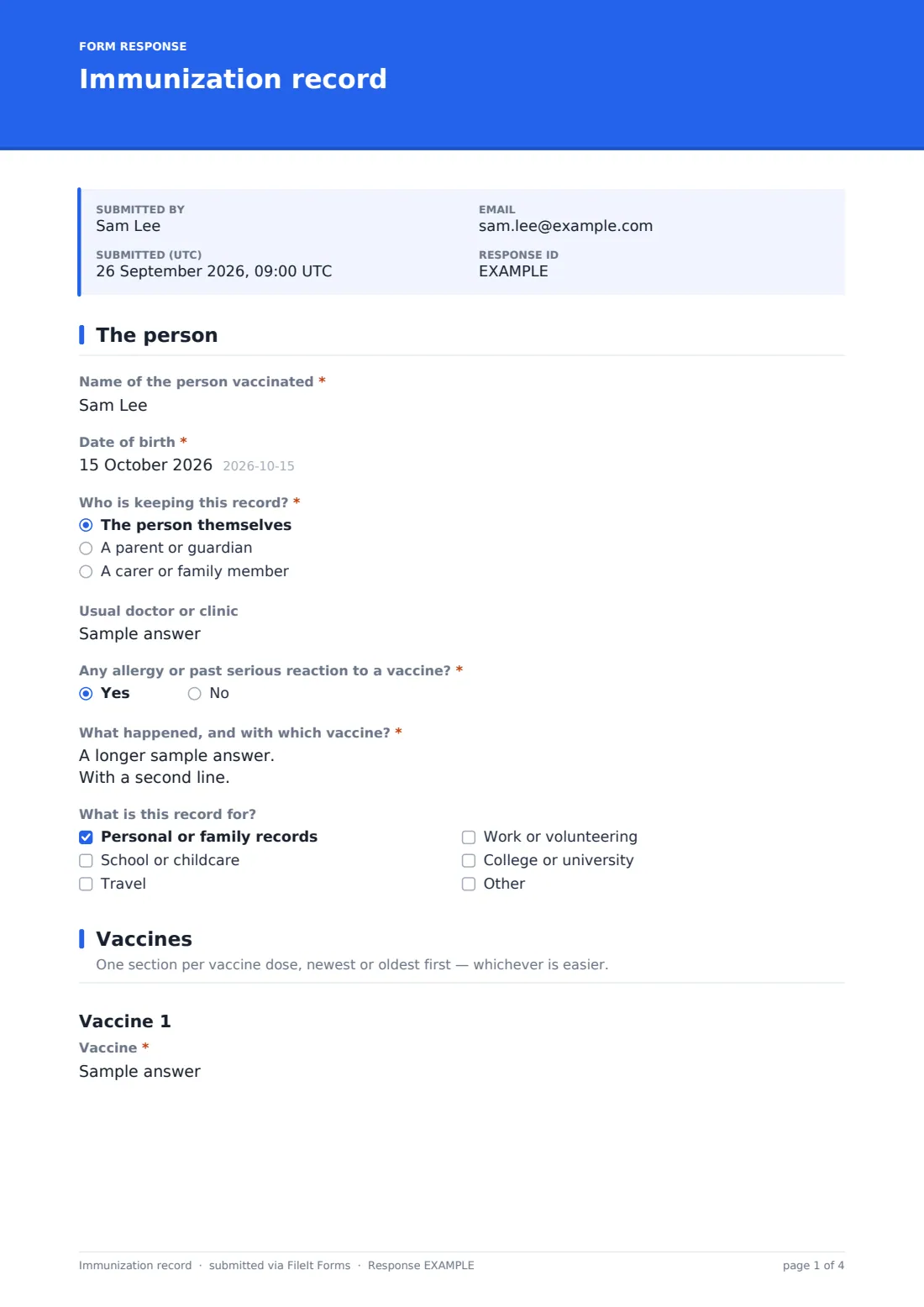
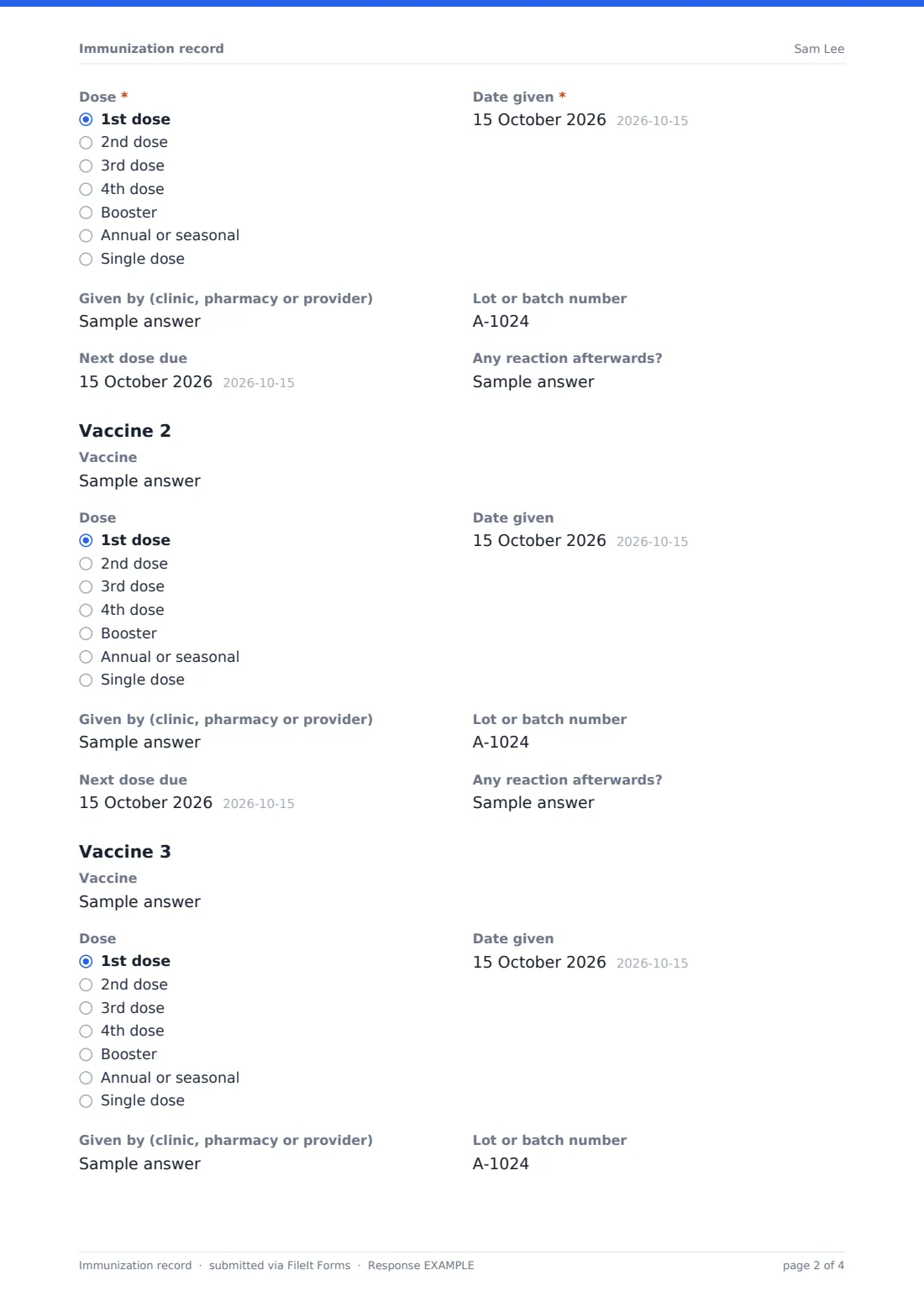
This template turns those scraps into one record per person. The first page identifies who was vaccinated, who's keeping the record and any allergy or past serious reaction to a vaccine. The second page has a repeating section for each vaccine: the vaccine's name, which dose it was, the date given, who gave it, the lot or batch number, when the next dose is due and any reaction afterwards.
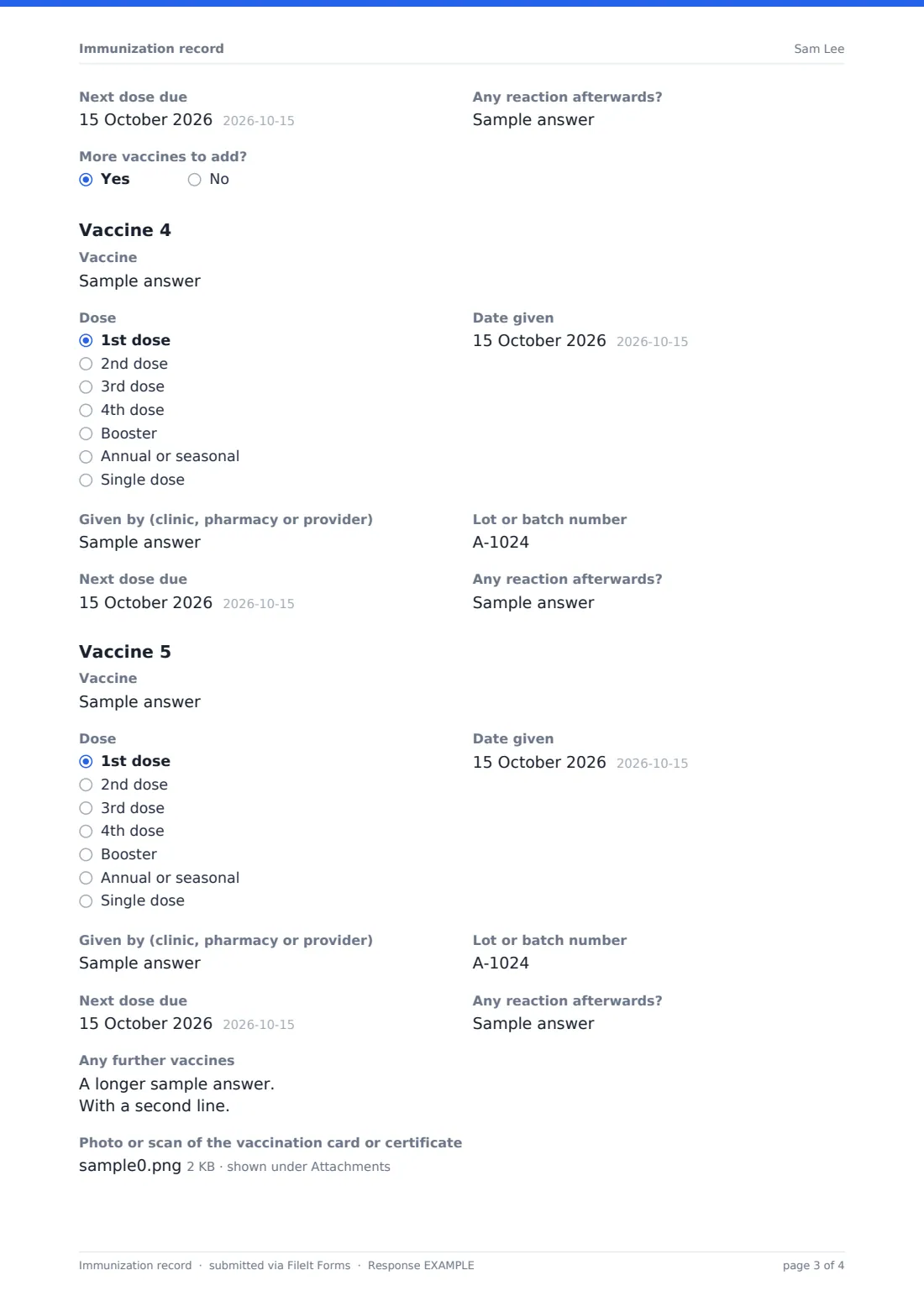
Three vaccine sections are always shown. Answer yes to More vaccines to add? and two more appear, plus a box for any further entries. Parents and adults can upload photos or scans of the original cards, and the finished record is saved as a PDF in their FileIt vault.
- Best for
- Parents tracking a child's shots, adults keeping their own history, families organising records for school or travel
- Filled in by
- The person themselves, a parent or guardian, or a carer
- Time to complete
- About 2 minutes per vaccine, with the card in front of you
- Includes
- Vaccine allergy question, repeating vaccine sections, lot numbers, next-dose dates, card uploads and a confirmation
Who uses a immunization record form?
- Gathering a child's vaccinations before school or childcare enrollment
- Adults collecting records for a new job in healthcare or education
- Students preparing proof of immunization for college
- Travellers recording vaccines given at a travel clinic
- Carers keeping a record for an older relative
- Families keeping every member's history in one place
Questions on this immunization record form
48 questions over 2 pages · includes file upload, conditional questions, multiple pages, consent checkbox.
1 The person
- Name of the person vaccinated*
- Date of birth*
- Who is keeping this record?* The person themselves · A parent or guardian · A carer or family member
- Your name* asked only when it applies
- Usual doctor or clinic
- Any allergy or past serious reaction to a vaccine?*
- What happened, and with which vaccine?* asked only when it applies
- What is this record for? Personal or family records · School or childcare · Travel · Work or volunteering · College or university
2 Vaccines
- Vaccine*
- Dose* 1st dose · 2nd dose · 3rd dose · 4th dose · Booster · Annual or seasonal · Single dose
- Date given*
- Given by (clinic, pharmacy or provider)
- Lot or batch number
- Next dose due
- Any reaction afterwards?
- Vaccine
- Dose 1st dose · 2nd dose · 3rd dose · 4th dose · Booster · Annual or seasonal · Single dose
- Date given
- Given by (clinic, pharmacy or provider)
- Lot or batch number
- Next dose due
- Any reaction afterwards?
- Vaccine
- Dose 1st dose · 2nd dose · 3rd dose · 4th dose · Booster · Annual or seasonal · Single dose
- Date given
- Given by (clinic, pharmacy or provider)
- Lot or batch number
- Next dose due
- Any reaction afterwards?
- More vaccines to add?
- Vaccine asked only when it applies
- Dose asked only when it applies 1st dose · 2nd dose · 3rd dose · 4th dose · Booster · Annual or seasonal · Single dose
- Date given asked only when it applies
- Given by (clinic, pharmacy or provider) asked only when it applies
- Lot or batch number asked only when it applies
- Next dose due asked only when it applies
- Any reaction afterwards? asked only when it applies
- Vaccine asked only when it applies
- Dose asked only when it applies 1st dose · 2nd dose · 3rd dose · 4th dose · Booster · Annual or seasonal · Single dose
- Date given asked only when it applies
- Given by (clinic, pharmacy or provider) asked only when it applies
- Lot or batch number asked only when it applies
- Next dose due asked only when it applies
- Any reaction afterwards? asked only when it applies
- Any further vaccines asked only when it applies
- Photo or scan of the vaccination card or certificate
- Notes
- Confirmation*
The immunization record form, page by page
1 The person
Name of the person vaccinated and date of birth are required. Who is keeping this record? offers the person themselves, a parent or guardian, or a carer or family member; anyone other than the person adds their own name. The usual doctor or clinic is optional. Any allergy or past serious reaction to a vaccine? must be answered, and a yes asks what happened and with which vaccine. A checklist records what the record is for, such as school, travel, work or college.
2 Vaccines
Each section is headed Vaccine 1, Vaccine 2 and so on. The first section is required: the vaccine, the dose (1st to 4th dose, booster, annual or seasonal, or single dose) and the date given. Given by, Lot or batch number, Next dose due and Any reaction afterwards? are optional, and sit side by side in pairs so the record stays compact. Vaccines 2 and 3 have the same questions but nothing is required, so blank sections can be skipped.
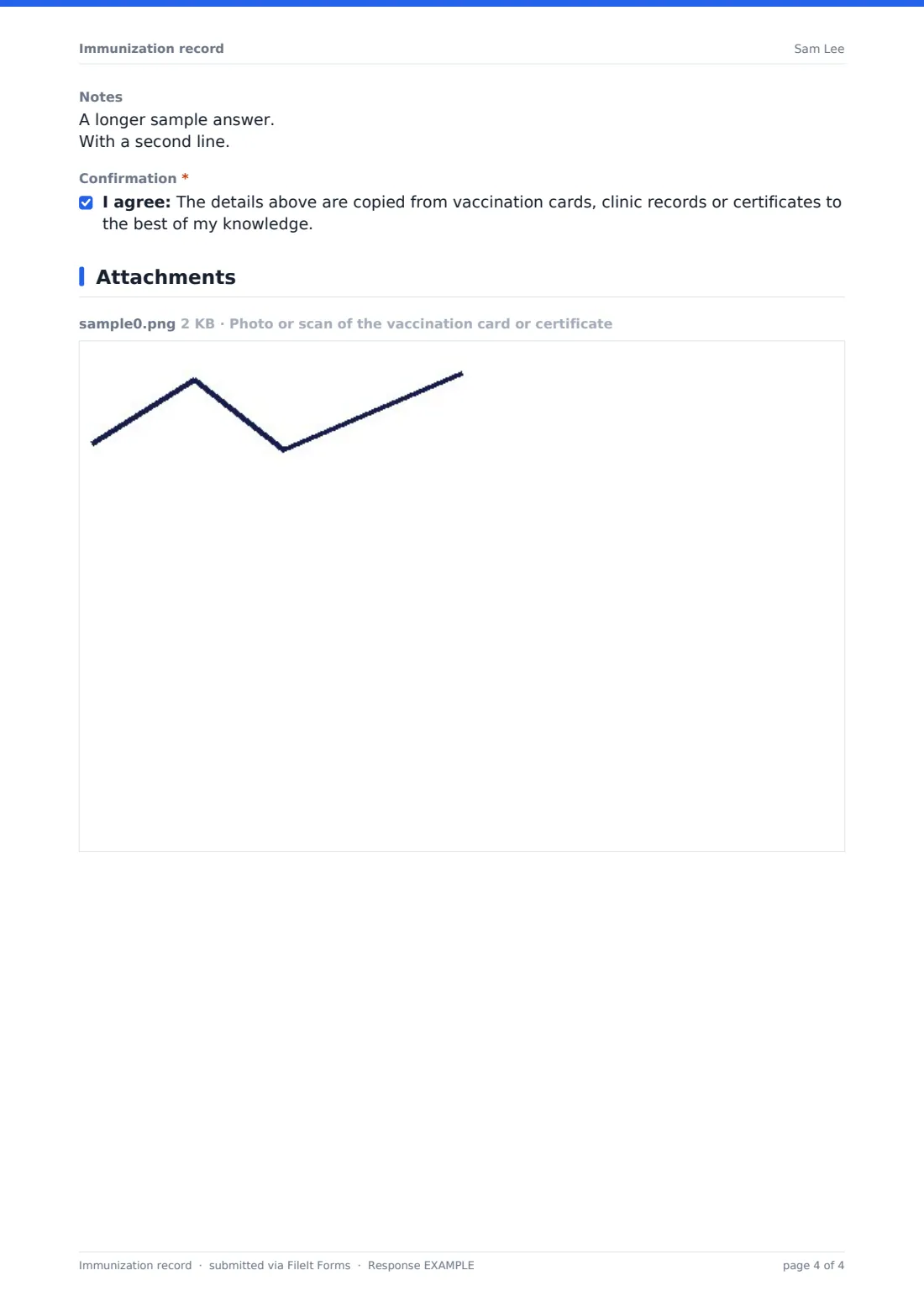
More vaccines to add? reveals Vaccines 4 and 5 and a free-text box for further entries. The page ends with an upload for up to five photos or scans of cards or certificates, a notes box, and a required confirmation that the details were copied from records to the best of the person's knowledge.
Make the template yours
- Turn the vaccine name into a dropdown of the vaccines your clinic or school expects
- Add more vaccine sections if you routinely record a full childhood schedule
- Remove the lot number question if the people using it won't have that detail
- Add a question for the school, employer or program asking for the record
- Share the form with a family member so they can record their own vaccines
- Send it as an emailed request to each person whose record you need to collect
Tips for a better immunization record form
- Copy details straight from the card, especially the dose and lot number
- Keep the uploaded photo of the original card; it is often what schools ask to see
- Fill in one record per person so each PDF stands on its own
- When a next dose is due, set that date as the expiry date on the filed PDF in your vault so FileIt reminds you
- Ask your doctor or pharmacist which vaccines are due; this form records history, it doesn't recommend vaccines
- Update the record after each new shot by submitting a fresh copy
Every response becomes a PDF in your vault
The record is filed as a PDF in the vault folder you choose, with any uploaded card photos attached to the document. If you keep family documents in FileIt, file it under the right person so it sits with their other papers.
Each new submission creates a new PDF, so earlier versions stay in the vault. The Responses tab lists every record submitted and can export them to CSV.
- Start from this template. It opens in the FileIt Forms designer — change any question, add pages, set the rules for when questions appear.
- Share it. Turn on a public link, or send it to people by email, each with their own link. They don’t need a FileIt account.
- Get the answers as PDFs. Each response is saved as a PDF in the vault folder you choose, with uploaded files attached — and listed in a Responses table you can export to CSV.
Immunization record form: frequently asked questions
Is this immunization record template free?
Yes. Every FileIt account, the free plan included, comes with the Forms app and its starter templates.
Is this an official vaccination certificate?
No. It's a personal record copied from official cards or clinic records. Keep the originals, and use official certificates where a school, employer or country requires them.
How many vaccines can I record?
Five in separate sections, plus a free-text box for more. You can add further sections in the designer.
Can I get a reminder when the next dose is due?
The form records the next due date. To be reminded, set that date as the expiry date on the filed document in your vault, and FileIt sends reminders on your schedule.
Can a school collect records from many families with it?
Yes. Publish the form and share the link, or send emailed requests. Each family's record arrives as its own PDF.
Can I upload the original vaccine card?
Yes. Up to five photos, scans or PDFs can be attached to each record.