What is the new patient intake form template?
The first few minutes of a new patient's appointment often get eaten up by paperwork — insurance details, medical history, allergies — that could easily have been collected in advance. This template covers all of it: patient and insurance details, the reason for the visit, current symptoms, medications, allergies and consent, so the clinical team can spend the appointment on the patient rather than the form.
A clipboard in a waiting room means illegible handwriting and a patient rushing through questions they haven't thought about. An online form lets a patient answer at home, at their own pace, with time to check a prescription bottle or think through their symptom history properly, and it arrives typed, complete and ready to read before they walk in.
Once submitted, FileIt saves the whole intake as a PDF in the patient's vault folder, insurance card photo included if they've uploaded one, ready for the front desk and clinical team before the appointment even starts.
- Best for
- Clinics, private practices and independent providers registering a new patient
- Filled in by
- The patient, ahead of their first appointment
- Time to complete
- About 10 minutes
- Includes
- Insurance details, a symptom checklist, medication and allergy questions, and a signed consent
Who uses a new patient intake form?
- A private medical practice registering new patients before their first visit
- A physiotherapy or allied health clinic collecting history ahead of an initial assessment
- A telehealth provider gathering patient details before a first video consultation
- A specialist clinic that needs insurance information verified before booking a procedure
- A community health service reducing waiting-room paperwork for new patients
- A practice standardising intake across multiple providers so nothing is missed
Questions on this new patient intake form
29 questions over 5 pages · includes signature, file upload, conditional questions, multiple pages, consent checkbox, ratings.
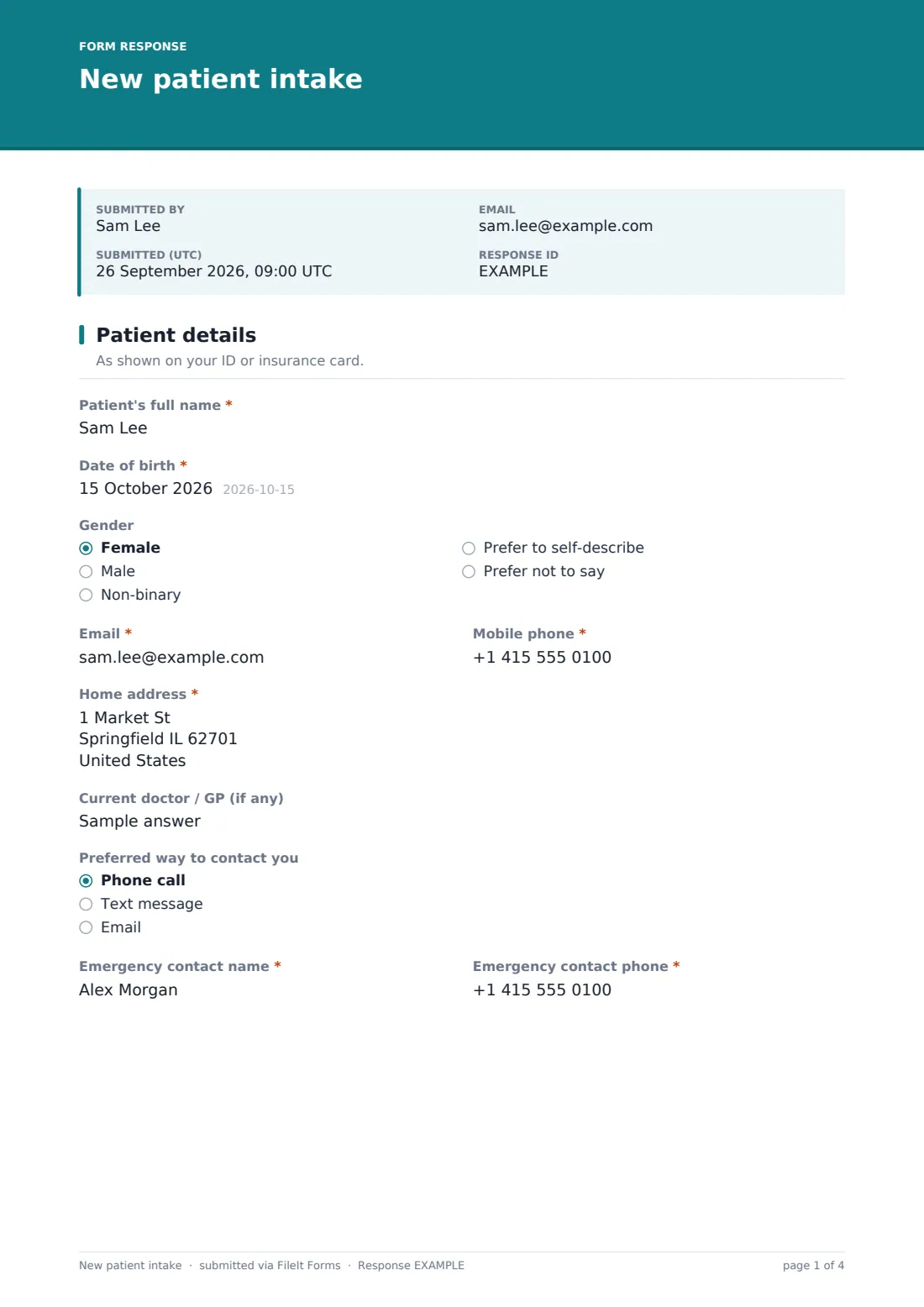
1 Patient details
- Patient's full name*
- Date of birth*
- Gender Female · Male · Non-binary · Prefer to self-describe · Prefer not to say
- Email*
- Mobile phone*
- Home address*
- Current doctor / GP (if any)
- Preferred way to contact you Phone call · Text message · Email
- Emergency contact name*
- Emergency contact phone*
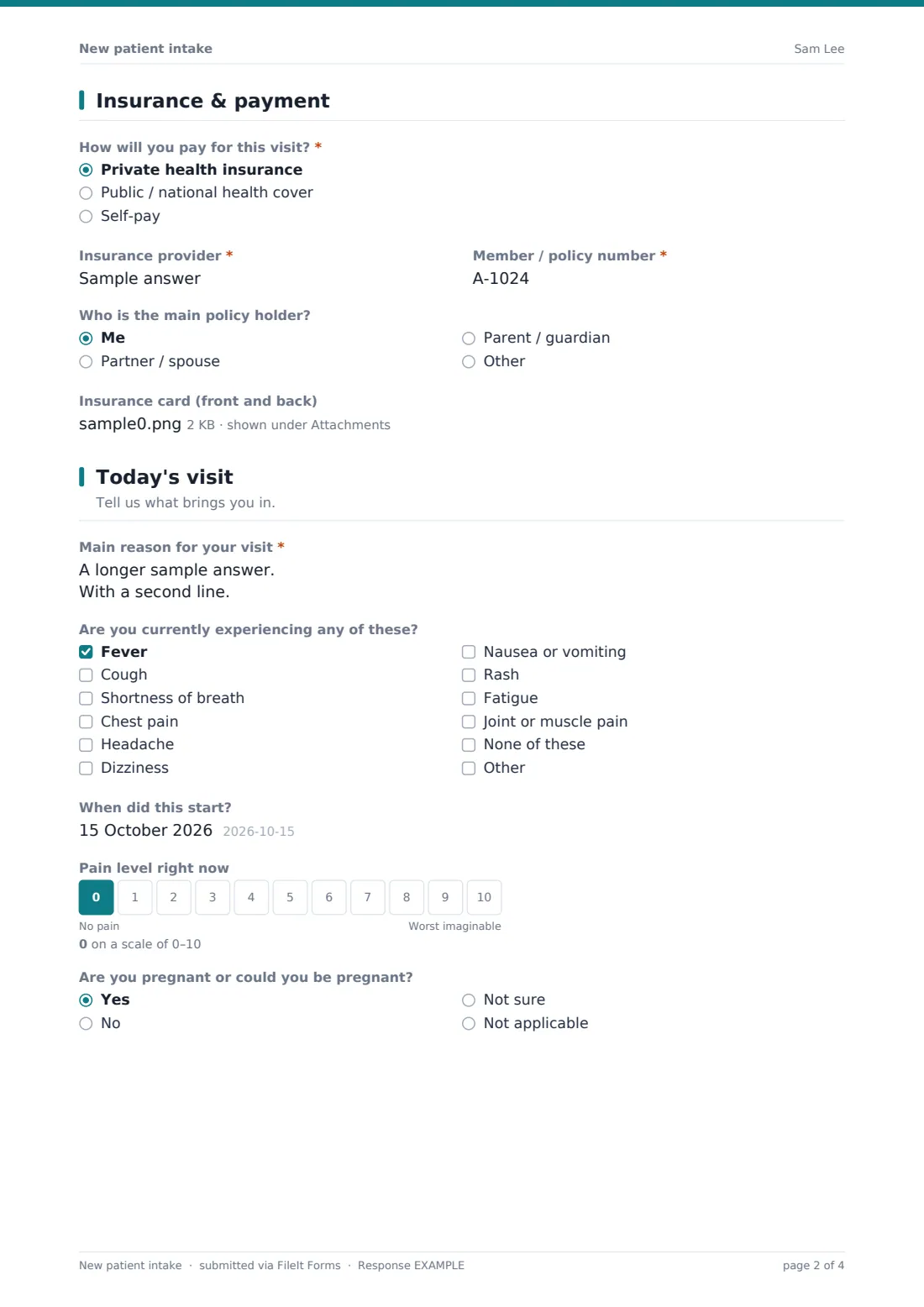
2 Insurance & payment
- How will you pay for this visit?* Private health insurance · Public / national health cover · Self-pay
- Insurance provider* asked only when it applies
- Member / policy number* asked only when it applies
- Who is the main policy holder? asked only when it applies Me · Partner / spouse · Parent / guardian
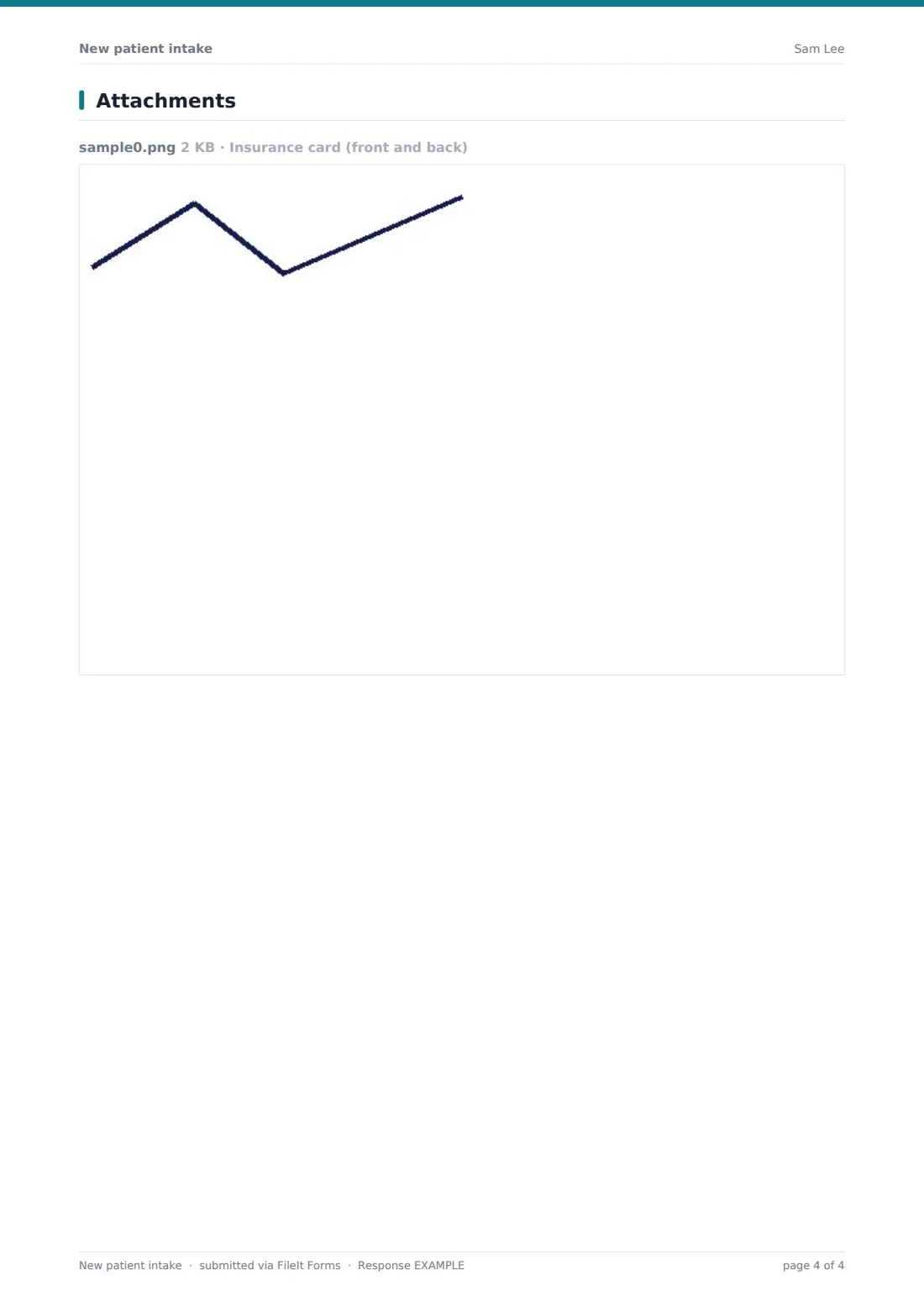
- Insurance card (front and back) asked only when it applies
- Health card / national health number asked only when it applies
3 Today's visit
- Main reason for your visit*
- Are you currently experiencing any of these? Fever · Cough · Shortness of breath · Chest pain · Headache · Dizziness · Nausea or vomiting · Rash · Fatigue · Joint or muscle pain · None of these
- When did this start? asked only when it applies
- Pain level right now
- Are you pregnant or could you be pregnant? Yes · No · Not sure · Not applicable
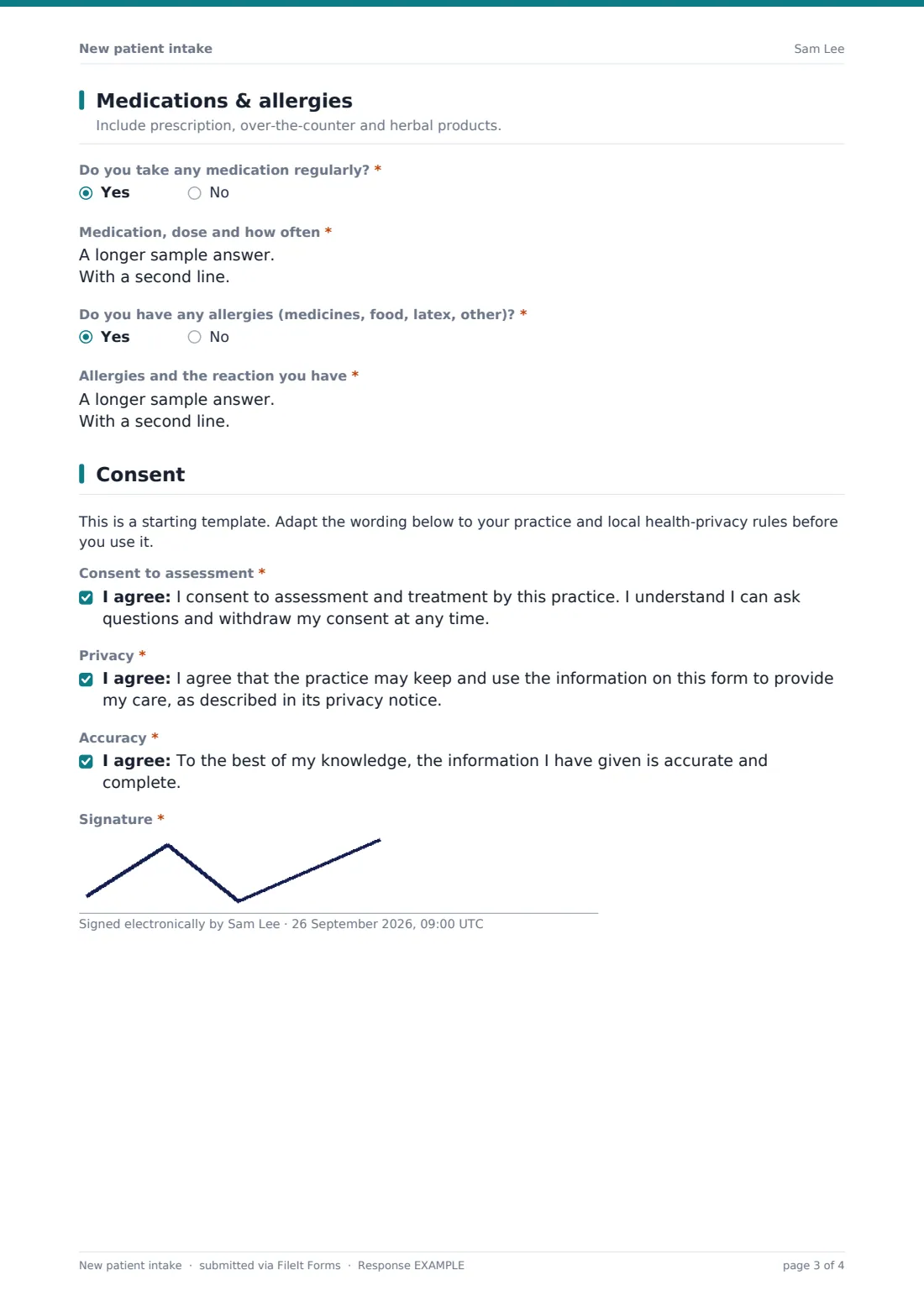
4 Medications & allergies
- Do you take any medication regularly?*
- Medication, dose and how often* asked only when it applies
- Do you have any allergies (medicines, food, latex, other)?*
- Allergies and the reaction you have* asked only when it applies
5 Consent
- Consent to assessment*
- Privacy*
- Accuracy*
- Signature*
The new patient intake form, page by page
1 Patient details
The form opens with the Patient's full name, Date of birth, optional Gender, Email, Mobile phone and Home address, followed by their Current doctor / GP if they have one, a Preferred way to contact you, and an Emergency contact name and phone. Asking for details exactly as they appear on ID or an insurance card up front avoids mismatches later.
2 Insurance & payment
Patients choose How will you pay for this visit? — private insurance, public or national health cover, or self-pay. Choosing insurance reveals fields for the Insurance provider and Member / policy number, who the main policy holder is, and an optional upload for a photo of the insurance card, front and back. Public cover instead reveals a simple health card or national health number field.
3 Today's visit
The patient describes their Main reason for the visit and can flag current symptoms from a checklist — fever, cough, chest pain, dizziness and more — plus when symptoms started and their current Pain level on a 0-10 scale. A Pregnant or could you be pregnant? question is included for anyone it applies to, with a clear "not applicable" option.
4 Medications & allergies
A yes/no for taking medication regularly opens a field for listing medication, dose and frequency, and a separate yes/no for allergies opens a field for the allergy and the reaction experienced. Asking prescription, over-the-counter and herbal products together avoids the common gap where a patient forgets to mention something they don't consider "real" medication.
5 Consent
A note reminds the practice this is a starting template to adapt to local health-privacy rules before use. The patient then confirms three things: consent to assessment and treatment, agreement to the practice's privacy notice, and that the information given is accurate and complete, followed by a signature — their own, or a parent or guardian's for a patient under 18.
Make the template yours
- Add practice-specific intake questions, such as referral source or which provider the patient is seeing
- Adjust the symptom checklist to match the specialty — a physiotherapy clinic's list looks different from a GP's
- Rewrite the consent statements with your practice's actual privacy notice and treatment consent wording
- File each patient's intake under their own vault folder so it sits alongside future visit notes
- Make the insurance card upload required if your practice always needs it verified before the first visit
- Add a required field for referring physician if your intake process depends on it
Tips for a better new patient intake form
- Send the intake link as soon as an appointment is booked, giving patients time to gather insurance and medication details
- Review symptom and pain-level answers before the appointment so time isn't spent re-asking what's already on file
- Double-check allergy answers against medication answers — a documented allergy sometimes gets missed in the medication list
- Have the consent wording reviewed against your local health-privacy rules before relying on the template as written
- Keep the emergency contact information current by asking patients to confirm it at each visit, not just the first one
Every response becomes a PDF in your vault
Once a patient submits their intake, FileIt saves it as a PDF — insurance card photo included, if uploaded — in the vault folder for that patient, and the practice gets a notification straight away. If enabled, the patient also receives their own PDF copy, useful for their records.
Most practices review the PDF ahead of the appointment, checking insurance details at the front desk and flagging any symptoms, allergies or medications the clinical team should know about before the patient is even called through. Because intakes are searchable in the Responses table, it's also simple to confirm a returning patient's original details months later.
- Start from this template. It opens in the FileIt Forms designer — change any question, add pages, set the rules for when questions appear.
- Share it. Turn on a public link, or send it to people by email, each with their own link. They don’t need a FileIt account.
- Get the answers as PDFs. Each response is saved as a PDF in the vault folder you choose, with uploaded files attached — and listed in a Responses table you can export to CSV.
New patient intake form: frequently asked questions
Is this new patient intake form template free?
Yes, it's included in FileIt's Forms app on every account, including the free plan, and every question can be edited to match your practice.
Does the patient need a FileIt account to fill it in?
No. You send a link by email or text, and the patient completes it without creating an account.
Do we get the completed intake as a PDF?
Yes, automatically. Every submission is saved as a PDF in your FileIt vault, with any uploaded insurance card photos attached.
Is this form HIPAA or GDPR certified?
No — FileIt doesn't claim any specific health-privacy certification. The consent wording is a starting point, and practices should review it against their own local health-privacy obligations before use.
Can patients upload a photo of their insurance card?
Yes, there's a file upload field for the front and back of an insurance card, which only appears if the patient selects private insurance as their payment method.
Does the form ask about current symptoms?
Yes, a checklist covers common symptoms like fever, cough, chest pain and dizziness, along with a 0-10 pain scale and when symptoms started.
Who signs the consent if the patient is a minor?
The signature field notes that a parent or guardian should sign on behalf of a patient under 18.
Can we customise the consent statements?
Yes, every consent statement is editable text, so your practice can replace the default wording with its own approved treatment and privacy consent language.