What is the capital expenditure request form template?
Big purchases tend to get approved, or stuck, on the strength of an email thread. Costs are scattered, the quotes are in someone's inbox, and nobody can find the reasoning a year later. This capital expenditure request form makes every request follow the same shape so approvers can compare like with like.
The requester sets out the purchase, attaches every quote, splits one-off from running costs, and makes the case: benefits, estimated payback, the alternatives considered and what happens if the answer is no. Conditional questions ask what's being replaced, why there's only one quote, and how an unbudgeted item would be funded.
Each submission becomes a signed PDF with the quotes attached and is filed in your vault, so there's a permanent record of what was asked for and why. Finance can review requests together in the Responses table or export them to CSV for the capital committee.
- Best for
- Businesses that approve capital purchases against a budget
- Filled in by
- Managers and budget holders requesting an asset purchase
- Time to complete
- About 15–20 minutes with quotes ready
- Includes
- Quote uploads, cost breakdown, payback estimate, budget check, signature
Who uses a capital expenditure request form?
- An operations manager asks to replace a production machine that keeps breaking down
- An IT lead requests a server refresh with three competing supplier quotes
- A facilities manager proposes an office fit-out and needs the running costs understood
- A fleet manager requests two vans, comparing outright purchase with finance
- A site lead flags a safety-driven purchase that wasn't in this year's plan
- A finance team brings every capital request into one format for the quarterly committee
Questions on this capital expenditure request form
36 questions over 4 pages · includes signature, file upload, conditional questions, multiple pages, consent checkbox.
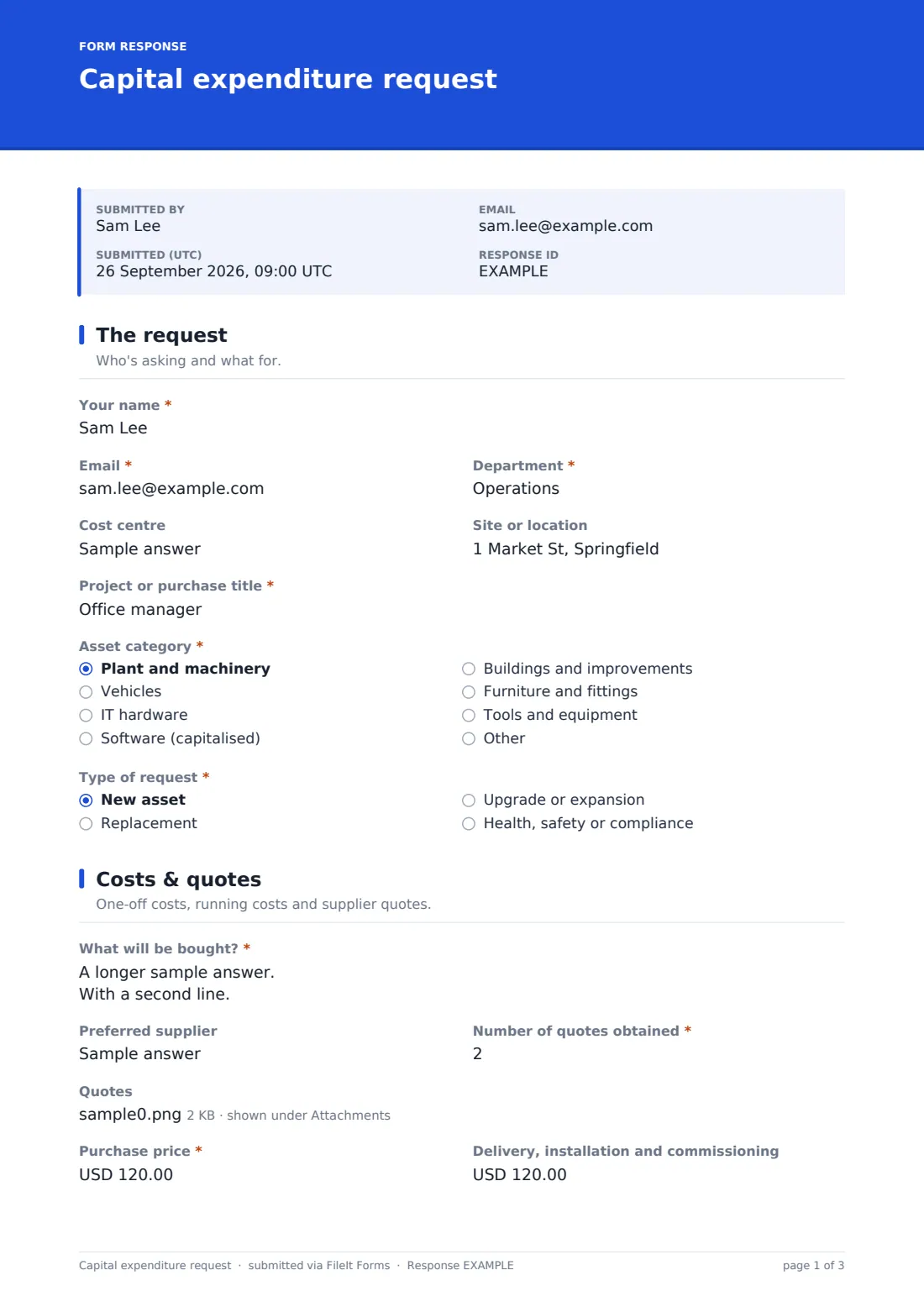
1 The request
- Your name*
- Email*
- Department*
- Cost centre
- Site or location
- Project or purchase title*
- Asset category* Plant and machinery · Vehicles · IT hardware · Software (capitalised) · Buildings and improvements · Furniture and fittings · Tools and equipment · Other
- Type of request* New asset · Replacement · Upgrade or expansion · Health, safety or compliance
- Asset being replaced* asked only when it applies
2 Costs & quotes
- What will be bought?*
- Preferred supplier
- Number of quotes obtained*
- Quotes
- Why only one supplier?* asked only when it applies
- Purchase price*
- Delivery, installation and commissioning
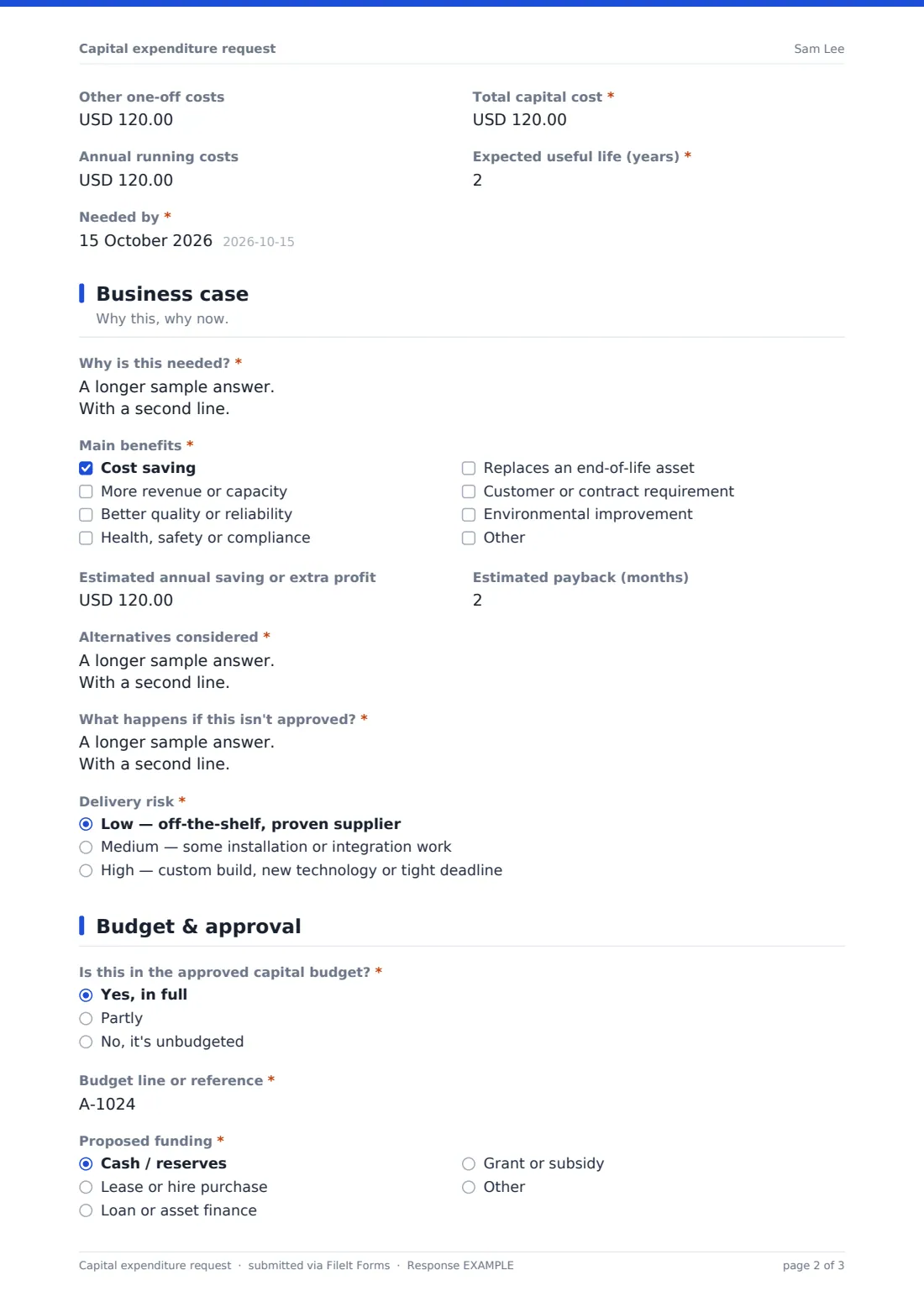
- Other one-off costs
- Total capital cost*
- Annual running costs
- Expected useful life (years)*
- Needed by*
3 Business case
- Why is this needed?*
- Main benefits* Cost saving · More revenue or capacity · Better quality or reliability · Health, safety or compliance · Replaces an end-of-life asset · Customer or contract requirement · Environmental improvement
- Estimated annual saving or extra profit
- Estimated payback (months)
- Alternatives considered*
- What happens if this isn't approved?*
- Delivery risk* Low — off-the-shelf, proven supplier · Medium — some installation or integration work · High — custom build, new technology or tight deadline
4 Budget & approval
- Is this in the approved capital budget?* Yes, in full · Partly · No, it's unbudgeted
- Budget line or reference* asked only when it applies
- Why wasn't it budgeted, and what could be deferred to fund it?* asked only when it applies
- Proposed funding* Cash / reserves · Lease or hire purchase · Loan or asset finance · Grant or subsidy
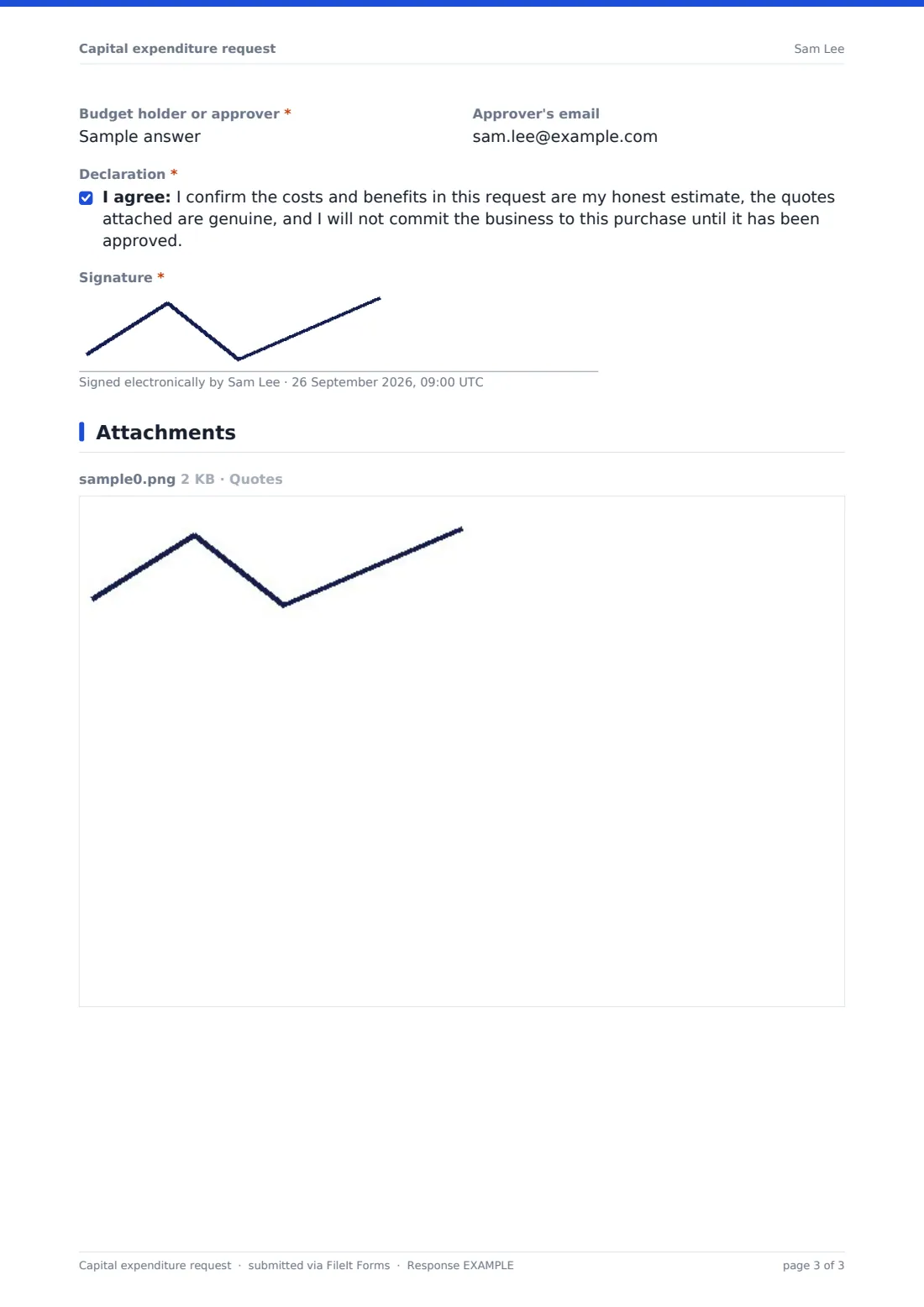
- Budget holder or approver*
- Approver's email
- Declaration*
- Signature*
The capital expenditure request form, page by page
1 The request
The requester's name, email, department and cost centre, plus the site, a short title for the purchase, an asset category (machinery, vehicles, IT hardware, software, buildings, furniture, tools) and the type of request: new, replacement, upgrade or compliance. Choosing replacement asks which asset is being replaced and what will happen to it.
2 Costs & quotes
A description of what's being bought, the preferred supplier and how many quotes were obtained. Up to five quotes can be attached; if fewer than two were obtained, the form asks why. Costs are split into purchase price, delivery and installation, other one-off costs and the total, with annual running costs, expected useful life and the date it's needed by kept separate.
The form doesn't add up the total for you, so the help text reminds the requester what it should include.
3 Business case
Why it's needed, the main benefits (cost saving, capacity, quality, safety, end of life, customer requirement and so on), the estimated annual saving or extra profit and payback in months. The requester must describe the alternatives considered and what happens if it isn't approved, and rate the delivery risk from low to high.
4 Budget & approval
Is it in the approved capital budget: yes, partly or no? A budget line is asked for unless it's unbudgeted; anything not fully budgeted must explain why and what could be deferred. The requester picks a funding route and names the approver, then signs a declaration not to commit the business until the request is approved.
Make the template yours
- Match the asset categories to the classes in your fixed asset register
- Put your capitalisation threshold in the cover text so small items don't come through this route
- Change the single-quote rule to fit your procurement policy, for example asking why when fewer than three quotes
- Change the currency on the cost fields if you don't report in US dollars
- Add your capital committee's inbox to the notification emails
- Add a hurdle rate or required payback to the Business case page description
Tips for a better capital expenditure request form
- Ask for the total cost of ownership, not just the price; running costs often decide the case
- A clear 'what happens if we don't' is usually more persuasive than a long list of benefits
- Keep the payback estimate honest and simple; approvers will ask how it was worked out
- Review approved requests after the purchase to see whether the promised benefits arrived
- Keep rejected requests too; they often come back the following year
Every response becomes a PDF in your vault
Each request is turned into a PDF, with the quotes and signature, and saved in the vault folder you choose. You're emailed straight away, and you can add the approver's or finance's address so they're notified too, without needing a FileIt account. The requester gets a copy of what they submitted.
Finance typically reviews the request with the approver, then records the decision in your own approval process. The Responses table lets you compare requests side by side, and a CSV export gives the committee a list of totals, categories and paybacks.
- Start from this template. It opens in the FileIt Forms designer — change any question, add pages, set the rules for when questions appear.
- Share it. Turn on a public link, or send it to people by email, each with their own link. They don’t need a FileIt account.
- Get the answers as PDFs. Each response is saved as a PDF in the vault folder you choose, with uploaded files attached — and listed in a Responses table you can export to CSV.
Capital expenditure request form: frequently asked questions
Is this capital expenditure request template free?
Yes. It's one of the ready-made templates in the Forms app on every FileIt account, including the free plan. Use it as it is or change any question in the designer.
Does the form calculate the total cost or payback for us?
No. Forms doesn't do calculations, so the requester enters the total and the payback estimate themselves. The help text explains what each should include.
Can the approver sign the request in the form?
The form is signed by the requester. The approver is named and can be notified by email; record their decision in your usual approval process, or use FileIt's e-signature to collect a signature on the PDF if you need one.
Can requesters attach several supplier quotes?
Yes, up to five files in PDF, Word, Excel or image format. If fewer than two quotes were obtained, the form asks the requester to explain why.
How is this different from a payment request?
This form is for approval before you commit to buying an asset. Once it's approved and the invoice arrives, a payment request asks finance to pay it.
Do requesters need a FileIt account to submit a request?
No. Share the form by public link or send personal email invitations, and anyone can fill it in and submit it without creating an account.
Can we accept requests only during the budget window?
Yes. Set a closing date or a maximum number of responses in the form's settings, and reopen it when the next round starts.