What is the fixed asset disposal request form template?
Assets quietly disappear: a laptop given to a leaver, a van sold for cash, old machinery scrapped by the site team. Months later the fixed asset register still shows them. This disposal request form means every sale, scrap, donation or write-off is approved first and finance hears about it.
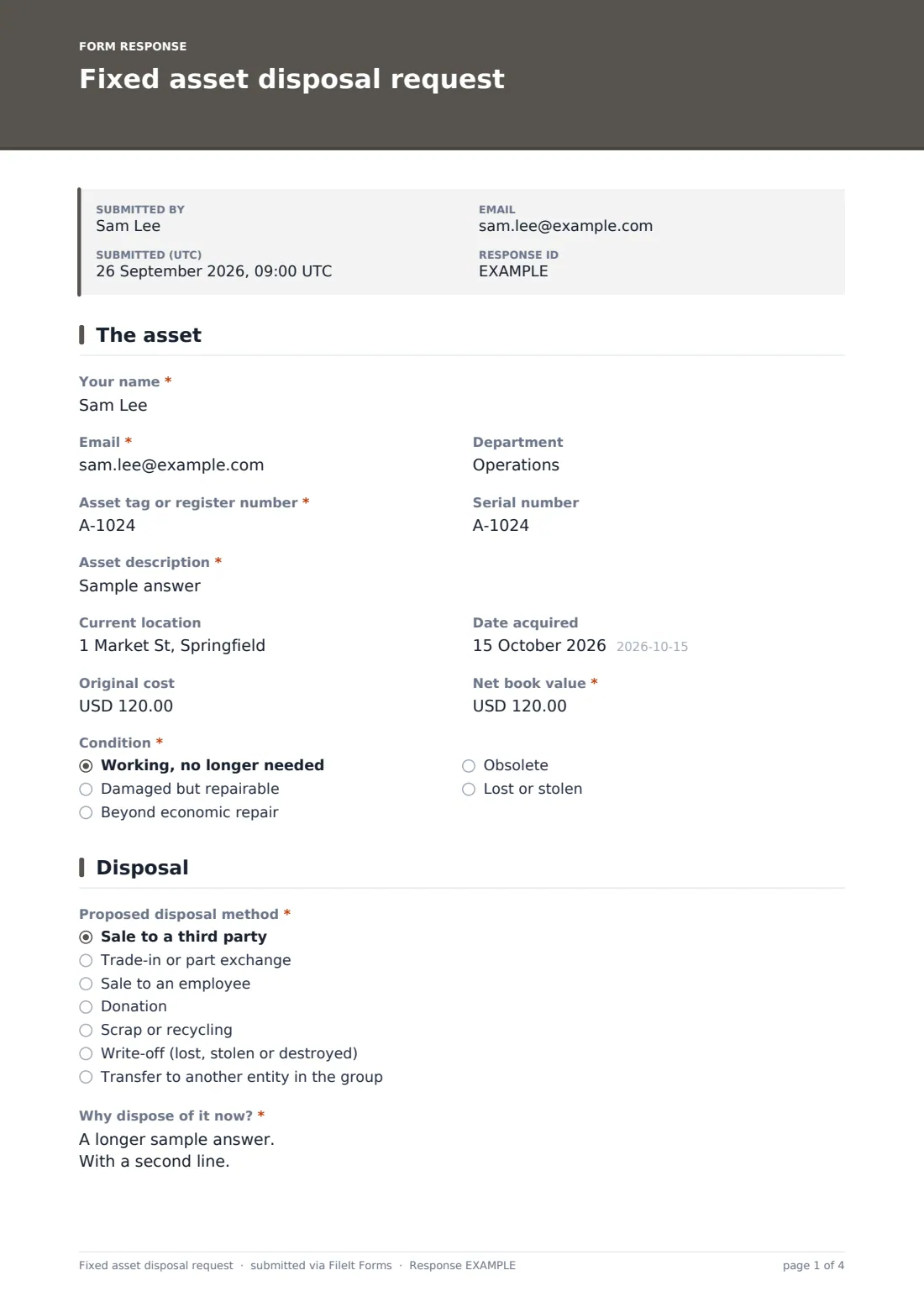
The requester identifies the asset by tag, serial number and description, with its original cost and net book value, and says what condition it's in. Lost or stolen assets need an incident reference. The disposal page asks for the method, reason, expected proceeds and how the price was set, whether the buyer is a related party, and whether the asset holds data, with a wipe certificate if it's already been cleaned.
Each request becomes a signed PDF in your vault. Once the disposal happens, finance has what it needs to update the register and book the gain or loss.
- Best for
- Businesses keeping a fixed asset register
- Filled in by
- Managers, IT or facilities staff disposing of an asset
- Time to complete
- About 5–8 minutes
- Includes
- Book value, disposal method, related-party check, data wipe certificate, signature
Who uses a fixed asset disposal request form?
- IT disposes of a batch of old laptops through a certified recycler
- A fleet manager trades in a van against a new one
- An employee buys their old company phone
- Facilities donates office furniture to a charity after a move
- A site manager writes off stolen tools with a police reference
- Finance collects disposals every month to update the register
Questions on this fixed asset disposal request form
28 questions over 3 pages · includes signature, file upload, conditional questions, multiple pages, consent checkbox.
1 The asset
- Your name*
- Email*
- Department
- Asset tag or register number*
- Serial number
- Asset description*
- Current location
- Date acquired
- Original cost
- Net book value*
- Condition* Working, no longer needed · Damaged but repairable · Beyond economic repair · Obsolete · Lost or stolen
- Police or incident report reference* asked only when it applies
2 Disposal
- Proposed disposal method* Sale to a third party · Trade-in or part exchange · Sale to an employee · Donation · Scrap or recycling · Write-off (lost, stolen or destroyed) · Transfer to another entity in the group
- Why dispose of it now?*
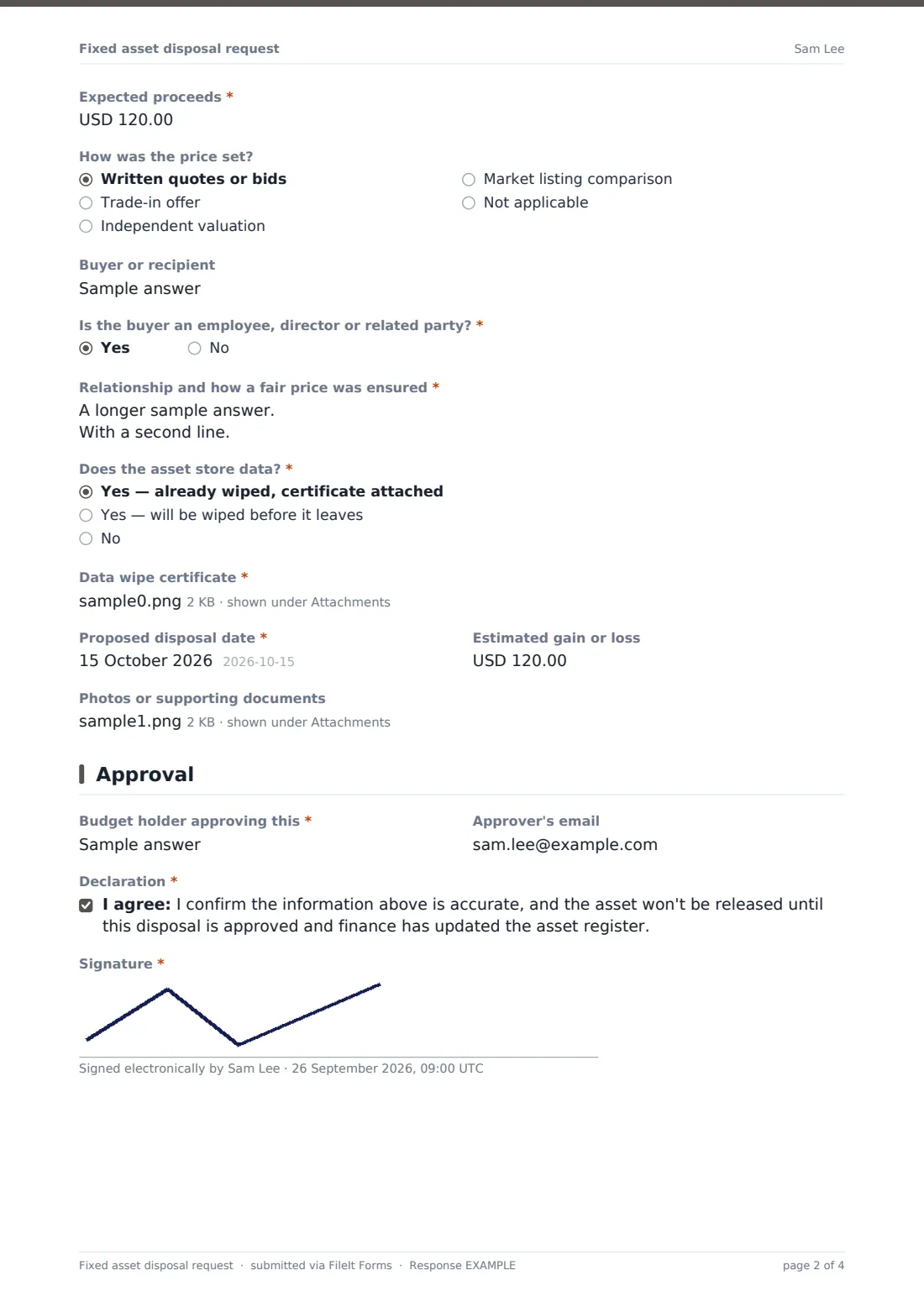
- Expected proceeds*
- How was the price set? Written quotes or bids · Trade-in offer · Independent valuation · Market listing comparison · Not applicable
- Buyer or recipient
- Is the buyer an employee, director or related party?*
- Relationship and how a fair price was ensured* asked only when it applies
- Does the asset store data?* Yes — already wiped, certificate attached · Yes — will be wiped before it leaves · No
- Data wipe certificate* asked only when it applies
- Proposed disposal date*
- Estimated gain or loss
- Photos or supporting documents
3 Approval
- Budget holder approving this*
- Approver's email
- Declaration*
- Signature*
The fixed asset disposal request form, page by page
1 The asset
The requester's name, email and department, the asset tag or register number, serial number and description, where it is, when it was acquired, the original cost and net book value. Condition is working but not needed, damaged but repairable, beyond economic repair, obsolete, or lost or stolen; lost or stolen asks for the police or incident reference.
2 Disposal
The method (sale, trade-in, sale to an employee, donation, scrap or recycling, write-off, or transfer within the group), why now, the expected proceeds, how the price was set and who the buyer or recipient is. If the buyer is an employee, director or related party, the form asks how a fair price was ensured.
A data question asks whether the asset stores data and whether it's been wiped; if it has, a wipe certificate is required. The proposed date, an estimated gain or loss and photos complete the page.
3 Approval
The approving budget holder and their email, a declaration that the asset won't be released until the disposal is approved and the register updated, and the requester's signature.
Make the template yours
- Add your asset register's categories as a dropdown
- Set a threshold in the cover text above which the finance director must approve
- Make photos required for sales so the condition is on record
- Change the currency on the value fields
- Add your IT team's email to notifications for anything that stores data
- Remove the group transfer option if you're a single company
Tips for a better fixed asset disposal request form
- Get the net book value from finance before approving; it tells you whether a price is sensible
- Look closely at sales to employees and related parties; they should be at a fair value
- Never release laptops, phones or drives without a wipe, and keep the certificate
- Collect disposals monthly so the register and depreciation stay accurate
- Record write-offs promptly, with the incident report, so insurance claims aren't missed
Every response becomes a PDF in your vault
The request becomes a PDF with the signature, photos and any wipe certificate, saved in the vault folder you choose. You're emailed immediately and can add the approver or finance.
Once approved and completed, finance removes the asset from the register and records any proceeds. The Responses table gives a list of disposals by method and value, and a CSV export helps with the year-end asset reconciliation.
- Start from this template. It opens in the FileIt Forms designer — change any question, add pages, set the rules for when questions appear.
- Share it. Turn on a public link, or send it to people by email, each with their own link. They don’t need a FileIt account.
- Get the answers as PDFs. Each response is saved as a PDF in the vault folder you choose, with uploaded files attached — and listed in a Responses table you can export to CSV.
Fixed asset disposal request form: frequently asked questions
Is this fixed asset disposal template free?
Yes. It's one of the ready-made templates in the Forms app on every FileIt account, including the free plan. Use it as it is or change any question in the designer.
Does the form calculate the gain or loss?
No. The requester can enter an estimate, proceeds minus net book value, and finance calculates the final figure when it's booked.
What if the asset was lost or stolen?
Choose 'Lost or stolen' as the condition, and the form asks for a police or incident report reference. Pick write-off as the disposal method.
How does the form handle devices with data on them?
It asks whether the asset stores data. If it's already been wiped, a wipe certificate must be uploaded; otherwise the requester confirms it will be wiped before it leaves.
Do staff need a FileIt account to request a disposal?
No. Share the form by public link or send personal email invitations, and anyone can fill it in and submit it without creating an account.
Can this update our asset register automatically?
No. It records the request and approval. Finance updates the register in your accounting system or spreadsheet.