What is the iT asset disposal record form template?
Old laptops, phones and drives often hold far more data than anyone expects, and "we gave them to a recycler" isn't much of an answer if a customer or auditor asks what happened to them. A disposal record shows each device was wiped or destroyed properly before it left.
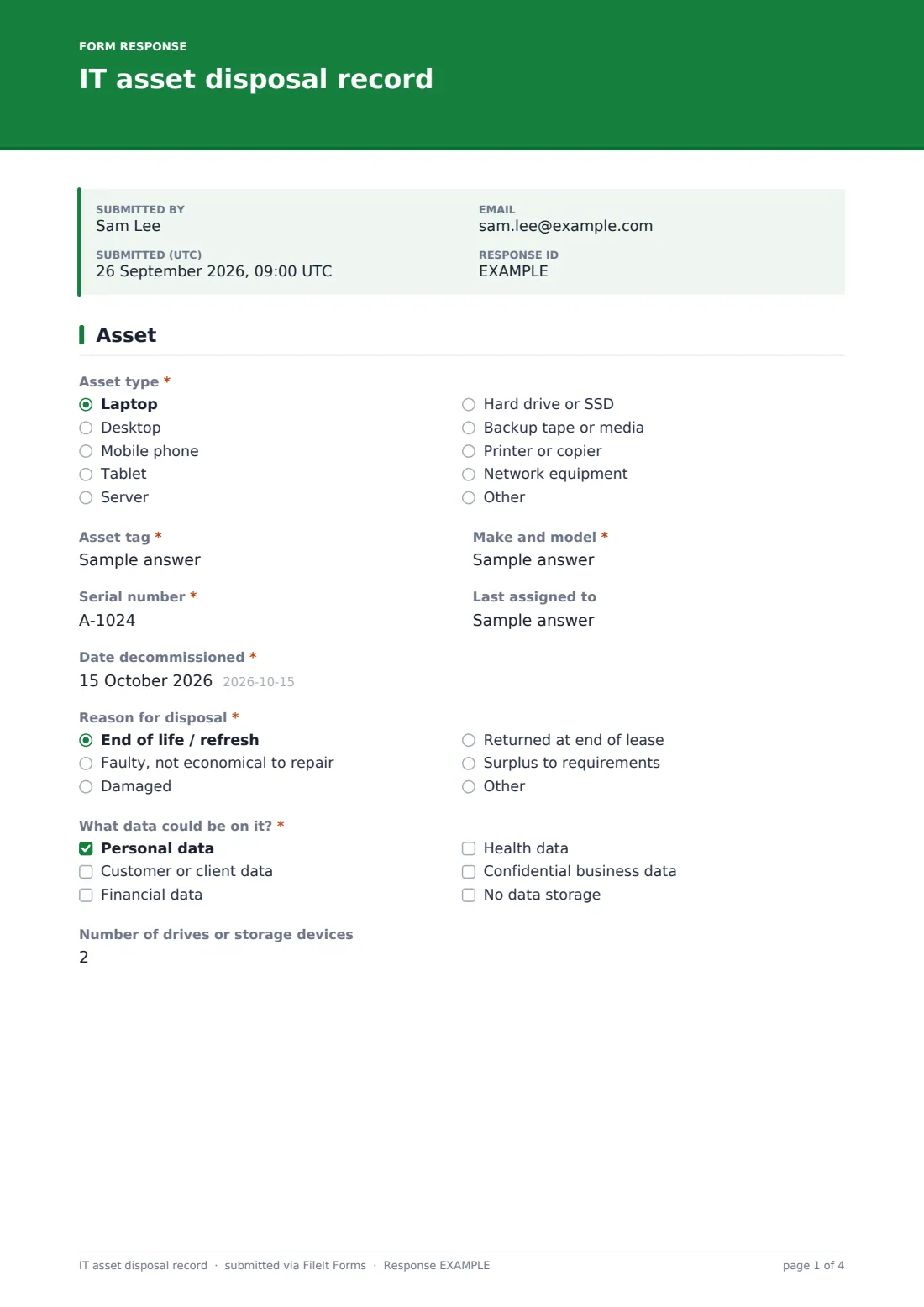
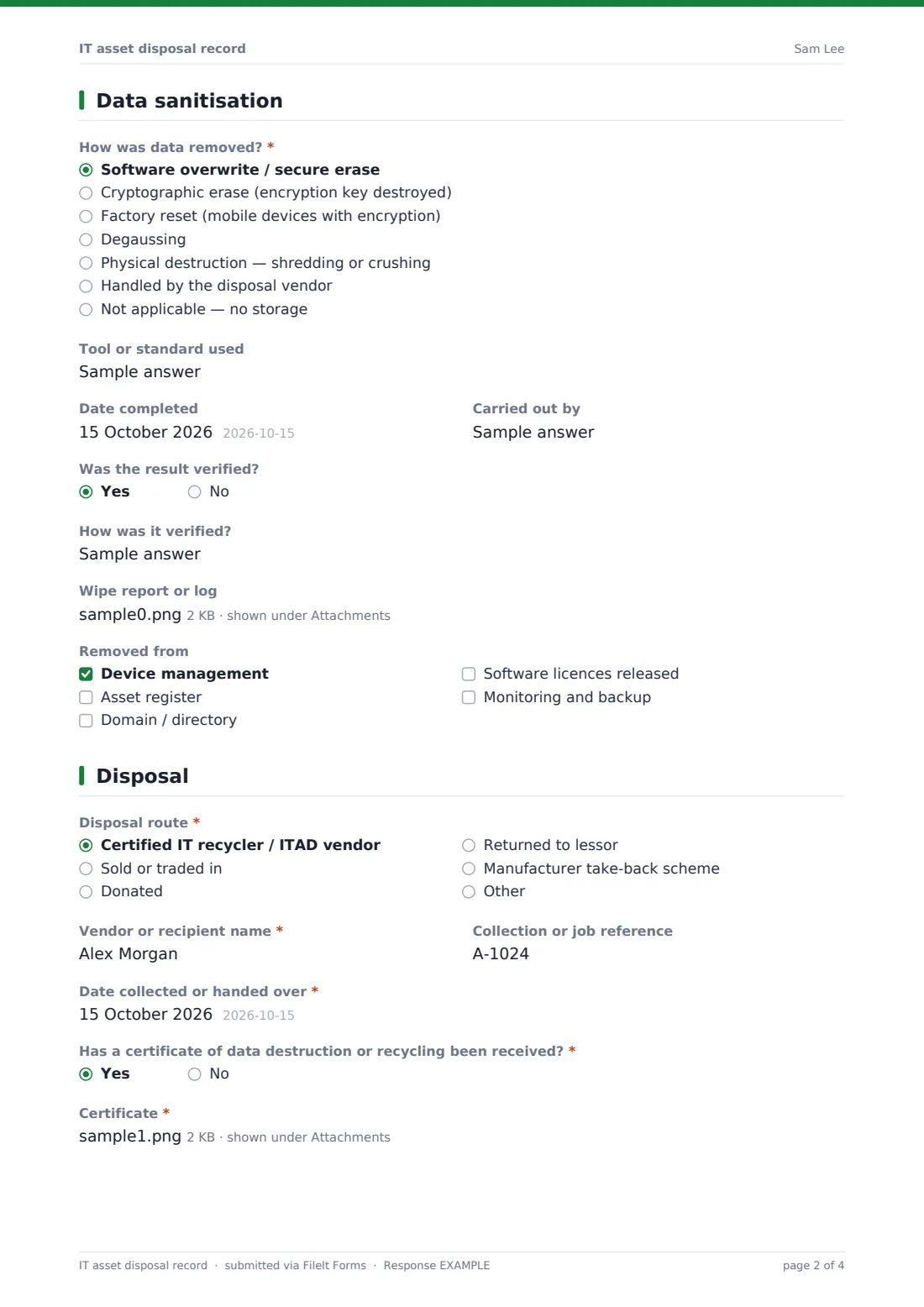
This IT asset disposal record identifies the asset by type, tag, model and serial, records why it's being disposed of and what kind of data could be on it, and then documents the sanitisation: the method, the tool or standard used, who did it, whether it was verified and the wipe report. The disposal page covers the route — recycler, resale, donation, lessor or manufacturer take-back — the vendor, collection reference and date, and the certificate of destruction, with a signature to close it off.
Each record is saved as a signed PDF in your FileIt vault, with wipe reports and certificates attached, giving you evidence you can produce later.
- Best for
- IT teams, MSPs and office managers retiring hardware
- Filled in by
- The technician or IT lead handling the disposal
- Time to complete
- About 4–6 minutes per asset
- Includes
- Sanitisation questions that adapt to the method, certificate upload, signature
Who uses a iT asset disposal record form?
- Retiring laptops at the end of a refresh cycle
- Destroying failed hard drives from a server
- Returning leased equipment to the lessor
- Donating old computers to a school or charity after wiping them
- Selling phones back through a trade-in scheme
- Keeping evidence for a security audit or customer questionnaire
Questions on this iT asset disposal record form
30 questions over 3 pages · includes signature, file upload, conditional questions, multiple pages.
1 Asset
- Asset type* Laptop · Desktop · Mobile phone · Tablet · Server · Hard drive or SSD · Backup tape or media · Printer or copier · Network equipment · Other
- Asset tag*
- Make and model*
- Serial number*
- Last assigned to
- Date decommissioned*
- Reason for disposal* End of life / refresh · Faulty, not economical to repair · Damaged · Returned at end of lease · Surplus to requirements
- What data could be on it?* Personal data · Customer or client data · Financial data · Health data · Confidential business data · No data storage
- Number of drives or storage devices asked only when it applies
2 Data sanitisation
- How was data removed?* Software overwrite / secure erase · Cryptographic erase (encryption key destroyed) · Factory reset (mobile devices with encryption) · Degaussing · Physical destruction — shredding or crushing · Handled by the disposal vendor · Not applicable — no storage
- Tool or standard used asked only when it applies
- Date completed asked only when it applies
- Carried out by asked only when it applies
- Was the result verified? asked only when it applies
- How was it verified? asked only when it applies
- Drive serial numbers asked only when it applies
- Wipe report or log asked only when it applies
- Removed from Device management · Asset register · Domain / directory · Software licences released · Monitoring and backup
3 Disposal
- Disposal route* Certified IT recycler / ITAD vendor · Sold or traded in · Donated · Returned to lessor · Manufacturer take-back scheme
- Vendor or recipient name*
- Collection or job reference
- Date collected or handed over*
- Has a certificate of data destruction or recycling been received?*
- Certificate* asked only when it applies
- Certificate expected by asked only when it applies
- Sale or trade-in value asked only when it applies
- Notes
- Recorded by*
- Approved by
- Signature*
The iT asset disposal record form, page by page
1 Asset
The asset is identified by type, asset tag, make and model, serial number, last user and decommission date. The reason for disposal is recorded, and a checklist asks what data could be on it — personal, customer, financial, health or confidential business data, or no data storage at all. Devices with storage ask how many drives are involved.
2 Data sanitisation
The technician chooses how data was removed: software overwrite or secure erase, cryptographic erase, factory reset for encrypted mobiles, degaussing, physical destruction, the disposal vendor, or not applicable. For any real method the form asks for the tool or standard used, the date, who did it and whether the result was verified, with an upload for the wipe report. Physical destruction asks for drive serial numbers. A checklist confirms the device was removed from device management, the asset register, the directory, licences and backup.
3 Disposal
The disposal route is recorded along with the vendor or recipient, a collection reference and the date. If a certificate of destruction or recycling has arrived it must be uploaded; if not, the form asks when it's expected. Resale asks for the sale or trade-in value. Notes, the recorder's name, an approver and a signature complete the record.
Make the template yours
- Add your approved disposal vendors as a dropdown
- Edit the sanitisation methods to match your data destruction policy
- Change the currency on the resale value field
- Pair it with the IT asset registration template so records open and close in the same vault folder
- Make the approver field required if disposals need sign-off
- Add a field for the environmental or waste transfer documentation you receive
Tips for a better iT asset disposal record form
- Treat every storage device as containing data until it's proven otherwise
- Record drive serials separately when drives are pulled from a machine for destruction
- Chase outstanding certificates — the expected-by date makes them easy to follow up
- Remove devices from device management and licensing so they don't count against you
- Verify a sample of wiped drives rather than trusting every report
- Check your chosen method against the guidance or standard your organisation follows
Every response becomes a PDF in your vault
Each record is saved as a signed PDF in your FileIt vault, with wipe reports and certificates attached. The form owner is notified by email when a disposal is recorded.
Use the Responses table to find disposals still waiting on a certificate, or export to CSV to reconcile disposals against your asset register.
- Start from this template. It opens in the FileIt Forms designer — change any question, add pages, set the rules for when questions appear.
- Share it. Turn on a public link, or send it to people by email, each with their own link. They don’t need a FileIt account.
- Get the answers as PDFs. Each response is saved as a PDF in the vault folder you choose, with uploaded files attached — and listed in a Responses table you can export to CSV.
IT asset disposal record form: frequently asked questions
Is this asset disposal record template free?
Yes. It's a starter template in the FileIt Forms app, available on every plan including free.
Does it tell me which wiping method to use?
No. It records the method you used. Choose methods in line with your own policy and the standard or guidance you follow.
Can I attach the certificate of destruction later?
The form records whether it's been received and when it's expected. You can submit an updated record once it arrives, or store the certificate alongside the PDF in the vault.
Can I record several devices in one submission?
The form is designed for one asset per record, which keeps each certificate and serial number clearly linked. For a bulk collection, submit a record per device or list extra serials in the notes.
Who should sign it?
Usually the technician who handled the disposal. You can make the approver field required if a manager must also sign off.
Is this enough for an audit?
It gives you a consistent, dated record with evidence attached, but what an auditor needs depends on the framework involved.