What is the purchase requisition form template?
Purchase requests that arrive as a quick message — "can we order some laptops?" — leave finance and budget holders chasing the basics: how many, from whom, how much, which budget, and why now. Each missing detail adds a round of back-and-forth before anything can be approved or ordered.
This purchase requisition template asks for all of it in one go. The requester lists up to four items with quantity and estimated unit price (or attaches a spreadsheet for longer orders), names a preferred supplier and how many quotes they got, and gives the total cost, budget code, business justification and the person who approves the spend.
Every requisition is saved as a PDF in your FileIt vault with any quotes attached, giving you a paper trail for each purchase — useful at budget reviews and when auditors ask who approved what.
- Best for
- Small and mid-sized organisations that want a simple purchase approval step
- Filled in by
- Any member of staff who needs something bought
- Time to complete
- About 4-6 minutes, longer if attaching several quotes
- Includes
- Up to four line items that expand as needed, quote uploads, and budget and approver details
Who uses a purchase requisition form?
- An office manager requesting furniture and supplies for a new starter
- A team lead asking for a software subscription for their team
- A school department requesting equipment against its annual budget
- A site manager ordering materials that need budget-holder sign-off
- A nonprofit that needs an approval record for every purchase over a set amount
- A finance team replacing emailed purchase requests with one consistent form
Questions on this purchase requisition form
42 questions over 4 pages · includes file upload, conditional questions, multiple pages, consent checkbox.
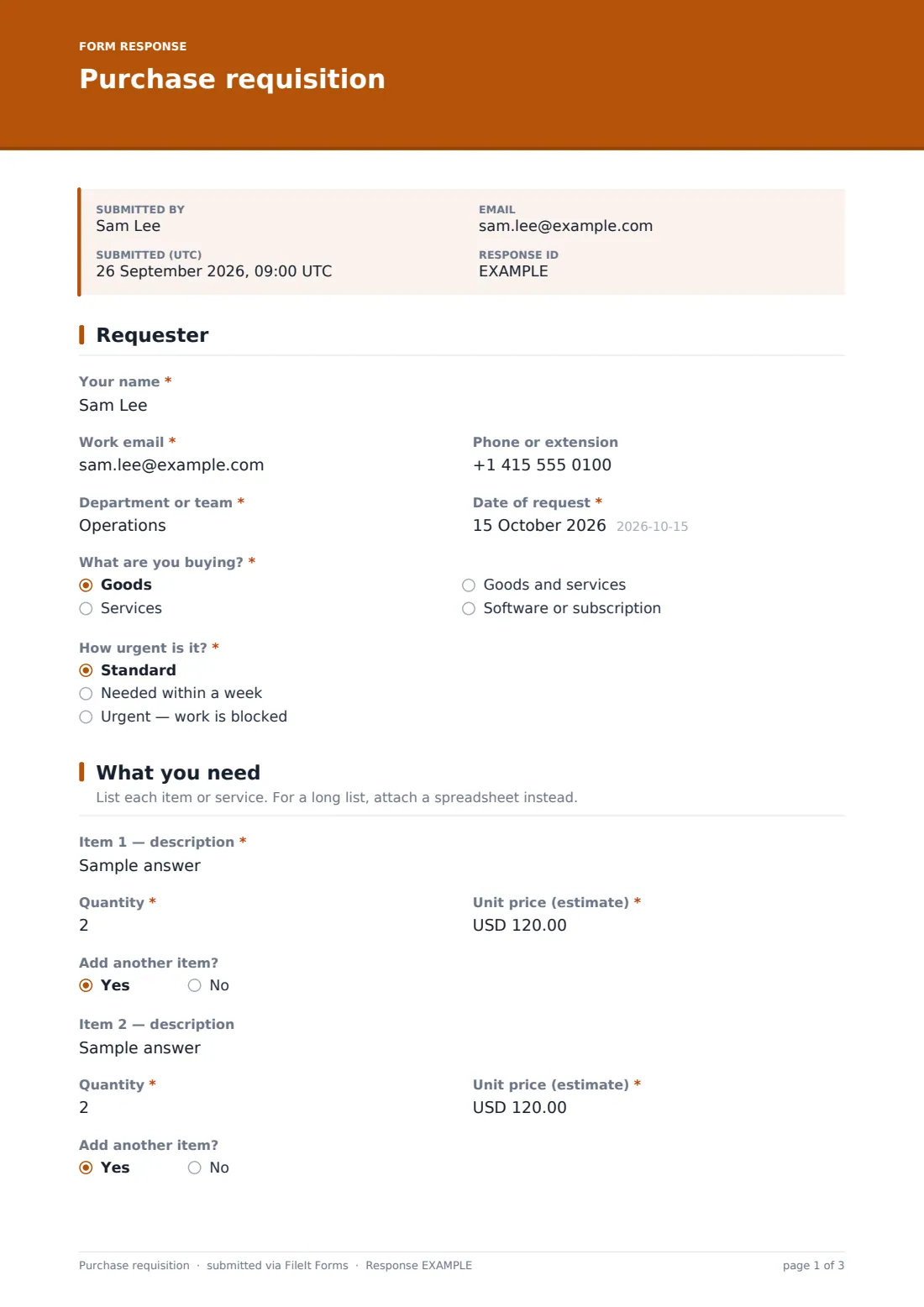
1 Requester
- Your name*
- Work email*
- Phone or extension
- Department or team*
- Date of request*
- What are you buying?* Goods · Services · Goods and services · Software or subscription
- How urgent is it?* Standard · Needed within a week · Urgent — work is blocked
- Why is it urgent?* asked only when it applies
2 What you need
- Item 1 — description*
- Quantity*
- Unit price (estimate)*
- Add another item? asked only when it applies
- Item 2 — description asked only when it applies
- Quantity* asked only when it applies
- Unit price (estimate)* asked only when it applies
- Add another item? asked only when it applies
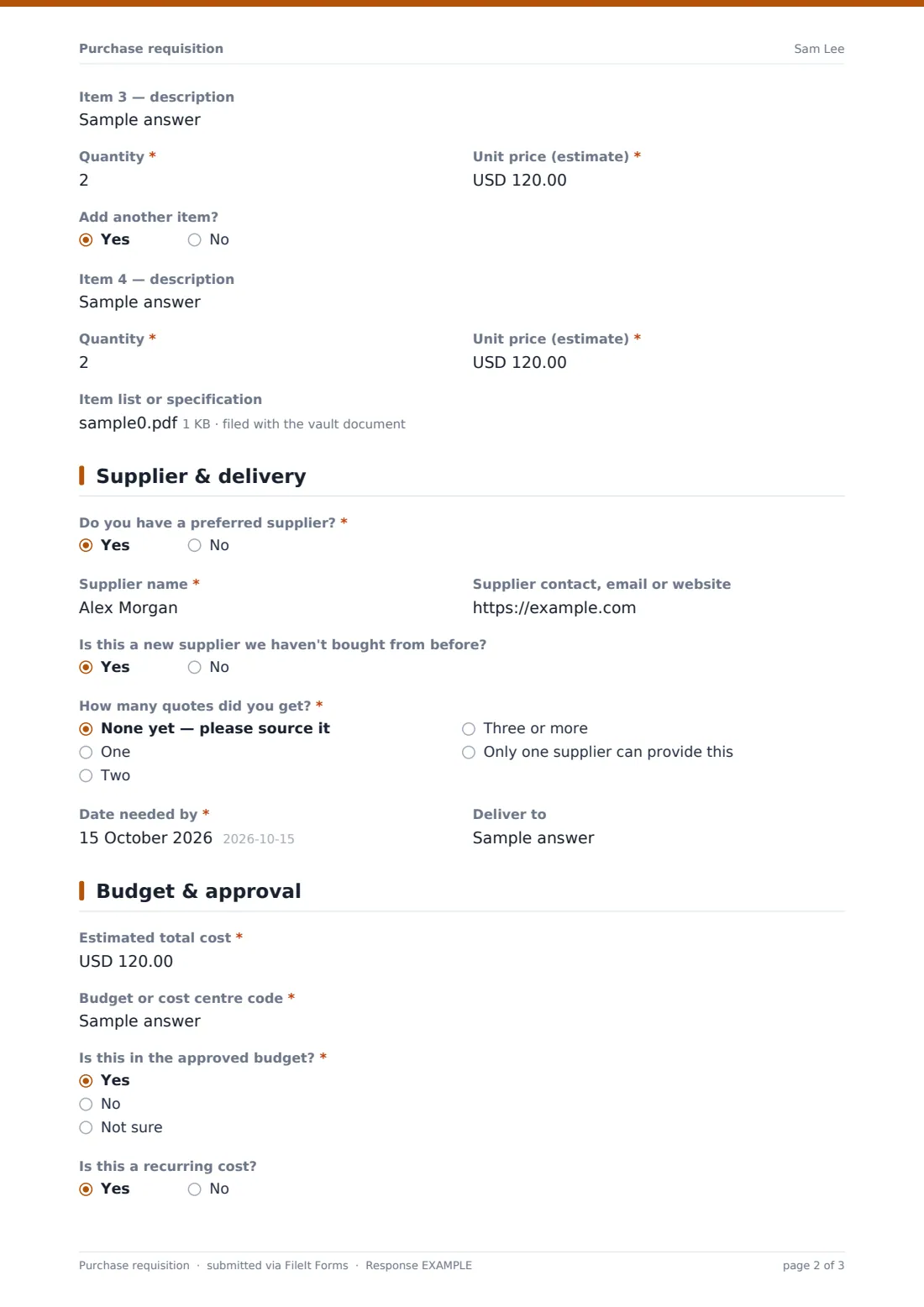
- Item 3 — description asked only when it applies
- Quantity* asked only when it applies
- Unit price (estimate)* asked only when it applies
- Add another item? asked only when it applies
- Item 4 — description asked only when it applies
- Quantity* asked only when it applies
- Unit price (estimate)* asked only when it applies
- Item list or specification
3 Supplier & delivery
- Do you have a preferred supplier?*
- Supplier name* asked only when it applies
- Supplier contact, email or website asked only when it applies
- Is this a new supplier we haven't bought from before? asked only when it applies
- How many quotes did you get?* None yet — please source it · One · Two · Three or more · Only one supplier can provide this
- Why only this supplier?* asked only when it applies
- Quotes asked only when it applies
- Date needed by*
- Deliver to
4 Budget & approval
- Estimated total cost*
- Budget or cost centre code*
- Is this in the approved budget?* Yes · No · Not sure
- Is this a recurring cost?
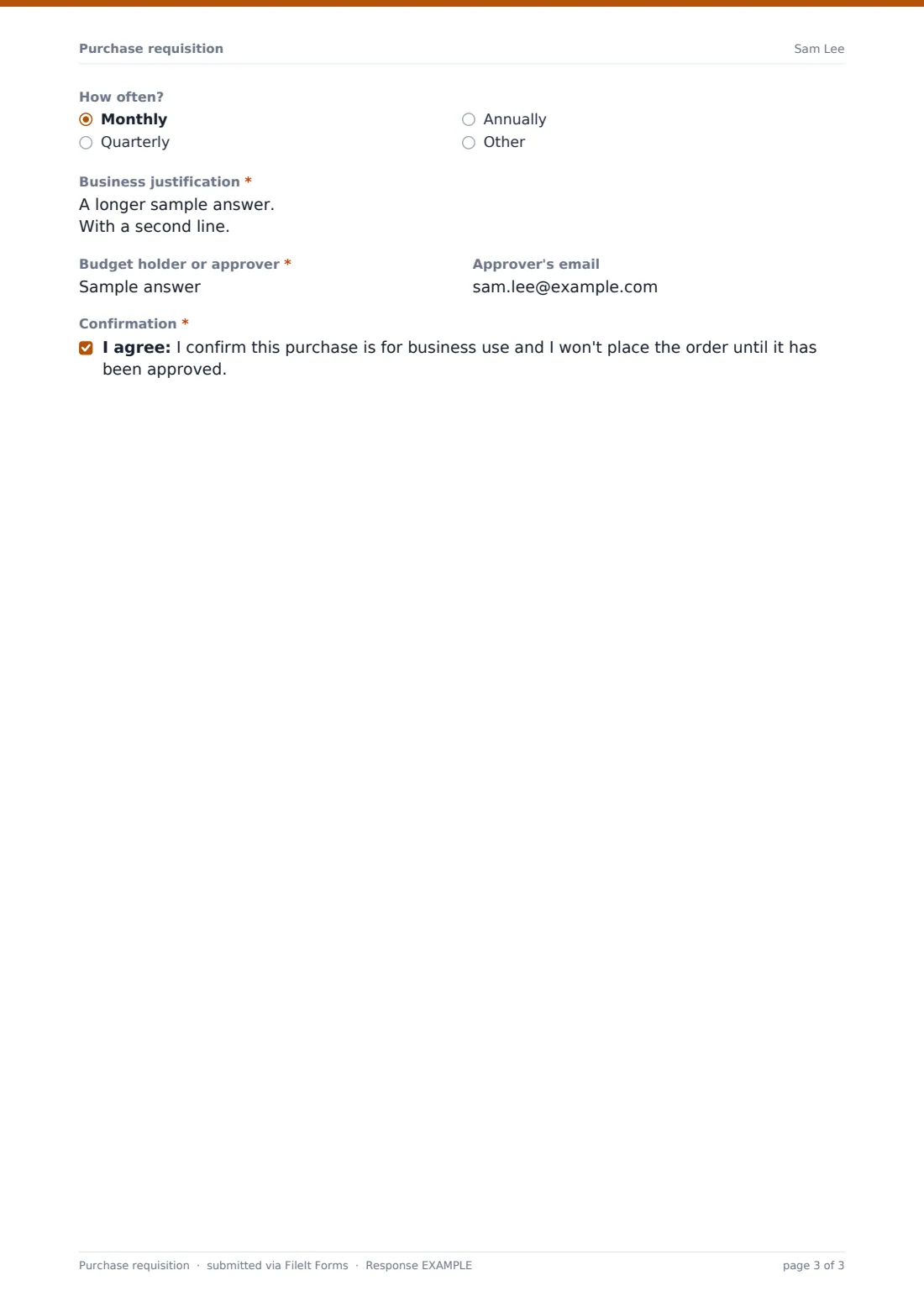
- How often? asked only when it applies Monthly · Quarterly · Annually · Other
- Business justification*
- Budget holder or approver*
- Approver's email
- Confirmation*
The purchase requisition form, page by page
1 Requester
The requester gives their name, work email, phone or extension, department or team and the date. They say whether they're buying goods, services, both, or a software subscription, and how urgent it is; choosing Urgent — work is blocked asks them to explain why.
2 What you need
Item 1 asks for a description, quantity and estimated unit price. Once an item is filled in, an Add another item? question appears, so the form grows to four lines only when needed. For bigger orders there's an optional upload for an item list or specification as a PDF, spreadsheet or Word document.
3 Supplier & delivery
If the requester has a preferred supplier, they give its name, contact details and whether it's a new supplier. They then say how many quotes they obtained — none yet, one, two, three or more, or only one supplier can provide this. Sole-supplier requests must include a reason, and quotes can be uploaded whenever at least one was obtained.
A required Date needed by and an optional Deliver to field finish the page.
4 Budget & approval
The requester enters the Estimated total cost, the budget or cost centre code, and whether the spend is in the approved budget. A recurring-cost question reveals how often it repeats. A required Business justification box asks what the purchase is for and what happens if it isn't made.
They name the budget holder or approver with an optional email, and confirm that the purchase is for business use and that they won't order until it's approved.
Make the template yours
- Change the currency on the price and total fields to the one you buy in
- Replace the department text box with a dropdown of your own departments or cost centres
- Make quotes required above a set amount by adding your threshold to the help text
- Add your approver's address to the notification emails so they hear about each request straight away
- Add more item lines, or remove them and rely on the spreadsheet upload for every order
- Route requisitions to a Purchasing folder in your vault, one subfolder per financial year
Tips for a better purchase requisition form
- Publish your purchasing thresholds so staff know when they need more than one quote
- Ask requesters to attach the actual quote rather than typing prices from memory
- Keep budget codes short and consistent so they're easy to filter in the CSV export
- Follow up on urgent requests quickly, or people will learn to skip the form
- Record the purchase order number on the requisition's PDF or in your finance system once it's raised
- Review sole-supplier justifications periodically — some become habits rather than necessities
Every response becomes a PDF in your vault
Each requisition is saved as a PDF in your vault with the item lines, totals and any quotes or specifications attached. With owner notifications on, the purchasing contact — and anyone you add, such as a finance inbox — is emailed as soon as a request arrives.
The Responses table lists all requisitions with their totals, budget codes and approvers, and you can export it to a CSV to reconcile against your budget. Approval itself happens outside the form: the approver reviews the PDF and your team raises the order in the usual way.
- Start from this template. It opens in the FileIt Forms designer — change any question, add pages, set the rules for when questions appear.
- Share it. Turn on a public link, or send it to people by email, each with their own link. They don’t need a FileIt account.
- Get the answers as PDFs. Each response is saved as a PDF in the vault folder you choose, with uploaded files attached — and listed in a Responses table you can export to CSV.
Purchase requisition form: frequently asked questions
Is this purchase requisition form free?
Yes. It's a starter template in the FileIt Forms app, and you can edit the items, fields and wording to match your purchasing process.
Does the form route requests to the approver for sign-off?
The form collects the approver's name and email, and you can add approvers to the notification emails. The approval decision itself is made outside the form; FileIt doesn't run a multi-step approval workflow.
Can staff request more than four items?
Yes. They can attach a spreadsheet or document with the full list. You can also add more item lines in the designer.
Does the form add up the total automatically?
No. The requester enters the estimated total themselves, including delivery and tax if known.
Can we change the currency?
Yes. The unit price and total fields are currency fields, and you can set them to any three-letter currency code in the designer.
Is this the same as a purchase order?
No. A requisition is an internal request to buy something. Once it's approved, your team issues a purchase order to the supplier as usual.
Can we see all the requests for a department?
Yes. Filter the Responses table or export it to a CSV and sort by department or budget code.