What is the software request form template?
When someone wants a new app or subscription, the request usually starts as a chat message or a half-remembered hallway conversation — and by the time IT or finance hears about it, half the details are missing. This software request form template gives people a single place to ask for a tool: what it is, how much it costs, who needs it, and whether it touches company data.
An online form beats an email thread because every request arrives in the same shape. You're not chasing someone for the vendor's website, the number of users, or whether it needs admin rights to install — it's all there from the start, plus any vendor security documents attached as files.
Every time someone submits this form, FileIt turns the answers into a PDF and files it in your vault. Nothing is emailed and then lost in an inbox — the request, the requester's answers and any attachments sit together as one record you (or your approver) can open at any time.
- Best for
- Small businesses and IT teams reviewing new software or SaaS purchases
- Filled in by
- The employee asking for the tool
- Time to complete
- About 5 minutes
- Includes
- Conditional questions, file upload for vendor documents, a pre-install consent statement
Who uses a software request form?
- An employee finds a design tool that would save time and wants budget approval
- A team lead wants to trial a project management app before rolling it out further
- IT needs a consistent way to log every software request before anything is installed
- Finance wants the cost, billing frequency and cost centre before approving a subscription
- A data protection lead wants a quick flag on any tool that will store personal data
- A manager wants requests routed to them for sign-off before spend is committed
Questions on this software request form
27 questions over 4 pages · includes file upload, conditional questions, multiple pages, consent checkbox.
1 About you
- Your name*
- Work email*
- Department Operations · Sales · Marketing · Finance · Engineering · Customer support · Human resources · IT · Other
2 The software
- Software name*
- Vendor / publisher
- Website or product link
- How is it used?* Installed on a computer · Web / cloud service · Browser extension or add-in · Mobile app
- Licence* Free / open source · Free trial or freemium · Paid subscription · One-off purchase · We may already have licences
- Estimated cost* asked only when it applies
- Billed asked only when it applies Per user, per month · Per user, per year · Monthly (flat) · Yearly (flat) · One-off
- How many people need it?*
- Needed by
- Business need*
- Could a tool we already use do this?
3 Security & data
- Will it store or process personal data?* Yes · No · Don't know
- What kind of personal data?* asked only when it applies Contact details · Customer records · Employee records · Financial or payment data · Health or other sensitive data · Data about children
- Where is the data stored? asked only when it applies
- Will company confidential information go into it?
- Does it support single sign-on (SSO)? Yes · No · Don't know
- Does it need to connect to other company systems or accounts?
- What would it connect to, and what permissions does it ask for?* asked only when it applies
- Does it need admin rights to install? asked only when it applies
- Vendor security documents
4 Approval
- Approving manager*
- Manager's email*
- Cost centre or budget code asked only when it applies
- Before approval*
The software request form, page by page
1 About you
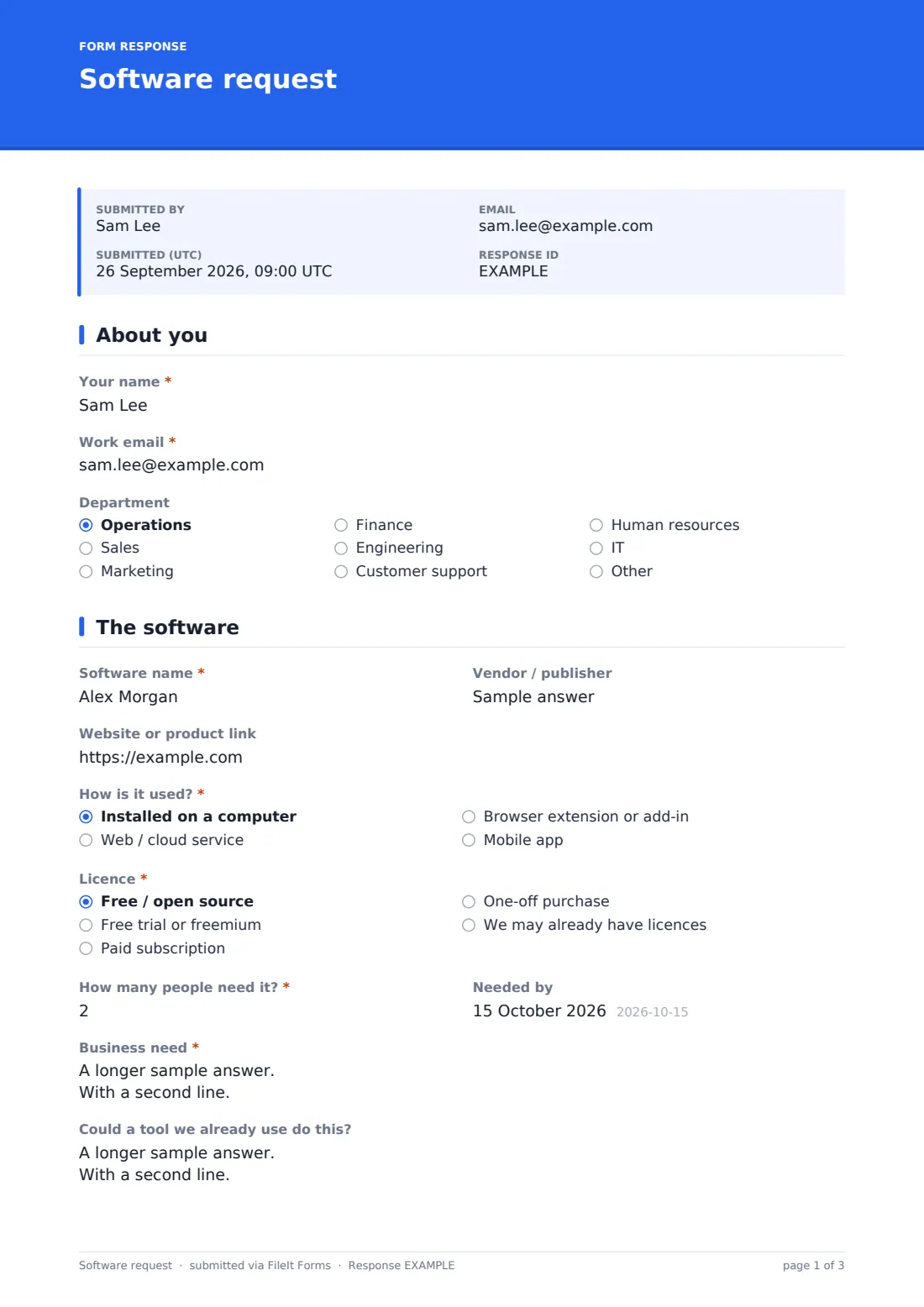
The form opens by asking for the requester's name, work email and department, so whoever reviews the request knows immediately who it's for and which budget it might sit under.
2 The software
This page asks for the software name, vendor, and a link to the product, then "How is it used?" (installed, web, browser extension, or mobile) and the licence type. If the licence isn't free, the form shows an "Estimated cost" question, and once that's answered it also shows "Billed" so you know whether it's a monthly, yearly or one-off charge.
It also asks how many people need the tool, when it's needed by, and — most importantly — the business need: what problem it solves and what happens without it. A follow-up question asks whether an existing tool could already do the job, which is often the fastest way to say no to a duplicate purchase.
3 Security & data
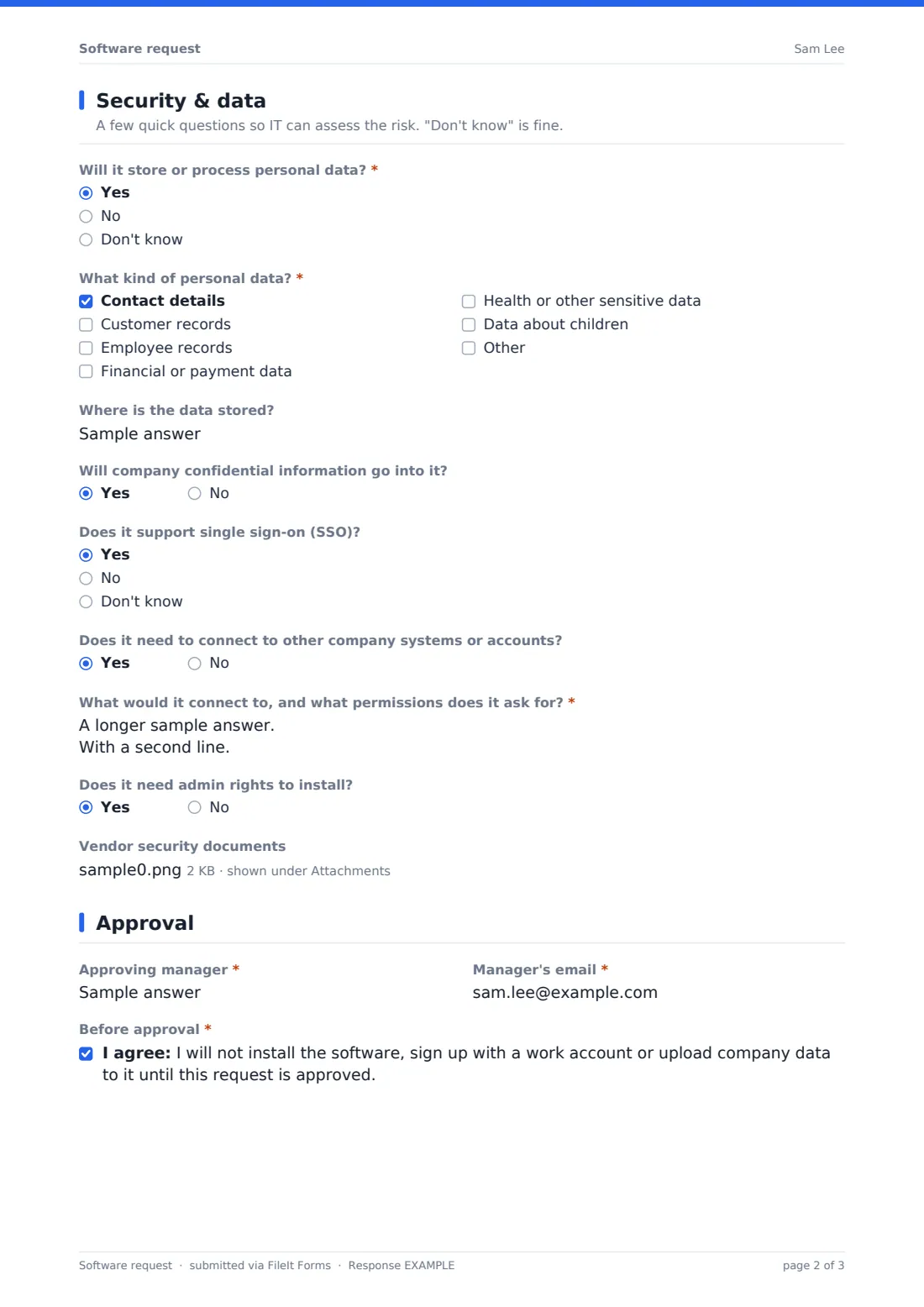
This is the part that gets skipped in a Slack message but matters most. It asks whether the software will store or process personal data; answering "Yes" reveals a checklist of what kind (contact details, customer records, employee records, financial data, health data, or data about children) and a question about where the data is stored.
It also asks whether confidential company information will go into the tool, whether it supports single sign-on, and whether it needs to connect to other company systems — if so, the form asks what it would connect to and what permissions it requests. If the tool is installed rather than web-based, it also asks whether admin rights are needed. There's a spot to upload the vendor's security overview or data processing agreement, so reviewers aren't hunting for it separately.
4 Approval
The last page collects the approving manager's name and email, and — for anything that isn't free — a cost centre or budget code. Before submitting, the requester confirms they won't install the software, sign up with a work account, or upload company data until the request is approved. It's a small but useful line that keeps shadow IT from creeping in while the review happens.
Make the template yours
- Add or remove department options in the dropdown to match your org chart
- Add a question for the requester's manager to approve directly in the form, if you'd rather not rely on a separate email
- Use conditional logic to ask extra questions only when the tool handles health or financial data
- Set a maximum number of responses or a closing date if you're running a one-off software audit rather than an ongoing intake
- Change the vault folder the PDFs are filed under so requests land with your IT or procurement records
- Adjust the consent statement's wording to match your own IT policy
Tips for a better software request form
- Ask for the business need in plain language — "saves two hours a week on reporting" is more useful than a vague justification
- Only ask what you'll actually use: the security section can feel long, so keep it for tools that touch real company or customer data
- Encourage requesters to attach whatever the vendor already publishes (a security page, a DPA) rather than trying to research it themselves
- Review requests on a regular schedule so people aren't left waiting and don't quietly install software anyway
- Keep a rough log of decisions (approved, rejected, why) alongside the PDF so future reviewers aren't repeating the same conversation
Every response becomes a PDF in your vault
Once someone submits a software request, FileIt saves the whole thing — including the requester's answers and any vendor documents — as a PDF in your vault, in whichever folder you've set up for IT or procurement records. You (and anyone else you've added to the notification list) get an email the moment a new request comes in.
From there, most teams open the Responses table to see requests at a glance, filter by department or licence type, and open the individual PDF for anything that needs a closer look. If you need to hand a batch of requests to finance or an auditor, the CSV export gives you all the answers in one file, while the original PDFs stay safely filed for reference.
- Start from this template. It opens in the FileIt Forms designer — change any question, add pages, set the rules for when questions appear.
- Share it. Turn on a public link, or send it to people by email, each with their own link. They don’t need a FileIt account.
- Get the answers as PDFs. Each response is saved as a PDF in the vault folder you choose, with uploaded files attached — and listed in a Responses table you can export to CSV.
Software request form: frequently asked questions
Is this software request form template free?
Yes. It's one of over 160 ready-made templates included in the Forms app on every FileIt account, including the free plan. You can use it as-is or edit every question.
Do employees need a FileIt account to submit a request?
No. You share a public link or send it by email, and anyone can fill it in and submit — no sign-up required on their end.
How do I get the completed requests?
Each submission becomes a PDF automatically saved in your FileIt vault, plus you can view every response in a searchable table or export them all to CSV.
Can I make the security questions apply only to certain tools?
Yes. The template already uses conditional logic — for example, the data-type checklist only appears if someone says the software will handle personal data — and you can add more conditions of your own in the designer.
Can I require a manager's approval before software is installed?
The form itself records the requester's promise not to install anything until approved, and routes the manager's name and email to you. Approving the request is a step you handle after reviewing the response — the form doesn't submit anywhere else on its own.
Can I attach this to my existing procurement process?
Yes — file each PDF into the vault folder you already use for procurement, and export the responses to CSV if you need to import them into another spreadsheet or system.
What if the requester doesn't know the exact cost yet?
Cost is asked as an estimate, so a rough figure is fine — you can always follow up with the requester for a firmer quote before final approval.