What is the change request form template?
A change request is only useful if it forces someone to actually think through what could go wrong before they touch a live system — not just describe what they want to change. This change request form template is built around that idea: it asks for the change itself, then walks through risk, testing, a rollback plan, and a schedule, so a reviewer has everything they need to approve or reject it without a follow-up email.
Chasing change requests over email or a chat message means the details that matter most — how it will be rolled back, whether it's been tested, who's approved it so far — get left out until someone asks. An online form makes those questions unavoidable: the person raising the change can't skip past a required field, and conditional questions only appear when they're relevant, so a low-risk standard change doesn't get bogged down with the same depth of detail as an emergency change to a production system.
Every submitted change request becomes a PDF, automatically filed in your FileIt vault under whichever folder you choose — so your change log lives in one place, in one format, whether the request came from someone on your own team or a contractor with no FileIt account of their own.
- Best for
- IT teams and small businesses that need a lightweight change management process
- Filled in by
- Whoever is proposing the change — an engineer, admin or contractor
- Time to complete
- About 10 to 15 minutes for a normal change, longer for a high-risk one
- Includes
- Conditional logic by change type and risk level, a matrix question for impact, and file uploads for supporting documents
Who uses a change request form?
- A small IT team that wants a lightweight change advisory process without buying a full ITSM platform
- A managed service provider standardising how change requests come in from different client sites
- A startup formalising deployments as it grows past a stage where changes were just discussed in chat
- An operations team documenting infrastructure changes for audit or insurance purposes
- A solo sysadmin who wants a written record of what changed, when, and why, even without a formal change board
- A business requiring sign-off from a manager or system owner before any change touches a production system
Questions on this change request form
33 questions over 4 pages · includes file upload, conditional questions, multiple pages, consent checkbox, ratings.
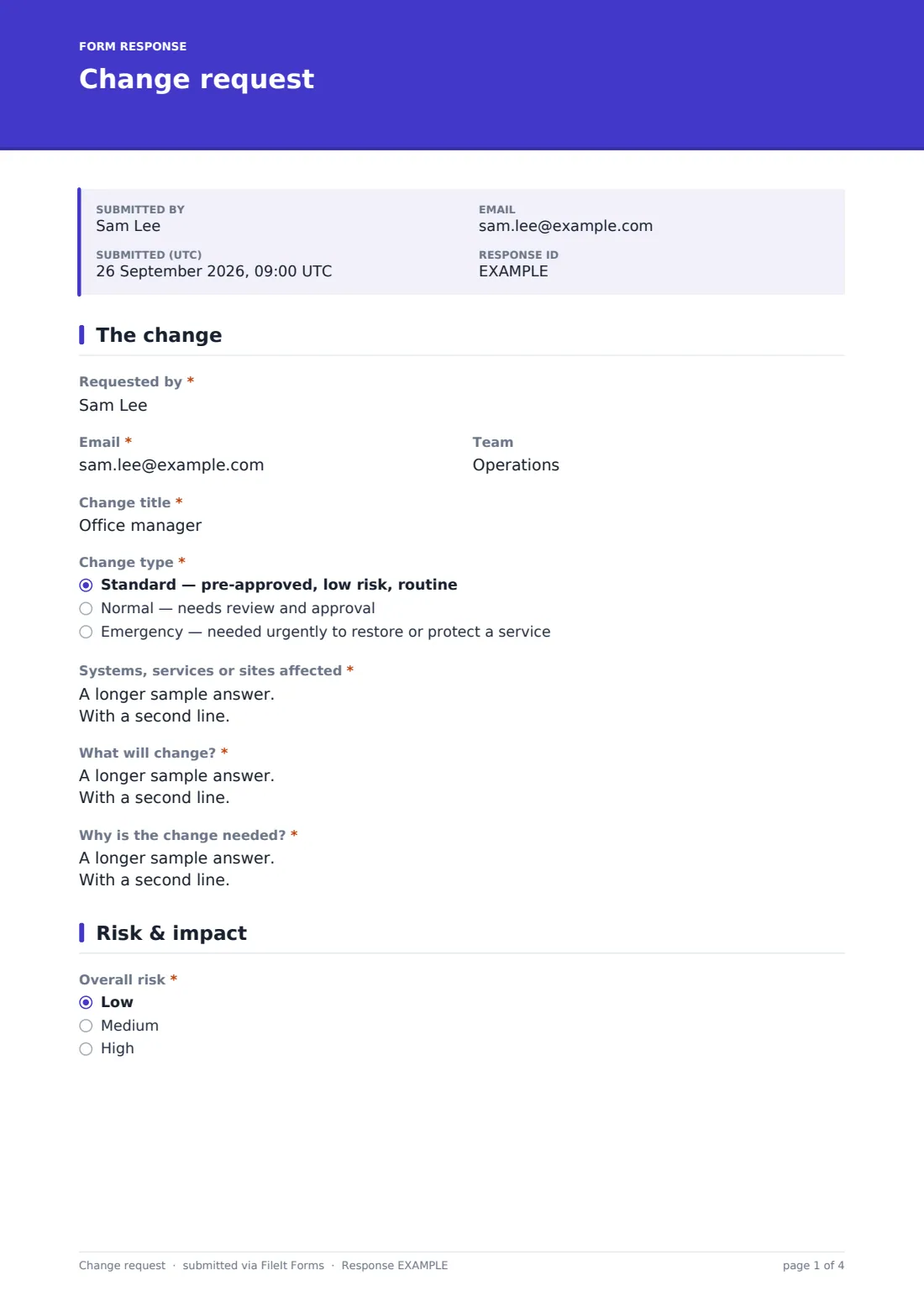
1 The change
- Requested by*
- Email*
- Team
- Change title*
- Change type* Standard — pre-approved, low risk, routine · Normal — needs review and approval · Emergency — needed urgently to restore or protect a service
- Why can't this wait for the normal process?* asked only when it applies
- Systems, services or sites affected*
- What will change?*
- Why is the change needed?*
2 Risk & impact
- Overall risk* Low · Medium · High
- What could go wrong, and how is that reduced?* asked only when it applies
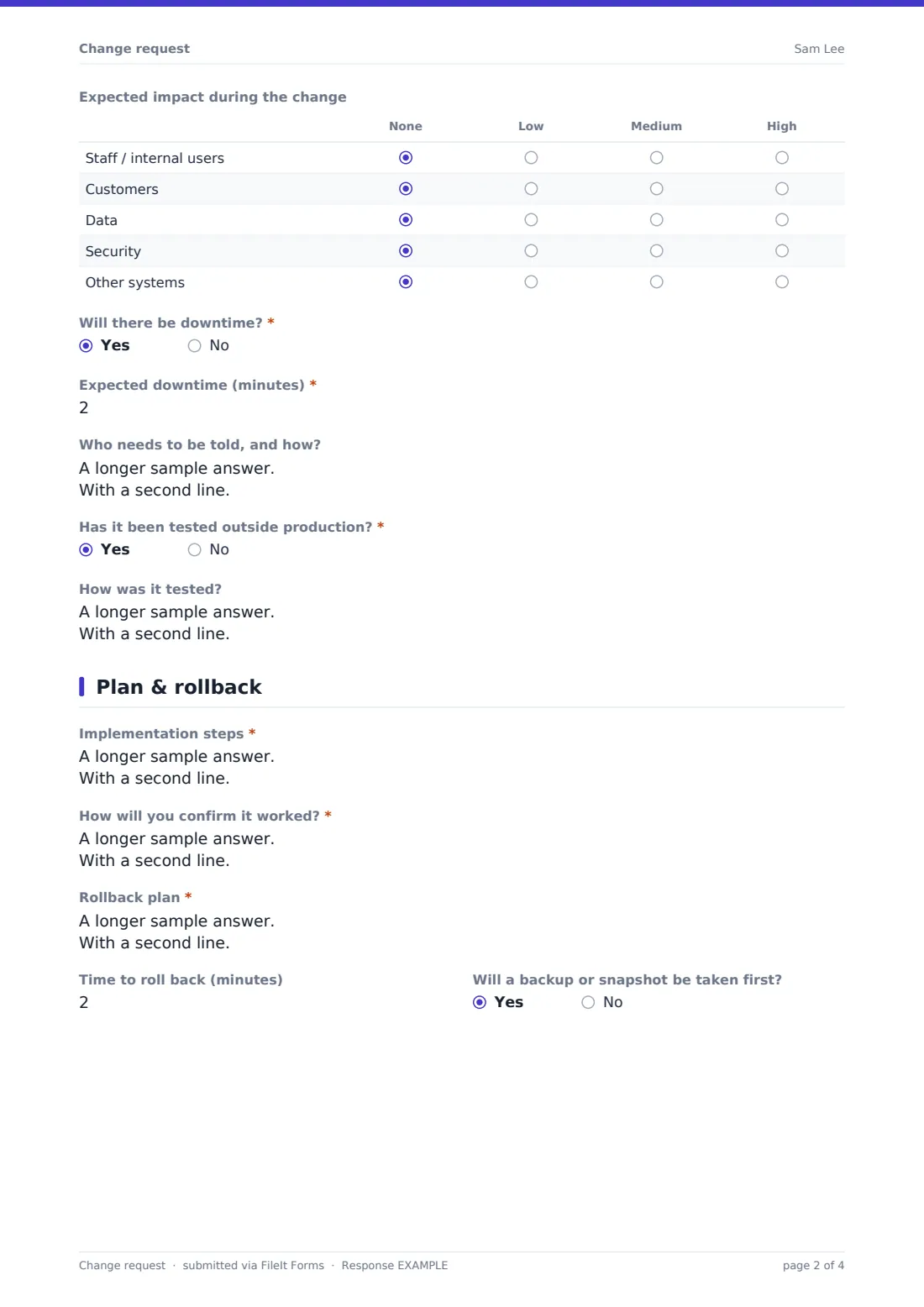
- Expected impact during the change None · Low · Medium · High
- Will there be downtime?*
- Expected downtime (minutes)* asked only when it applies
- Who needs to be told, and how? asked only when it applies
- Has it been tested outside production?*
- How was it tested? asked only when it applies
- Why not, and how will you limit the risk?* asked only when it applies
3 Plan & rollback
- Implementation steps*
- How will you confirm it worked?*
- Rollback plan*
- Time to roll back (minutes)
- Will a backup or snapshot be taken first?
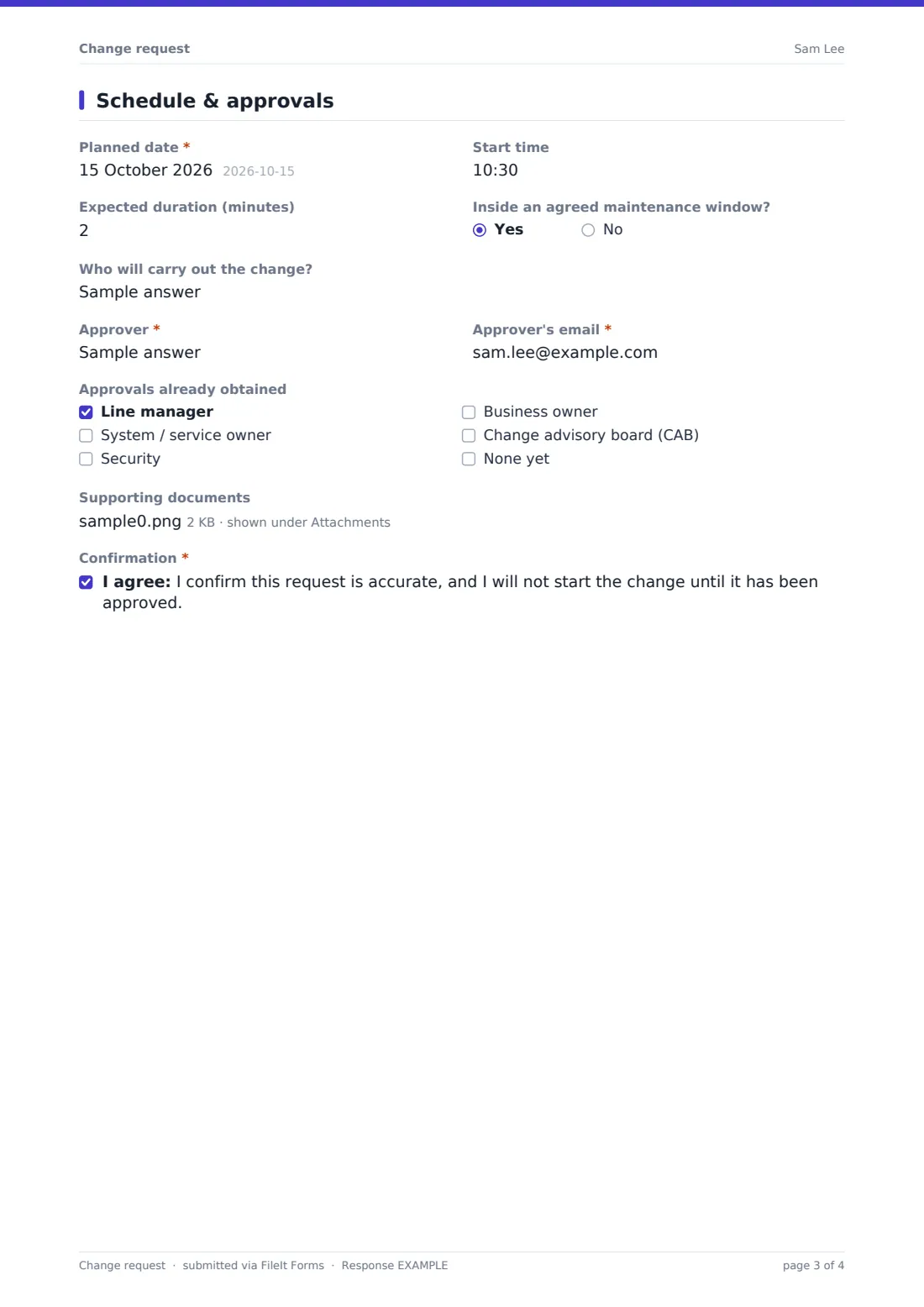
4 Schedule & approvals
- Planned date*
- Start time
- Expected duration (minutes)
- Inside an agreed maintenance window?
- Who will carry out the change?
- Approver*
- Approver's email*
- Approvals already obtained Line manager · System / service owner · Security · Business owner · Change advisory board (CAB) · None yet
- Supporting documents
- Confirmation*
The change request form, page by page
1 The change
The requester starts with their name, email and team, then a short change title and a change type: standard (pre-approved, low risk, routine), normal (needs review and approval), or emergency (needed urgently to restore or protect a service). Choosing emergency reveals a required question — "Why can't this wait for the normal process?" — so urgent changes still come with a documented justification rather than skipping scrutiny altogether.
Everyone then describes the systems, services or sites affected, what will change, and why the change is needed. Keeping these as separate questions, rather than one big text box, means a reviewer can scan straight to the part they care about instead of reading a wall of text to find the reason behind the request.
2 Risk & impact
This page opens with an overall risk rating of low, medium or high. Anything above low triggers a required follow-up: "What could go wrong, and how is that reduced?" A matrix question then asks the requester to rate expected impact — none, low, medium or high — separately across staff, customers, data, security and other systems, which is a much clearer picture than a single free-text impact statement.
The form also asks directly whether there will be downtime (revealing an expected-minutes field and a question about who needs to be told, if so) and whether the change has been tested outside production. Answering "yes" to testing asks how it was tested; answering "no" requires an explanation of why not and how the risk will be limited in that case — so an untested change can still go through the form, but never quietly.
3 Plan & rollback
Here the requester lays out the implementation steps (the placeholder text nudges them toward a numbered list), how they'll confirm the change worked, and — the field the whole form is really built around — the rollback plan: exactly how the change will be undone and what triggers a rollback decision. Two optional follow-ups ask how long a rollback would take and whether a backup or snapshot will be taken first, both useful details for whoever ends up approving or, worse, executing an emergency rollback.
4 Schedule & approvals
The final page sets the planned date, start time and expected duration, and asks whether the work falls inside an agreed maintenance window. It records who will carry out the change and who the approver is, along with their email, plus a checklist of approvals already obtained — line manager, system or service owner, security, business owner, change advisory board, or none yet. Space for supporting documents (runbooks, diagrams, vendor notes) rounds out the evidence, and a required confirmation statement has the requester agree not to start work until the change is actually approved.
Make the template yours
- Add your own change types or risk categories if standard/normal/emergency and low/medium/high don't match your process
- Make the risk-detail or rollback fields required for every change, not just medium/high risk ones, if your team wants that regardless of level
- Route emergency changes to a different notification list by duplicating the form and adjusting the settings, so urgent requests reach the right people faster
- Add a dropdown of your actual systems or environments instead of the free-text "systems affected" field, if your infrastructure list is stable
- File approved changes and rejected ones in separate vault folders by using two versions of the form, or add a status field you fill in after review
- Turn on a maximum number of responses or a closing date if you're using this for a one-off migration project rather than ongoing change requests
Tips for a better change request form
- Insist on a real rollback plan, not "we'll figure it out" — the form makes this a required field for a reason
- Keep the risk rating honest; a change marked low risk skips the extra scrutiny questions, so encourage people to rate up rather than down when unsure
- Review emergency changes after the fact even when they're approved verbally in the moment, so there's still a written record
- Ask requesters to be specific about affected systems — vague answers here make it harder to spot conflicting changes scheduled for the same window
- Keep your approvers list current in the checkboxes and dropdowns so requests aren't waiting on someone who's left the team
- Use the CSV export periodically to review change volume and risk trends across your team, rather than relying on memory
Every response becomes a PDF in your vault
Once a change request is submitted, FileIt saves it as a PDF using the document title pattern you've set (by default including the requester's name and the date) and files it in your chosen vault folder. Turning on owner notifications means you or your change approver get an email the moment a new request lands, and you can add extra addresses so a whole review group is kept in the loop.
From there, the approver reviews the PDF, checks it against anything else scheduled for the same window, and follows up directly with the requester if something's missing — the form itself doesn't route approvals or track a status, so most teams handle that conversation by email or in a team chat, then keep the signed-off PDF as the record. The Responses table lets you filter through past requests or export the lot to CSV if you need a full change log for an audit or a retrospective.
- Start from this template. It opens in the FileIt Forms designer — change any question, add pages, set the rules for when questions appear.
- Share it. Turn on a public link, or send it to people by email, each with their own link. They don’t need a FileIt account.
- Get the answers as PDFs. Each response is saved as a PDF in the vault folder you choose, with uploaded files attached — and listed in a Responses table you can export to CSV.
Change request form: frequently asked questions
Is this change request form template free?
Yes. It's included in the Forms app on every FileIt account, including the free plan, and you can edit any part of it.
Does the person submitting a change request need a FileIt account?
No. Share the form by public link or send a personal emailed link, and they fill it in without creating an account.
Do I get each change request as a PDF?
Yes, every submission is automatically saved as a PDF in the vault folder you choose, with all the risk, testing and rollback details laid out.
Does this form actually approve or reject changes?
No. It collects everything an approver needs to make a decision, but the approval itself happens outside the form — by email, in person or in your team chat — and the confirmation message reminds requesters not to start work until they hear back.
Can I require a rollback plan for every change, not just risky ones?
Yes — in the designer you can change any field's required setting, including making rollback, testing or risk-detail fields mandatory across the board.
Is this suitable for formal ITIL change management?
It covers the core ITIL-style fields — change type, risk, testing, rollback, approvals — but it's a lightweight form, not a full change management or CAB workflow tool, so larger organisations with formal ITIL processes may need more than a form alone.
Can I track approvals already given from other systems?
Yes — the "Approvals already obtained" checklist lets a requester note off approvals from a manager, system owner, security team or change advisory board that happened outside this form.
How to create a change request form like this from scratch?
Start from this template in the FileIt Forms designer and adjust the fields, or build your own using the 23 available question types, including matrix questions for impact ratings and conditional logic to show follow-up questions only when they're needed.