What is the job offer acceptance form template?
Once a verbal offer is agreed, you need a clear written response: yes or no, the start date, and a signature against the offer terms. Chasing a scanned, signed letter by email slows things down, especially when you're trying to start onboarding.
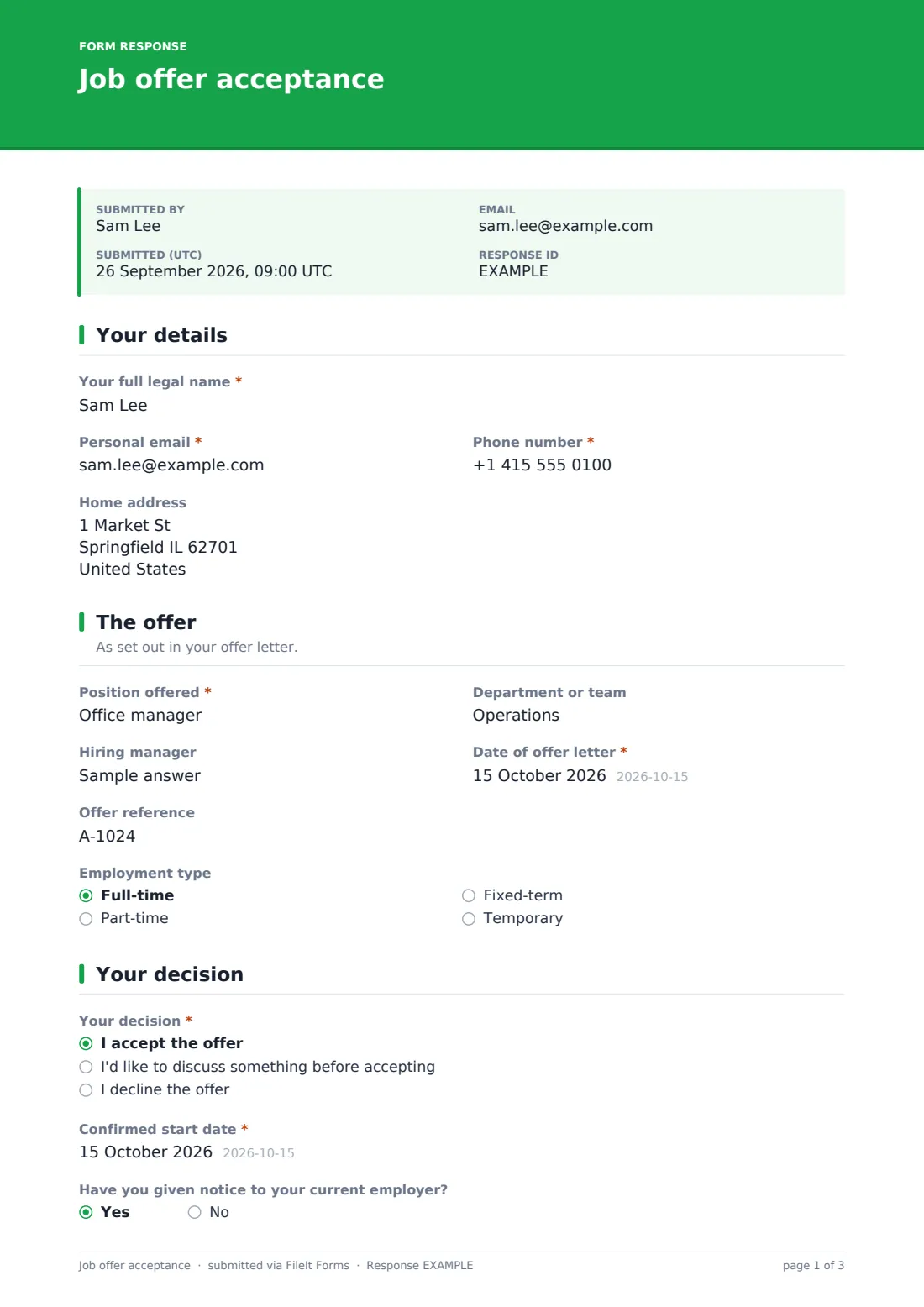
This job offer acceptance form template records the candidate's details and the offer they received — position, team, hiring manager, offer date and reference, and employment type — then asks for their decision. Accepting confirms the start date, whether notice has been given, and which offer conditions they understand apply. Asking to discuss opens a box for what they want to talk about; declining asks, optionally, why.
The candidate signs and dates the response, and can upload a signed offer letter if you asked for one. Each response is saved as a PDF in your FileIt vault, ready to file with the new hire's records.
- Best for
- Employers sending written job offers
- Filled in by
- The candidate who received the offer
- Time to complete
- About 3–5 minutes
- Includes
- Accept, discuss or decline paths, start date confirmation, offer conditions checklist, signature, signed letter upload
Who uses a job offer acceptance form?
- A new hire accepting an offer and confirming their start date
- A candidate asking to discuss salary or start date before accepting
- Recording a candidate's reason for declining an offer
- Collecting a signed acceptance for a remote hire
- Confirming a candidate understands the conditions of the offer
- Triggering onboarding once the acceptance is filed
Questions on this job offer acceptance form
22 questions over 4 pages · includes signature, file upload, conditional questions, multiple pages, consent checkbox.
1 Your details
- Your full legal name*
- Personal email*
- Phone number*
- Home address
2 The offer
- Position offered*
- Department or team
- Hiring manager
- Date of offer letter*
- Offer reference
- Employment type Full-time · Part-time · Fixed-term · Temporary
3 Your decision
- Your decision* I accept the offer · I'd like to discuss something before accepting · I decline the offer
- Confirmed start date* asked only when it applies
- Have you given notice to your current employer? asked only when it applies
- I understand the offer may be conditional on asked only when it applies Satisfactory references · Proof of right to work · A background or criminal record check · Verification of qualifications · A health or medical questionnaire · A probation period
- What would you like to discuss?* asked only when it applies
- Main reason for declining asked only when it applies Accepted another offer · Salary or benefits · Location or commute · Role wasn't the right fit · Personal circumstances · Prefer not to say · Other
- Anything you'd like to share asked only when it applies
4 Signature
- Acceptance* asked only when it applies
- Confirmation* asked only when it applies
- Signed offer letter asked only when it applies
- Your signature*
- Date*
The job offer acceptance form, page by page
1 Your details
The candidate gives their full legal name, personal email, phone number and, optionally, home address.
2 The offer
They record the position offered, the department or team, hiring manager, the date of the offer letter, any offer reference and the employment type — so the response is tied to the right offer.
3 Your decision
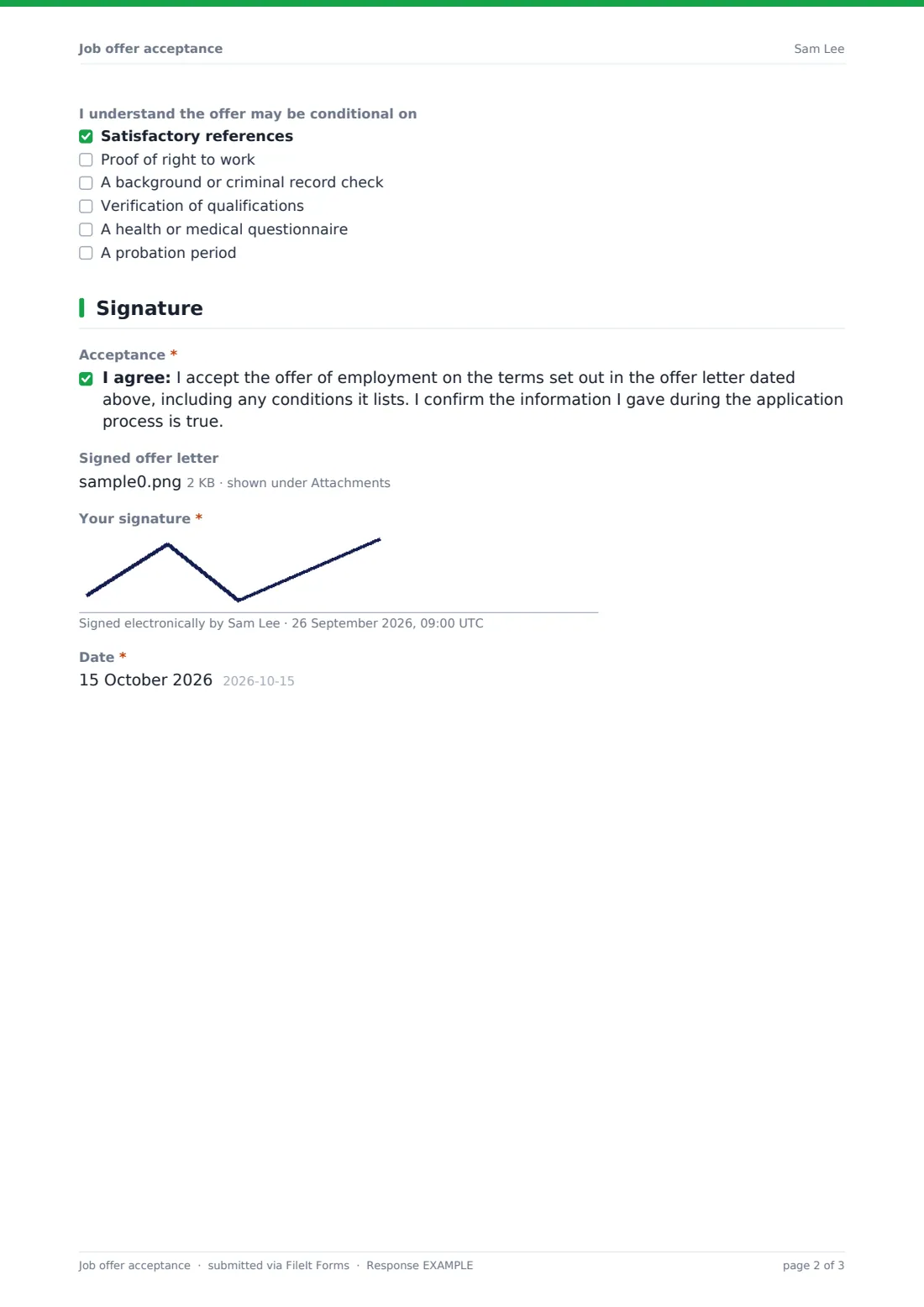
The candidate chooses to accept, to discuss something first, or to decline. Accepting asks for the confirmed start date, whether notice has been given, and which conditions they understand apply — references, right to work, background check, qualifications, a health questionnaire or probation. Discussing asks what they'd like to talk about; declining asks for an optional reason and comments.
4 Signature
Accepting candidates agree to an acceptance statement tied to the offer letter date and can upload a signed offer letter. Others confirm their response. Everyone signs and dates.
Make the template yours
- Edit the conditions list to match the checks in your offer letters
- Remove the signed letter upload if the form itself is your acceptance
- Change the acceptance statement to reference your standard terms
- Set the vault folder so acceptances file with new hire records
- Add HR and IT to notifications so onboarding can start
Tips for a better job offer acceptance form
- Send the written offer letter before sharing the form link
- Give a clear deadline for responding in your cover text or email
- Follow up quickly on 'I'd like to discuss' responses
- Start onboarding tasks as soon as an acceptance is filed
- Keep declined responses — the reasons help you improve future offers
Every response becomes a PDF in your vault
Each response is saved as a PDF in your FileIt vault, including the signature and any signed letter, and the form owner is notified. The candidate receives a copy for their records.
Hiring teams often use accepted responses to kick off onboarding, and export the Responses table to CSV to track offers accepted, declined and under discussion.
- Start from this template. It opens in the FileIt Forms designer — change any question, add pages, set the rules for when questions appear.
- Share it. Turn on a public link, or send it to people by email, each with their own link. They don’t need a FileIt account.
- Get the answers as PDFs. Each response is saved as a PDF in the vault folder you choose, with uploaded files attached — and listed in a Responses table you can export to CSV.
Job offer acceptance form: frequently asked questions
Is this job offer acceptance form template free?
Yes — it's included with the Forms app on every FileIt account, including the free plan, alongside the rest of the template gallery.
Can candidates decline using the same form?
Yes. They can accept, ask to discuss something first, or decline, and the form shows the right questions for each.
Does the candidate need a FileIt account?
No. Send the link and they can respond and sign without an account.
Is the signature legally binding?
The form records a drawn signature against the acceptance statement. Whether that's sufficient for your offer depends on your contracts and local law, so check with your advisers.
Can I collect a signed offer letter as well?
Yes. Accepting candidates can upload up to two files of a signed offer letter.
Does it replace the offer letter?
No. It records the candidate's response to an offer letter you've already sent, including the letter's date.