What is the internal transfer application form template?
Internal moves keep good people in the organisation, but the process can feel awkward. Employees aren't sure whether to tell their manager first, what to include, or whether a formal application is even needed. A dedicated internal application form makes the process visible and fair.
This internal transfer application template captures the employee's current role and how long they've been in it, the role they're applying for and what kind of move it is — lateral, promotion, relocation, secondment or a move to a lower-level role. It asks for a summary of skills, achievements, training and motivation, with an optional updated CV.
The final page deals with the current manager: whether they know, how much handover time the employee would need, and whether a formal process is in place. The employee consents to a reference from their manager. Each application is saved as a PDF in your FileIt vault.
- Best for
- Organisations that advertise vacancies internally
- Filled in by
- The employee applying for the role
- Time to complete
- About 10 minutes
- Includes
- Current and target role details, move type, skills and motivation, CV upload, manager awareness
Who uses a internal transfer application form?
- An employee applying for a promotion advertised internally
- Moving to a similar role in another department
- Requesting a transfer to another office or site
- Applying for a fixed-length secondment
- HR running a fair, consistent internal recruitment process
- Collecting internal applications alongside external ones
Questions on this internal transfer application form
24 questions over 4 pages · includes file upload, conditional questions, multiple pages, consent checkbox.
1 About you
- Your name*
- Work email*
- Employee ID
- Current job title*
- Current department Operations · Sales · Marketing · Finance · Engineering · Customer support · Human resources · Other
- Current manager*
- In current role since
- Current office or site
2 The role you want
- Role you're applying for*
- Vacancy reference
- Hiring team or department
- Location of the role
- What kind of move is this?* Lateral move (similar level) · Promotion · Same role, different location · Secondment · Move to a lower-level role
- Preferred secondment length asked only when it applies Up to 3 months · 3–6 months · 6–12 months · Over 12 months
3 Skills & motivation
- Summary of your relevant skills and experience*
- Achievements in your current role
- Relevant training or qualifications
- Why do you want this role?*
- Updated CV
4 Your current manager
- Does your current manager know you're applying?* Yes, and they're supportive · Yes, they're aware · Not yet — I'll tell them before any interview · I'd like to speak to HR first
- Anything we should know about your manager's view or the timing? asked only when it applies
- Handover time you'd need if successful Up to 2 weeks · 2–4 weeks · 1–2 months · More than 2 months
- Are you currently in a formal performance or disciplinary process?*
- Consent*
The internal transfer application form, page by page
1 About you
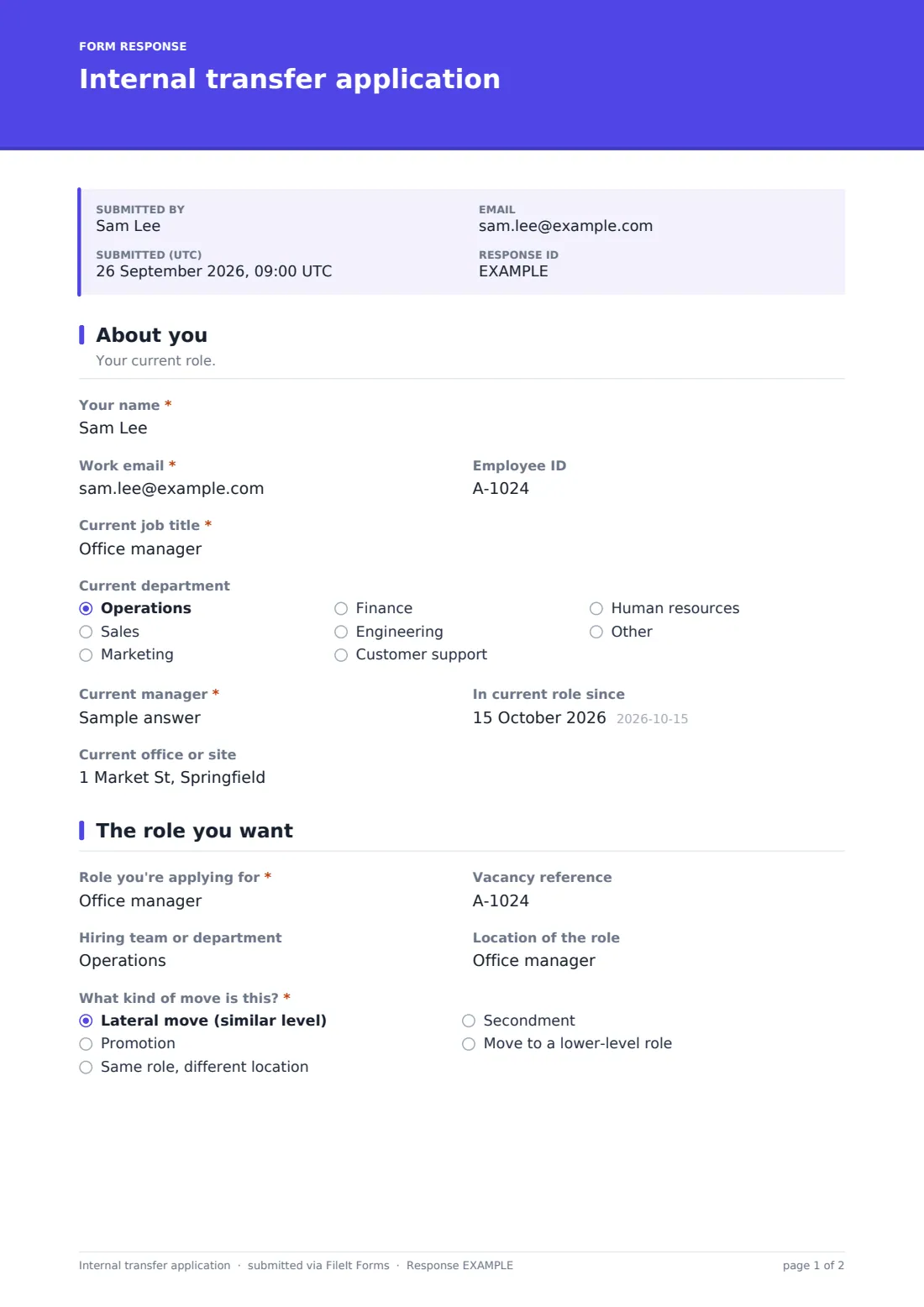
The employee gives their name, work email, employee ID, current job title, department, manager, when they started in the role, and their current office or site.
2 The role you want
They give the role title, vacancy reference, hiring team and location, and choose the type of move: lateral, promotion, relocation, secondment or a move to a lower-level role. Secondments ask for a preferred length.
3 Skills & motivation
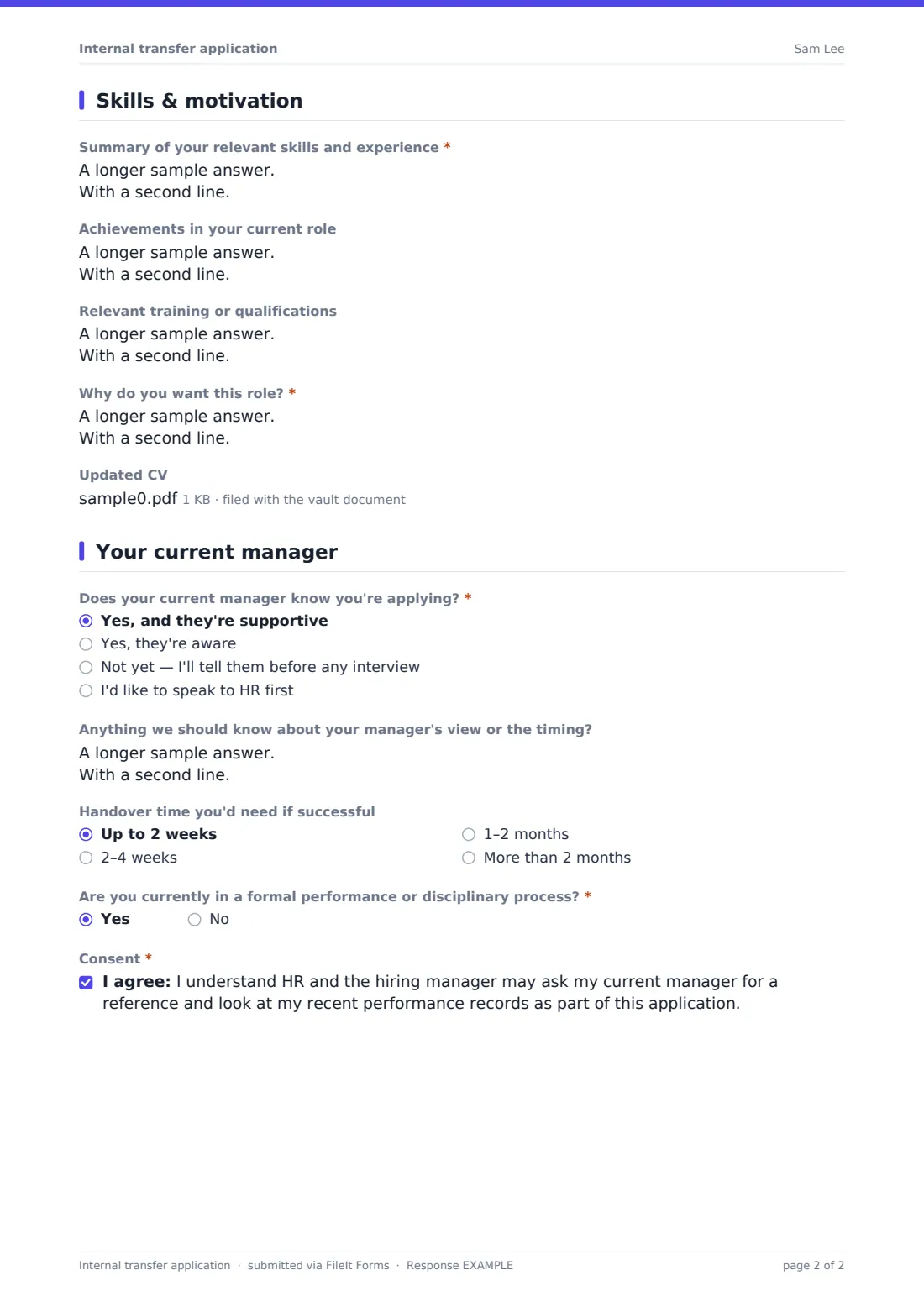
The employee summarises their relevant skills and experience, achievements in their current role, relevant training or qualifications, and why they want the role, with an optional updated CV.
4 Your current manager
They say whether their manager knows — supportive, aware, not yet, or they'd like to speak to HR first — how much handover time they'd need, and whether they're in a formal performance or disciplinary process (with a note that yes doesn't automatically rule them out). They consent to their manager being asked for a reference.
Make the template yours
- Add a dropdown of current internal vacancies
- Edit the eligibility question to match your internal mobility policy
- Add minimum time-in-role guidance to the help text
- Notify the hiring manager as well as HR
- Set the vault folder to your recruitment area
Tips for a better internal transfer application form
- Encourage employees to speak to their manager before an interview
- Give internal applicants feedback, whatever the outcome
- Assess internal and external candidates against the same criteria
- Agree handover and release dates between both managers early
- Keep eligibility rules published and consistent
Every response becomes a PDF in your vault
Each application is saved as a PDF in your FileIt vault with any CV attached, and the form owner is notified. The employee receives a copy.
HR can review internal applications in the Responses table, share PDFs with hiring managers, and export to CSV to track internal moves.
- Start from this template. It opens in the FileIt Forms designer — change any question, add pages, set the rules for when questions appear.
- Share it. Turn on a public link, or send it to people by email, each with their own link. They don’t need a FileIt account.
- Get the answers as PDFs. Each response is saved as a PDF in the vault folder you choose, with uploaded files attached — and listed in a Responses table you can export to CSV.
Internal transfer application form: frequently asked questions
Is this internal transfer form template free?
Yes — it's included with the Forms app on every FileIt account, including the free plan, alongside the rest of the template gallery.
Do employees have to tell their manager first?
The form asks, and allows 'Not yet' or 'I'd like to speak to HR first', so employees can apply before that conversation if your policy allows.
Can it be used for secondments?
Yes. Choosing secondment asks for a preferred length.
Is a CV required?
No. The upload is optional because the form already asks for a skills summary.
Why ask about formal performance processes?
Some internal mobility policies have eligibility rules. The help text makes clear that answering yes doesn't automatically rule the employee out.
Does the form contact the current manager?
No. It records the employee's consent to a reference; HR or the hiring manager decides when to ask for one.