What is the employee performance appraisal form template?
Annual appraisals work best when they're consistent: the same competencies, the same rating scale, and ratings backed by examples rather than recent memories. When every manager uses a different document, it's hard to compare, calibrate or look back at previous years.
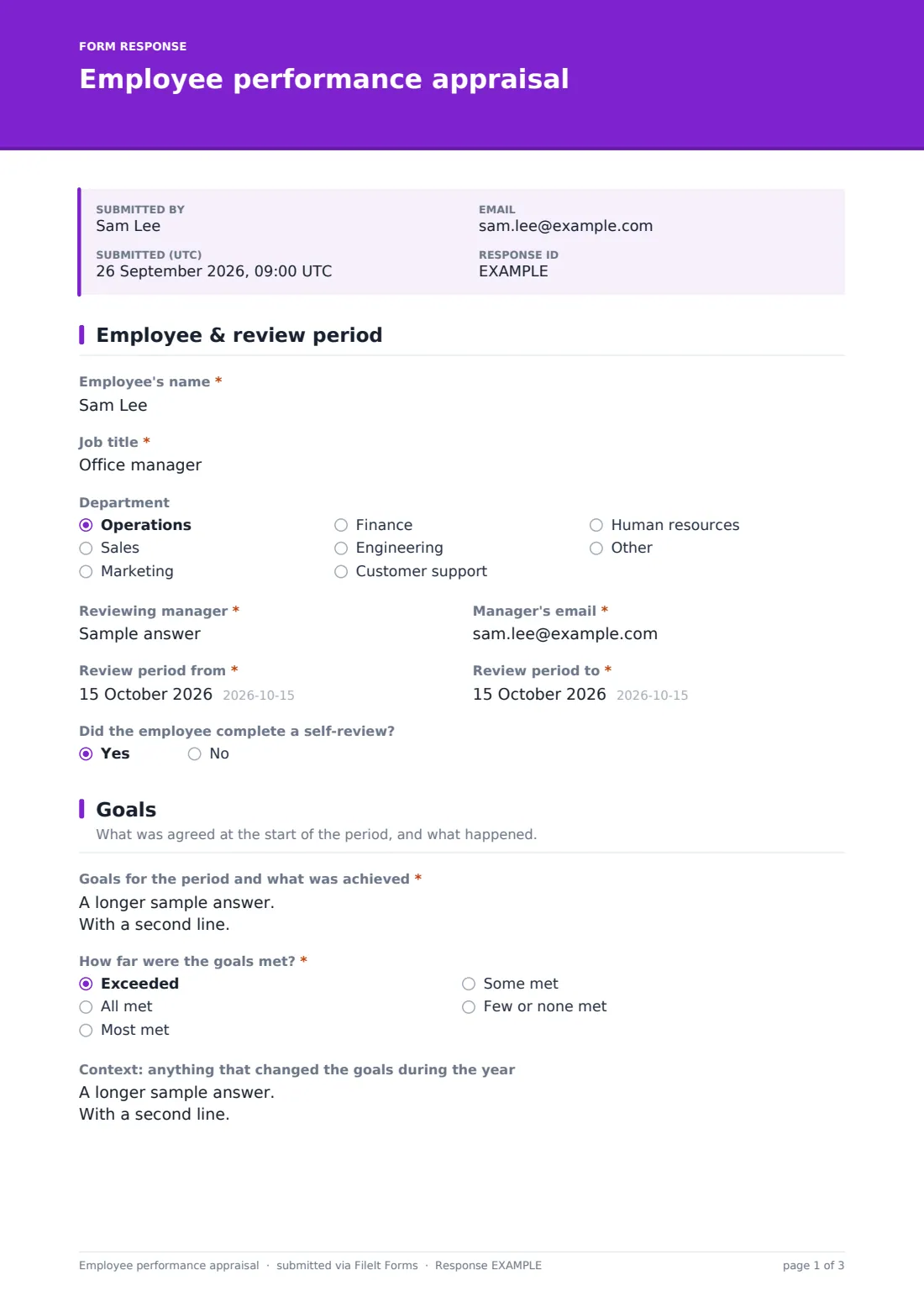
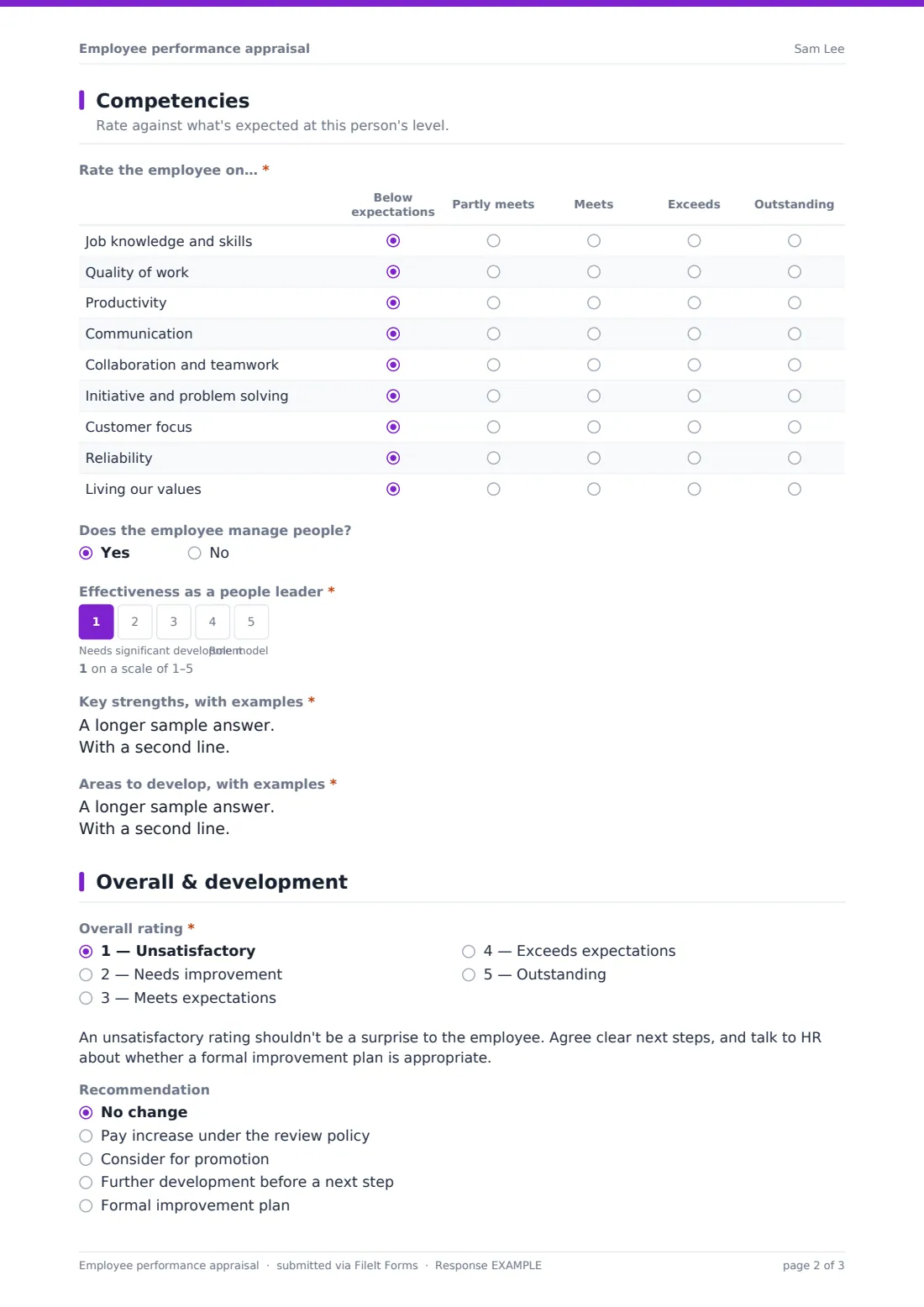
This employee performance appraisal template records the review period and whether the employee completed a self-review, then asks for each goal's result and how far goals were met. A competency grid rates nine areas — from job knowledge to living your values — on a five-point scale, with a leadership rating for people managers.
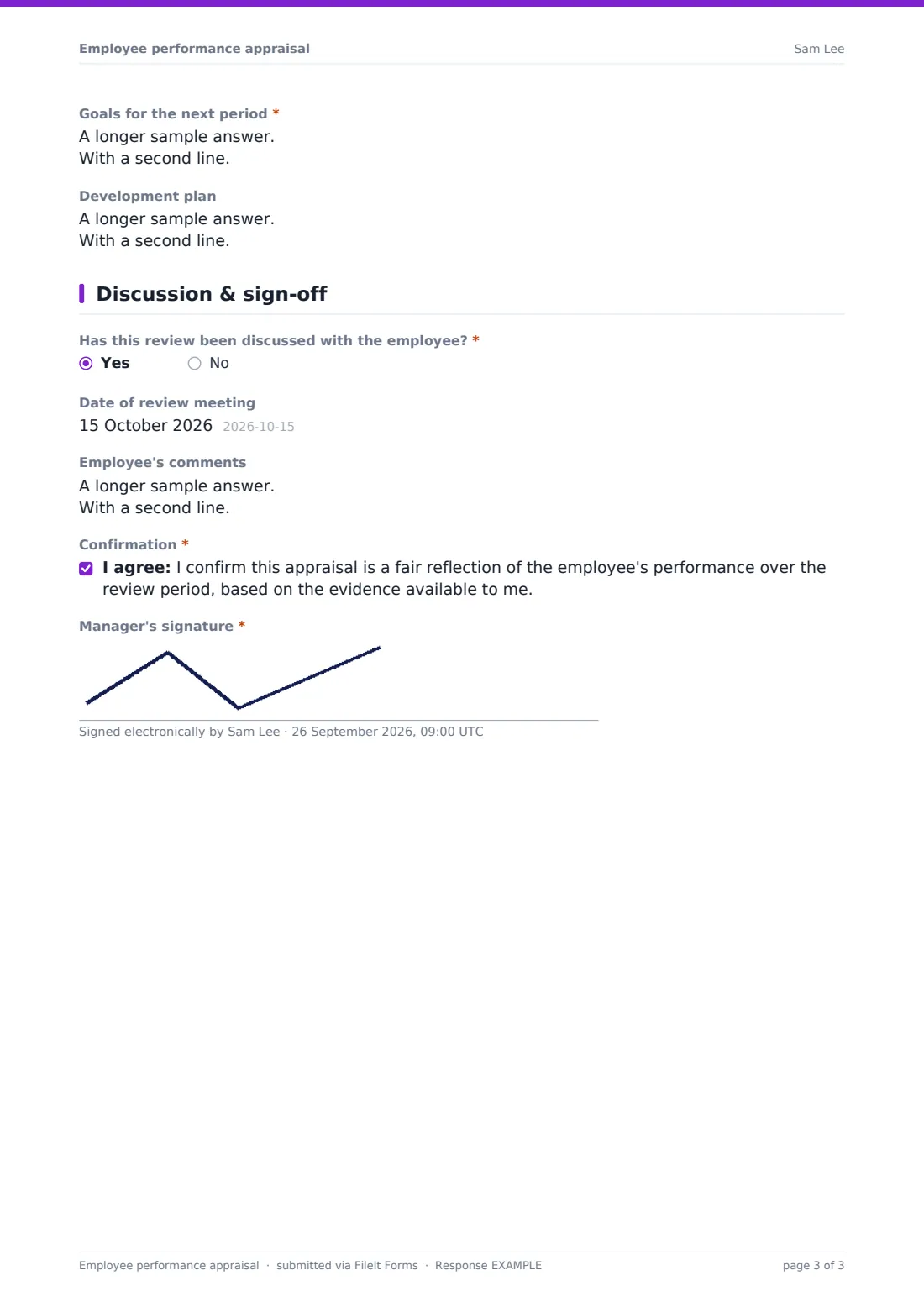
Managers give an overall rating, a recommendation such as a pay increase, promotion or further development, goals for the next period and a development plan. The final page records the review meeting and the employee's comments. Each appraisal is saved as a PDF in your FileIt vault.
- Best for
- Organisations running annual or mid-year performance reviews
- Filled in by
- The line manager, after the review meeting
- Time to complete
- About 20–30 minutes
- Includes
- Goal results, a nine-row competency grid, leadership rating, overall rating, development plan, employee comments, manager signature
Who uses a employee performance appraisal form?
- A year-end performance review for every employee
- A mid-year review to check progress on goals
- Rating a people manager on leadership as well as their own work
- Recording a promotion or pay recommendation with evidence
- Setting next year's goals and development plan
- Pairing with employees' self-reviews in the same cycle
Questions on this employee performance appraisal form
25 questions over 5 pages · includes signature, conditional questions, multiple pages, consent checkbox, ratings.
1 Employee & review period
- Employee's name*
- Job title*
- Department Operations · Sales · Marketing · Finance · Engineering · Customer support · Human resources · Other
- Reviewing manager*
- Manager's email*
- Review period from*
- Review period to*
- Did the employee complete a self-review?
2 Goals
- Goals for the period and what was achieved*
- How far were the goals met?* Exceeded · All met · Most met · Some met · Few or none met
- Context: anything that changed the goals during the year
3 Competencies
- Rate the employee on…* Below expectations · Partly meets · Meets · Exceeds · Outstanding
- Does the employee manage people?
- Effectiveness as a people leader* asked only when it applies
- Key strengths, with examples*
- Areas to develop, with examples*
4 Overall & development
- Overall rating* 1 — Unsatisfactory · 2 — Needs improvement · 3 — Meets expectations · 4 — Exceeds expectations · 5 — Outstanding
- Recommendation No change · Pay increase under the review policy · Consider for promotion · Further development before a next step · Formal improvement plan
- Goals for the next period*
- Development plan
5 Discussion & sign-off
- Has this review been discussed with the employee?*
- Date of review meeting asked only when it applies
- Employee's comments asked only when it applies
- Confirmation*
- Manager's signature*
The employee performance appraisal form, page by page
1 Employee & review period
The manager records the employee's name, job title and department, their own name and email, the review period, and whether the employee completed a self-review.
2 Goals
The manager lists each goal with its result and evidence, rates how far goals were met from exceeded to few or none, and notes anything that changed the goals during the year.
3 Competencies
A required grid rates job knowledge, quality, productivity, communication, collaboration, initiative, customer focus, reliability and living your values, from below expectations to outstanding. People managers also get a 1–5 leadership rating. The manager writes key strengths and development areas, with examples.
4 Overall & development
The manager gives an overall rating from 1 (unsatisfactory) to 5 (outstanding); an unsatisfactory rating shows guidance on next steps. They make a recommendation — no change, a pay increase, promotion, further development or a formal improvement plan — and set next period's goals and a development plan.
5 Discussion & sign-off
The manager records whether the review was discussed, the meeting date and any comments the employee asked to have recorded, including disagreement, then confirms the appraisal is fair and signs.
Make the template yours
- Replace the competency rows with your competency framework
- Change the overall rating labels to match your scale
- Edit the recommendation options to fit your pay and promotion process
- Set a close date on the form at the end of the review cycle
- Send HR a notification for every appraisal submitted
Tips for a better employee performance appraisal form
- Read the employee's self-review before writing yours
- Base ratings on the whole period, not the last few weeks
- Give specific examples for strengths and development areas
- Nothing in the appraisal should be a surprise to the employee
- Record the employee's comments, including where they disagree
Every response becomes a PDF in your vault
Each appraisal is saved as a PDF in your FileIt vault and the form owner is notified. Respondent copies are off by default; the confirmation reminds managers to share a copy with the employee.
HR can use the Responses table to track completion, and export ratings and recommendations to CSV for calibration and pay review planning.
- Start from this template. It opens in the FileIt Forms designer — change any question, add pages, set the rules for when questions appear.
- Share it. Turn on a public link, or send it to people by email, each with their own link. They don’t need a FileIt account.
- Get the answers as PDFs. Each response is saved as a PDF in the vault folder you choose, with uploaded files attached — and listed in a Responses table you can export to CSV.
Employee performance appraisal form: frequently asked questions
Is this performance appraisal template free?
Yes — it's included with the Forms app on every FileIt account, including the free plan, alongside the rest of the template gallery.
Is this for the manager or the employee?
The manager. For the employee's own view, FileIt has a separate performance self-review template.
Can I use my own competency framework?
Yes. Edit the grid's rows and rating columns in the form designer.
How are people managers handled?
Answering yes to 'Does the employee manage people?' adds a 1–5 leadership effectiveness rating.
Does the employee get a say?
Yes. The last page records comments the employee asked to have included, including any disagreement.
Can it trigger an improvement plan?
The recommendation can be 'Formal improvement plan', and the performance improvement plan template can be used for the plan itself.