What is the performance improvement plan form template?
A performance improvement plan should give an employee a genuine, fair chance to improve. That means being specific about what's wrong, what good looks like, how progress will be measured, what help will be given and when progress will be reviewed. Vague plans are hard to follow and hard to assess fairly at the end.
This performance improvement plan template records the plan dates, how often progress meetings happen, and whether the concerns were raised informally first. For each area — up to two in detail, plus a box for more — the manager sets out the standard expected and current performance with examples.
The targets and support page asks for measurable targets and the support offered, from training and coaching to adjusted workload or an occupational health referral, and prompts the manager if the employee has mentioned anything affecting their performance. Review dates, possible outcomes and signatures from both manager and employee complete the plan, which is saved as a PDF in your FileIt vault.
- Best for
- Managers and HR addressing ongoing performance concerns
- Filled in by
- The manager, ideally with HR
- Time to complete
- About 20–30 minutes
- Includes
- Performance gaps with examples, measurable targets, support checklist, review dates, manager and employee signatures
Who uses a performance improvement plan form?
- Formalising a plan after informal feedback hasn't led to improvement
- Setting measurable targets for accuracy, output or quality issues
- Documenting the support offered to an employee who is struggling
- Scheduling fortnightly review meetings over a set period
- Following an appraisal that recommended a formal plan
- Keeping a consistent record across managers and teams
Questions on this performance improvement plan form
31 questions over 4 pages · includes signature, conditional questions, multiple pages, consent checkbox.
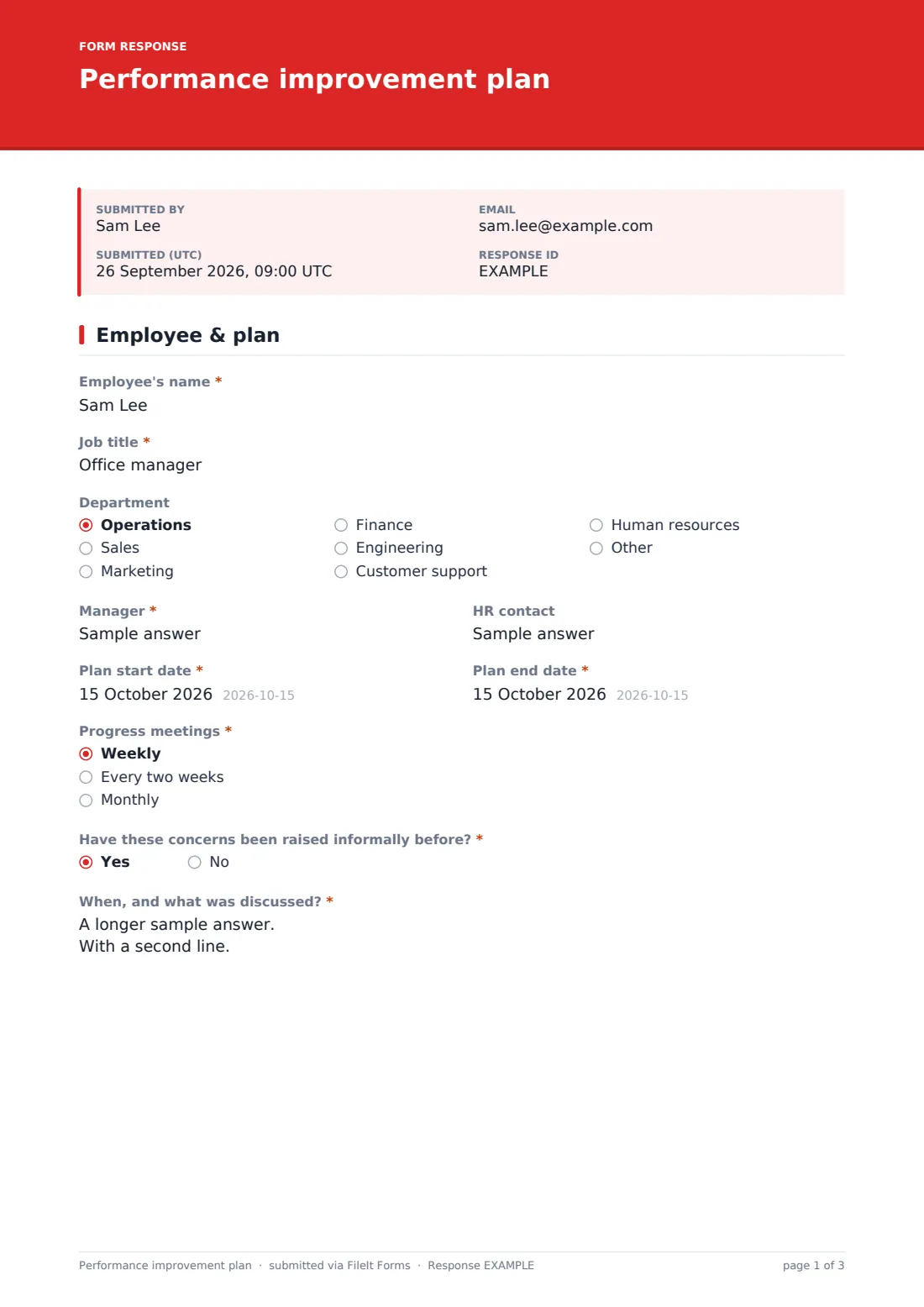
1 Employee & plan
- Employee's name*
- Job title*
- Department Operations · Sales · Marketing · Finance · Engineering · Customer support · Human resources · Other
- Manager*
- HR contact
- Plan start date*
- Plan end date*
- Progress meetings* Weekly · Every two weeks · Monthly
- Have these concerns been raised informally before?*
- When, and what was discussed?* asked only when it applies
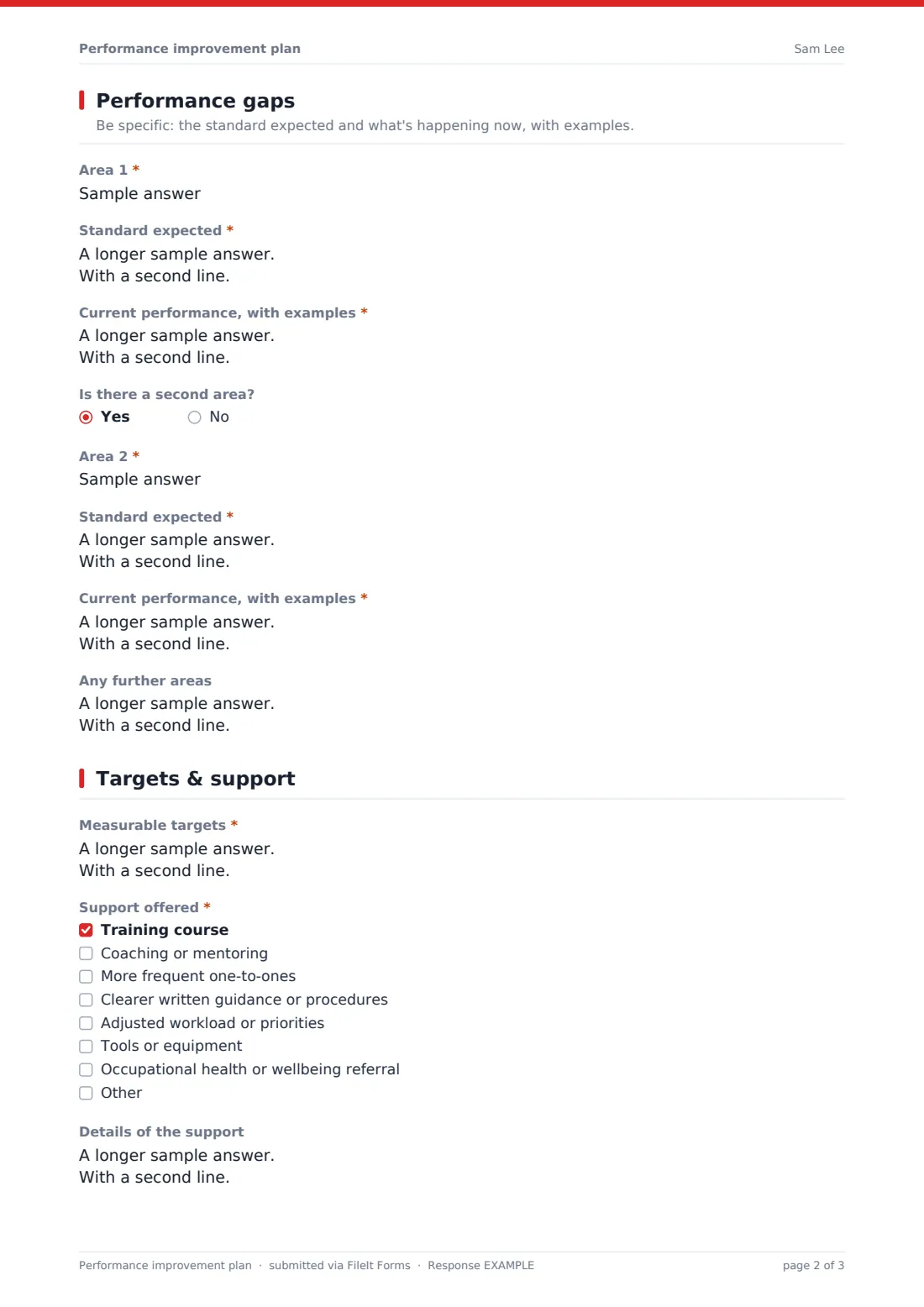
2 Performance gaps
- Area 1*
- Standard expected*
- Current performance, with examples*
- Is there a second area?
- Area 2* asked only when it applies
- Standard expected* asked only when it applies
- Current performance, with examples* asked only when it applies
- Any further areas asked only when it applies
3 Targets & support
- Measurable targets*
- Support offered* Training course · Coaching or mentoring · More frequent one-to-ones · Clearer written guidance or procedures · Adjusted workload or priorities · Tools or equipment · Occupational health or wellbeing referral
- Details of the support
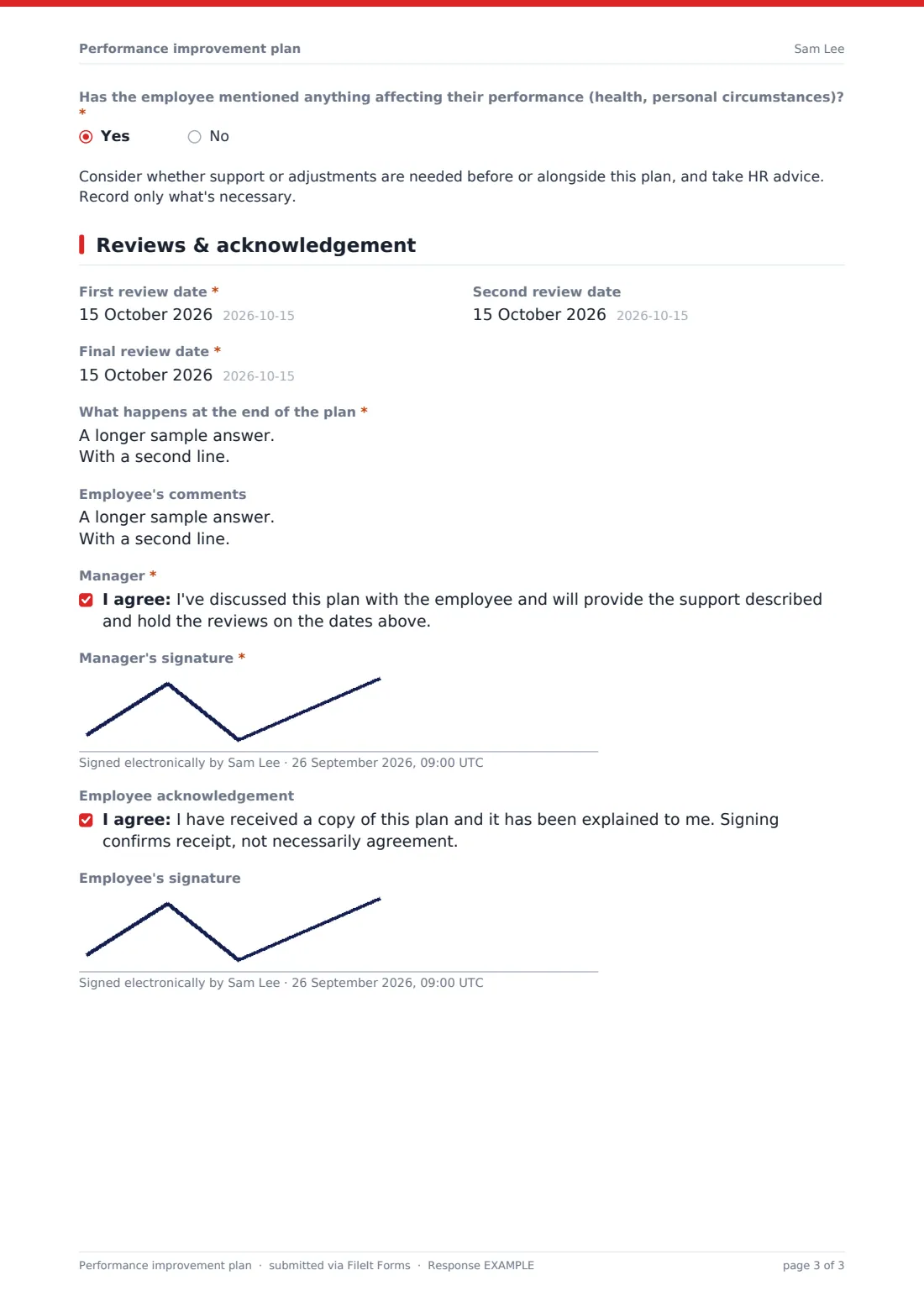
- Has the employee mentioned anything affecting their performance (health, personal circumstances)?*
4 Reviews & acknowledgement
- First review date*
- Second review date
- Final review date*
- What happens at the end of the plan*
- Employee's comments
- Manager*
- Manager's signature*
- Employee acknowledgement
- Employee's signature
The performance improvement plan form, page by page
1 Employee & plan
The manager records the employee's name, job title, department, their own name and an HR contact, the plan start and end dates, and whether progress meetings are weekly, fortnightly or monthly. If the concerns were raised informally before, they give when and what was discussed.
2 Performance gaps
For the first area, the manager names it, describes the standard expected and gives current performance with examples. A second area can be added in the same way, with a box for any further areas.
3 Targets & support
The manager sets measurable targets — what success looks like, how it's measured and by when — and ticks the support offered: training, coaching or mentoring, more frequent one-to-ones, clearer guidance, adjusted workload, tools or equipment, an occupational health or wellbeing referral, or something else. If the employee has mentioned health or personal circumstances, a note prompts the manager to consider support and take HR advice.
4 Reviews & acknowledgement
The manager sets the first, second and final review dates, explains the possible outcomes at the end of the plan as set out in your policy, and records the employee's comments. The manager confirms and signs; the employee can acknowledge receipt and sign, with the statement making clear that signing doesn't necessarily mean agreement.
Make the template yours
- Add your capability or performance policy name to the outcomes help text
- Edit the support options to match what your organisation can offer
- Set the vault folder to a restricted HR location
- Add HR to the notification emails
- Change the review frequency options to fit your plan length
Tips for a better performance improvement plan form
- Raise concerns informally before starting a formal plan where you can
- Make targets specific, measurable and realistic within the plan period
- Provide the support you've promised, and record that you did
- Hold every review on time and keep notes of each one
- Take HR or legal advice before any action at the end of the plan
Every response becomes a PDF in your vault
Each plan is saved as a PDF in your FileIt vault with both signatures, and the form owner is notified. Respondent copies are off by default; give the employee a copy of the PDF.
Managers and HR can find the plan quickly in the Responses table when preparing each review, and the dated PDF provides a record of what was agreed.
- Start from this template. It opens in the FileIt Forms designer — change any question, add pages, set the rules for when questions appear.
- Share it. Turn on a public link, or send it to people by email, each with their own link. They don’t need a FileIt account.
- Get the answers as PDFs. Each response is saved as a PDF in the vault folder you choose, with uploaded files attached — and listed in a Responses table you can export to CSV.
Performance improvement plan form: frequently asked questions
Is this performance improvement plan template free?
Yes — it's included with the Forms app on every FileIt account, including the free plan, alongside the rest of the template gallery.
Does the employee have to sign?
The employee acknowledgement and signature are optional, so the plan can be filed even if they decline to sign. The statement makes clear that signing confirms receipt, not agreement.
How many performance areas can it cover?
Two in full detail — area, expected standard and current performance — plus a box for any further areas.
Does the template say what happens if targets aren't met?
It asks the manager to describe the possible outcomes as set out in your own policy. It doesn't prescribe outcomes, because those depend on your policy and local law.
What if the employee's health is affecting their performance?
If the employee has mentioned health or personal circumstances, the form prompts the manager to consider support or adjustments and to take HR advice.
Can this follow a performance appraisal?
Yes. The employee performance appraisal template includes 'Formal improvement plan' as a recommendation, and this template is the plan itself.