What is the knowledge transfer plan form template?
When an experienced person leaves or changes role, a surprising amount of what they do isn't written anywhere: the deadline that comes round once a year, the supplier contact who actually answers, the report only they know how to run. A rushed handover in the final week rarely catches it all.
This template structures the handover. It records who is handing over, why, their last day, the successor and the manager overseeing it. It then works through main responsibilities and how often they happen, recurring deadlines in the next six months, decisions and approvals, systems used and access needed, where documents live and whether procedures are written down.
Key contacts, introductions, open work and known risks follow. A final page rates the successor's confidence in five areas, lists the handover sessions with a first-session and sign-off date, and is signed by both people. Each plan is saved as a PDF in your FileIt vault.
- Best for
- Managers and HR handling leavers, role changes and long leave
- Filled in by
- The person handing over, with their successor
- Time to complete
- About 20 minutes, then updated through the handover
- Includes
- Key dates, systems and access, contacts, open work, confidence grid, sessions and two signatures
Who uses a knowledge transfer plan form?
- An employee resigning from a role nobody else understands fully
- A long-serving manager retiring after many years
- Someone starting parental or extended leave
- An internal move where the person stays available for questions
- A small business owner handing over to a new manager
- A project lead handing over mid-project
Questions on this knowledge transfer plan form
28 questions over 5 pages · includes signature, conditional questions, multiple pages, ratings.
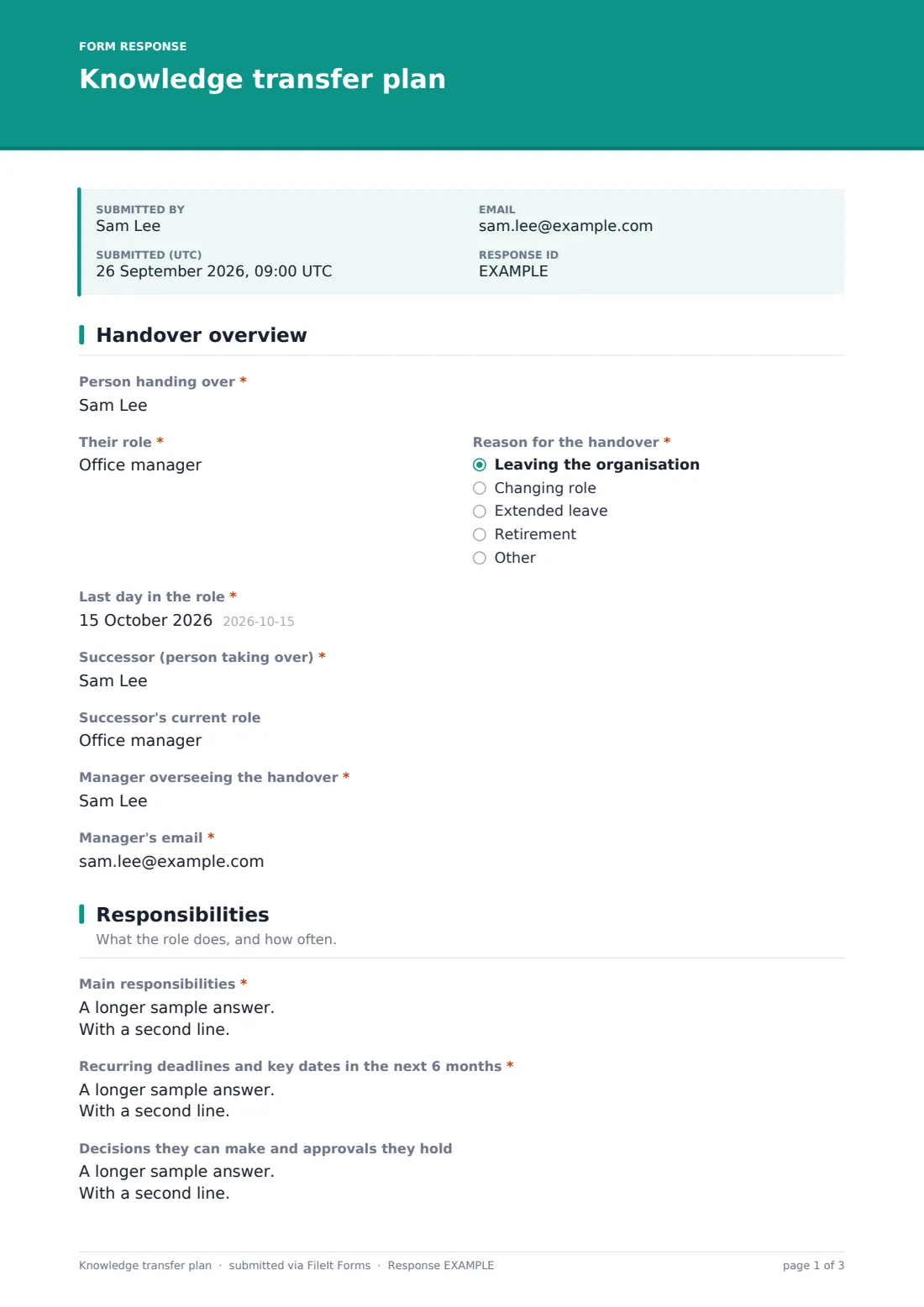
1 Handover overview
- Person handing over*
- Their role*
- Reason for the handover* Leaving the organisation · Changing role · Extended leave · Retirement
- Last day in the role*
- Successor (person taking over)*
- Successor's current role
- Manager overseeing the handover*
- Manager's email*
2 Responsibilities
- Main responsibilities*
- Recurring deadlines and key dates in the next 6 months*
- Decisions they can make and approvals they hold
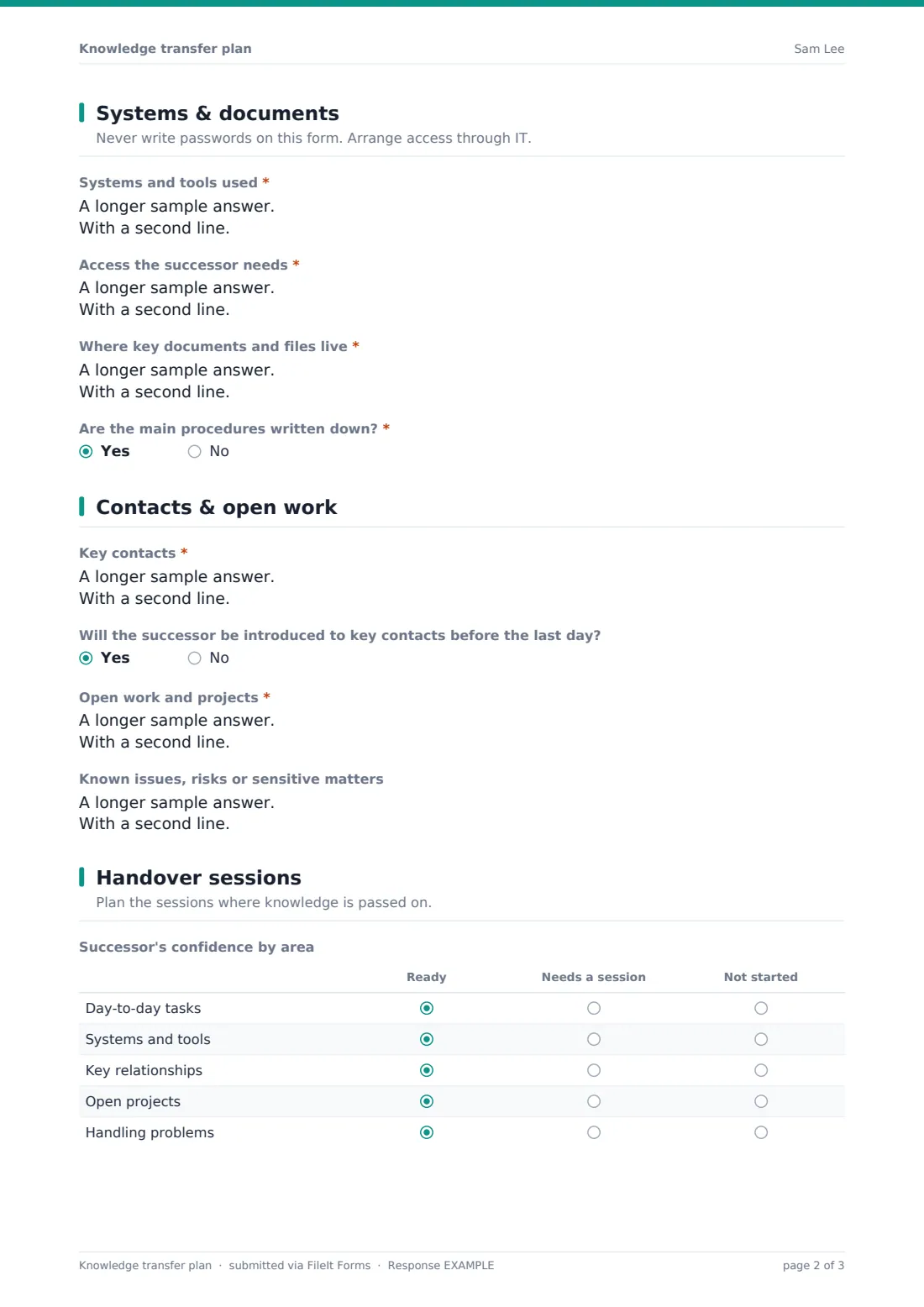
3 Systems & documents
- Systems and tools used*
- Access the successor needs*
- Where key documents and files live*
- Are the main procedures written down?*
- What still needs to be written down, and by when?* asked only when it applies
4 Contacts & open work
- Key contacts*
- Will the successor be introduced to key contacts before the last day?
- Open work and projects*
- Known issues, risks or sensitive matters
5 Handover sessions
- Successor's confidence by area Ready · Needs a session · Not started
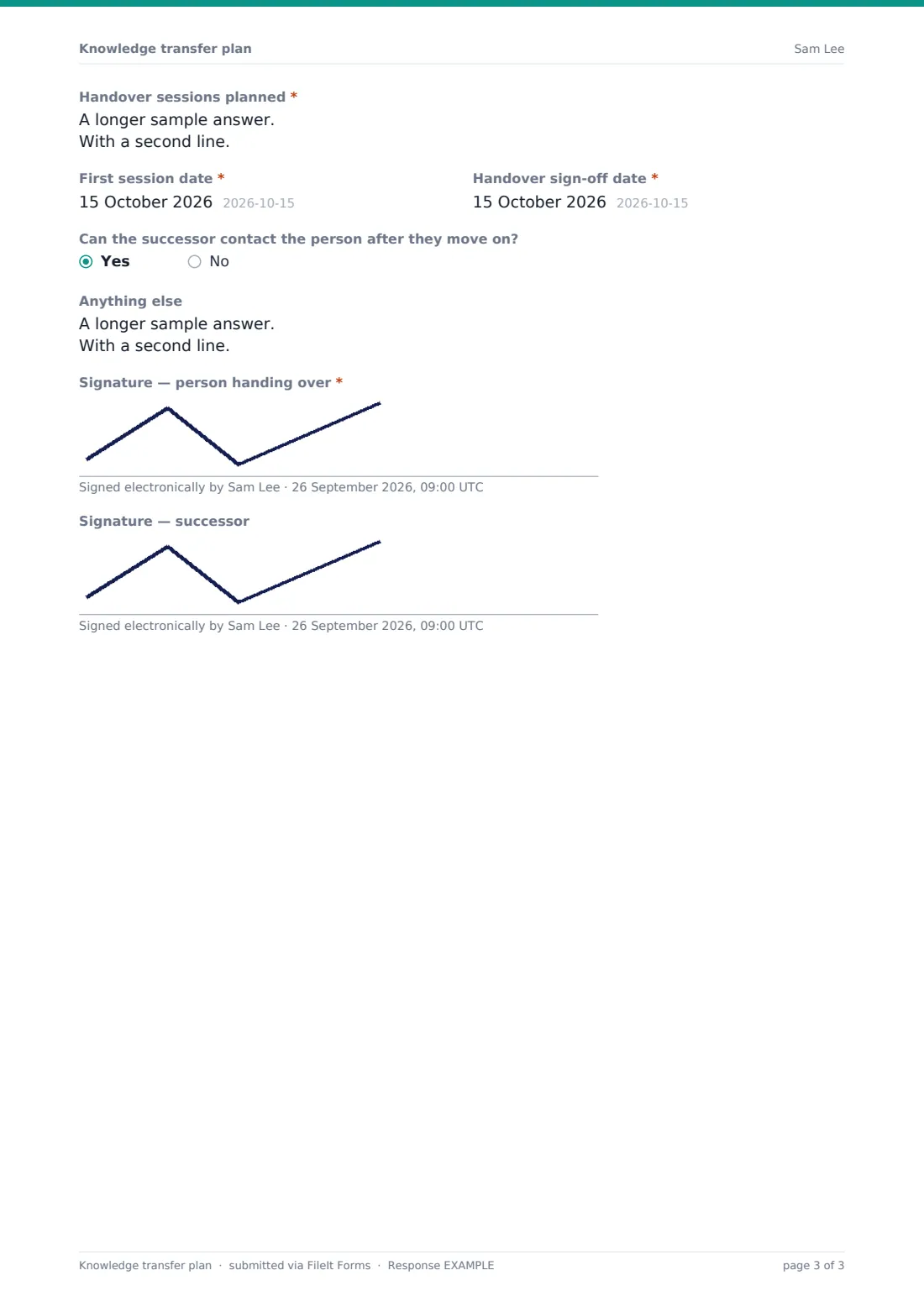
- Handover sessions planned*
- First session date*
- Handover sign-off date*
- Can the successor contact the person after they move on?
- Anything else
- Signature — person handing over*
- Signature — successor
The knowledge transfer plan form, page by page
1 Handover overview
The plan records the Person handing over, Their role, the Reason for the handover, the Last day in the role, the Successor and their current role, and the Manager overseeing the handover with their email.
2 Responsibilities
Main responsibilities are listed with how often they happen, followed by recurring deadlines and key dates in the next six months and the decisions and approvals the person holds.
3 Systems & documents
A reminder not to write passwords sits above Systems and tools used, Access the successor needs and Where key documents and files live. If the main procedures aren't written down, the plan asks what still needs writing and by when.
4 Contacts & open work
Key contacts are listed with their organisation and what they're contacted about, along with whether introductions will happen before the last day. Open work and projects capture status, next step and deadline, and known issues or sensitive matters can be noted.
5 Handover sessions
A grid rates the successor's confidence in day-to-day tasks, systems, key relationships, open projects and handling problems as ready, needs a session or not started. The plan lists sessions with a required first-session date and sign-off date, says whether the successor can make contact afterwards, and is signed by the person handing over and, optionally, the successor.
Make the template yours
- Add a section for client accounts if the role manages customers
- Turn the systems list into a checklist of your own core systems
- Add your IT service desk to notifications so access changes start early
- Pre-fill the leaver's details from your offboarding process
- File plans into a vault folder for each department
- Remove the confidence grid for very short handovers
Tips for a better knowledge transfer plan form
- Start the plan as soon as the move is known, not in the last week
- Have the successor do tasks while the person is still there to answer questions
- Never put passwords in the plan — transfer access through IT
- Focus on the yearly and quarterly tasks; they're the ones most often forgotten
- Introduce the successor to key contacts in person or on a call, not just by email
- Revisit the confidence grid before sign-off and book extra sessions where needed
Every response becomes a PDF in your vault
The plan is saved as a PDF in your vault, and the person who submitted it gets an emailed copy to work from. With notifications on, the manager is alerted that a handover is under way.
Managers can submit an updated plan at sign-off to record the final confidence ratings, keeping both versions in the vault for anyone who takes over the role later.
- Start from this template. It opens in the FileIt Forms designer — change any question, add pages, set the rules for when questions appear.
- Share it. Turn on a public link, or send it to people by email, each with their own link. They don’t need a FileIt account.
- Get the answers as PDFs. Each response is saved as a PDF in the vault folder you choose, with uploaded files attached — and listed in a Responses table you can export to CSV.
Knowledge transfer plan form: frequently asked questions
Is this knowledge transfer template free?
Yes. It's part of the FileIt Forms app on every plan, including the free plan.
Who fills it in?
The person handing over, ideally together with their successor and manager.
Can we include passwords?
No — and the form says so. Arrange system access through IT instead.
Does the successor have to sign?
The signature of the person handing over is required; the successor's is optional so the plan can be submitted before they start.
Is it only for leavers?
No. It also works for role changes, retirement and extended leave.
Can we use it for a whole team's handover?
It's designed for one person and one successor. Use one plan per person for a team handover.