What is the hybrid & remote work survey form template?
Decisions about office days and remote work affect everyone's commute, childcare and focus. A survey gives leadership evidence rather than anecdotes: how people work now, what the office is really used for, and what arrangement would suit them.
This template covers current arrangement and commute, productivity and inclusion across locations, home setup and missing equipment, collaboration tools, wellbeing, and preferred arrangement down to which weekdays people would choose for the office.
It's anonymous by default, and each response is saved as a PDF in your FileIt vault with the answers also in a Responses table ready to export.
- Best for
- HR, leadership and workplace teams reviewing a hybrid policy
- Filled in by
- Employees, anonymously
- Time to complete
- About 6 minutes
- Includes
- Current and preferred arrangement, preferred office days, home setup and wellbeing grids
Who uses a hybrid & remote work survey form?
- Gathering views before setting or changing office attendance rules
- Planning office space and desk numbers from preferred office days
- Finding out what home equipment people still need
- Checking whether remote staff feel included in decisions
- Reviewing a hybrid pilot after three or six months
- Deciding whether teams should share common office days
Questions on this hybrid & remote work survey form
20 questions over 5 pages · includes conditional questions, multiple pages, ratings.
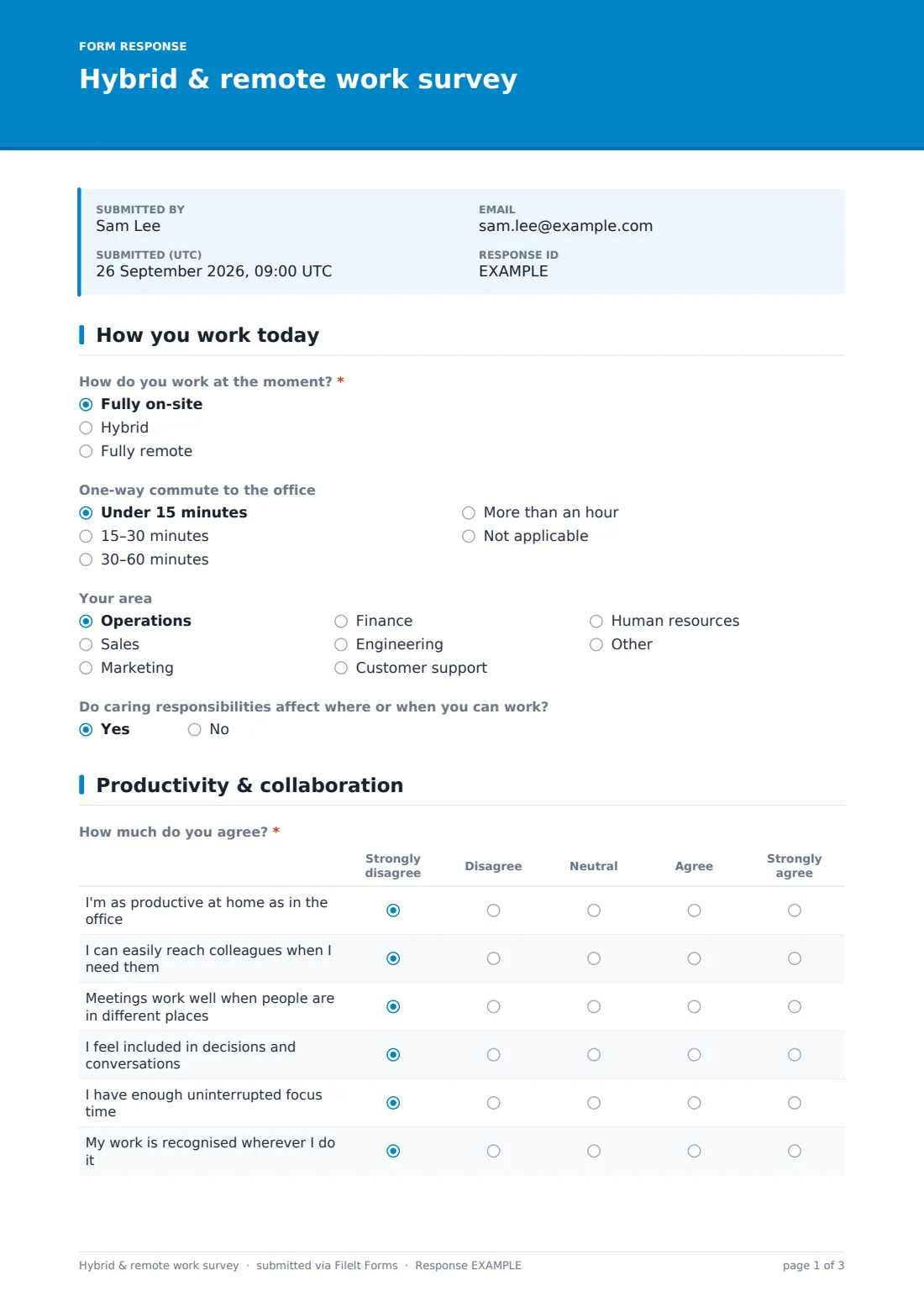
1 How you work today
- How do you work at the moment?* Fully on-site · Hybrid · Fully remote
- Days per week in the office, on average* asked only when it applies
- One-way commute to the office Under 15 minutes · 15–30 minutes · 30–60 minutes · More than an hour · Not applicable
- Your area Operations · Sales · Marketing · Finance · Engineering · Customer support · Human resources · Other
- Do caring responsibilities affect where or when you can work?
2 Productivity & collaboration
- How much do you agree?* Strongly disagree · Disagree · Neutral · Agree · Strongly agree
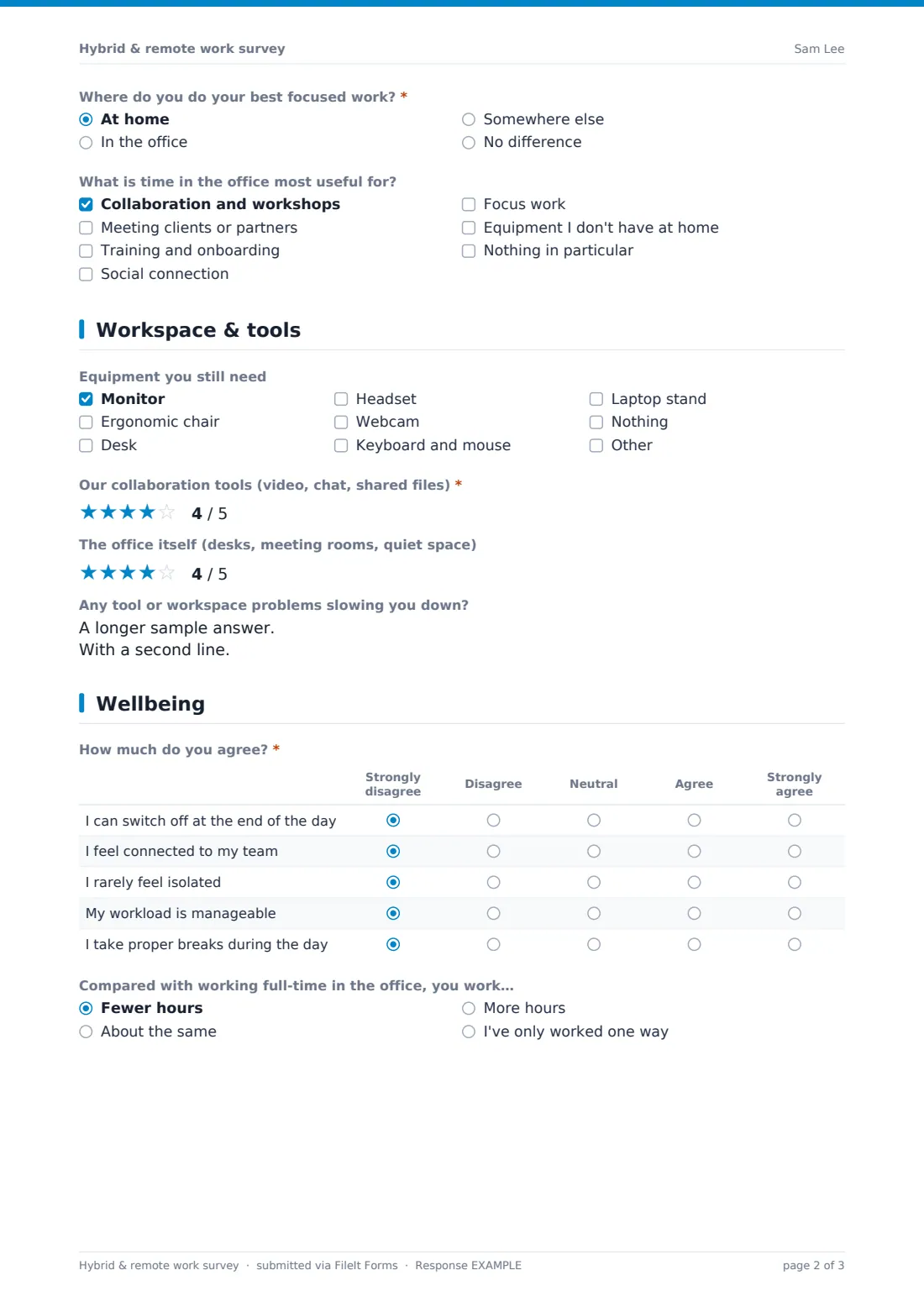
- Where do you do your best focused work?* At home · In the office · Somewhere else · No difference
- What is time in the office most useful for? Collaboration and workshops · Meeting clients or partners · Training and onboarding · Social connection · Focus work · Equipment I don't have at home · Nothing in particular
3 Workspace & tools
- At home, I have…* asked only when it applies Yes · Partly · No
- Equipment you still need Monitor · Ergonomic chair · Desk · Headset · Webcam · Keyboard and mouse · Laptop stand · Nothing
- Our collaboration tools (video, chat, shared files)*
- The office itself (desks, meeting rooms, quiet space)
- Any tool or workspace problems slowing you down?
4 Wellbeing
- How much do you agree?* Strongly disagree · Disagree · Neutral · Agree · Strongly agree
- Compared with working full-time in the office, you work… Fewer hours · About the same · More hours · I've only worked one way
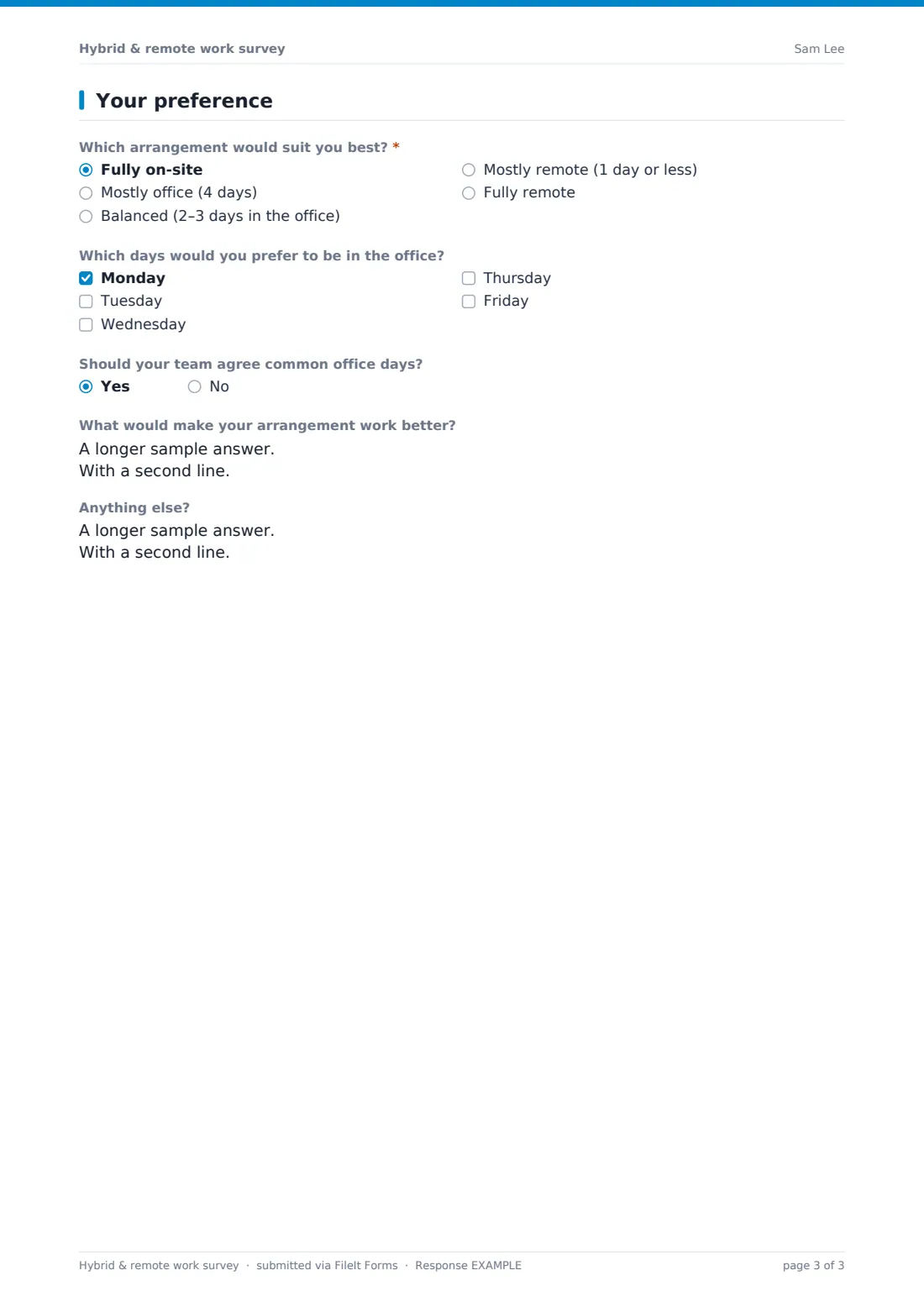
5 Your preference
- Which arrangement would suit you best?* Fully on-site · Mostly office (4 days) · Balanced (2–3 days in the office) · Mostly remote (1 day or less) · Fully remote
- Which days would you prefer to be in the office? asked only when it applies Monday · Tuesday · Wednesday · Thursday · Friday
- Should your team agree common office days?
- What would make your arrangement work better?
- Anything else?
The hybrid & remote work survey form, page by page
1 How you work today
People choose fully on-site, hybrid or fully remote; hybrid workers give their average office days per week. Optional questions cover commute time, their area and whether caring responsibilities affect where or when they can work.
2 Productivity & collaboration
Six agreement statements on productivity at home, reaching colleagues, meetings across locations, feeling included, focus time and recognition. People say where they do their best focused work and what the office is most useful for.
3 Workspace & tools
Anyone not fully on-site rates their home setup — quiet space, desk and chair, internet, second screen and headset. Everyone can list equipment they still need, rates collaboration tools and the office itself, and can describe problems slowing them down.
4 Wellbeing
Five statements on switching off, feeling connected, isolation, manageable workload and taking breaks, then whether they work fewer, the same or more hours than when fully office-based.
5 Your preference
A required choice from fully on-site to fully remote. Unless they choose fully remote, they pick the weekdays they'd prefer in the office. A yes/no asks whether teams should agree common days, followed by what would make their arrangement work better.
Make the template yours
- Edit the area list to match your departments
- Adjust the preferred arrangement options to match the policy choices you're weighing
- Add your office locations as a dropdown
- Change the equipment list to match what you can provide
- Add questions on a home-working allowance if relevant
- Set a close date before your policy decision
Tips for a better hybrid & remote work survey form
- Be clear about what's open to change and what isn't, so expectations are realistic
- Look at preferred office days alongside desk capacity
- Read the caring responsibilities answers in aggregate, never to single people out
- Share the results before announcing a decision
- Re-run after a policy change to see what shifted
- Treat equipment gaps as a quick win
Every response becomes a PDF in your vault
Each response is saved as a PDF titled with the date in the vault folder you choose, and you're notified by email. No respondent copy is sent.
Filter the Responses table by current arrangement or area and export to CSV to count preferred office days and compare wellbeing answers.
- Start from this template. It opens in the FileIt Forms designer — change any question, add pages, set the rules for when questions appear.
- Share it. Turn on a public link, or send it to people by email, each with their own link. They don’t need a FileIt account.
- Get the answers as PDFs. Each response is saved as a PDF in the vault folder you choose, with uploaded files attached — and listed in a Responses table you can export to CSV.
Hybrid & remote work survey form: frequently asked questions
Is this hybrid work survey template free?
Yes. It's a starter template in the FileIt Forms app, and every question can be edited.
Is it anonymous?
Yes. It doesn't ask for names or email addresses.
Do on-site workers see the home setup questions?
No. The home setup grid only appears for people who are hybrid or fully remote.
Can I see which days people prefer in the office?
Yes. Export to CSV to count how many people picked each weekday.
Can I run it more than once?
Yes. Duplicate the form for each round, or reopen it later.
Do employees need a FileIt account?
No. They open the link.