What is the restaurant reservation request form template?
A restaurant reservation request form lets guests ask for a table with date, time, party size and any dietary needs in a single submission, instead of a phone call taken mid-service or a booking scribbled on a pad that later gets lost. It's built as a request rather than an instant confirmation, so a restaurant stays in control of its own diary.
Phone bookings can be hard to hear clearly during a busy service, and allergy details given verbally are easy to miscommunicate. A form captures dietary requirements and allergy details in writing, ready for the kitchen to read before the guest even arrives, and flags larger groups automatically so staff know to follow up about a set menu or deposit.
This template is part of FileIt's Forms app, included on every FileIt account including the free plan. Guests submit it without needing a FileIt account of their own, and every reservation request becomes a PDF, automatically filed in your vault so you have a full, searchable record of requests by date.
- Best for
- Restaurants, cafés and bars taking table requests online
- Filled in by
- Guests wanting to book a table
- Time to complete
- About 3 minutes
- Includes
- Occasion and seating preferences, dietary and allergy checkboxes, large-group notice
Who uses a restaurant reservation request form?
- A guest requesting a table for a birthday dinner with a message on the dessert plate
- A group of more than eight people needing a set menu or deposit conversation before confirming
- A family requesting high chairs for young children
- A guest flagging a nut or shellfish allergy the kitchen must know about
- Someone requesting a quieter table or step-free access for accessibility reasons
- A regular guest opting in to a reminder message the day before their booking
Questions on this restaurant reservation request form
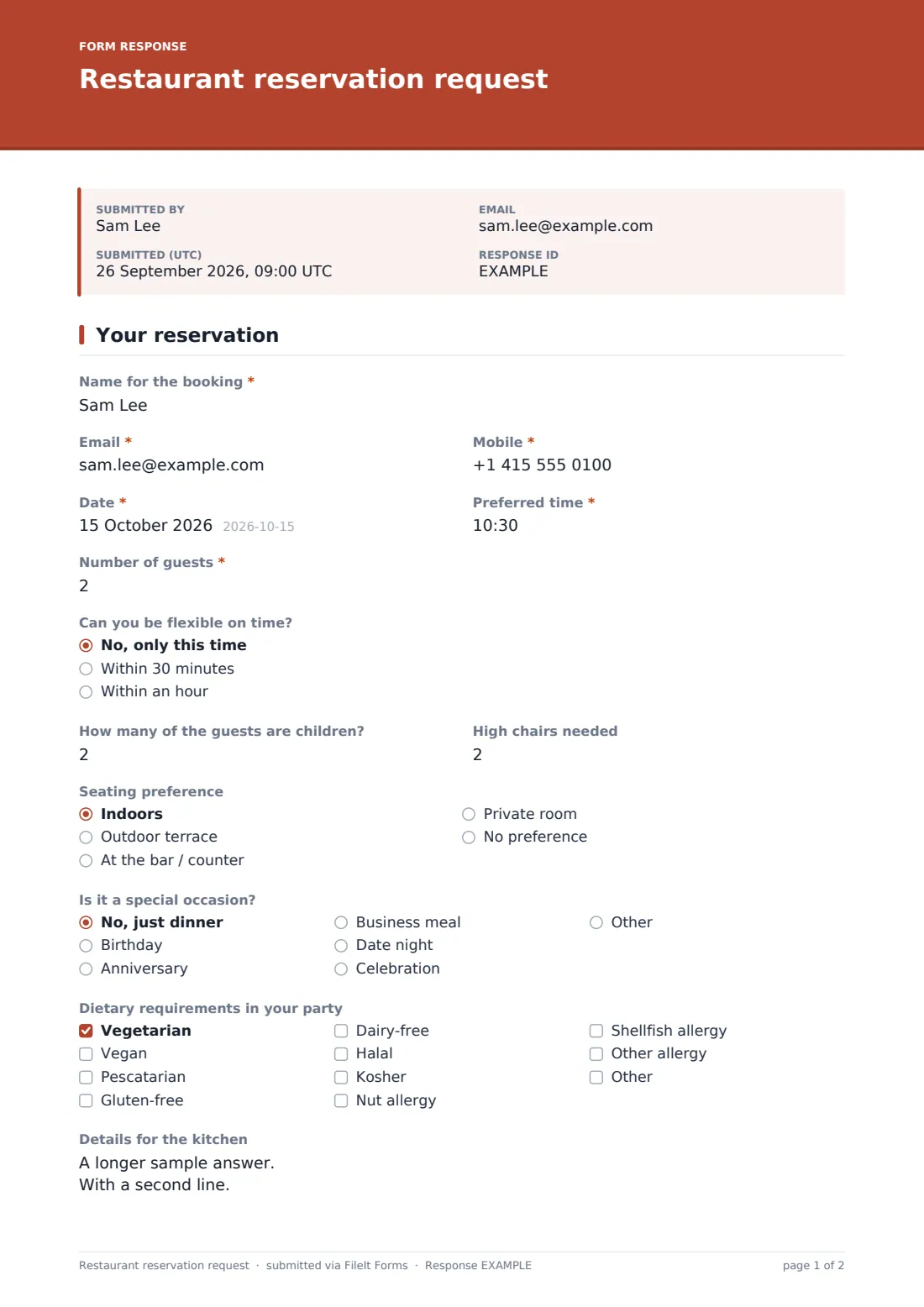
17 questions · includes conditional questions, consent checkbox.
1 Your reservation
- Name for the booking*
- Email*
- Mobile*
- Date*
- Preferred time*
- Number of guests*
- Can you be flexible on time? No, only this time · Within 30 minutes · Within an hour
- How many of the guests are children?
- High chairs needed asked only when it applies
- Seating preference Indoors · Outdoor terrace · At the bar / counter · Private room · No preference
- Is it a special occasion? No, just dinner · Birthday · Anniversary · Business meal · Date night · Celebration · Other
- Tell us more asked only when it applies
- Dietary requirements in your party Vegetarian · Vegan · Pescatarian · Gluten-free · Dairy-free · Halal · Kosher · Nut allergy · Shellfish allergy · Other allergy
- Details for the kitchen asked only when it applies
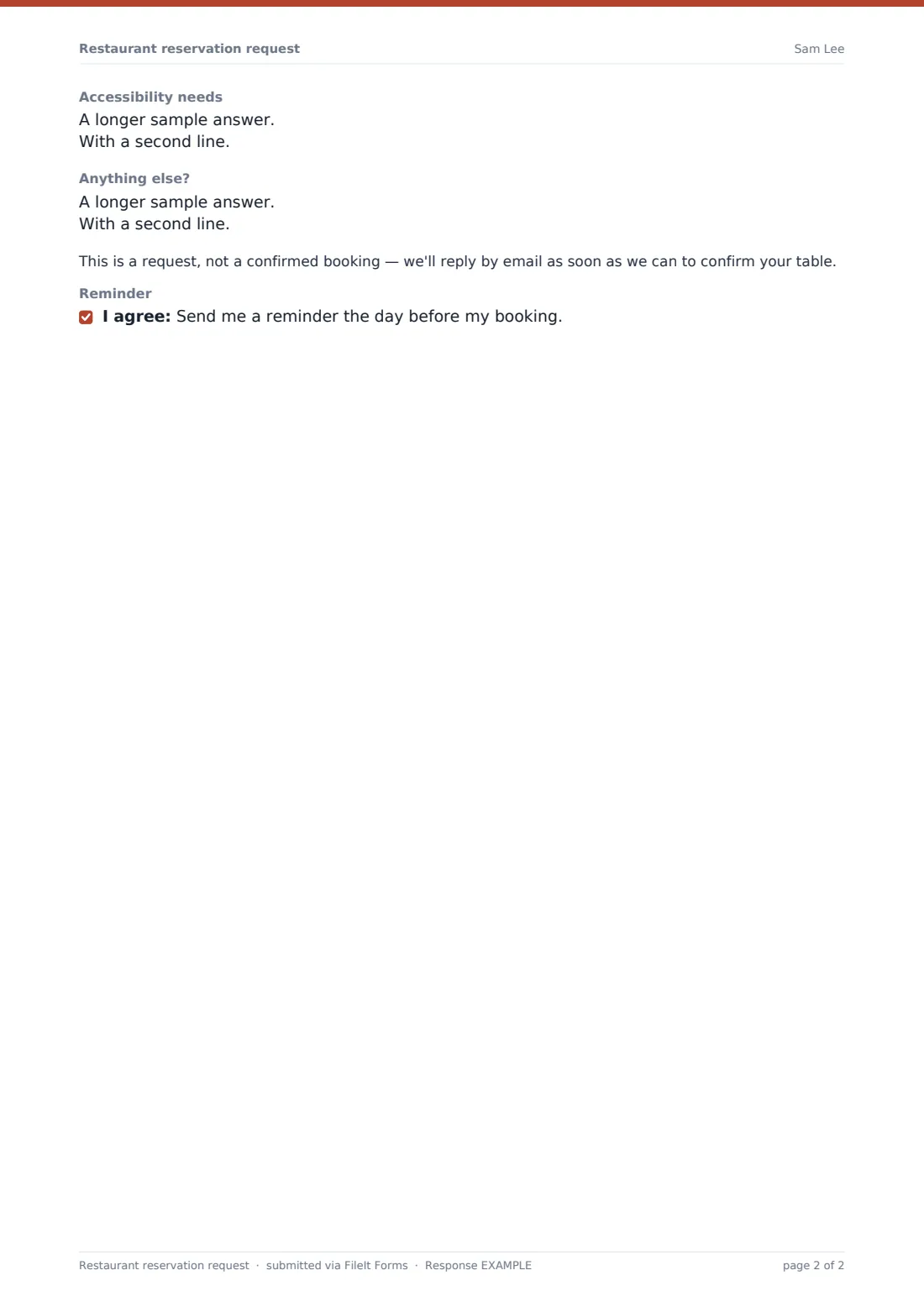
- Accessibility needs
- Anything else?
- Reminder
The restaurant reservation request form, page by page
1 Your reservation
This is a single-page form, but it flows in four natural groups. It opens with booking basics — Name for the booking, Email, Mobile, Date, Preferred time, Number of guests, and how flexible the guest can be on time. Booking for more than eight people automatically shows a note that the restaurant may suggest a set menu or ask for a deposit, so large groups understand what to expect before they hear back.
2 Party details
How many of the guests are children? opens a High chairs needed field whenever the answer is above zero, and Seating preference lets guests choose indoors, an outdoor terrace, the bar or a private room. Is it a special occasion? covers birthdays, anniversaries, business meals, date nights and general celebrations, with a follow-up field for details like a cake or flowers on the table whenever an occasion is chosen.
3 Dietary needs & access
Dietary requirements in your party is a checkbox list spanning vegetarian, vegan, gluten-free, halal, kosher and specific allergies like nuts or shellfish, with a required details field appearing whenever any option is selected — the kitchen reads this before the guest's visit. Accessibility needs is a separate open field for anything from wheelchair access to a table near the entrance.
4 Notes & confirmation
Anything else? gives guests room for anything not already covered, and a plain note reminds them this is a request, not a confirmed booking, with a reply to follow by email. An optional reminder consent checkbox lets guests opt in to a message the day before their reservation.
Make the template yours
- Adjust the large-group threshold and message to match your own dining room capacity
- Add a deposit or card-hold question for bookings above a certain party size
- Route requests by date into daily folders so front of house can review the next day's bookings quickly
- Turn on a PDF copy to the guest so they have written confirmation of what they requested
- Add a maximum number of responses per sitting if you take a limited number of online requests per service
- Change the seating options to match your own restaurant's layout
Tips for a better restaurant reservation request form
- Read every dietary and allergy note before the guest arrives — this is exactly why it's captured in writing
- Reply to confirm bookings promptly, since this form is a request rather than an automatic confirmation
- Use the occasion field to prepare a small touch like a candle or a card, which guests notice and remember
- Set clear expectations for large groups early, rather than surprising them with a deposit request on the day
- Keep a running view of the day's bookings by exporting to CSV each morning
- Follow up no-shows against your vault records if you're considering a deposit policy for repeat offenders
Every response becomes a PDF in your vault
As soon as a guest submits their request, FileIt saves it as a PDF named with the guest's name and files it in the vault folder you've set up for reservations. With owner notification and a guest copy both switched on by default, your front-of-house team is alerted right away and the guest has a written record of what they asked for.
From there, most restaurants use the Responses table to see the day's or week's requests at a glance, filter by date or party size, and export bookings to CSV to plan the floor and brief the kitchen on allergies. The usual next step is replying by email to confirm the table, exactly as the built-in confirmation message describes.
- Start from this template. It opens in the FileIt Forms designer — change any question, add pages, set the rules for when questions appear.
- Share it. Turn on a public link, or send it to people by email, each with their own link. They don’t need a FileIt account.
- Get the answers as PDFs. Each response is saved as a PDF in the vault folder you choose, with uploaded files attached — and listed in a Responses table you can export to CSV.
Restaurant reservation request form: frequently asked questions
Is this restaurant reservation request form template free?
Yes. It's included with the Forms app on every FileIt account, including the free plan.
Do guests need a FileIt account to request a table?
No. Guests fill in and submit the form using only the link you share, without needing a FileIt account.
How do I get reservation requests as PDFs?
Every submission is automatically saved as a PDF in the vault folder you choose, and the full list is browsable and exportable to CSV from the Responses table.
Does this form confirm the booking automatically?
No. It's a request — the built-in confirmation message tells guests the restaurant will reply by email to confirm their table, so you keep control of your own diary and capacity.
Can guests tell us about allergies before they arrive?
Yes. Selecting any dietary or allergy checkbox opens a required details field, giving the kitchen written notice of who needs what and how severe any allergy is.
Can I ask for a deposit for large groups?
The template already shows a note about a possible set menu or deposit for parties over eight; you can add your own deposit question or payment link if you want to collect one directly.
Can I change the seating or occasion options?
Yes. Every option in the designer, including seating preferences and occasions, can be edited to match your restaurant.
Can I limit how many reservation requests come in per sitting?
Yes — you can set a maximum number of responses for a given period, or simply reply and mark bookings as confirmed once you're at capacity.