What is the program outcomes survey form template?
Most nonprofits and faith-based programs are asked the same question by their board and their funders: what difference did it make? Attendance numbers only go so far. A short outcomes survey at the end of a program — or partway through — lets participants tell you in their own terms whether they understand more, feel more confident, have used what they learned and whether their circumstances have changed.
This template does that in four pages. A grid of 'since taking part' statements measures knowledge and confidence, a pair of 1–10 scales captures how things were before and how they are now, and a checklist records concrete changes such as finding work or more stable housing. A second page covers satisfaction, what could be better and a recommend score. Demographic questions are optional and clearly explained.
Every response is saved as a PDF in your FileIt vault, and the Responses table can be exported to CSV so you can total the results for an impact report.
- Best for
- Nonprofits, churches and community groups running courses, support groups or services
- Filled in by
- Program participants, anonymously by default
- Time to complete
- About 5 minutes
- Includes
- Outcome statements, before-and-after scales, satisfaction rating, recommend score and optional demographics
Who uses a program outcomes survey form?
- A money skills or debt advice course measuring change at the last session
- A parenting program gathering outcomes for a grant report
- A job club recording who has found work or started training
- A church-run recovery or support group checking how participants are doing
- A youth mentoring scheme comparing results between two cohorts
Questions on this program outcomes survey form
19 questions over 4 pages · includes conditional questions, multiple pages, ratings.
1 The program
- Which program did you take part in?*
- Where are you with the program?* I finished it · I'm still taking part · I stopped before the end
- Why did you stop? asked only when it applies Couldn't fit it in · Getting there was hard · It wasn't what I needed · Health or family reasons · Moved away · Got what I needed early
- How many sessions did you attend? All or nearly all · Most · About half · A few
2 What changed
- Since taking part…* Strongly disagree · Disagree · Neutral · Agree · Strongly agree
- Thinking back to before the program, how were things for you?*
- And how are things now?*
- Since starting, have any of these happened for you? Found work or more hours · Started training or education · Moved to more stable housing · Improved my health or wellbeing · Better at managing money or debt · Stronger family relationships · Started volunteering · None of these yet
- What's the biggest difference the program has made to you?
3 Your experience
- Overall, how satisfied are you with the program?*
- How much do you agree? Strongly disagree · Disagree · Neutral · Agree · Strongly agree
- How likely are you to recommend the program to a friend?*
- What would make it better?
- May we quote your comments anonymously in reports to our funders?
4 About you
- Age Under 18 · 18–24 · 25–34 · 35–49 · 50–64 · 65 or over · Prefer not to say
- Gender Woman · Man · Non-binary · Prefer to self-describe · Prefer not to say
- How did you hear about the program? Referred by another organisation · A friend or family member · My place of worship · Online or social media · Poster or leaflet · Other
- Would you be happy to be contacted about future programs or a follow-up chat?
- Email* asked only when it applies
The program outcomes survey form, page by page
1 The program
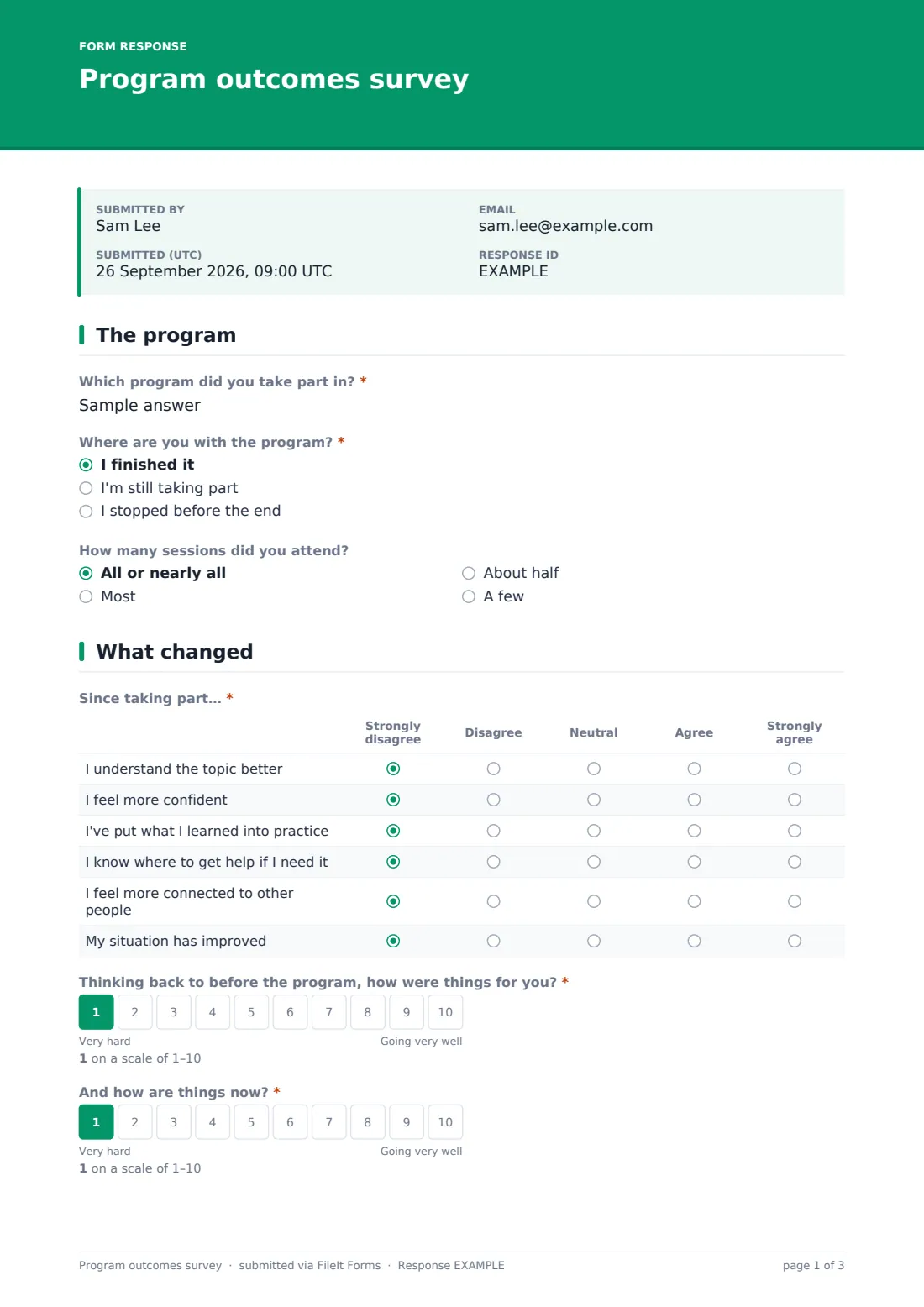
Participants name the program, say whether they finished it, are still taking part or stopped early — the last option asks why, from time and travel to having got what they needed early — and roughly how many sessions they attended.
2 What changed
A grid asks how far they agree with six statements: understanding the topic better, feeling more confident, having put learning into practice, knowing where to get help, feeling more connected and their situation improving. Two 1–10 scales ask how things were before and how they are now. A checklist records concrete changes — work, training, housing, health, money, family, volunteering — and a free-text question asks for the biggest difference.
3 Your experience
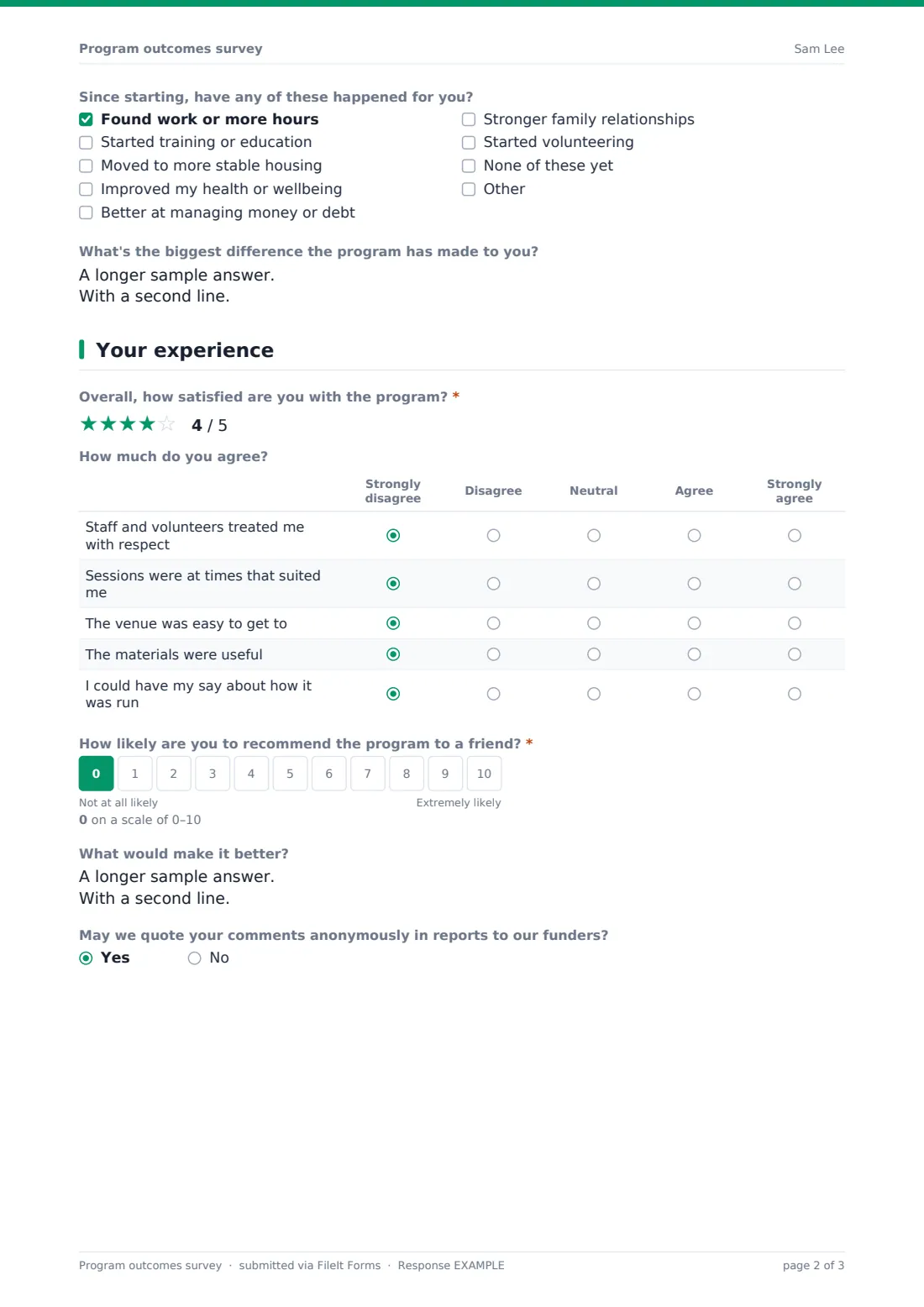
A five-star satisfaction rating, a grid on respect, timing, venue, materials and having a say, and a 0–10 recommend score. Participants can say what would make it better and whether their comments may be quoted anonymously to funders.
4 About you
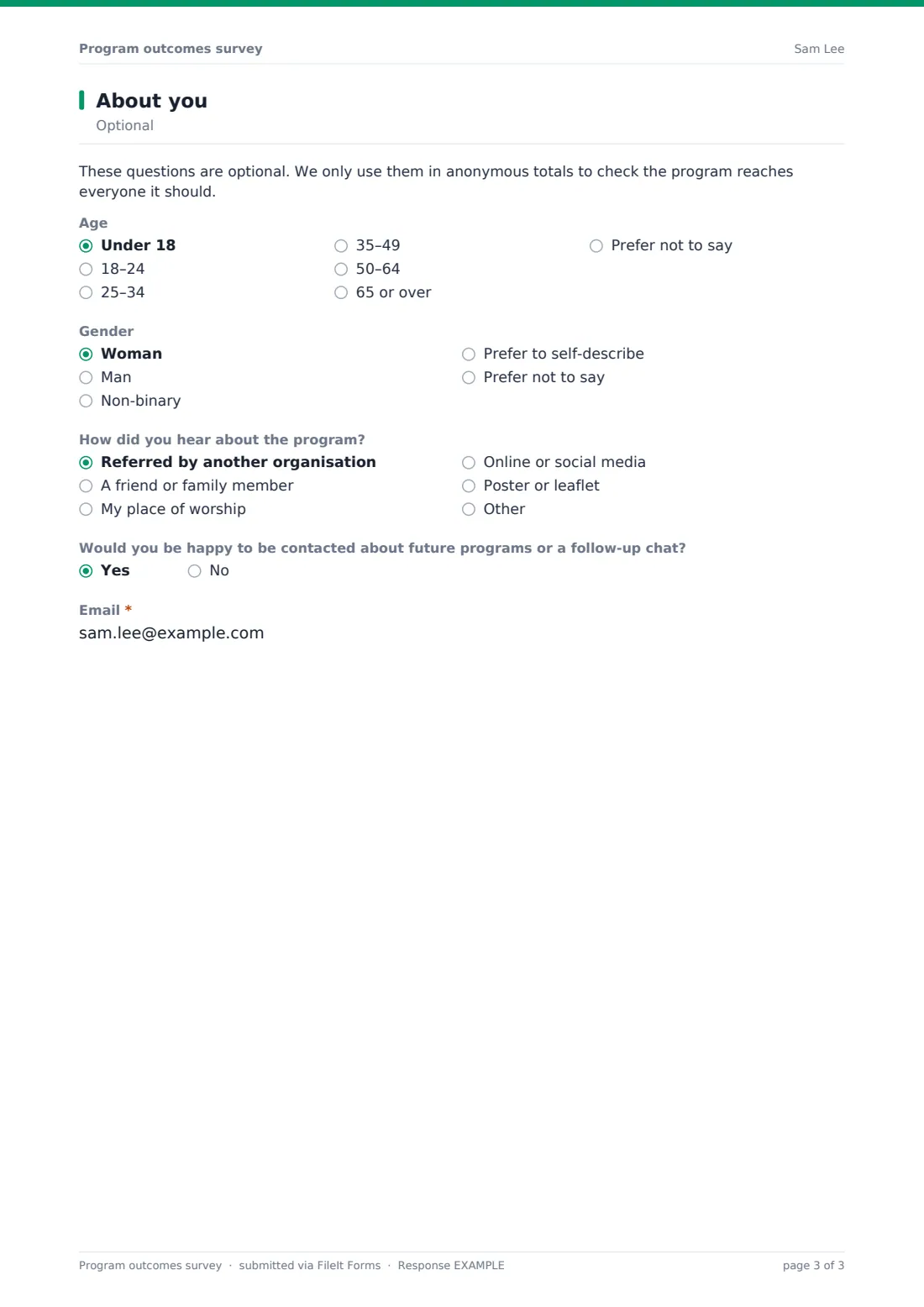
A short note explains the optional questions are only used in anonymous totals. Age band, gender and how they heard about the program follow, then an opt-in for future contact that asks for an email only when the answer is yes.
Make the template yours
- Rewrite the outcome statements to match your program's own goals and your funder's indicators
- Replace the free-text program name with a dropdown if you run several programs
- Adjust the 'changes' checklist to the outcomes you track
- Remove demographic questions you don't need to report on
- Use the same form at the start and end of a program, with a question for which point it is
Tips for a better program outcomes survey form
- Give people time in the last session to fill it in — response rates fall sharply once they've left
- Keep the before-and-after questions worded the same across every cohort so you can compare
- Read the free-text answers, not just the scores; they're often the best evidence you have
- Only quote people who said yes, and never in a way that identifies them
- Share a short summary of what you learned with participants
Every response becomes a PDF in your vault
Responses are saved as PDFs in your chosen vault folder and listed in the Responses table. Identity isn't collected by default, so participants stay anonymous unless they leave an email for follow-up.
Export to CSV to average the before-and-after scores, count the outcome statements people agreed with and calculate a recommend score — the numbers most grant reports ask for.
- Start from this template. It opens in the FileIt Forms designer — change any question, add pages, set the rules for when questions appear.
- Share it. Turn on a public link, or send it to people by email, each with their own link. They don’t need a FileIt account.
- Get the answers as PDFs. Each response is saved as a PDF in the vault folder you choose, with uploaded files attached — and listed in a Responses table you can export to CSV.
Program outcomes survey form: frequently asked questions
Is this program outcomes survey template free?
Yes. It's one of the ready-made templates in the Forms app on every FileIt account, including the free plan. Use it as it is or change any question in the designer.
Is it anonymous?
By default, yes. Names aren't asked for, demographic questions are optional, and an email is only requested if someone opts in to follow-up contact.
Can I measure before and after?
Yes. Two matching 1–10 scales ask how things were before the program and how they are now. You can also send the same form at the start and the end.
Can I change the outcome statements?
Yes. The rows of the grid are editable in the designer, so you can match your funder's indicators.
Does it work for people who didn't finish?
Yes. Participants who stopped early are asked why, which is useful for improving the program.
Do people need a FileIt account to fill it in?
No. Anyone with the public link, or a personal invitation you send by email, can fill it in without signing up.