
What is the community needs assessment form template?
A community needs assessment is how a charity, congregation, council or coalition finds out what local people actually need, rather than guessing. It usually asks residents to rate the things that shape daily life — housing, food, transport, healthcare, childcare, safety — then to name the biggest gaps, what gets in the way of using services, and what they'd change first.
This survey template does that across five short pages. A grid lets people rate twelve areas in one go, a checkbox question limits the biggest needs to three so priorities stand out, and optional questions about household hardships are clearly marked as anonymous. Contact details are only asked for if someone wants to hear back.
Responses are saved to your FileIt vault as PDFs and gathered in a Responses table you can filter and export, giving you the raw material for a needs report, a funding bid or a planning day.
- Best for
- Charities, churches, councils, coalitions and community groups planning services
- Filled in by
- Residents and people who work in the area, anonymously
- Time to complete
- About 6–8 minutes
- Includes
- A 12-row rating grid, a 1–10 area score, top-three needs, barriers and an optional follow-up
Who uses a community needs assessment form?
- A church or mosque deciding which outreach ministry to start next
- A charity gathering evidence for a grant application about local need
- A neighbourhood association preparing for a meeting with the council
- A food bank checking what other support its visitors are missing
- A coalition repeating the same survey each year to see what has changed
Questions on this community needs assessment form
19 questions over 5 pages · includes conditional questions, multiple pages, ratings.
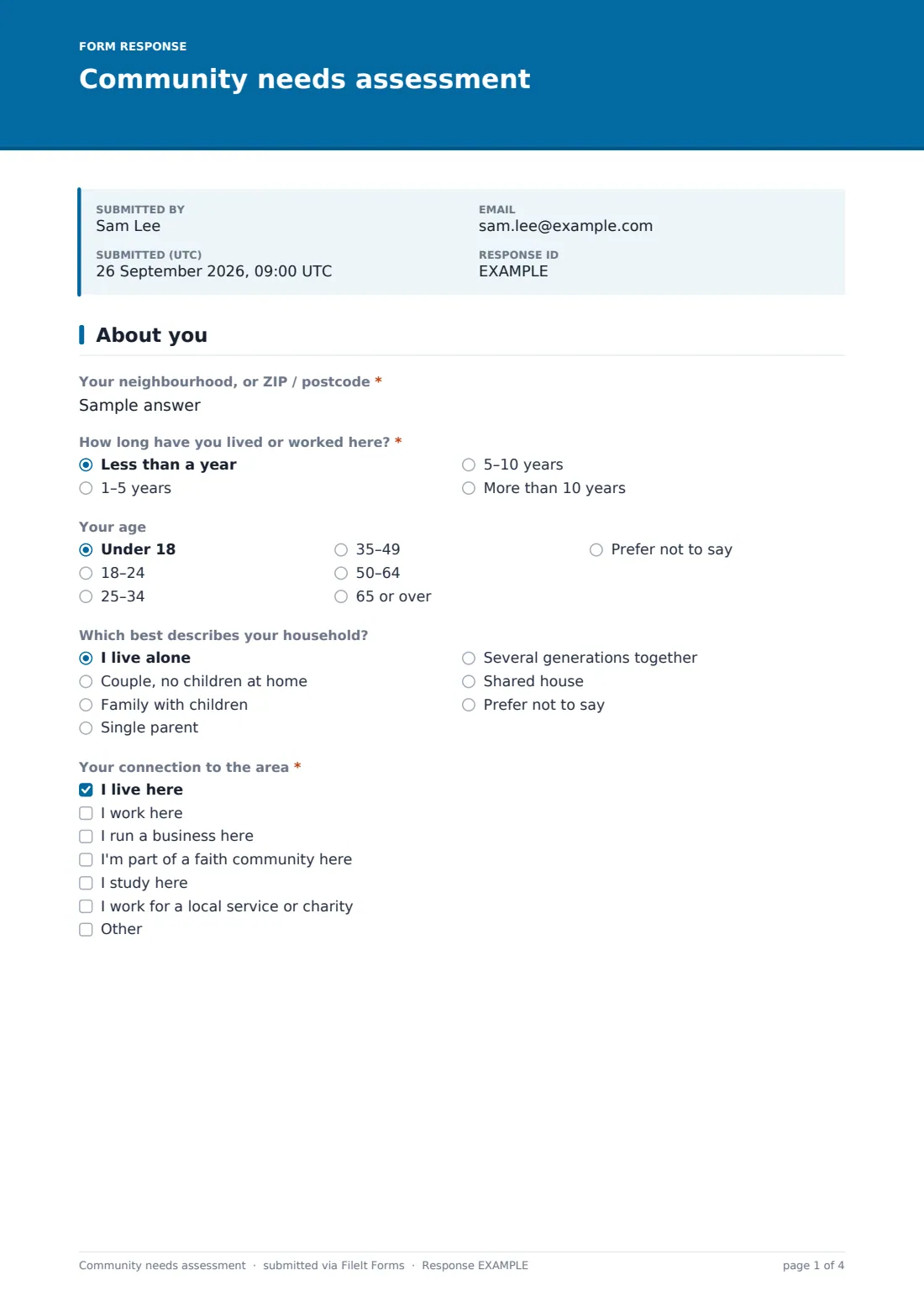
1 About you
- Your neighbourhood, or ZIP / postcode*
- How long have you lived or worked here?* Less than a year · 1–5 years · 5–10 years · More than 10 years
- Your age Under 18 · 18–24 · 25–34 · 35–49 · 50–64 · 65 or over · Prefer not to say
- Which best describes your household? I live alone · Couple, no children at home · Family with children · Single parent · Several generations together · Shared house · Prefer not to say
- Your connection to the area* I live here · I work here · I run a business here · I'm part of a faith community here · I study here · I work for a local service or charity
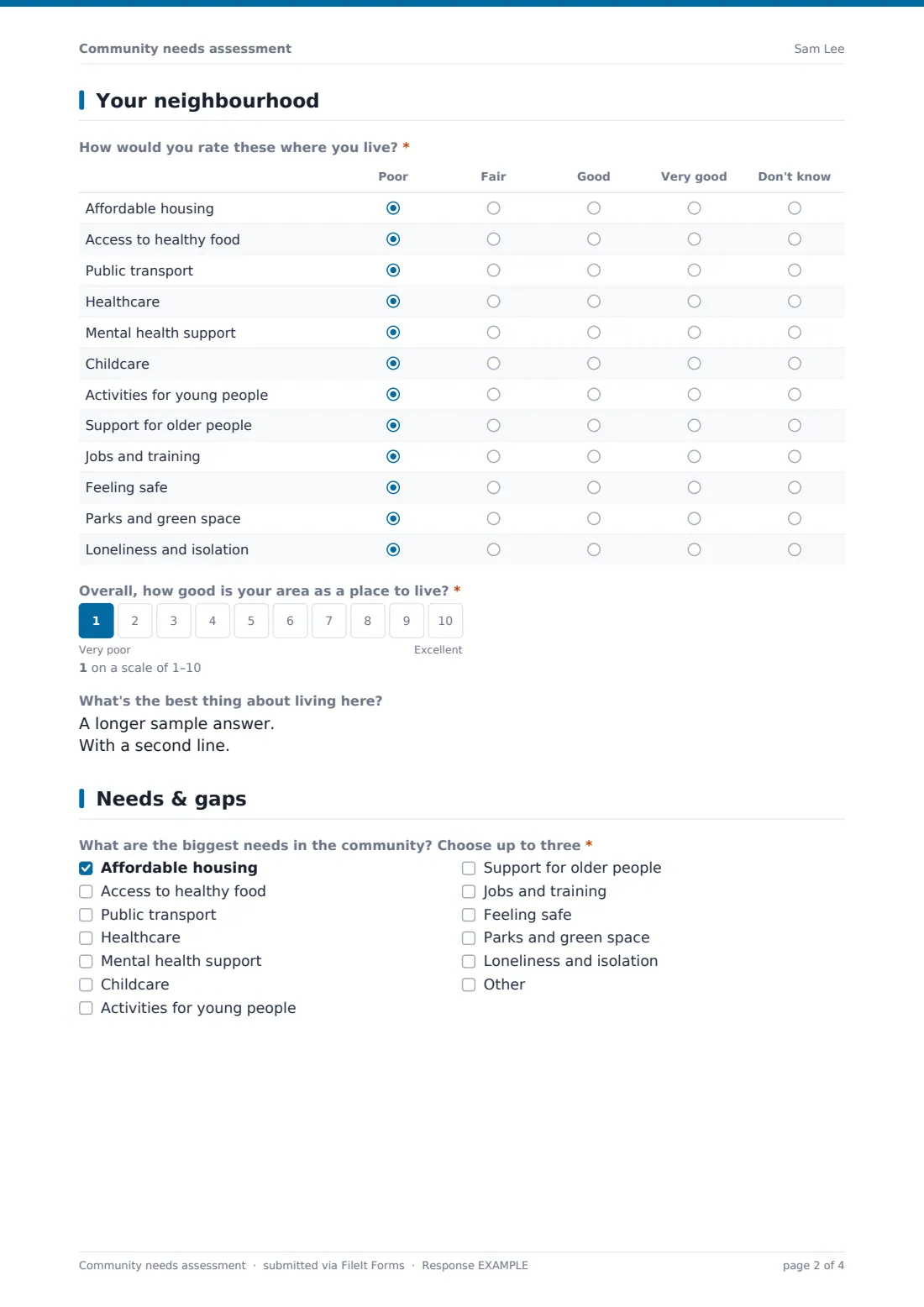
2 Your neighbourhood
- How would you rate these where you live?* Poor · Fair · Good · Very good · Don't know
- Overall, how good is your area as a place to live?*
- What's the best thing about living here?
3 Needs & gaps
- What are the biggest needs in the community? Choose up to three* Affordable housing · Access to healthy food · Public transport · Healthcare · Mental health support · Childcare · Activities for young people · Support for older people · Jobs and training · Feeling safe · Parks and green space · Loneliness and isolation
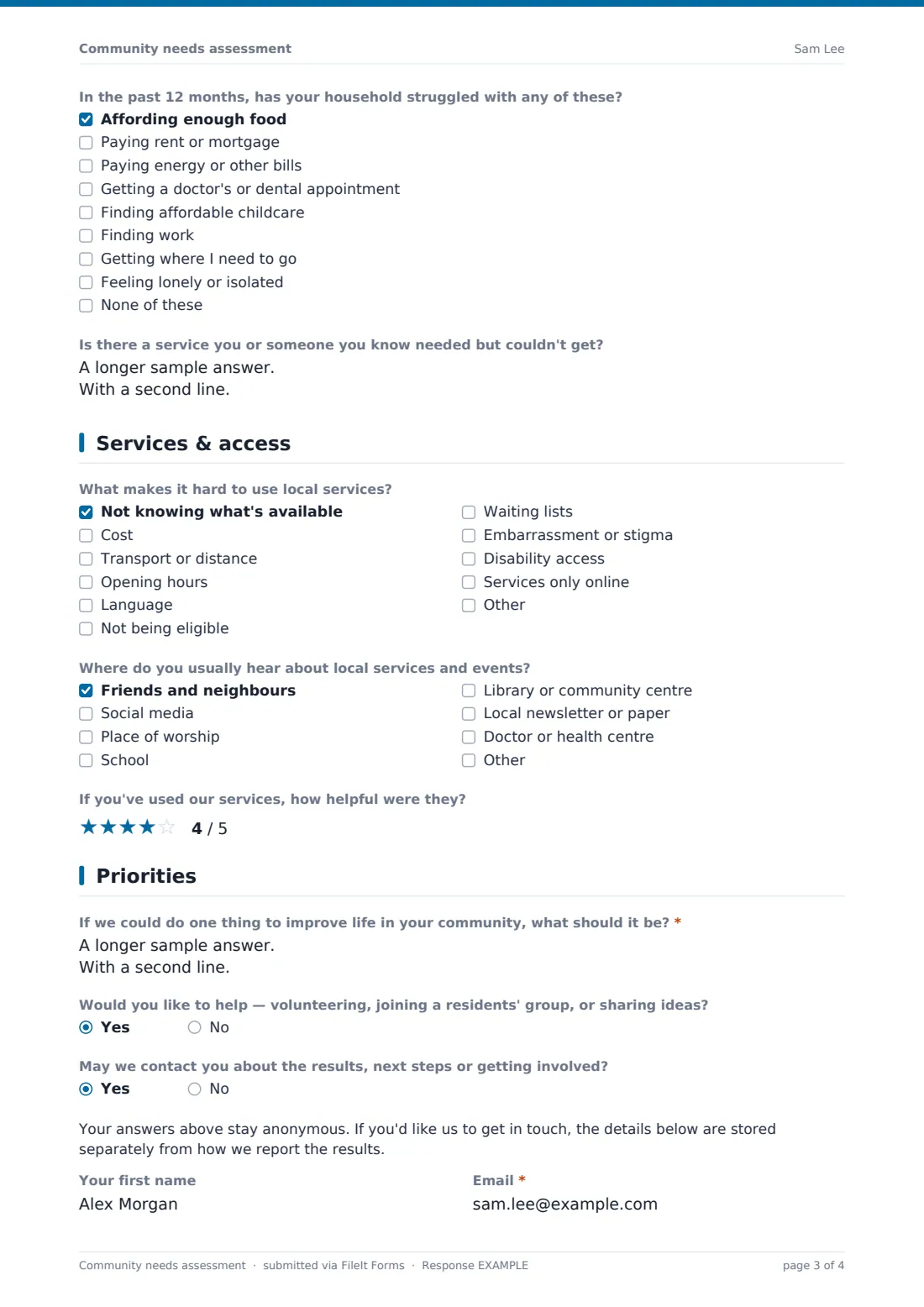
- In the past 12 months, has your household struggled with any of these? Affording enough food · Paying rent or mortgage · Paying energy or other bills · Getting a doctor's or dental appointment · Finding affordable childcare · Finding work · Getting where I need to go · Feeling lonely or isolated · None of these
- Is there a service you or someone you know needed but couldn't get?
4 Services & access
- What makes it hard to use local services? Not knowing what's available · Cost · Transport or distance · Opening hours · Language · Not being eligible · Waiting lists · Embarrassment or stigma · Disability access · Services only online
- Where do you usually hear about local services and events? Friends and neighbours · Social media · Place of worship · School · Library or community centre · Local newsletter or paper · Doctor or health centre
- If you've used our services, how helpful were they?
5 Priorities
- If we could do one thing to improve life in your community, what should it be?*
- Would you like to help — volunteering, joining a residents' group, or sharing ideas?
- May we contact you about the results, next steps or getting involved?
- Your first name asked only when it applies
- Email* asked only when it applies
The community needs assessment form, page by page
1 About you
Only the neighbourhood or ZIP/postcode is asked for — not a full address — plus how long the person has lived or worked there and their connection to the area (resident, worker, business owner, faith community, student or local service provider). Age band and household type are optional and include 'Prefer not to say'.
2 Your neighbourhood
A grid asks people to rate affordable housing, access to healthy food, public transport, healthcare, mental health support, childcare, activities for young people, support for older people, jobs, feeling safe, parks and loneliness — as poor, fair, good, very good or don't know. A 1–10 scale rates the area overall, and an optional question asks for the best thing about living there.
3 Needs & gaps
Respondents choose up to three of the biggest needs from the same list (with an Other option). An optional question, marked as anonymous, asks which hardships the household has faced in the past year, and a free-text question asks about any service someone needed but couldn't get.
4 Services & access
Barriers to using services — not knowing what exists, cost, transport, opening hours, language, eligibility, waiting lists, stigma, disability access or online-only services — and where people hear about local services. An optional star rating covers your own services for those who have used them.
5 Priorities
The one thing they'd change comes first and is required. People can say they'd like to get involved, and whether you may contact them about the results, next steps or getting involved; only a yes shows a first name and email, with a note that contact details are kept apart from the reported results.
Make the template yours
- Edit the rows of the grid and the top-needs list together so both use the same areas
- Add a dropdown of the neighbourhoods you serve in place of the free-text area
- Translate the survey or add a language question if your community is multilingual
- Set a close date so the survey ends before your planning meeting
- Remove the star rating if you're surveying before you've launched any services
Tips for a better community needs assessment form
- Reach people who don't usually fill in surveys — take a tablet to the food bank, the school gate or after a service
- Keep it anonymous by default; only ask for contact details when someone opts in
- Report back what you heard and what you'll do about it — it makes the next survey easier
- Use the same questions each year so you can compare results over time
- Look at the top-three needs by area or age band, not just overall
Every response becomes a PDF in your vault
Each response is saved as a PDF in your vault and listed in the Responses table. Because the form doesn't collect identity by default, respondents stay anonymous unless they choose to leave contact details at the end.
Export the responses to CSV to count the top needs, average the grid scores or compare neighbourhoods in a spreadsheet — the basis for a needs report or a funding case.
- Start from this template. It opens in the FileIt Forms designer — change any question, add pages, set the rules for when questions appear.
- Share it. Turn on a public link, or send it to people by email, each with their own link. They don’t need a FileIt account.
- Get the answers as PDFs. Each response is saved as a PDF in the vault folder you choose, with uploaded files attached — and listed in a Responses table you can export to CSV.
Community needs assessment form: frequently asked questions
Is this community needs assessment template free?
Yes. It's one of the ready-made templates in the Forms app on every FileIt account, including the free plan. Use it as it is or change any question in the designer.
Is the survey anonymous?
By default, yes. The form doesn't collect names or emails, asks only for a neighbourhood rather than an address, and only asks for contact details if someone says they'd like to hear back.
Can I change the areas people rate?
Yes. The rating grid's rows and the top-needs options are ordinary lists in the designer — edit them to match your community.
How do I analyse the results?
Export the Responses table to CSV and open it in a spreadsheet to count needs and average the ratings.
Can someone fill it in for a resident who isn't online?
The form is filled in online, but a volunteer can sit with someone who prefers not to use a screen and enter their answers on a phone or tablet for them.
Do people need a FileIt account to fill it in?
No. Anyone with the public link, or a personal invitation you send by email, can fill it in without signing up.