What is the grant application form template?
Foundations, community funds, councils and churches that give grants all need the same core information: who the applicant is, what they want to do, what it costs, what difference it will make and who is accountable. When that arrives as a free-form letter or a Word document emailed back and forth, every application looks different and comparing them fairly takes much longer.
This grant application template asks for it in five pages — organisation, project, budget, outcomes and declaration — with the same questions for every applicant. Follow-up questions only appear when relevant, such as details of other funding or of a previous grant, and applicants can attach a budget spreadsheet and supporting documents such as accounts or letters of support.
Each application is saved as a signed PDF in your FileIt vault, and the Responses table gives your panel a single list to review, filter and export.
- Best for
- Foundations, community funds, churches and companies running a grants program
- Filled in by
- A representative of the applying organisation
- Time to complete
- 30–60 minutes, depending on the project
- Includes
- Budget breakdown, outcomes, file uploads, two declarations and a signature
Who uses a grant application form?
- A family foundation opening an annual small-grants round to local charities
- A community fund taking applications for a one-off emergency or seasonal appeal
- A church or diocese distributing mission or outreach grants to local projects
- A company's giving committee collecting proposals for its community grants
- A network of nonprofits passing on funding to smaller grassroots groups
Questions on this grant application form
41 questions over 5 pages · includes signature, file upload, conditional questions, multiple pages, consent checkbox.
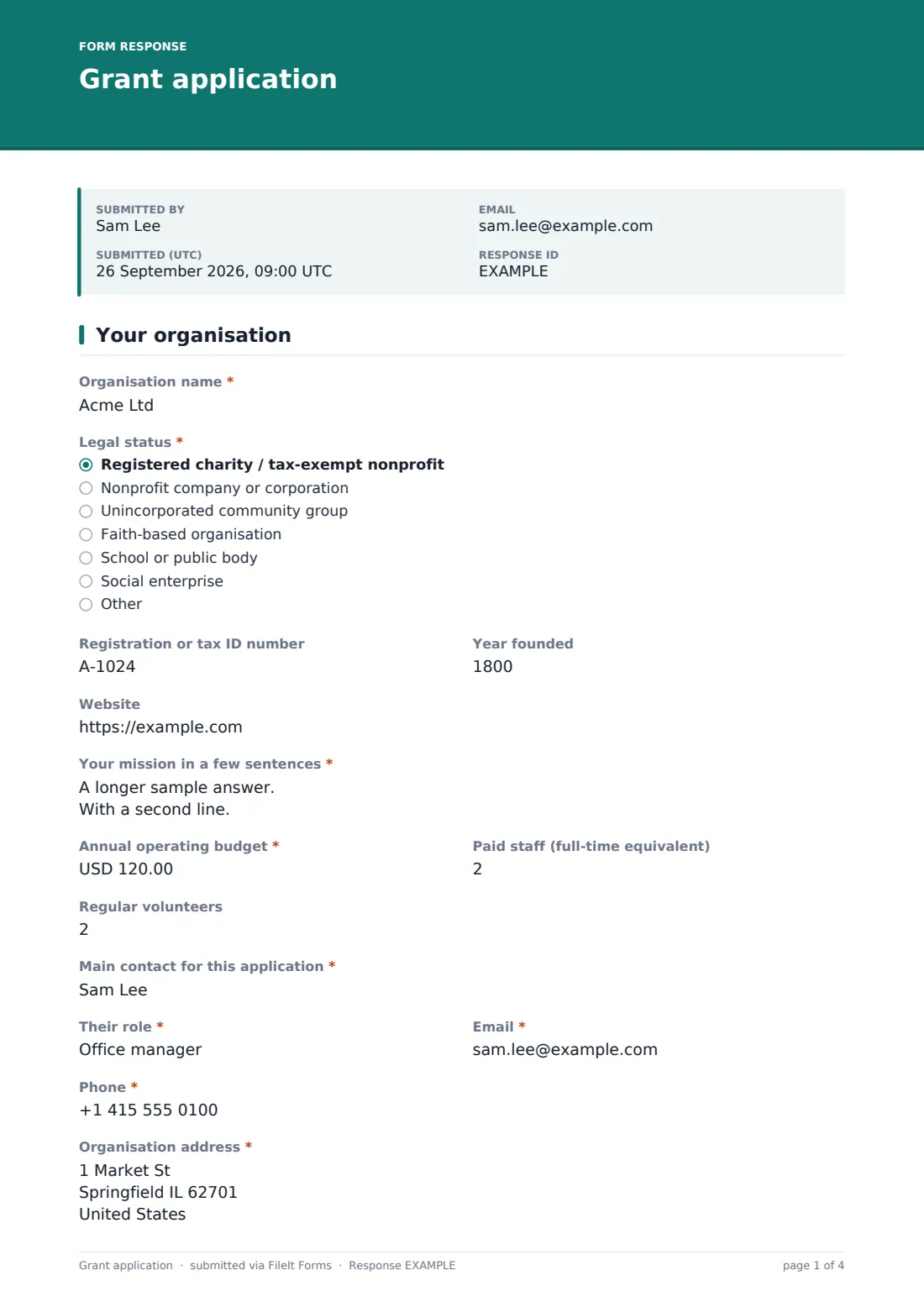
1 Your organisation
- Organisation name*
- Legal status* Registered charity / tax-exempt nonprofit · Nonprofit company or corporation · Unincorporated community group · Faith-based organisation · School or public body · Social enterprise · Other
- Registration or tax ID number
- Year founded
- Website
- Your mission in a few sentences*
- Annual operating budget*
- Paid staff (full-time equivalent)
- Regular volunteers
- Main contact for this application*
- Their role*
- Email*
- Phone*
- Organisation address*
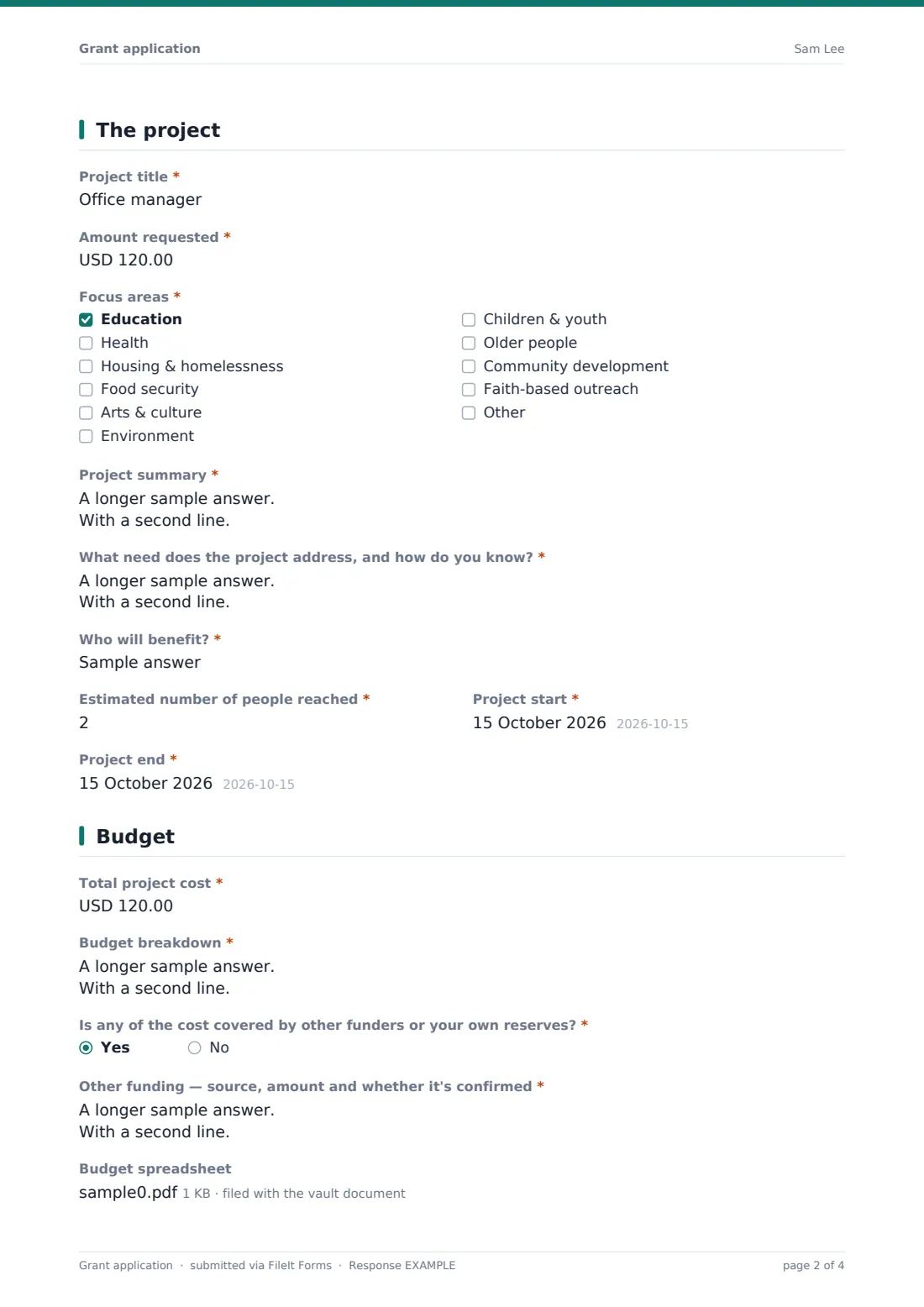
2 The project
- Project title*
- Amount requested*
- Focus areas* Education · Health · Housing & homelessness · Food security · Arts & culture · Environment · Children & youth · Older people · Community development · Faith-based outreach
- Project summary*
- What need does the project address, and how do you know?*
- Who will benefit?*
- Estimated number of people reached*
- Project start*
- Project end*
3 Budget
- Total project cost*
- Budget breakdown*
- Is any of the cost covered by other funders or your own reserves?*
- Other funding — source, amount and whether it's confirmed* asked only when it applies
- Budget spreadsheet
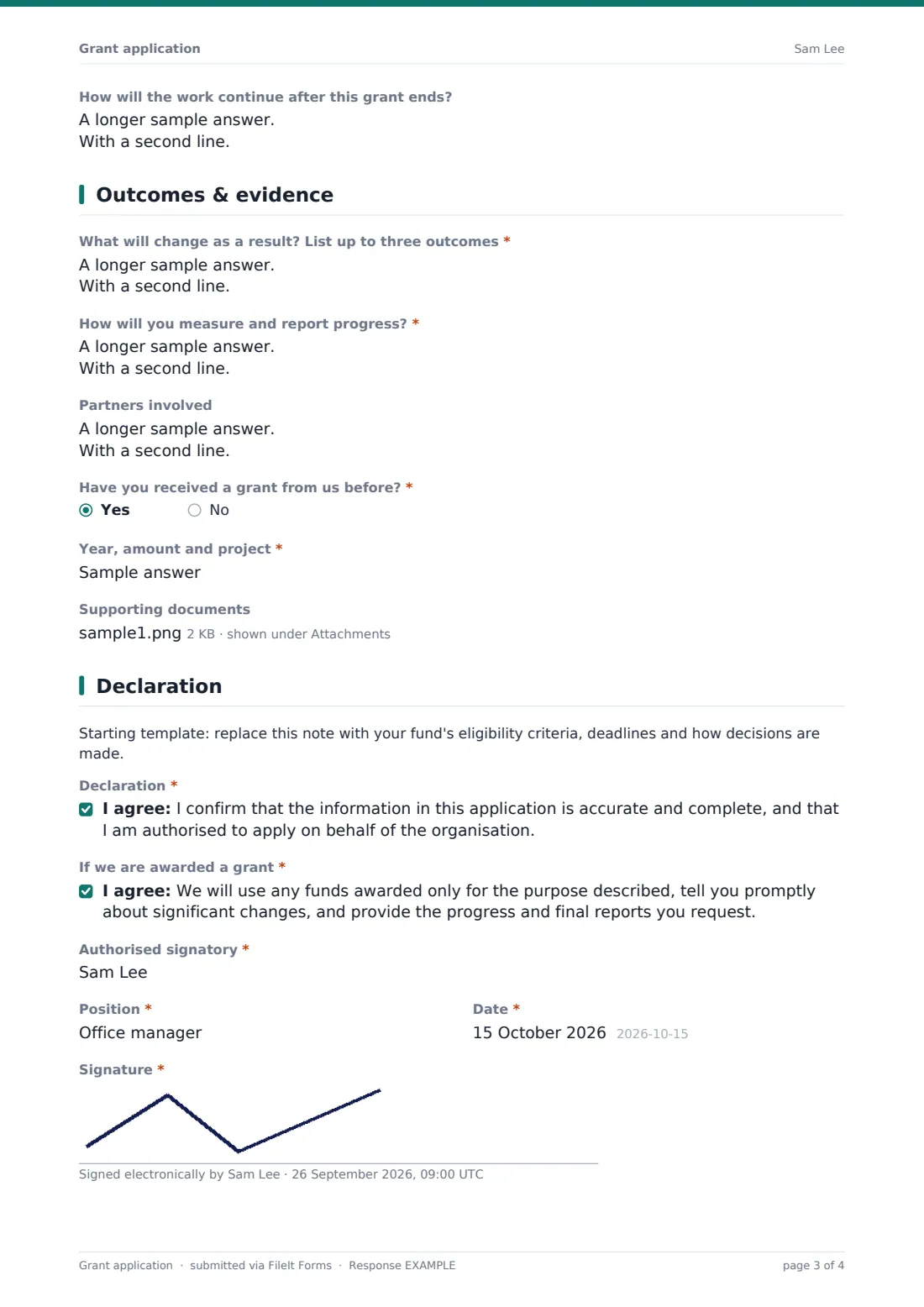
- How will the work continue after this grant ends?
4 Outcomes & evidence
- What will change as a result? List up to three outcomes*
- How will you measure and report progress?*
- Partners involved
- Have you received a grant from us before?*
- Year, amount and project* asked only when it applies
- Supporting documents
5 Declaration
- Declaration*
- If we are awarded a grant*
- Authorised signatory*
- Position*
- Date*
- Signature*
The grant application form, page by page
1 Your organisation
Applicants give the organisation's name, legal status (from registered charity through to unincorporated community group or social enterprise), registration or tax ID, year founded, website and mission. Annual operating budget is required; paid staff and regular volunteers are optional. The page finishes with the main contact — name, role, email, phone — and the organisation's address.
2 The project
Project title and Amount requested come first, then up to three focus areas (education, health, housing, food security, arts, environment, youth, older people, community development or faith-based outreach, plus Other). Applicants describe the project, the need it addresses and how they know about it, who will benefit, roughly how many people, and the start and end dates.
3 Budget
Total project cost and a line-by-line Budget breakdown are required. A yes/no question asks whether other funders or reserves cover part of the cost; yes reveals a field for the source, amount and whether it's confirmed. Applicants can attach a fuller budget spreadsheet and explain how the work will continue after the grant ends.
4 Outcomes & evidence
Up to three outcomes, how progress will be measured and reported, and any partner organisations. Applicants say whether they've had a grant from you before (with year, amount and project if so) and can upload up to five supporting documents such as annual accounts or letters of support.
5 Declaration
A placeholder paragraph for your eligibility rules, then two statements to agree to: that the application is accurate and the signer is authorised, and that any award will be used only for the stated purpose with the reports you ask for. The authorised signatory adds their name, position, date and signature.
Make the template yours
- Replace the template note on the last page with your fund's eligibility criteria, deadline and decision timetable
- Change the currency on the amount, budget and cost fields
- Set a maximum on Amount requested to match your grant ceiling
- Edit the focus areas to mirror your funding priorities
- Use a close date in Settings so the form stops accepting applications at the deadline
- Add panel members to NotifyEmails, or file applications in a folder per funding round
Tips for a better grant application form
- Publish your scoring criteria alongside the form so applicants know what matters
- Keep word limits realistic — the text fields have maximum lengths you can tighten or loosen
- Check that the requested amount and the budget total tell a consistent story before scoring
- Ask for the same outcome measures in your reporting form so the application and the report line up
- Tell every applicant when to expect a decision, including those who aren't funded
Every response becomes a PDF in your vault
Every application arrives as a PDF — including the signature — in the vault folder you choose, with an email notification to you and anyone else you list. Applicants get their own copy if the copy setting is on, which saves them keeping a separate draft.
In the Responses table you can filter by focus area or legal status, and export everything to CSV to sort by amount requested and score. When a grant is made, the organisation's later progress can be collected with the grant report template.
- Start from this template. It opens in the FileIt Forms designer — change any question, add pages, set the rules for when questions appear.
- Share it. Turn on a public link, or send it to people by email, each with their own link. They don’t need a FileIt account.
- Get the answers as PDFs. Each response is saved as a PDF in the vault folder you choose, with uploaded files attached — and listed in a Responses table you can export to CSV.
Grant application form: frequently asked questions
Is this grant application form template free?
Yes. It's one of the ready-made templates in the Forms app on every FileIt account, including the free plan. Use it as it is or change any question in the designer.
Do applicants need a FileIt account?
No. Share the public link or send personal invitations — applicants fill it in without signing up.
Can applicants upload their budget and accounts?
Yes. There's a single upload for a budget spreadsheet (PDF, Excel, CSV or Word) and a second one for up to five supporting documents.
Can I close the form at our deadline?
Yes. Set a close date in the form's Settings and it stops accepting applications at that time.
Is there a matching reporting form?
Yes — the grant report template collects progress and spending from funded organisations, and you can edit both to use the same outcome measures.
Can I change the questions?
Every question, page and declaration can be edited, removed or reordered in the designer.