What is the logic model worksheet form template?
Funders and boards often ask for a logic model: a simple map from what a programme puts in, to what it does, to what it produces, to the change it makes. Writing one is useful in itself, because it shows where a programme's thinking is solid and where it relies on assumptions.
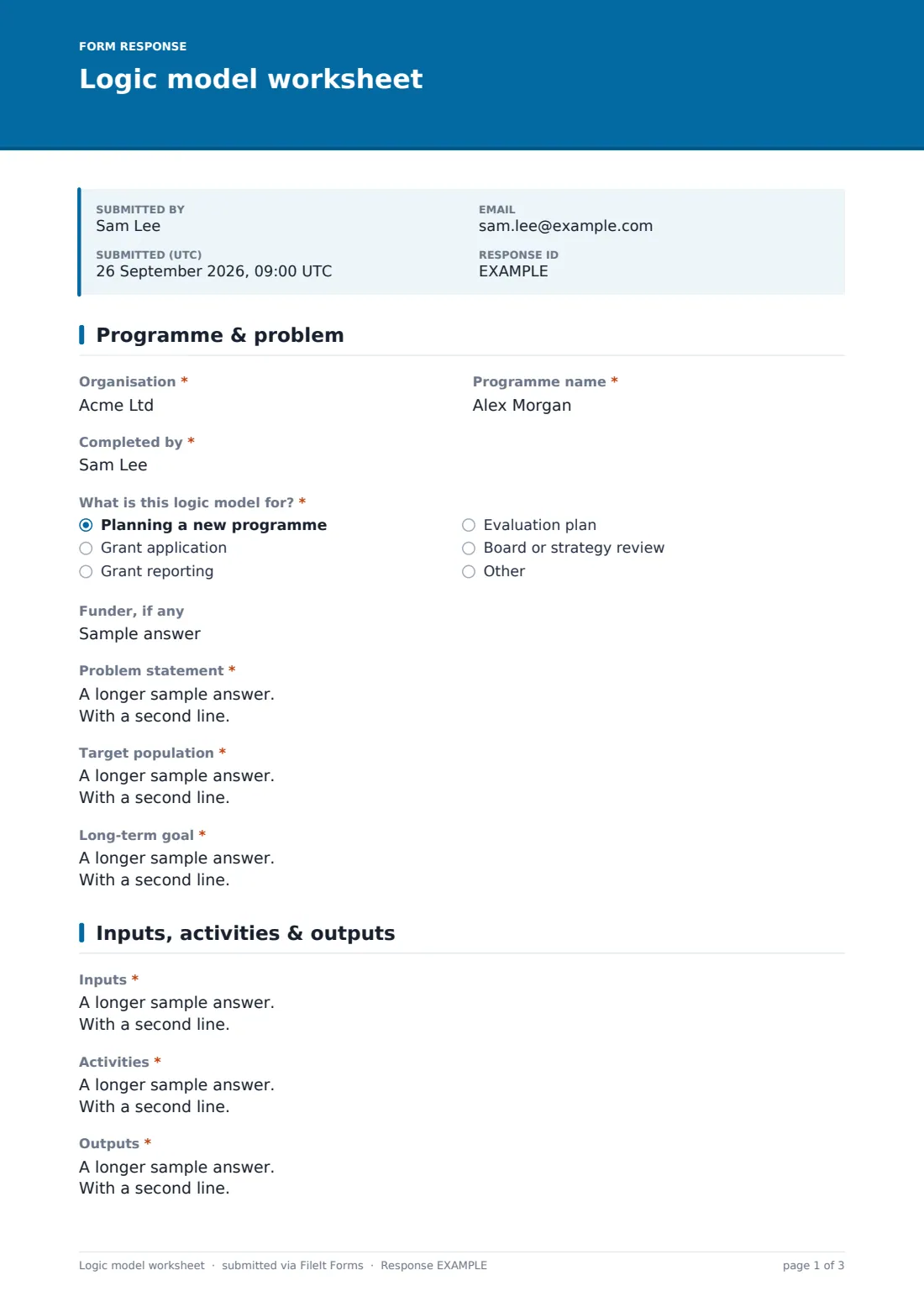
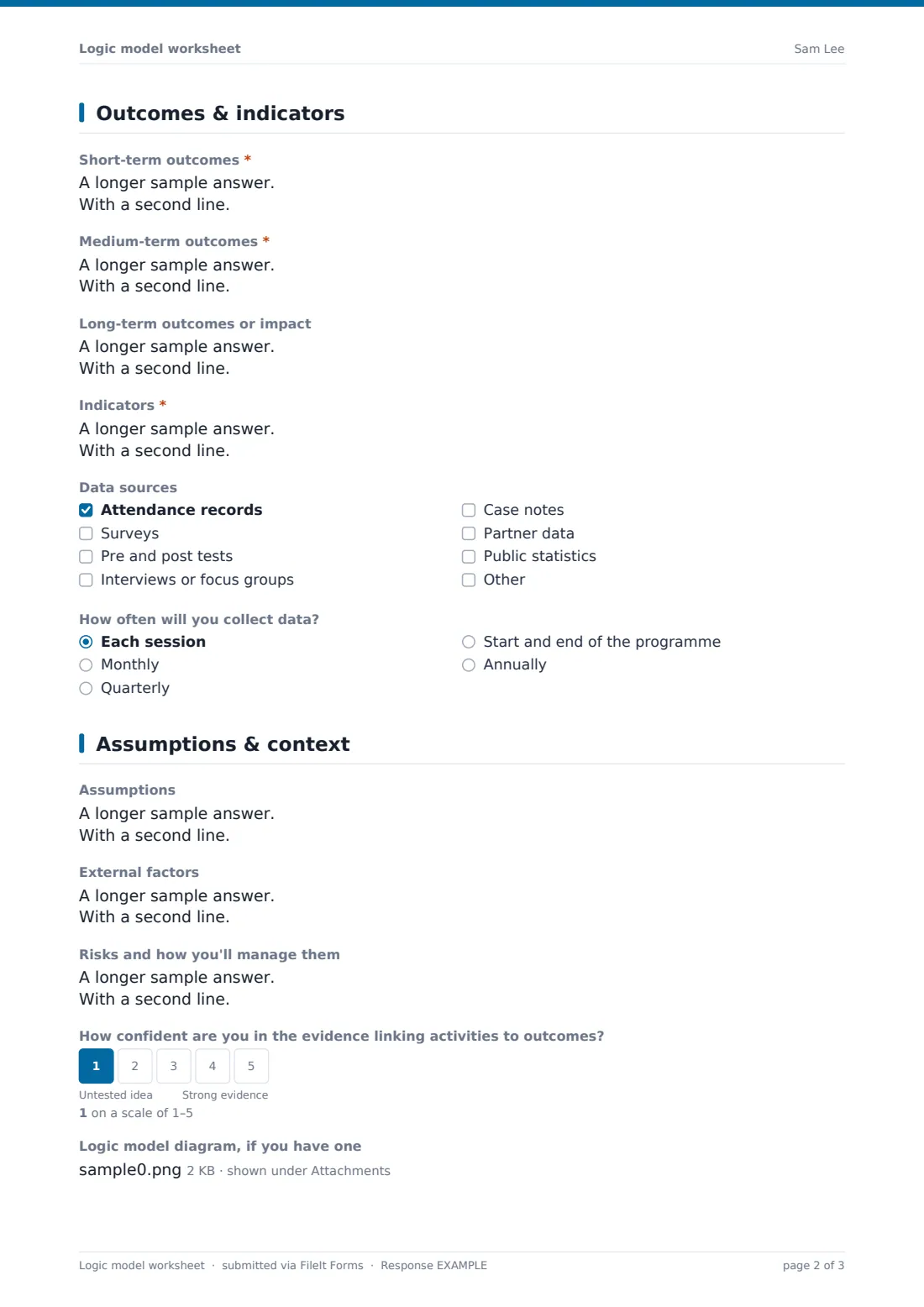
This worksheet walks through the model in order. The first page sets out the organisation, programme, purpose, problem statement, target population and long-term goal. The second records inputs, activities and outputs. The third lists short-, medium- and long-term outcomes, the indicators for each, data sources and collection frequency. The fourth captures assumptions, external factors, risks and how confident you are in the evidence.
Each worksheet is saved as a PDF in your FileIt vault, ready to attach to a grant application or bring to a board meeting.
- Best for
- Nonprofits, charities, community programmes and grant writers
- Filled in by
- A programme manager, evaluator or development lead
- Time to complete
- About 30-60 minutes
- Includes
- Problem and population, inputs, activities, outputs, three levels of outcomes, indicators, data sources, assumptions, risks and an optional diagram upload
Who uses a logic model worksheet form?
- A charity planning a new youth programme
- A grant writer preparing the logic model a funder requires
- A programme team building an evaluation plan
- A board reviewing whether programmes still fit the strategy
- Training new staff on how a programme is meant to work
Questions on this logic model worksheet form
23 questions over 4 pages · includes file upload, multiple pages, ratings.
1 Programme & problem
- Organisation*
- Programme name*
- Completed by*
- What is this logic model for?* Planning a new programme · Grant application · Grant reporting · Evaluation plan · Board or strategy review
- Funder, if any
- Problem statement*
- Target population*
- Long-term goal*
2 Inputs, activities & outputs
- Inputs*
- Activities*
- Outputs*
3 Outcomes & indicators
- Short-term outcomes*
- Medium-term outcomes*
- Long-term outcomes or impact
- Indicators*
- Data sources Attendance records · Surveys · Pre and post tests · Interviews or focus groups · Case notes · Partner data · Public statistics
- How often will you collect data? Each session · Monthly · Quarterly · Start and end of the programme · Annually
4 Assumptions & context
- Assumptions
- External factors
- Risks and how you'll manage them
- How confident are you in the evidence linking activities to outcomes?
- Logic model diagram, if you have one
- Next review date
The logic model worksheet form, page by page
1 Programme & problem
The author records the organisation, programme name and their name, and what the logic model is for — planning, a grant application or report, an evaluation or a board review. An optional field names the funder, if there is one. The problem statement, target population and long-term goal each have help text.
2 Inputs, activities & outputs
Three boxes cover the left side of the model: inputs such as staff, volunteers, money and partners; activities the programme carries out; and outputs — the direct, countable products such as sessions held and people served.
3 Outcomes & indicators
Short-term outcomes cover changes in knowledge and skills, medium-term outcomes changes in behaviour, and long-term outcomes changes in condition. "Indicators" asks how you'll know each outcome has happened, with an outcome-indicator-target prompt. The author ticks data sources and chooses how often data will be collected.
4 Assumptions & context
The last page records assumptions, external factors and risks, and a 1-5 scale asks how confident the team is in the evidence linking activities to outcomes. A diagram can be uploaded, and a next review date sets when the model will be revisited.
Make the template yours
- Rename outcomes to match a funder's terms, such as results or impacts
- Add a row-by-row outcomes grid if your funder uses a fixed template
- Remove long-term outcomes for short projects
- Add a budget link or cost per participant field
- File each programme's worksheet into its own folder
- Send personal links to programme managers across your organisation
Tips for a better logic model worksheet form
- Work backwards from the long-term goal if you get stuck on activities
- Keep outputs and outcomes separate — counting sessions isn't the same as change
- Choose a few indicators you can actually collect
- Write assumptions down; they're often what an evaluation tests
- Revisit the model once a year or when the programme changes
Every response becomes a PDF in your vault
Each worksheet is saved as a PDF in your FileIt vault with any diagram attached, and the author can receive a copy by email.
The Responses table lists every logic model by programme and purpose, so your organisation keeps one place for all of them.
- Start from this template. It opens in the FileIt Forms designer — change any question, add pages, set the rules for when questions appear.
- Share it. Turn on a public link, or send it to people by email, each with their own link. They don’t need a FileIt account.
- Get the answers as PDFs. Each response is saved as a PDF in the vault folder you choose, with uploaded files attached — and listed in a Responses table you can export to CSV.
Logic model worksheet form: frequently asked questions
Is the logic model worksheet free?
Yes. It's a FileIt Forms starter template, available on every plan.
Does it draw the logic model diagram?
No. It records each part of the model in a structured PDF. Upload your own diagram if you have one.
What's the difference between outputs and outcomes?
Outputs are what the programme produces, like sessions delivered. Outcomes are the changes that result, like improved skills.
Can I use it for a theory of change?
Yes. The problem, goal, outcomes and assumptions sections cover the core of a theory of change.
Will it meet my funder's format?
Funders' formats differ. Edit the labels and add any sections your funder asks for.
Can several people work on it?
Each submission is one completed worksheet. Draft it together, then one person submits the final version.