What is the internal audit checklist form template?
Internal audits are only useful if what the auditor saw gets written down properly: which requirement, what evidence, what was wrong, and how serious it was. Notes on a clipboard and a report typed up days later lose detail, and findings end up vague enough to argue with.
This template follows the shape of a typical internal audit. It records the area, auditees, criteria and scope, then works through a twelve-point checklist of requirements common to most management systems — procedures, records, competence, calibration, nonconformities, previous actions, objectives, risks, customer requirements, suppliers and change control. Evidence, nonconformities, observations, good practice and a conclusion follow, with signatures from both sides.
Each audit becomes a signed PDF in your FileIt vault, with supporting files attached, giving you a dated audit record to follow up and refer to in the next cycle.
- Best for
- Quality, safety, environmental and information security teams running internal audits
- Filled in by
- The internal auditor, with auditee sign-off
- Time to complete
- The audit takes what it takes — writing up the form takes 10–15 minutes
- Includes
- 12-row checklist grid, conditional nonconformity counts and details, file upload, two signatures
Who uses a internal audit checklist form?
- A company running its annual ISO 9001 internal audit programme
- A health and safety lead auditing a site against ISO 45001 or internal procedures
- An information security team auditing access and change control
- A follow-up audit to check previous corrective actions are closed
- A franchise or multi-site business auditing branches against its standards
- Preparing for an external certification audit
Questions on this internal audit checklist form
26 questions over 4 pages · includes signature, file upload, conditional questions, multiple pages, consent checkbox, ratings.
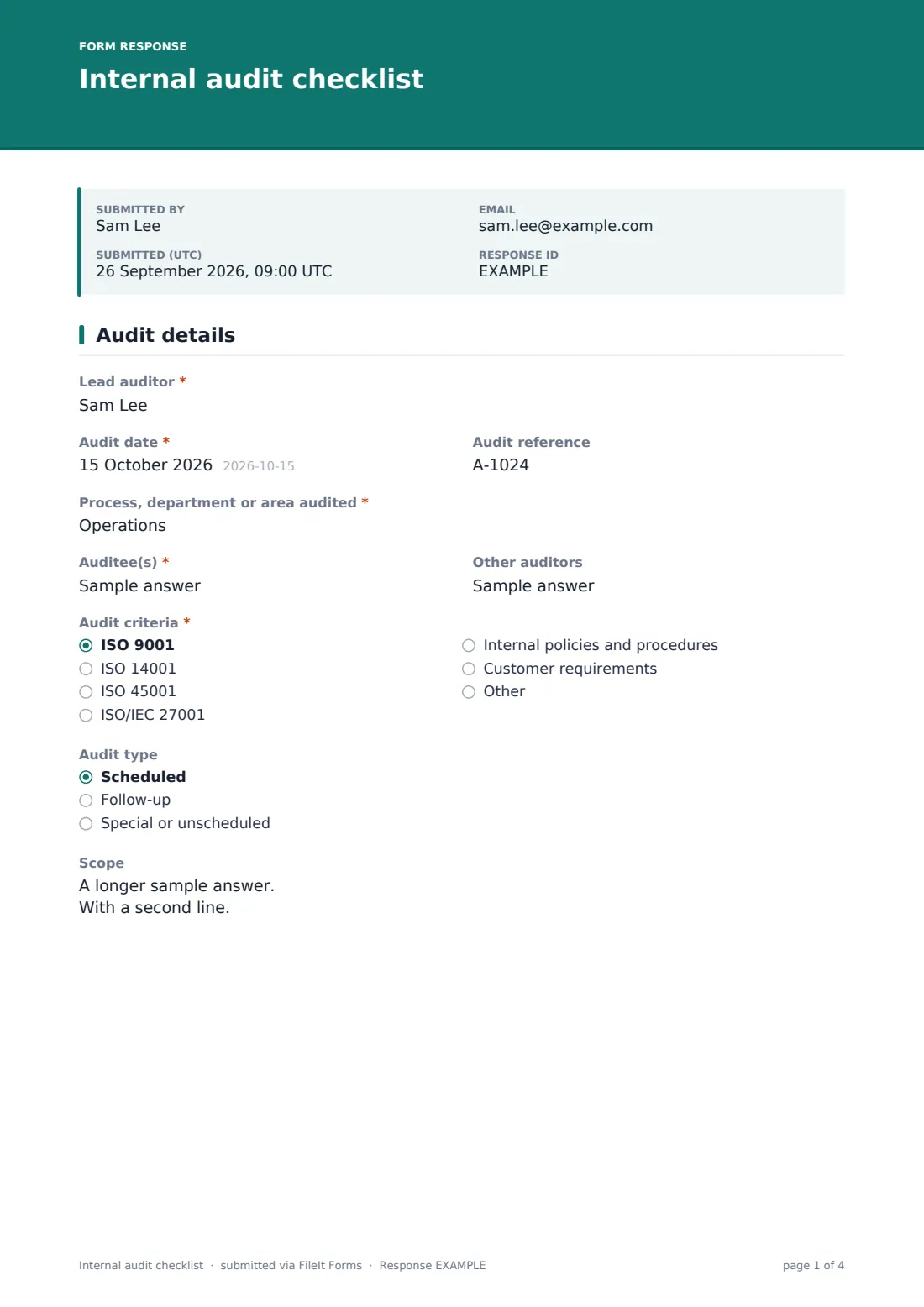
1 Audit details
- Lead auditor*
- Audit date*
- Audit reference
- Process, department or area audited*
- Auditee(s)*
- Other auditors
- Audit criteria* ISO 9001 · ISO 14001 · ISO 45001 · ISO/IEC 27001 · Internal policies and procedures · Customer requirements · Other
- Other criteria* asked only when it applies
- Audit type Scheduled · Follow-up · Special or unscheduled
- Scope
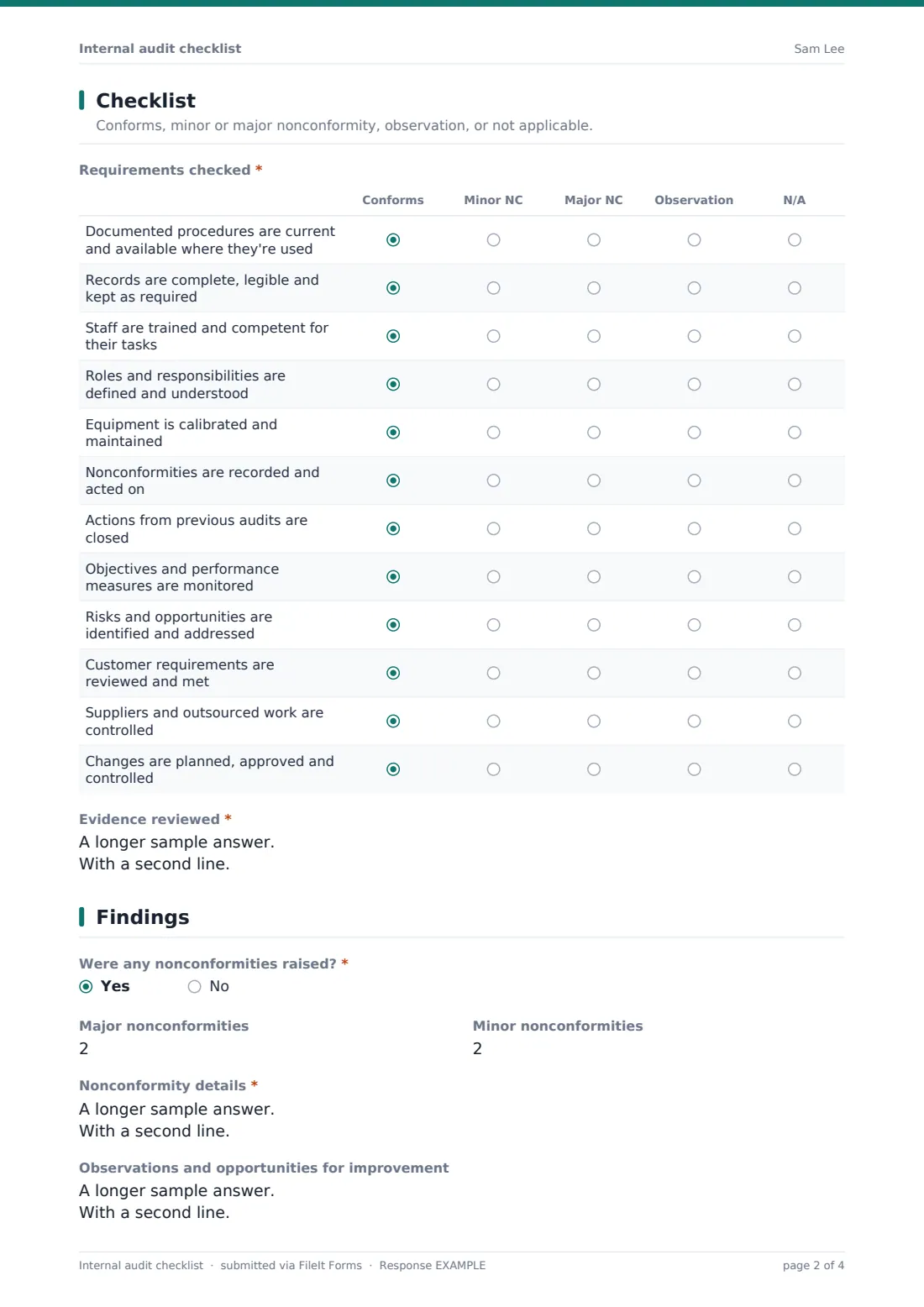
2 Checklist
- Requirements checked* Conforms · Minor NC · Major NC · Observation · N/A
- Evidence reviewed*
3 Findings
- Were any nonconformities raised?*
- Major nonconformities asked only when it applies
- Minor nonconformities asked only when it applies
- Nonconformity details* asked only when it applies
- Observations and opportunities for improvement
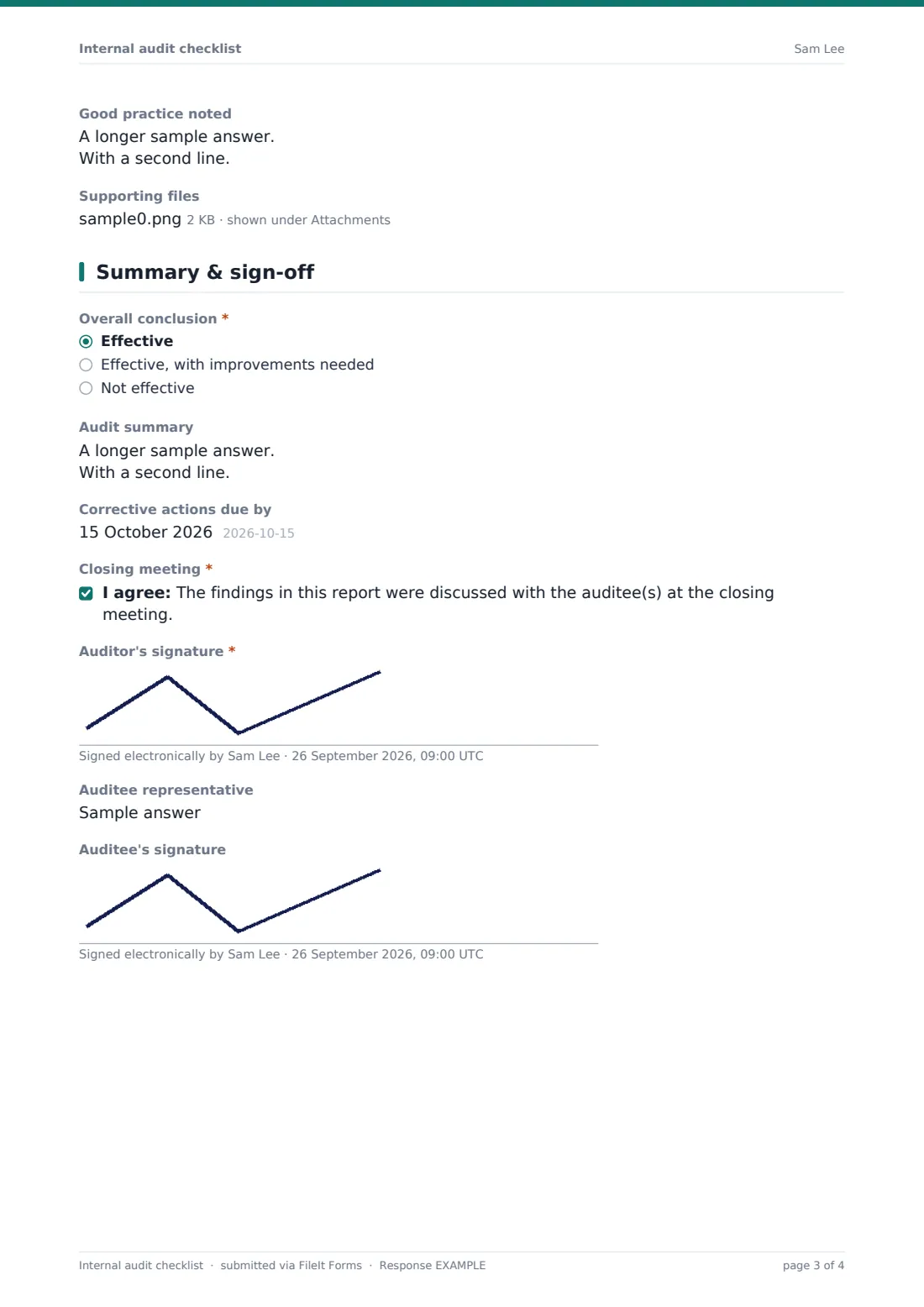
- Good practice noted
- Supporting files
4 Summary & sign-off
- Overall conclusion* Effective · Effective, with improvements needed · Not effective
- Audit summary
- Corrective actions due by asked only when it applies
- Closing meeting*
- Auditor's signature*
- Auditee representative
- Auditee's signature
The internal audit checklist form, page by page
1 Audit details
The lead auditor records the date, an audit reference, the process or area audited, the auditees and any other auditors. The criteria are chosen from ISO 9001, ISO 14001, ISO 45001, ISO/IEC 27001, internal policies, customer requirements or other (which asks what). The audit type (scheduled, follow-up or unscheduled) and a scope box complete the page.
2 Checklist
A grid of twelve requirements common to most management systems is marked conforms, minor nonconformity, major nonconformity, observation, or not applicable: current procedures, complete records, trained staff, defined roles, calibrated equipment, nonconformities acted on, previous audit actions closed, objectives monitored, risks addressed, customer requirements met, suppliers controlled, and changes controlled.
A required Evidence reviewed box records the documents, records, samples and interviews behind those marks.
3 Findings
The auditor says whether any nonconformities were raised. If so, the form asks for the number of major and minor findings and requires details for each — the requirement, what was found and the evidence. Observations and opportunities for improvement, good practice and supporting files can be added whatever the result.
4 Summary & sign-off
An overall conclusion — effective, effective with improvements needed, or not effective — is required, with an optional summary and a date for corrective actions when nonconformities were raised. The auditor confirms the findings were discussed at a closing meeting and signs, and an auditee representative can add their name and signature.
Make the template yours
- Replace the twelve checklist rows with clauses or questions from your own standard or procedure
- Build separate copies for each process you audit, each with its own checklist
- Add a grading or scoring question if your audit programme scores sites
- Make the auditee signature required if your procedure expects it
- Add your quality or compliance manager to the notification emails
- Remove standards you don't work to from the criteria list
Tips for a better internal audit checklist form
- Write each nonconformity as requirement, finding and evidence — it's much harder to dispute
- Sample real records rather than asking people to describe what they do
- Use observations for things that aren't wrong yet but could become a problem
- Record good practice too — it helps spread what works to other areas
- Raise a corrective action for every nonconformity before closing the audit
- Review last audit's findings before starting the next one
Every response becomes a PDF in your vault
Each audit is saved as a signed PDF in your chosen vault folder, with supporting files attached, and the form owner is emailed. Auditors can receive a copy of their report.
The Responses table lists audits by area, date and conclusion, and exports to CSV so you can track your audit programme and nonconformity counts over time. Follow up findings with the corrective action request template.
- Start from this template. It opens in the FileIt Forms designer — change any question, add pages, set the rules for when questions appear.
- Share it. Turn on a public link, or send it to people by email, each with their own link. They don’t need a FileIt account.
- Get the answers as PDFs. Each response is saved as a PDF in the vault folder you choose, with uploaded files attached — and listed in a Responses table you can export to CSV.
Internal audit checklist form: frequently asked questions
Is this internal audit checklist template free?
Yes. It's included in the FileIt Forms app on every account, including the free plan.
Is the checklist specific to ISO 9001?
No. The twelve rows cover requirements found in most management systems. Replace them with your own standard's clauses or questions in the designer.
Does using this template mean we meet an ISO standard?
No. It records your audit in a consistent format. Whether your audit programme meets a standard depends on how it's planned and run.
Can the auditee sign the report?
Yes. There's an optional auditee name and signature at the end, which you can make required.
Can we attach evidence?
Yes. Up to eight supporting files, such as photos, sampled records or notes.
How do we follow up nonconformities?
Record them in the findings section, then raise each one with the corrective action request template so it has an owner, root cause and verification.
Can we use the same form for different processes?
Yes, though many teams duplicate the form and tailor the checklist for each process or standard.
Do auditees need a FileIt account?
No. The auditor fills in the form, and the auditee can sign on the same device.