What is the bereavement leave request form template?
Someone who has just lost a family member or friend shouldn't have to hunt for the right person to email or work out what information HR needs. At the same time, managers need a few practical details — dates, travel, cover — to arrange time off and apply the right leave policy.
This bereavement leave request template keeps the wording kind and the questions few. It asks for the relationship to the person who died (because entitlements often depend on it), the dates needed, whether there's a funeral to attend or travel involved, and what should happen if more time is needed. The deceased's name and date of death are optional, and supporting documents are only requested if your policy asks for them.
The last page lets the employee say whether and how they want to be contacted while away, and whether they'd like information about counselling or a phased return. Each request is saved as a PDF in your FileIt vault so HR has a clear record of what was requested and agreed.
- Best for
- Employers of any size who want a consistent, compassionate leave process
- Filled in by
- The employee, or a manager on their behalf
- Time to complete
- About 3-4 minutes
- Includes
- Optional details, funeral and travel follow-ups, contact preferences and support options
Who uses a bereavement leave request form?
- An employee needing time off for a parent's funeral in another country
- A manager submitting a request on behalf of a team member who is too upset to fill in forms
- An HR team that wants every bereavement request handled consistently and kindly
- A small business without a formal HR department that needs a simple record of compassionate leave
- A school or care provider arranging cover at short notice for a staff member
- An organisation whose leave policy differs by relationship and needs that detail on record
Questions on this bereavement leave request form
27 questions over 3 pages · includes file upload, conditional questions, multiple pages, consent checkbox.
1 About you
- Your name*
- Work email*
- Phone number
- Employee ID
- Department or team
- Line manager*
2 Your leave
- Your relationship to the person who died* Spouse or partner · Child or stepchild · Parent or stepparent · Brother or sister · Grandparent · Grandchild · Parent-in-law or other in-law · Other relative · Close friend · Pregnancy loss or stillbirth · Other
- Please describe the relationship* asked only when it applies
- Name of the person who died
- Date of death
- First day of leave*
- Last day of leave*
- Working days requested
- Will you be attending a funeral or memorial?*
- Date of the funeral or memorial asked only when it applies
- Do you need to travel?*
- Where to, and how long does the journey take? asked only when it applies
- If you need more time than your bereavement leave allows* I don't expect to need more · Please use my annual leave · Please take it as unpaid leave · I'd like to talk it through
3 Support & handover
- Would you like to be contacted about work while you're away?* No, please don't contact me · Only if something is urgent · Yes, that's fine
- How should we keep in touch about your leave? Email · Phone call · Text message · Through a colleague
- Which colleague? asked only when it applies
- Anything urgent someone should pick up?
- Would you like information about counselling or employee assistance support?*
- Would a phased or flexible return to work help?
- Supporting document
- Anything else you'd like us to know?
- Confirmation*
The bereavement leave request form, page by page
1 About you
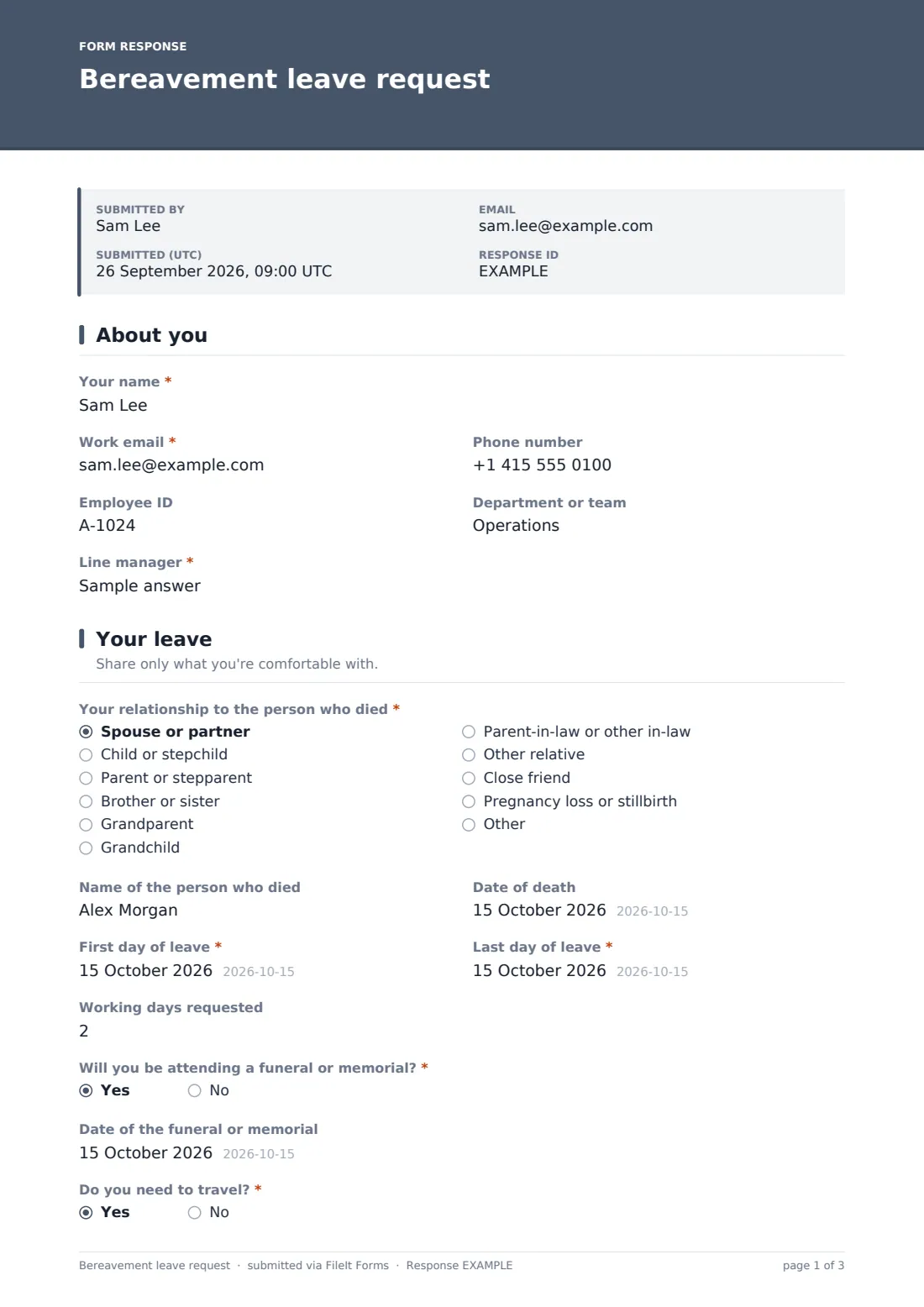
The employee gives their name, work email, phone number, employee ID, department or team and line manager — enough for HR to find their record and let the right person know.
2 Your leave
A required question asks for the relationship to the person who died, with options including spouse or partner, child, parent, sibling, grandparent, grandchild, in-laws, other relatives, a close friend, and pregnancy loss or stillbirth; choosing Other asks for a short description. The name of the person who died and the date of death are clearly marked optional.
The employee enters the first and last day of leave (with a note that the end date is a best estimate), the number of working days, and whether they'll attend a funeral or memorial — which reveals a date field — and whether they need to travel, which asks where to and how long the journey takes. A final question sets out what should happen if they need more time: annual leave, unpaid leave, or a conversation.
3 Support & handover
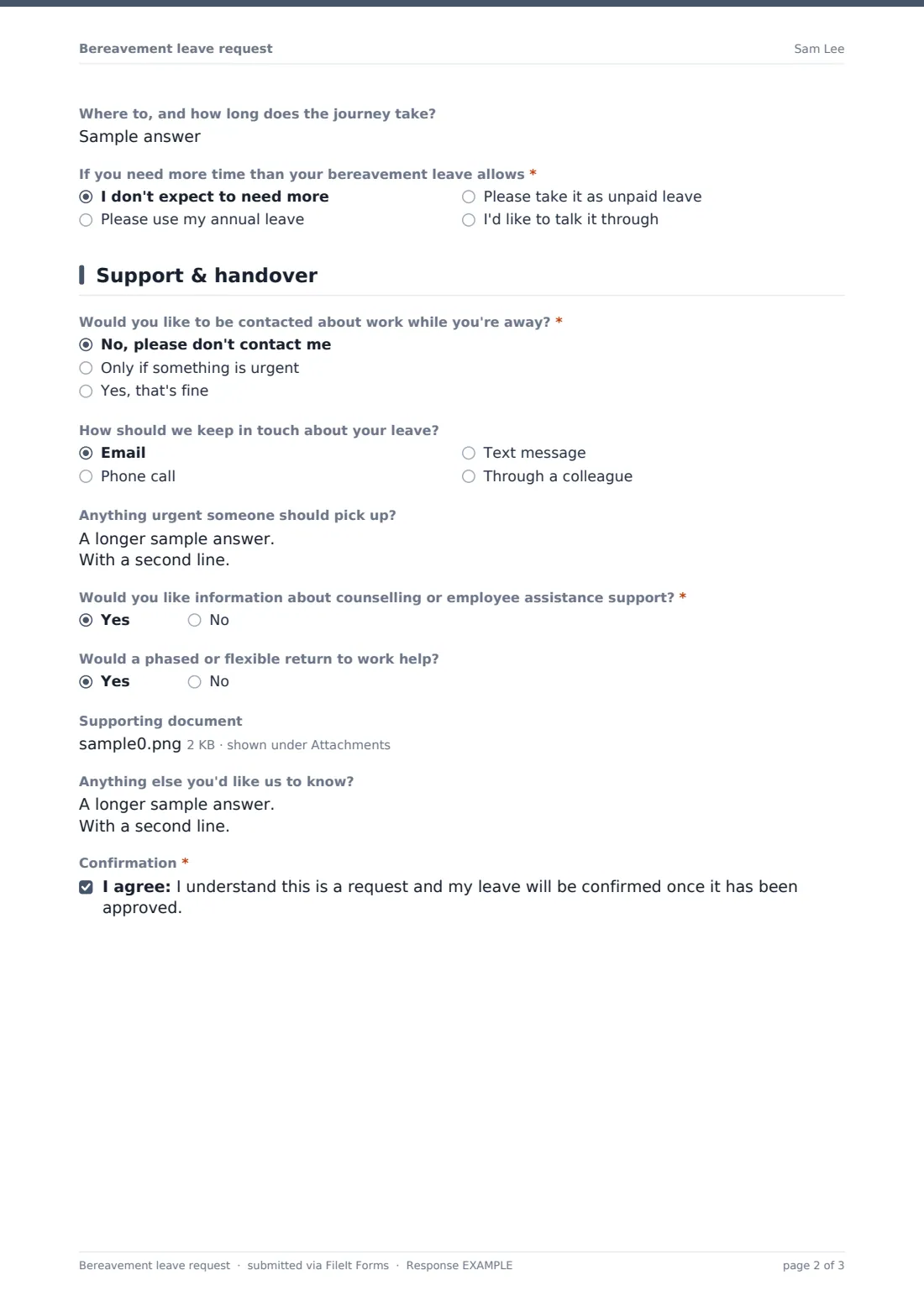
The employee says whether they want to be contacted about work while away and how you should keep in touch about their leave — email, phone, text, or through a named colleague. An optional handover box is there only if they feel able to use it.
They can ask for information about counselling or employee assistance support, say whether a phased or flexible return would help, upload a supporting document only if your policy requires one, and add anything else. A short confirmation notes that leave is confirmed once approved.
Make the template yours
- Edit the relationship list and help text to match exactly how your bereavement policy defines entitlements
- Add the number of paid days your policy offers to the cover text, so employees know what to expect
- Name your employee assistance programme in the support question if you have one
- Remove the supporting document upload entirely if your policy never asks for evidence
- Route requests to a private HR folder rather than a shared team folder
- Turn on owner notifications so HR can respond the same day
Tips for a better bereavement leave request form
- Acknowledge the request personally, not just with the automatic confirmation — a short human message matters
- Don't ask for proof of death unless your policy genuinely requires it
- Be flexible about end dates; grief and funeral arrangements rarely follow a plan
- Respect the employee's contact preference and make sure their colleagues know it too
- Check in before the return date about a phased return, even if they didn't ask for one
- Keep these records confidential and limit access to the people who need them
Every response becomes a PDF in your vault
When the request is submitted, FileIt saves it as a PDF in your vault and, with owner notifications on, emails HR or the manager straight away so leave can be approved and cover arranged quickly. The employee receives a copy of their request if you leave that option on.
The Responses table gives HR a simple log of bereavement leave taken — dates, working days and relationship — which you can export to a CSV for payroll or leave tracking without asking the employee to repeat anything.
- Start from this template. It opens in the FileIt Forms designer — change any question, add pages, set the rules for when questions appear.
- Share it. Turn on a public link, or send it to people by email, each with their own link. They don’t need a FileIt account.
- Get the answers as PDFs. Each response is saved as a PDF in the vault folder you choose, with uploaded files attached — and listed in a Responses table you can export to CSV.
Bereavement leave request form: frequently asked questions
Is this bereavement leave request form free?
Yes. It's a starter template in the FileIt Forms app, and you can change any question or its wording to fit your own policy.
Does the employee have to provide a death certificate or funeral notice?
No. The supporting document upload is optional and its help text says it's only needed if your policy or HR asks for one. You can remove it altogether.
Can a manager fill it in for an employee?
Yes. Anyone with the link can submit it, so a manager or colleague can complete it on the employee's behalf when that's kinder.
Why does the form ask about the relationship?
Many bereavement policies grant different amounts of leave depending on the relationship, so HR needs it to apply the right entitlement. The name of the person who died is optional.
Does the form calculate how many days the employee is entitled to?
No. It records the dates and working days requested; your HR team applies your own policy when approving the leave.
Can we keep these requests private?
Yes. Route submissions to a vault folder that only HR can access, and choose who receives notification emails in the form's settings.