What is the aI tool usage request form template?
New AI tools appear every week, and staff often start using them before anyone has checked where the data goes. Banning them rarely works; giving people a clear, quick way to ask does. A consistent request form also means reviewers see the same information every time.
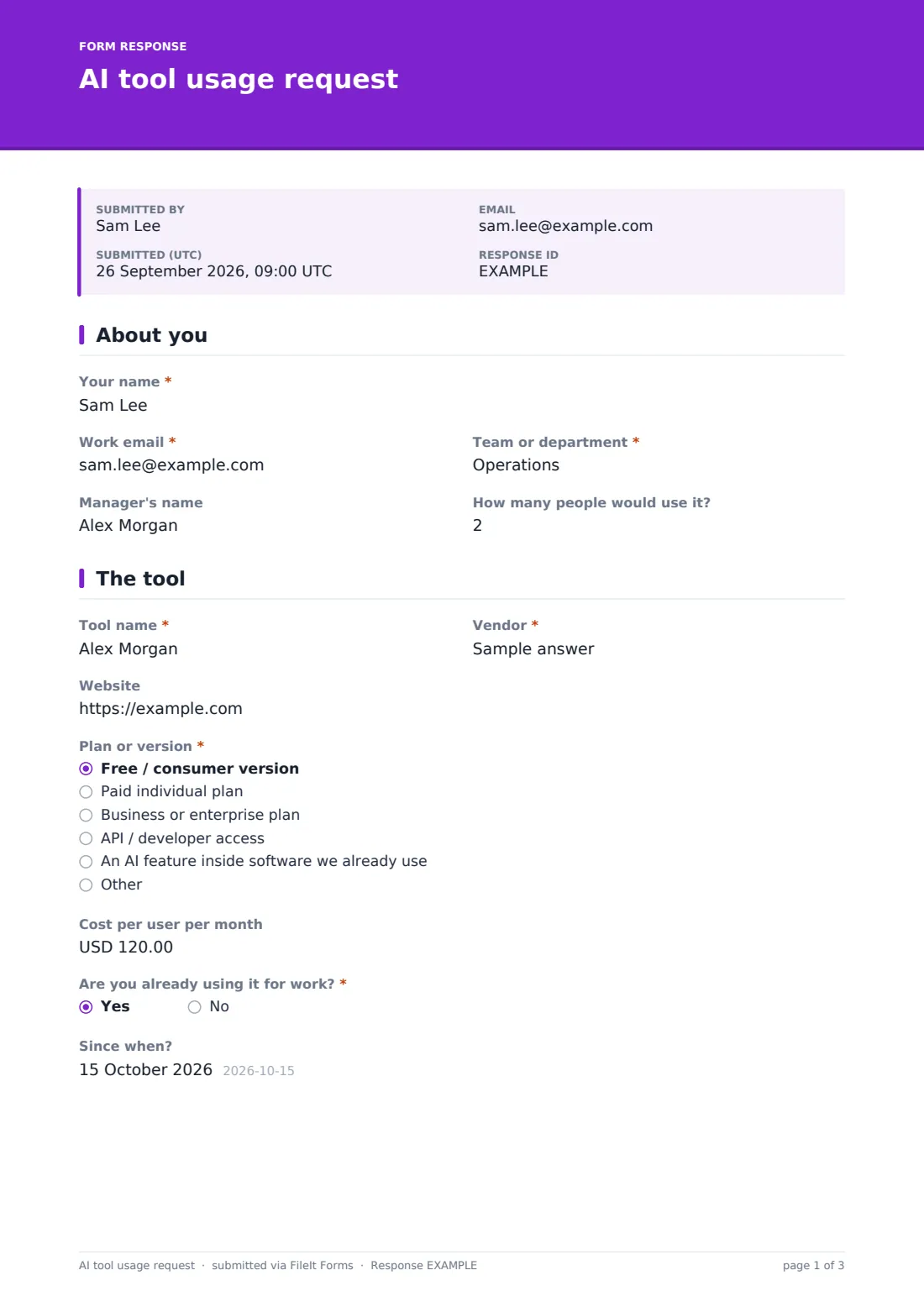
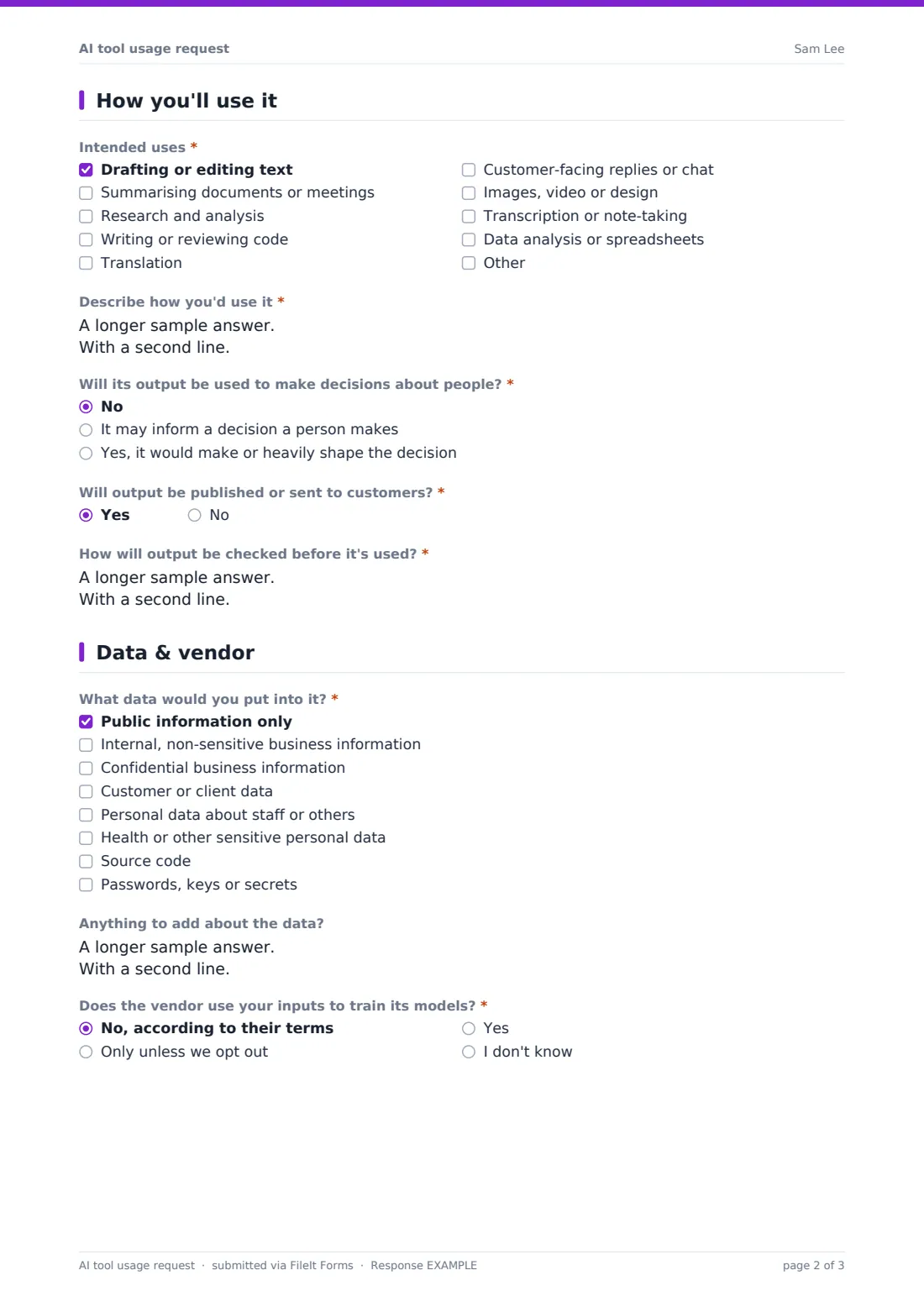
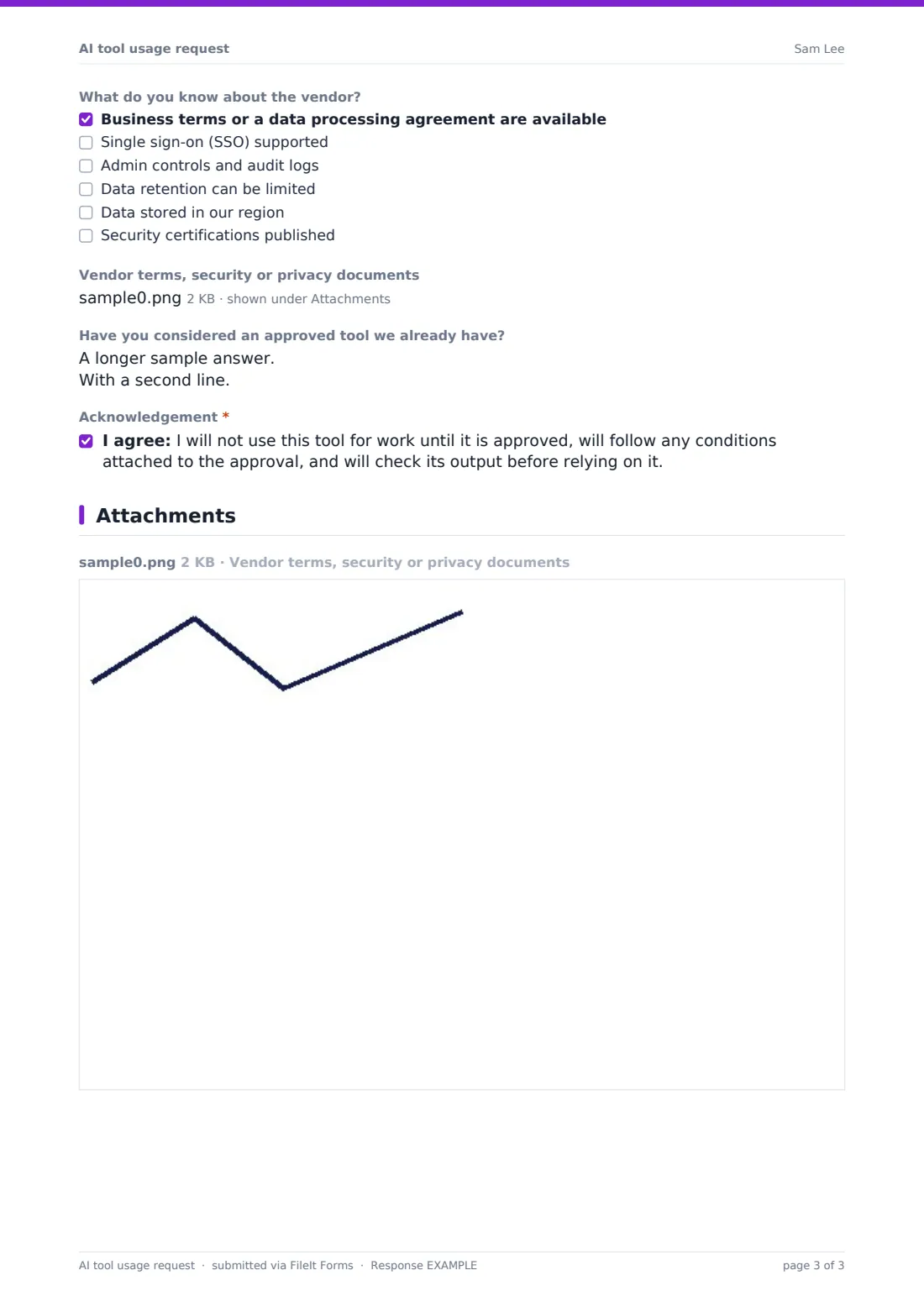
This AI tool usage request collects who's asking and how many people would use it, the tool, vendor, plan and cost, and whether it's already in use. It asks for intended uses, whether output will inform decisions about people or be sent to customers, and how it will be checked. The last page covers the types of data involved, whether the vendor trains on inputs, what's known about its business terms and controls, supporting documents and alternatives already approved.
Each request is saved as a PDF in your FileIt vault, building a record of which tools were requested, by whom and on what basis — record your decision alongside it.
- Best for
- IT, security, privacy and legal teams reviewing AI tools, and small businesses setting up an AI policy
- Filled in by
- Any member of staff who wants to use an AI tool for work
- Time to complete
- About 6–8 minutes
- Includes
- Follow-ups for decisions about people and secrets, vendor document upload, acknowledgement
Who uses a aI tool usage request form?
- A marketing team asking to use an image generation tool
- Developers requesting a coding assistant
- A manager wanting meetings transcribed and summarised automatically
- Enabling an AI feature inside software the organisation already uses
- HR asking whether an AI tool can help screen applications
- Bringing tools already used informally into a proper review
Questions on this aI tool usage request form
26 questions over 4 pages · includes file upload, conditional questions, multiple pages, consent checkbox.
1 About you
- Your name*
- Work email*
- Team or department*
- Manager's name
- How many people would use it?
2 The tool
- Tool name*
- Vendor*
- Website
- Plan or version* Free / consumer version · Paid individual plan · Business or enterprise plan · API / developer access · An AI feature inside software we already use
- Which existing software?* asked only when it applies
- Cost per user per month
- Are you already using it for work?*
- Since when? asked only when it applies
3 How you'll use it
- Intended uses* Drafting or editing text · Summarising documents or meetings · Research and analysis · Writing or reviewing code · Translation · Customer-facing replies or chat · Images, video or design · Transcription or note-taking · Data analysis or spreadsheets
- Describe how you'd use it*
- Will its output be used to make decisions about people?* No · It may inform a decision a person makes · Yes, it would make or heavily shape the decision
- Explain the decision and how a person reviews it* asked only when it applies
- Will output be published or sent to customers?*
- How will output be checked before it's used?*
4 Data & vendor
- What data would you put into it?* Public information only · Internal, non-sensitive business information · Confidential business information · Customer or client data · Personal data about staff or others · Health or other sensitive personal data · Source code · Passwords, keys or secrets
- Anything to add about the data?
- Does the vendor use your inputs to train its models?* No, according to their terms · Only unless we opt out · Yes · I don't know
- What do you know about the vendor? Business terms or a data processing agreement are available · Single sign-on (SSO) supported · Admin controls and audit logs · Data retention can be limited · Data stored in our region · Security certifications published
- Vendor terms, security or privacy documents
- Have you considered an approved tool we already have?
- Acknowledgement*
The aI tool usage request form, page by page
1 About you
The requester gives their name, work email, team, manager and how many people would use the tool.
2 The tool
The tool name, vendor and website are recorded, along with the plan — free, paid individual, business, API access or an AI feature inside existing software, which asks which software. The monthly cost per user is optional, and if the requester is already using it for work the form asks since when.
3 How you'll use it
A checklist of intended uses — drafting, summarising, research, code, translation, customer replies, images, transcription and data analysis — is followed by a required description. The form asks whether output will be used to make decisions about people; anything other than no requires an explanation of the decision and how a person reviews it. It also asks whether output will be published or sent to customers and how output will be checked before use.
4 Data & vendor
The requester ticks the data they'd put into the tool, from public information through customer and personal data, sensitive personal data, source code and secrets — ticking secrets shows a warning. They say whether the vendor trains on inputs, tick what they know about business terms, SSO, admin controls, retention, data location and certifications, and can upload vendor documents. They note any approved alternatives and acknowledge they won't use the tool until it's approved.
Make the template yours
- Link your AI policy in the cover text or the acknowledgement
- Add a list of already-approved tools to the alternatives help text
- Match the data types to your organisation's data classification scheme
- Change the currency on the cost field
- Route requests to a shared review mailbox for IT, privacy and legal
- Add a follow-up question for tools that will be customer-facing
Tips for a better aI tool usage request form
- Review the vendor's business terms, not just the consumer terms — they often differ
- Pay closest attention to requests involving personal data or decisions about people
- Approve with conditions where it makes sense, such as no customer data
- Publish a list of approved tools so people can check before they ask
- Re-review tools when the vendor changes its terms or you change plans
- Treat "I don't know" answers as questions for the reviewer, not reasons to refuse
Every response becomes a PDF in your vault
Each request is saved as a PDF in your FileIt vault with any vendor documents attached, and reviewers are notified by email. The requester can receive a copy.
The Responses table shows every tool that's been requested; filter by data type or plan to prioritise reviews, or export to CSV to maintain a register of AI tools.
- Start from this template. It opens in the FileIt Forms designer — change any question, add pages, set the rules for when questions appear.
- Share it. Turn on a public link, or send it to people by email, each with their own link. They don’t need a FileIt account.
- Get the answers as PDFs. Each response is saved as a PDF in the vault folder you choose, with uploaded files attached — and listed in a Responses table you can export to CSV.
AI tool usage request form: frequently asked questions
Is this AI tool request template free?
Yes. It's a starter template in the FileIt Forms app, available on every plan including free.
Does the form assess the tool automatically?
No. It collects the information your reviewers need. The decision is made by your own team.
Is this a legal compliance assessment?
No. It's a practical intake form. Depending on how a tool is used and where you operate, further legal or privacy assessment may be needed.
Why ask whether the vendor trains on inputs?
It affects whether confidential or personal data could end up outside your control. The requester may not know, so there's an I don't know answer.
Can we add conditions to an approval?
The form records the request. Approval and any conditions are communicated by your team — you could add an approver section or a separate approval form if you want them recorded in the same PDF.
Can people upload the vendor's terms?
Yes. The upload accepts PDF, Word and image files, up to five.