What is the iT acceptable use acknowledgement form template?
Most organisations have an IT acceptable use policy. Far fewer can show who has actually read it, which version they read and when they last confirmed it. When something goes wrong — a shared password, data sent to a personal account — that record matters.
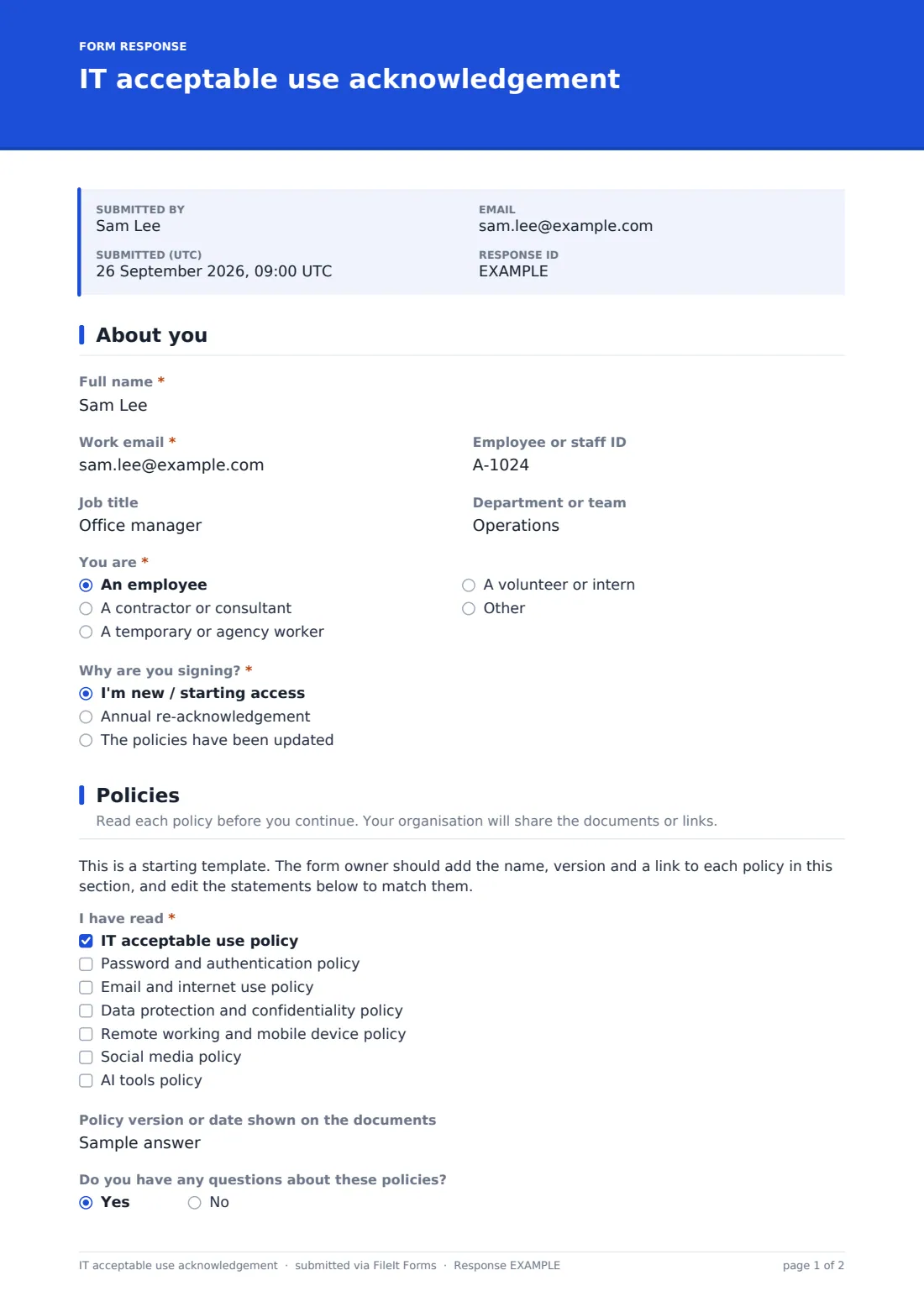
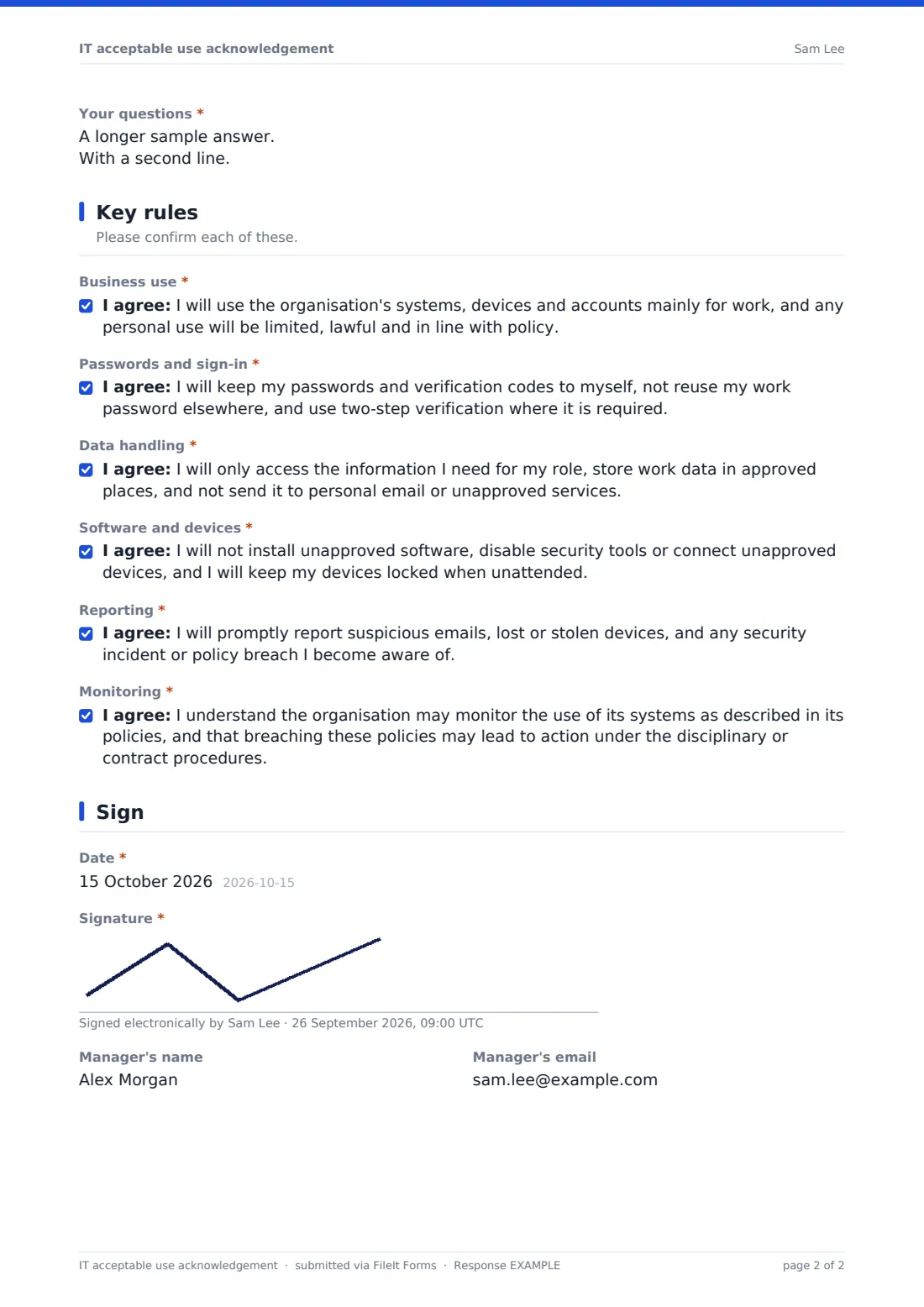
This acknowledgement form records who is signing and why (new starter, annual renewal or updated policies), which policies they've read and which version, and any questions they have. They then confirm six key rules one by one — business use, passwords, data handling, software and devices, reporting, and monitoring — before signing and dating.
Each signed acknowledgement is saved as a PDF in your FileIt vault, so you have a dated record per person that's easy to find at audit time or when policies change.
- Best for
- HR, IT and compliance leads collecting policy sign-off from staff, contractors and volunteers
- Filled in by
- Each person being given access to your systems
- Time to complete
- About 3–5 minutes after reading the policies
- Includes
- Six separate rule confirmations, policy checklist, questions follow-up, signature
Who uses a iT acceptable use acknowledgement form?
- Signing IT policies as part of a new starter's first-day paperwork
- An annual re-acknowledgement campaign across the whole organisation
- Asking everyone to confirm a newly updated password or AI tools policy
- Getting contractors and agency staff to accept the rules before they're given accounts
- A school asking staff to sign its acceptable use policy each year
- A charity recording volunteers' agreement before giving them email access
Questions on this iT acceptable use acknowledgement form
22 questions over 4 pages · includes signature, conditional questions, multiple pages, consent checkbox.
1 About you
- Full name*
- Work email*
- Employee or staff ID
- Job title
- Department or team
- You are* An employee · A contractor or consultant · A temporary or agency worker · A volunteer or intern
- Contract end date asked only when it applies
- Why are you signing?* I'm new / starting access · Annual re-acknowledgement · The policies have been updated
2 Policies
- I have read* IT acceptable use policy · Password and authentication policy · Email and internet use policy · Data protection and confidentiality policy · Remote working and mobile device policy · Social media policy · AI tools policy
- Policy version or date shown on the documents
- Do you have any questions about these policies?
- Your questions* asked only when it applies
3 Key rules
- Business use*
- Passwords and sign-in*
- Data handling*
- Software and devices*
- Reporting*
- Monitoring*
4 Sign
- Date*
- Signature*
- Manager's name
- Manager's email
The iT acceptable use acknowledgement form, page by page
1 About you
The signer gives their name, work email, staff ID, job title and department, and says whether they're an employee, contractor, temporary worker or volunteer; non-employees are asked for a contract end date. They choose whether they're new, renewing annually or signing because the policies changed.
2 Policies
A note tells the form owner to add the name, version and link for each of their own policies here. The signer ticks the policies they've read — acceptable use, password, email and internet, data protection, remote working and devices, social media and AI tools — and notes the version shown. If they have questions, a box asks for them so they can be answered before access is confirmed.
3 Key rules
Six separate consent statements cover business use of systems, keeping passwords and verification codes private, handling data only in approved places, not installing unapproved software or disabling security tools, reporting incidents promptly, and understanding monitoring and the consequences of a breach. Each has to be ticked individually.
4 Sign
The signer dates and signs the form, and can name their manager and manager's email for your records.
Make the template yours
- Add the name, version and link of each policy in the Policies section
- Edit the six rule statements to match your actual policy wording
- Remove policies from the checklist that you don't have
- Send personal links to every member of staff for an annual renewal and track who's done it
- File acknowledgements into each person's folder in your vault
- Set a closing date for time-limited re-acknowledgement campaigns
Tips for a better iT acceptable use acknowledgement form
- Keep the statements short and specific — people read short rules, not long legal text
- Record the policy version so you know who needs to re-sign after a change
- Answer questions before confirming access, and update the policy if the same question keeps coming up
- Include contractors and volunteers, not just employees
- Re-run the acknowledgement at least whenever a policy changes materially
- Have your own adviser check the monitoring statement against local employment and privacy law
Every response becomes a PDF in your vault
Each acknowledgement is saved as a signed PDF in your FileIt vault, and the signer can receive their own copy by email. The form owner is notified of each submission.
If you sent personal links, you can see who has and hasn't signed yet. The Responses table can be exported to CSV to report completion by department or by reason for signing.
- Start from this template. It opens in the FileIt Forms designer — change any question, add pages, set the rules for when questions appear.
- Share it. Turn on a public link, or send it to people by email, each with their own link. They don’t need a FileIt account.
- Get the answers as PDFs. Each response is saved as a PDF in the vault folder you choose, with uploaded files attached — and listed in a Responses table you can export to CSV.
IT acceptable use acknowledgement form: frequently asked questions
Is this acceptable use acknowledgement form free?
Yes. It's a starter template in the FileIt Forms app, available on every plan including free.
Does the form include our policy documents?
No. It includes a placeholder where you add the name, version and link for each of your own policies. The rule statements are general examples you should edit.
Can I track who hasn't signed?
Yes, if you send personal links to each person. FileIt shows which requests have been completed and which are still outstanding.
Is the signature legally binding?
The form captures a drawn signature, the date and each confirmed statement in a PDF. Whether that is sufficient for your purposes depends on your policies and local law.
Can contractors sign it without an account?
Yes. Anyone with the link can fill it in and sign without a FileIt account.
How often should people re-sign?
Many organisations ask for it at onboarding, when a policy changes and once a year. The form's reason question lets you record which applies.