What is the bYOD enrollment agreement form template?
Letting staff read work email on their own phones is convenient, but it means company data lives on devices you don't own. A bring-your-own-device agreement sets out the deal: the employee gets access, and in return accepts security controls and the possibility of work data being wiped remotely.
This BYOD enrollment form records the employee's details, the device type, operating system, model, OS version and serial number, whether anyone else uses it, its screen lock and update status, and which work services they need and why. It then asks them to agree to five separate terms — device management, security controls, remote wipe, privacy and what to do on loss or leaving — and sign.
Each enrollment is saved as a signed PDF in your FileIt vault, giving IT a register of which personal devices have work access and proof that each owner accepted the terms.
- Best for
- IT teams and small businesses that allow work email and apps on personal devices
- Filled in by
- Employees and contractors registering their own device
- Time to complete
- About 5 minutes
- Includes
- Shared-device warning, five separate security terms, signature
Who uses a bYOD enrollment agreement form?
- Letting staff add work email and chat to their personal phones
- Registering home laptops used for remote working
- Onboarding contractors who bring their own equipment
- Re-enrolling devices after introducing a new device management tool
- Recording on-call staff who need an authenticator app on their phone
- Keeping a BYOD register for security or insurance questionnaires
Questions on this bYOD enrollment agreement form
22 questions over 4 pages · includes signature, conditional questions, multiple pages, consent checkbox.
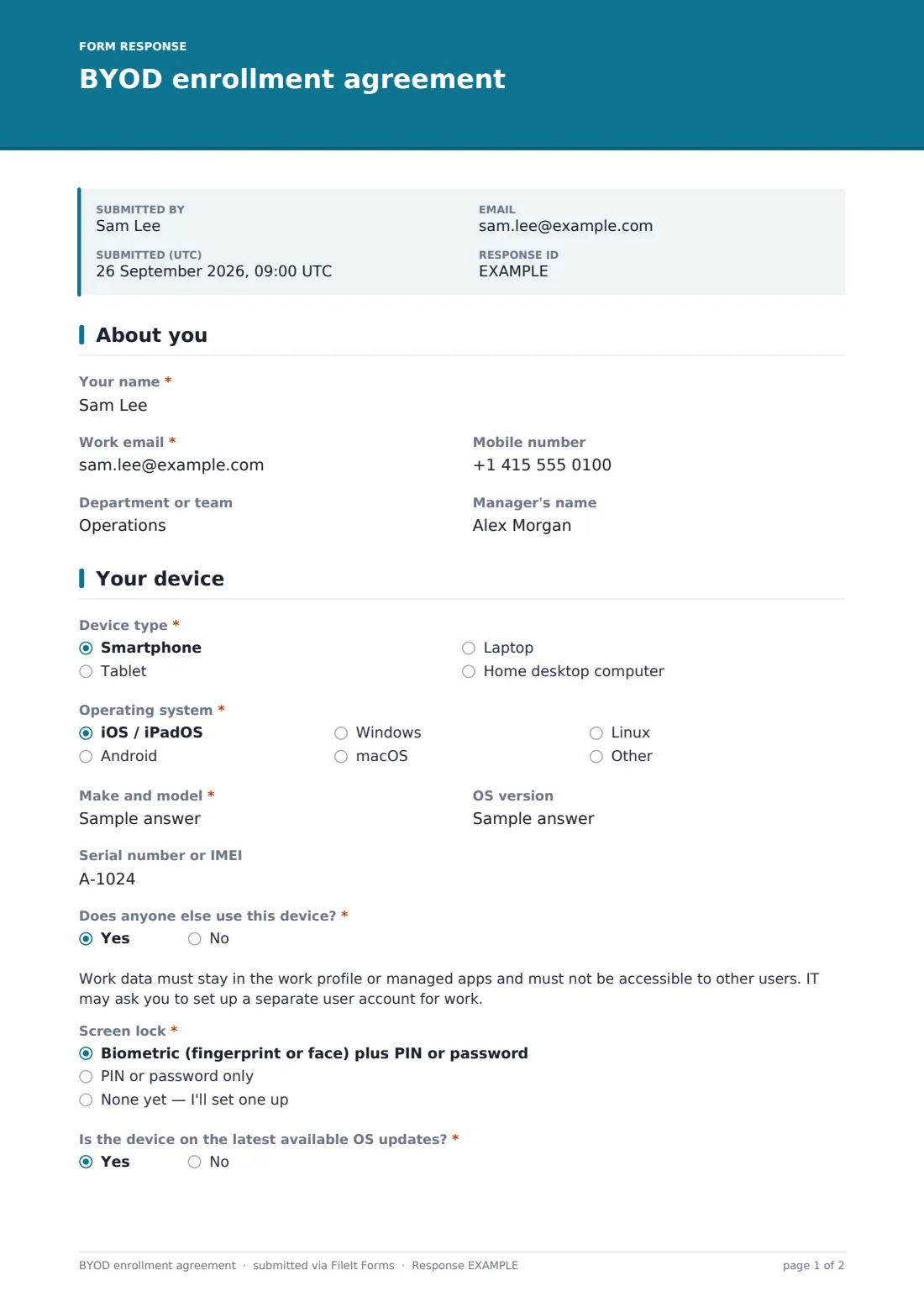
1 About you
- Your name*
- Work email*
- Mobile number
- Department or team
- Manager's name
2 Your device
- Device type* Smartphone · Tablet · Laptop · Home desktop computer
- Operating system* iOS / iPadOS · Android · Windows · macOS · Linux
- Make and model*
- OS version
- Serial number or IMEI
- Does anyone else use this device?*
- Screen lock* Biometric (fingerprint or face) plus PIN or password · PIN or password only · None yet — I'll set one up
- Is the device on the latest available OS updates?*
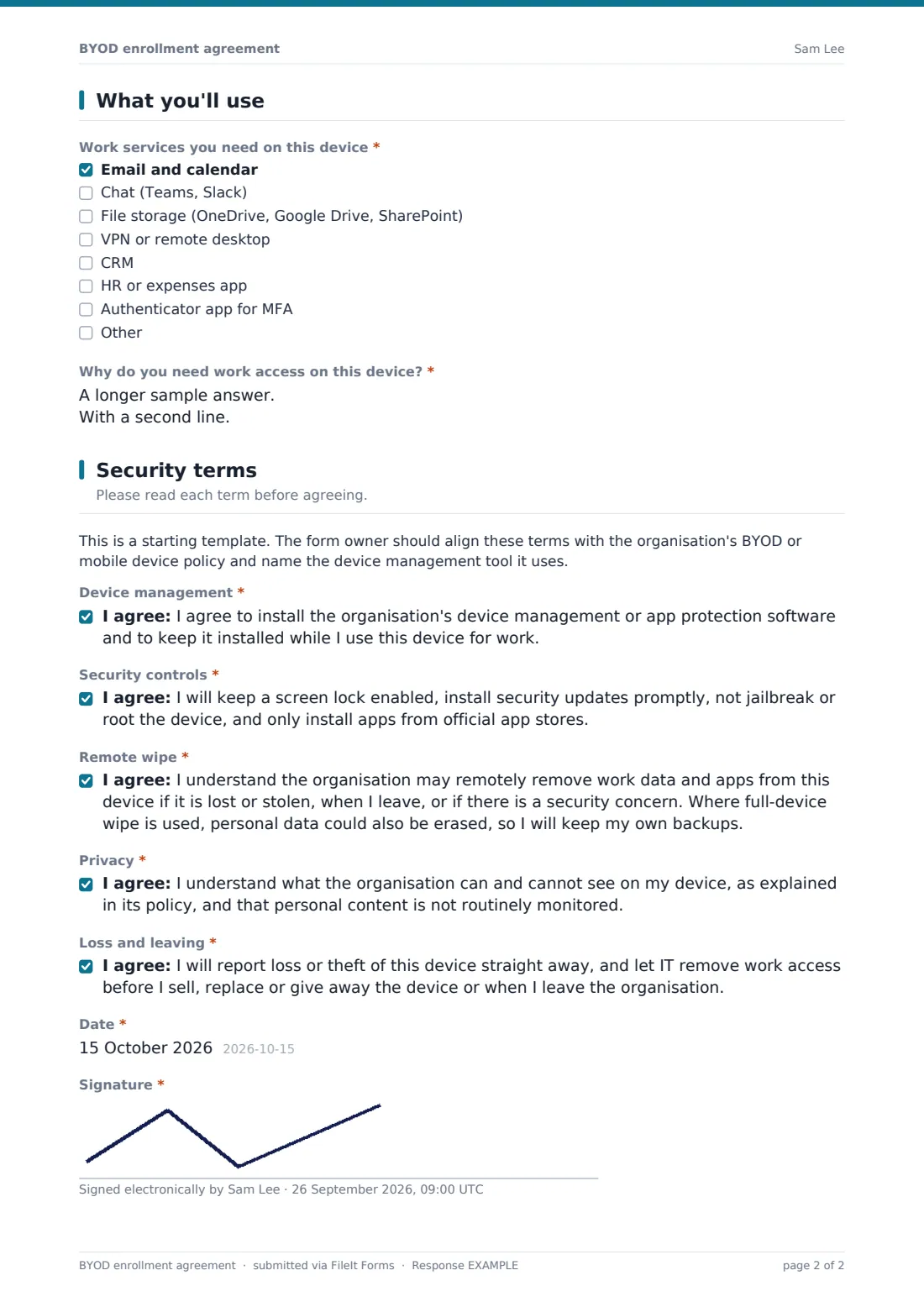
3 What you'll use
- Work services you need on this device* Email and calendar · Chat (Teams, Slack) · File storage (OneDrive, Google Drive, SharePoint) · VPN or remote desktop · CRM · HR or expenses app · Authenticator app for MFA
- Why do you need work access on this device?*
4 Security terms
- Device management*
- Security controls*
- Remote wipe*
- Privacy*
- Loss and leaving*
- Date*
- Signature*
The bYOD enrollment agreement form, page by page
1 About you
The employee gives their name, work email, mobile number, department and manager.
2 Your device
The employee picks the device type and operating system, then gives the make and model, OS version and serial number or IMEI. If someone else uses the device, a note explains that work data must stay in a work profile or managed apps. They describe the screen lock in use and confirm whether the device is on the latest updates.
3 What you'll use
A checklist covers the work services needed — email and calendar, chat, file storage, VPN or remote desktop, CRM, HR or expenses apps and an authenticator app — and a required box asks why work access is needed on this device.
4 Security terms
A note reminds the form owner to align the terms with their own policy. The employee agrees separately to installing device management software, keeping security controls in place, remote removal of work data (with a warning that a full wipe could affect personal data), the privacy position, and reporting loss or letting IT remove access before replacing the device or leaving. They then date and sign.
Make the template yours
- Name your device management or app protection tool in the first term
- Edit the remote wipe term to say whether you use selective or full-device wipe
- Link your BYOD policy in the page description or the privacy term
- Remove device types you don't allow, such as home desktops
- Add a minimum OS version to the help text if you enforce one
- File enrollments into each employee's folder so they sit with other IT records
Tips for a better bYOD enrollment agreement form
- Prefer app-level protection or work profiles over full-device wipe where your tools allow it
- Tell employees plainly what IT can and can't see — it builds trust in the programme
- Check the device meets your minimum OS version before approving access
- Remove work access promptly when someone leaves or reports a loss
- Re-collect the agreement when your terms or management tool change
- Have your own adviser review the wipe and privacy terms against local law
Every response becomes a PDF in your vault
Each enrollment is saved as a signed PDF in your FileIt vault, and IT is notified by email. The employee can receive their own copy of what they agreed to.
IT then enrolls the device in its own management tools — FileIt doesn't configure devices. The Responses table doubles as a register of personal devices with work access and can be exported to CSV.
- Start from this template. It opens in the FileIt Forms designer — change any question, add pages, set the rules for when questions appear.
- Share it. Turn on a public link, or send it to people by email, each with their own link. They don’t need a FileIt account.
- Get the answers as PDFs. Each response is saved as a PDF in the vault folder you choose, with uploaded files attached — and listed in a Responses table you can export to CSV.
BYOD enrollment agreement form: frequently asked questions
Is this BYOD agreement template free?
Yes. It's a starter template in the FileIt Forms app, included on every plan including free.
Does the form install anything on the device?
No. It records the device details and the owner's agreement. IT enrolls the device using its own device management tools.
Can I change the terms?
Yes. All five terms are editable consent statements. The template's wording is a general starting point, not legal advice.
What if the device is shared with family?
Answering yes shows a note that work data must stay in a work profile or managed apps. You can add further requirements if your policy has them.
Can contractors use this form?
Yes. Anyone with the link can register a device and sign without a FileIt account.
Should we record the serial number or IMEI?
It's optional, but it helps identify the device in your management tool and if it's reported lost.