

What is the vehicle rental check-out form template?
Most rental disputes come down to one question: what was the vehicle like when it left? A clear record of the mileage, fuel level and every existing scratch — agreed and signed by the driver at pick-up — settles those arguments before they start.
This vehicle rental check-out template records the driver and their licence, the vehicle and the rental period, the condition at pick-up with photos, extras supplied, the damage cover chosen and the deposit. An additional driver's name and licence number are asked only when there is one, a one-way return asks for the return branch, and ticking existing damage makes a description of each mark required.
The driver signs the rental terms on screen and the whole record is saved as a PDF in your FileIt vault, with the licence and vehicle photos attached, ready if there's a question when the vehicle comes back.
- Best for
- Car, van, campervan and motorbike rental businesses, dealerships with loan cars and hotel car rental desks
- Filled in by
- Rental desk staff with the driver
- Time to complete
- About 8–10 minutes including the walk-round
- Includes
- Licence details and photo, odometer, fuel level, damage notes and photos, extras, cover choice, driver's signature
Who uses a vehicle rental check-out form?
- An independent car rental desk replaces its paper check-out sheet
- A van rental business records damage and mileage for every hire
- A campervan company documents extras such as bike racks and chairs
- A dealership records courtesy car loans to service customers
- A hotel desk rents cars to guests on behalf of a local partner
- A peer-to-peer car owner records handovers with renters
Questions on this vehicle rental check-out form
37 questions over 4 pages · includes signature, file upload, conditional questions, multiple pages, consent checkbox.
1 Driver
- Main driver*
- Email*
- Mobile*
- Home address*
- Date of birth*
- Driving licence number*
- Licence issuing country*
- Licence expiry date*
- Photo of the licence (front and back)
- Additional driver?
- Additional driver's name* asked only when it applies
- Additional driver's licence number* asked only when it applies
2 Vehicle & rental period
- Rental agreement number*
- Vehicle class Economy · Compact · Mid-size · SUV · Premium · Van or minibus · Electric
- Make, model and colour*
- Registration plate*
- Pick-up date*
- Pick-up time*
- Return date*
- Return time*
- Return location* Same branch · A different branch (one-way)
- Return branch* asked only when it applies
3 Condition at pick-up
- Odometer reading at pick-up*
- Fuel or charge level* Full · 3/4 · 1/2 · 1/4 · Reserve
- Fuel policy* Full to full · Return at the same level · Pre-paid fuel
- Any existing damage?*
- Describe each mark and where it is* asked only when it applies
- Photos of the vehicle
- Interior condition Clean · Minor marks · Needs cleaning
- Extras supplied Child seat · Booster seat · Sat nav · Snow chains · Roof rack · Mobile hotspot · Charging cable
4 Cover & signatures
- Damage cover chosen* Basic (standard excess) · Excess reduction · Full cover, no excess · Customer's own insurance
- Insurer and policy number* asked only when it applies
- Security deposit taken
- Deposit method Credit card hold · Debit card · Cash
- Rental terms*
- Driver's signature*
- Checked out by (staff)*
The vehicle rental check-out form, page by page
1 Driver
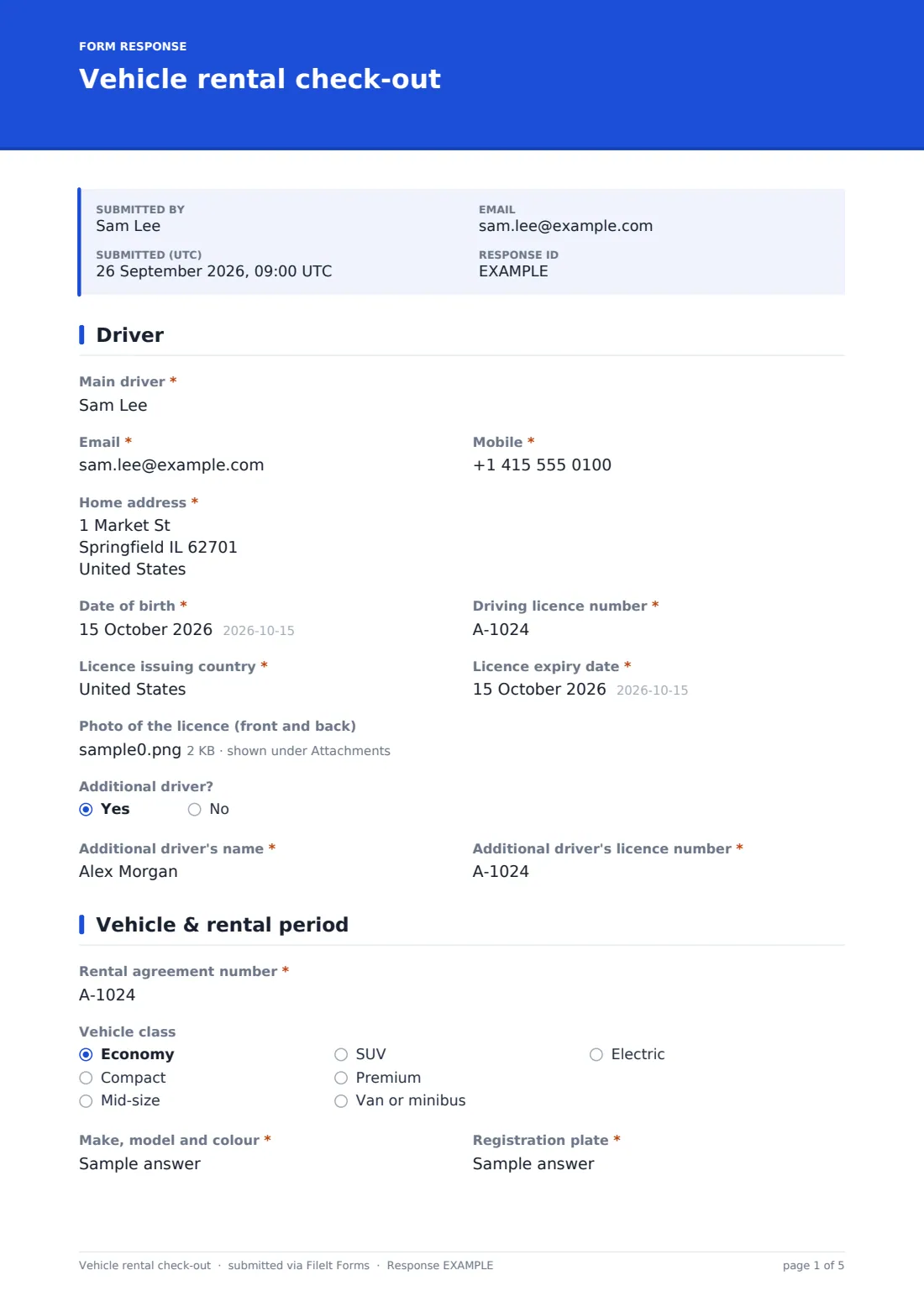
Staff record the main driver's name, email, mobile, home address and date of birth, then the licence number, issuing country and expiry date, with photos of both sides of the licence. Answering yes to Additional driver? adds required fields for their name and licence number.
2 Vehicle & rental period
The rental agreement number, vehicle class, make, model and colour and registration plate identify the vehicle. Pick-up and return dates and times set the rental period, and choosing a different return branch asks which one.
3 Condition at pick-up
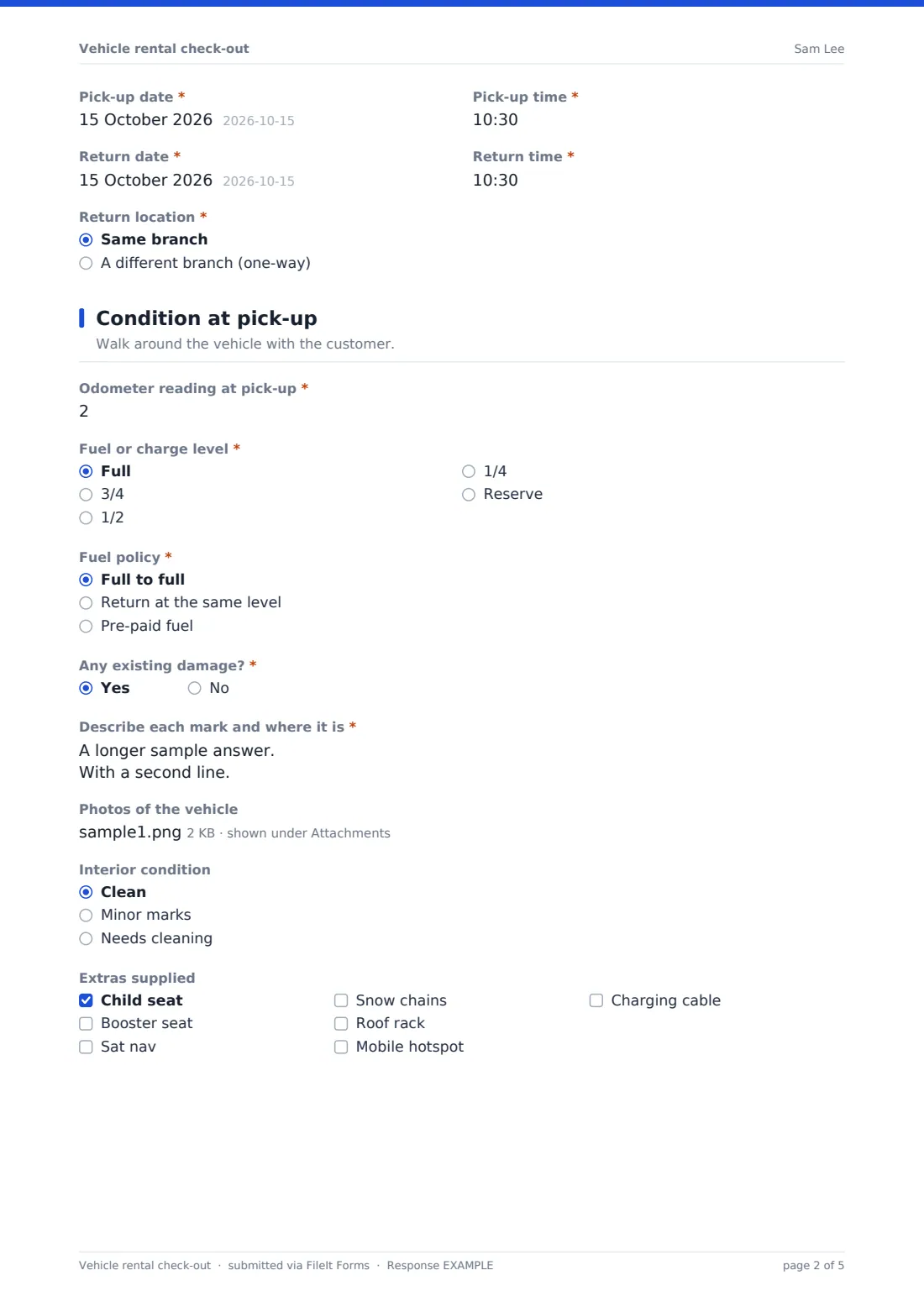
Staff walk round the vehicle with the customer and record the odometer reading, fuel or charge level and fuel policy. If there's existing damage, each mark is described with its position. Photos of all four sides, the dashboard and any damage can be uploaded (up to ten), along with the interior condition and any extras supplied, such as child seats, snow chains or a charging cable.
4 Cover & signatures
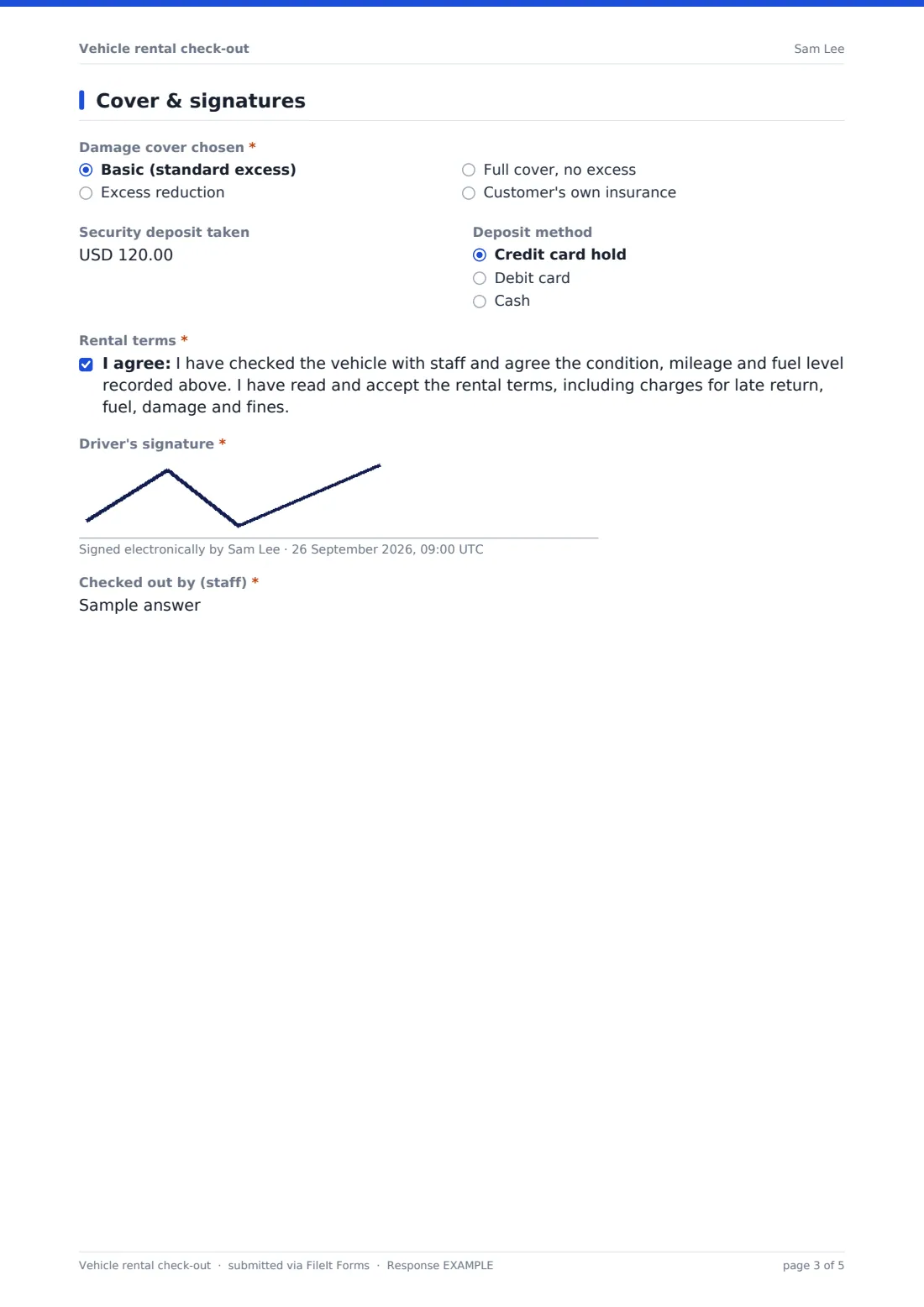
The damage cover chosen (a customer using their own insurance gives the insurer and policy number), the deposit taken and how it was taken are recorded. The driver accepts the rental terms — agreeing the condition, mileage and fuel level recorded and the charges for late return, fuel, damage and fines — and signs. Staff add their name to show who carried out the check-out.
Make the template yours
- Replace the vehicle classes with your fleet categories
- Change the deposit currency to your local currency
- Add a paragraph above the rental terms linking to your full terms and charges
- Add a check-in (return) section, or build a matching return form from a copy of this one
- Add a question about toll tags or parking permits if you supply them
- Remove the address field if you don't need it for your rentals
Tips for a better vehicle rental check-out form
- Take the photos in good light and include a wide shot of each side, not just close-ups
- Point out every mark to the customer before they sign
- Photograph the dashboard to show the odometer and fuel gauge together
- Check the licence expiry date covers the whole rental period
- Keep the record until any deposit, fines or damage claims are settled
Every response becomes a PDF in your vault
The signed check-out record is saved as a PDF in your vault with the licence and vehicle photos, and the driver receives a copy by email — useful for both sides if there's a question at return.
The Responses table lists every rental by driver, plate and dates, and can be exported to CSV to reconcile with your booking system.
- Start from this template. It opens in the FileIt Forms designer — change any question, add pages, set the rules for when questions appear.
- Share it. Turn on a public link, or send it to people by email, each with their own link. They don’t need a FileIt account.
- Get the answers as PDFs. Each response is saved as a PDF in the vault folder you choose, with uploaded files attached — and listed in a Responses table you can export to CSV.
Vehicle rental check-out form: frequently asked questions
Is this vehicle rental check-out template free?
Yes. It's included in the Forms app on every FileIt account, including the free plan.
Can the driver sign on a tablet?
Yes. The signature field works with a finger or stylus on phones and tablets.
Can we upload photos of the vehicle?
Yes. Up to ten photos, including iPhone HEIC photos, plus two files for the licence.
Does the form take payment for the deposit?
No. It records the deposit amount and method. Take payment through your usual card terminal or system.
Does this replace our rental agreement?
It records the check-out and the driver's acceptance of your terms. Your full rental terms and any legal wording are up to you.
Can we change the fuel levels to electric charge percentages?
Yes. Edit the options on the fuel or charge level question.
Can we record the return on the same form?
The template covers pick-up. Many businesses duplicate it and adapt the copy for returns.