What is the pool vehicle booking form template?
Shared vehicles need a record. Who had the van on Tuesday? Why is the fuel on empty? Where did that scratch on the rear door come from? A diary on the office wall and a set of keys on a hook can't answer those questions, and fleet costs are hard to charge back without trip details.
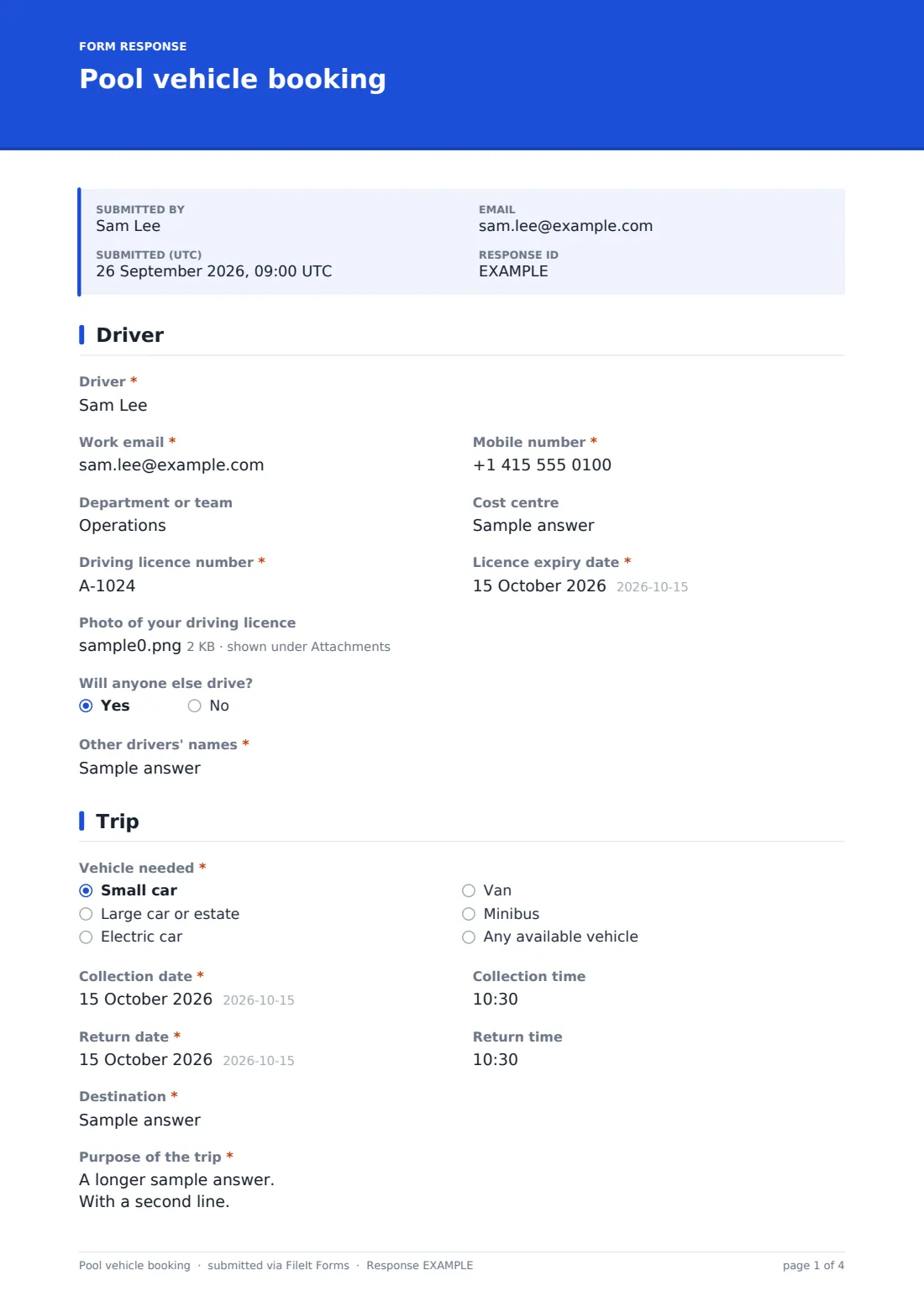
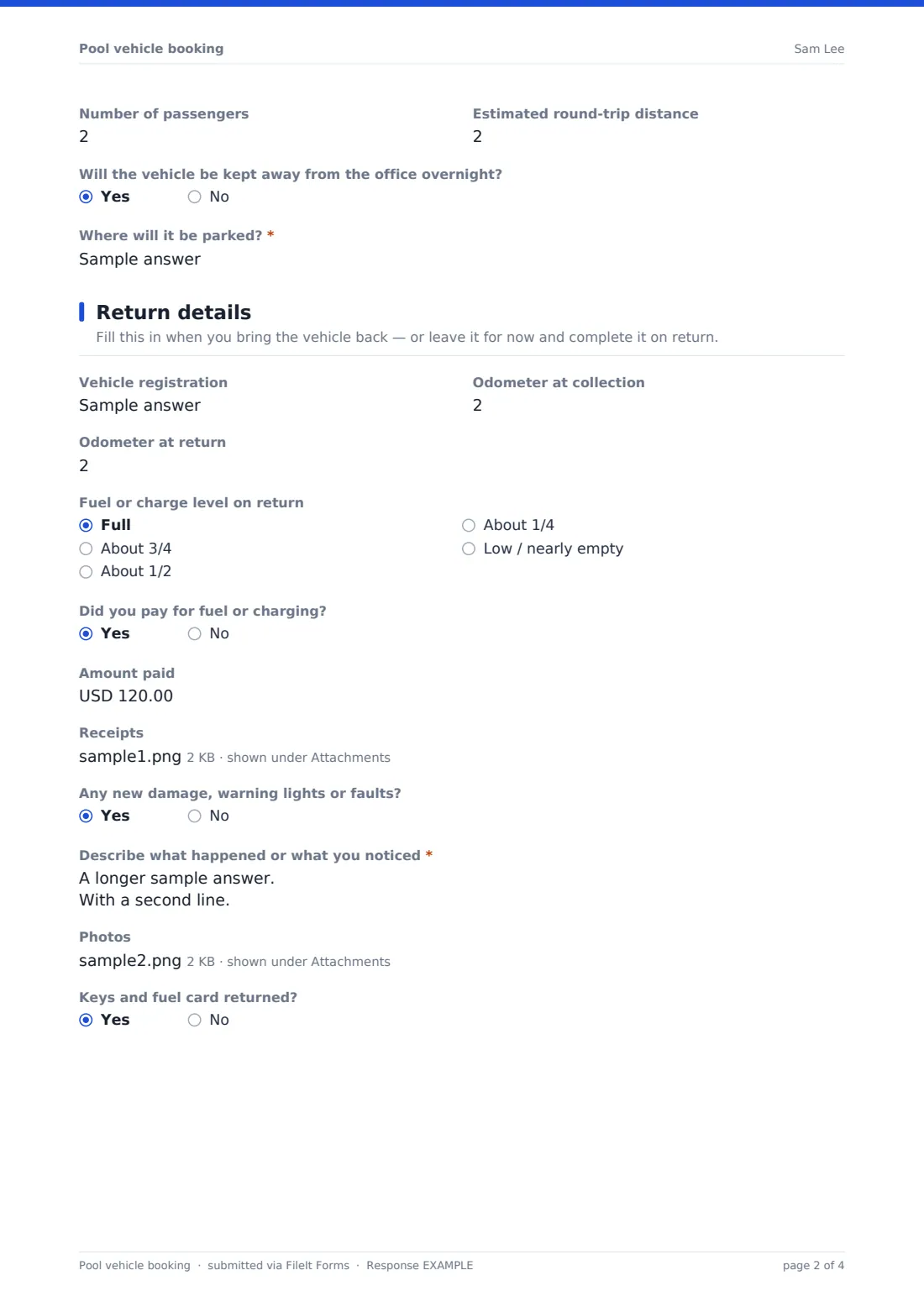
This template handles a booking from start to finish: the driver's details and licence, the vehicle type, collection and return dates, destination, purpose and passengers. A return section records odometer readings, fuel level, receipts, new damage with photos, and whether the keys came back. The driver signs a short declaration covering licence, phone use and reporting incidents.
Each booking becomes a PDF in your FileIt vault, so you have a dated trip history for every vehicle that you can use for mileage records, cost allocation, and working out who had a vehicle when a fine or damage turns up.
- Best for
- Organisations sharing a small fleet of pool cars, vans or minibuses
- Filled in by
- The employee who will drive the vehicle
- Time to complete
- About 3–5 minutes to book, plus a minute on return
- Includes
- Licence details and optional photo, conditional overnight and damage questions, receipt and photo uploads, signature
Who uses a pool vehicle booking form?
- An office with a couple of pool cars for client visits
- A charity or community group lending a minibus to staff and volunteers
- A trades business booking vans out to engineers for specific jobs
- A school booking a minibus for trips and fixtures
- Tracking mileage and fuel costs per cost centre
- Finding out who had a vehicle when damage or a parking fine turns up
Questions on this pool vehicle booking form
34 questions over 4 pages · includes signature, file upload, conditional questions, multiple pages, consent checkbox.
1 Driver
- Driver*
- Work email*
- Mobile number*
- Department or team
- Cost centre
- Driving licence number*
- Licence expiry date*
- Photo of your driving licence
- Will anyone else drive?
- Other drivers' names* asked only when it applies
2 Trip
- Vehicle needed* Small car · Large car or estate · Electric car · Van · Minibus · Any available vehicle
- Collection date*
- Collection time
- Return date*
- Return time
- Destination*
- Purpose of the trip*
- Number of passengers
- Estimated round-trip distance
- Will the vehicle be kept away from the office overnight?
- Where will it be parked?* asked only when it applies
3 Return details
- Vehicle registration
- Odometer at collection
- Odometer at return
- Fuel or charge level on return Full · About 3/4 · About 1/2 · About 1/4 · Low / nearly empty
- Did you pay for fuel or charging?
- Amount paid asked only when it applies
- Receipts asked only when it applies
- Any new damage, warning lights or faults?
- Describe what happened or what you noticed* asked only when it applies
- Photos asked only when it applies
- Keys and fuel card returned?
4 Declaration
- Driver declaration*
- Driver's signature*
The pool vehicle booking form, page by page
1 Driver
The driver gives their name, work email, mobile number, department and cost centre, plus their driving licence number and expiry date. A licence photo upload is there for fleets that check it at every booking. Saying someone else will drive opens a required field for the other drivers' names.
2 Trip
The driver picks a vehicle type — small car, large car or estate, electric car, van, minibus or any available — and gives collection and return dates and times, the destination and the purpose of the trip. Passenger numbers and an estimated round-trip distance help with planning. If the vehicle will be kept away overnight, they must say where it'll be parked.
3 Return details
This page is designed to be completed when the vehicle comes back, though it can be left for later. It records the registration, odometer readings at collection and return, and the fuel or charge level.
If the driver paid for fuel or charging, they enter the amount and upload receipts. Reporting new damage, warning lights or faults opens a required description and a photo upload. A final question confirms the keys and fuel card were returned.
4 Declaration
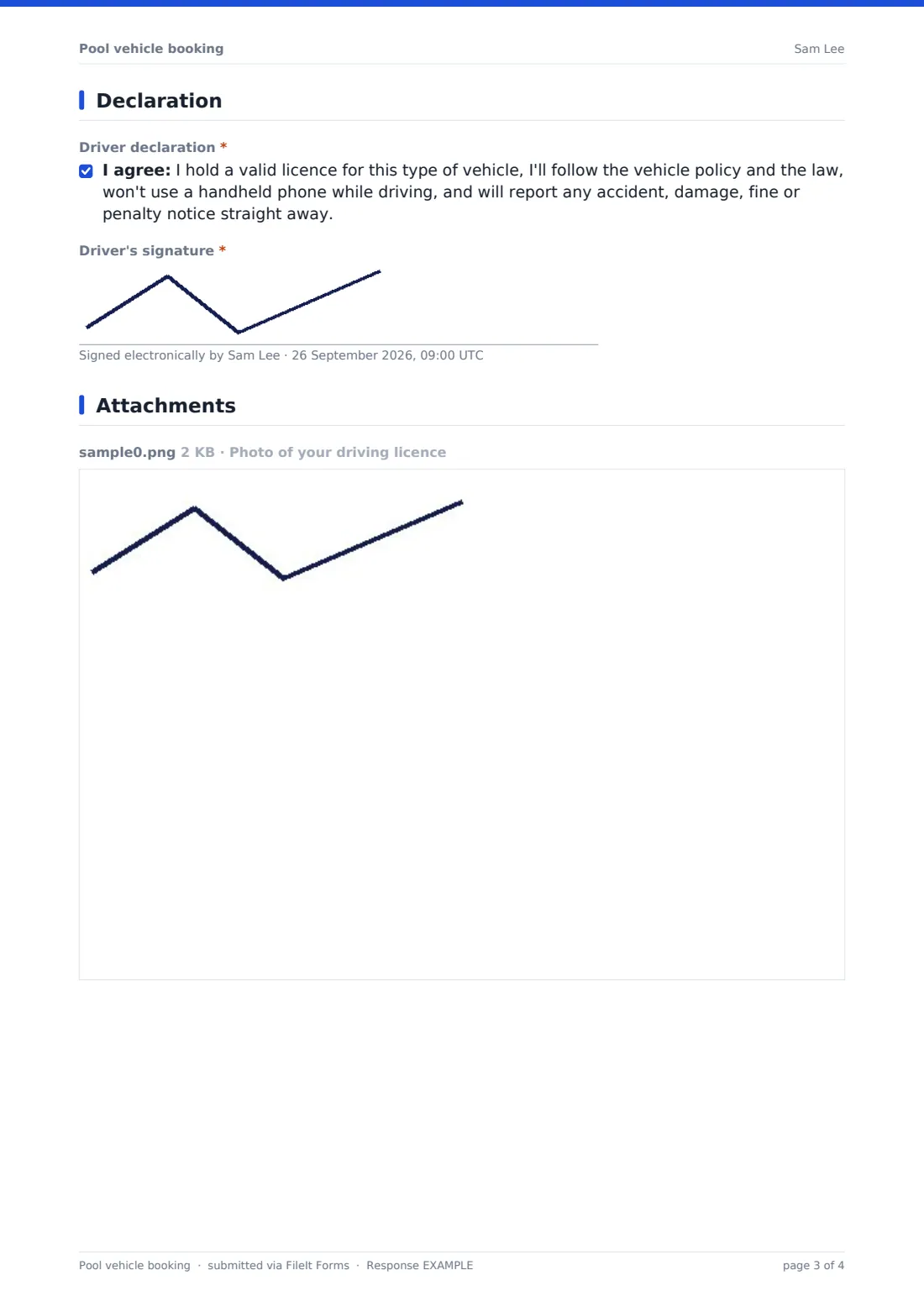
The driver confirms they hold a valid licence for the vehicle type, will follow the vehicle policy and the law, won't use a handheld phone while driving, and will report any accident, damage, fine or penalty notice straight away — then signs.
Make the template yours
- Replace the vehicle types with your actual fleet, listed by registration
- Change the currency on the fuel amount to match where you operate
- Add an insurance or business-use cover question for drivers who use their own policies
- Split the return details into a separate return form if drivers book well in advance
- Add your fleet manager's email to the notification list
- Rewrite the declaration to match your organisation's vehicle and driving policy
Tips for a better pool vehicle booking form
- Check the licence expiry date on every booking, not just the first one
- Ask drivers to walk round the vehicle before setting off and report existing damage at collection
- Compare odometer readings with the estimated distance to spot unusual use
- Keep fuel receipts with the booking so expense claims match
- Remind drivers that the return section still matters even for a short trip
- Export bookings monthly to CSV to allocate costs to departments
Every response becomes a PDF in your vault
When a driver books, FileIt saves the request as a signed PDF in your vault and notifies the form owner by email, so the fleet manager can assign a vehicle. Drivers can receive a copy of their booking.
Use the Responses table to see upcoming bookings, filter by vehicle type or date, and export to CSV for mileage and cost reports. The form doesn't hold a live vehicle calendar, so confirm availability before replying to the driver.
- Start from this template. It opens in the FileIt Forms designer — change any question, add pages, set the rules for when questions appear.
- Share it. Turn on a public link, or send it to people by email, each with their own link. They don’t need a FileIt account.
- Get the answers as PDFs. Each response is saved as a PDF in the vault folder you choose, with uploaded files attached — and listed in a Responses table you can export to CSV.
Pool vehicle booking form: frequently asked questions
Is this pool vehicle booking template free?
Yes. It's included in the FileIt Forms app on every account, including the free plan, and all questions can be edited.
Does the form check whether a vehicle is available?
No. It collects booking requests. Your fleet manager checks availability and confirms the vehicle.
Can drivers record mileage and fuel on return?
Yes. The return page records odometer readings, fuel or charge level, money spent on fuel with receipts, and any new damage.
Does FileIt verify driving licences?
No. The form records the licence number and expiry date, and can collect a photo, but checking it against official records is up to you.
Do drivers need a FileIt account?
No. They can book from a public link or a personal link you email to approved drivers.
How do we handle damage reported on return?
Reporting damage makes a description required and opens a photo upload. The saved PDF gives you a dated record to follow up with repairs or insurance.
Can we use this for minibuses and vans?
Yes. Vans and minibuses are already in the vehicle list, and you can edit it to match your fleet.
Is the driver declaration enough for our insurer?
The declaration records what the driver agreed to, but it isn't legal or insurance advice. Check your insurer's and your own policy's requirements and adjust the wording to match.