What is the equipment hire booking form template?
Hire bookings tend to arrive by phone, and the important details get scribbled on a pad: which breaker, what day, whether it's being delivered, and whether anyone checked the customer's ID. When the equipment comes back damaged or late, there's often nothing in writing to point to.
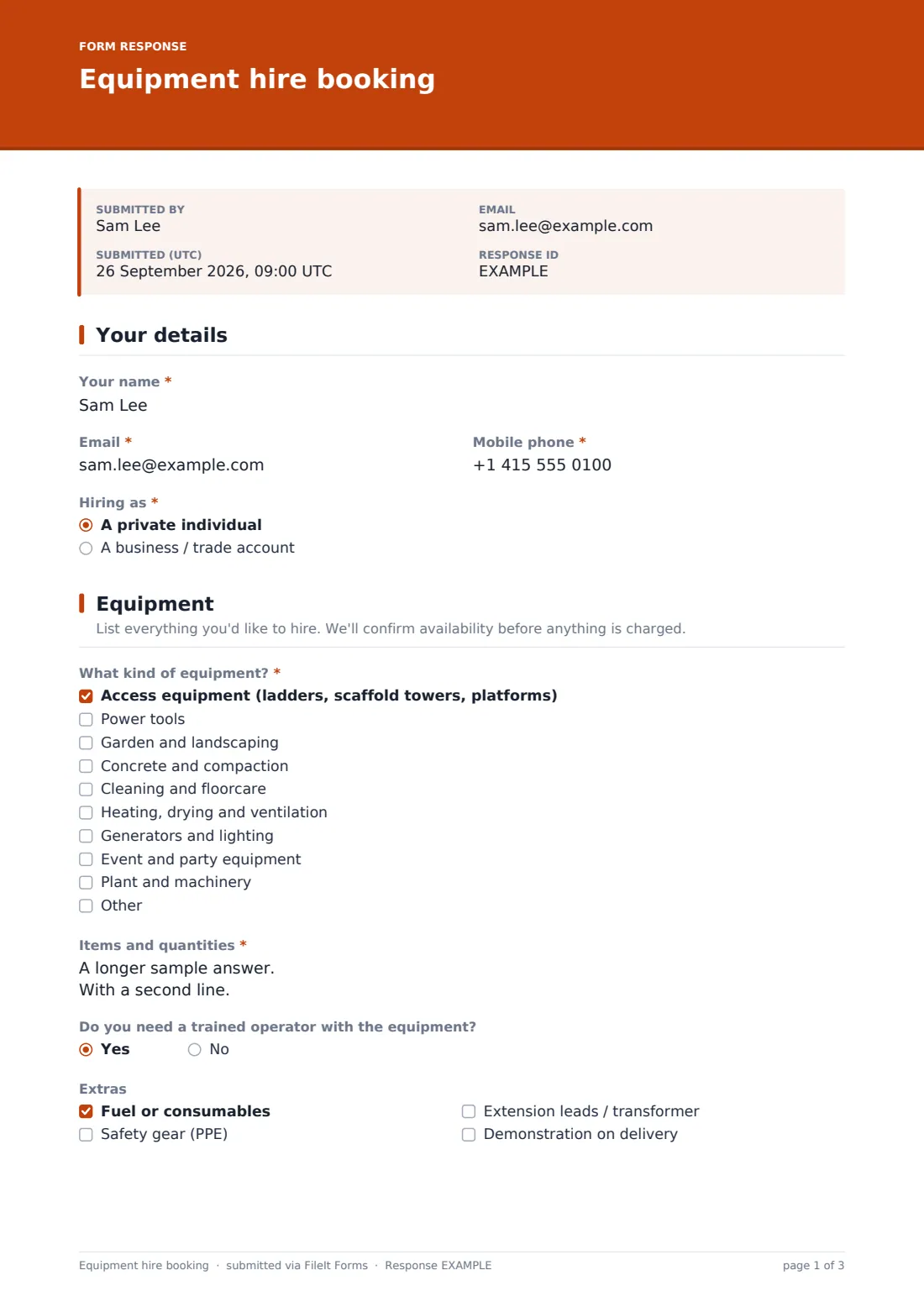
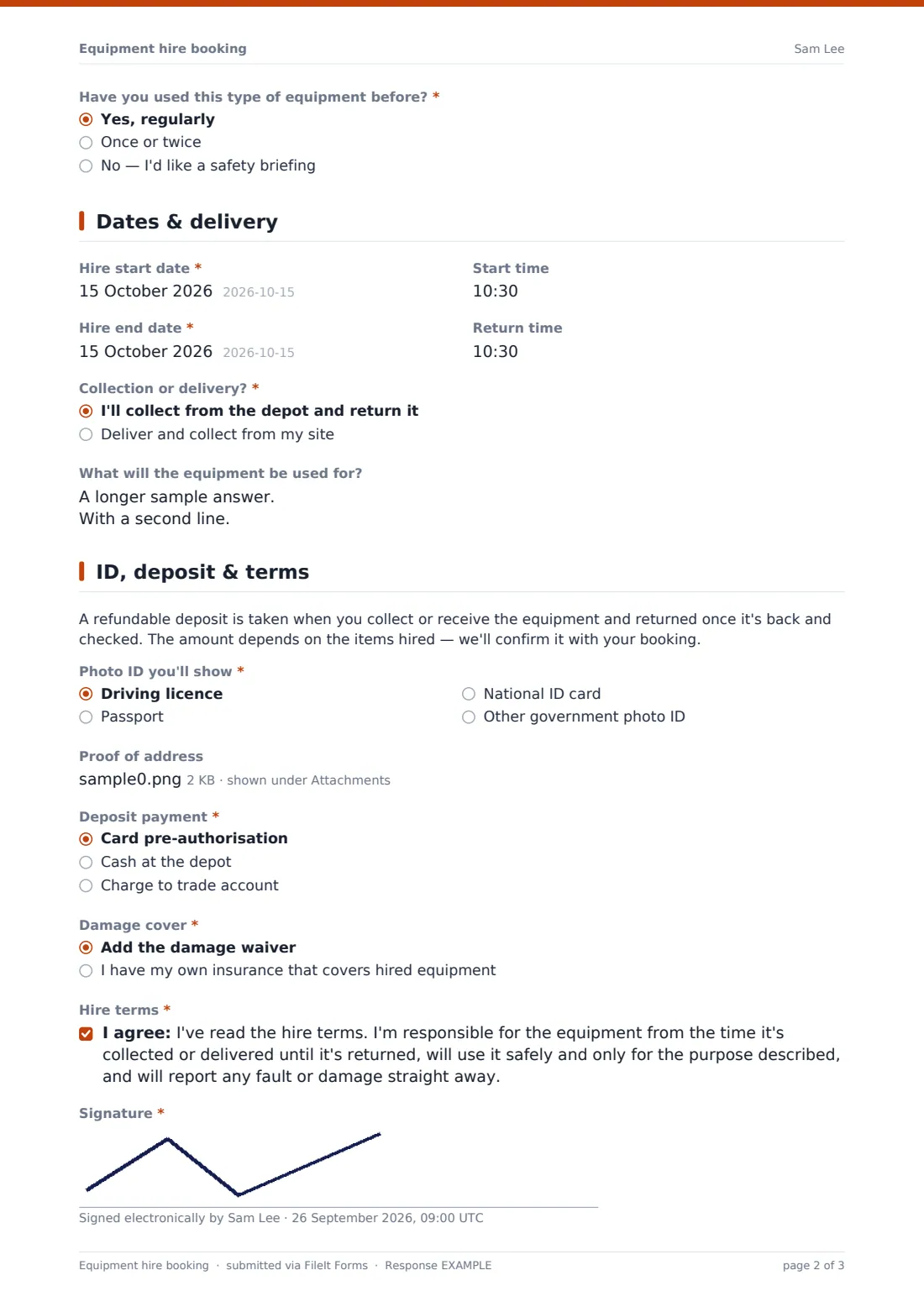
This equipment hire booking form collects everything a hire desk needs before kit leaves the depot — the items and quantities, start and return dates, collection or delivery with site access notes, the photo ID the customer will show, how the deposit will be paid and whether they're taking the damage waiver or relying on their own insurance. It ends with the hire terms and a signature.
Each booking is saved as a signed PDF in your FileIt vault, so the counter team, the delivery driver and whoever checks the equipment back in are all looking at the same record.
- Best for
- Tool hire shops, plant hire, party and event hire, and equipment rental desks
- Filled in by
- Private customers and trade account holders booking equipment
- Time to complete
- About 4–6 minutes
- Includes
- Delivery questions shown only when needed, ID and insurance uploads, consent and signature
Who uses a equipment hire booking form?
- A tool hire shop taking weekend bookings for breakers, sanders and compactors
- A plant hire firm booking mini diggers and dumpers for delivery to building sites
- A party hire company taking bookings for marquees, tables and heaters
- A trade counter letting account customers book kit against a purchase order
- An access equipment supplier checking a customer's experience before hiring out towers
- A community tool library lending equipment and recording who has it
Questions on this equipment hire booking form
28 questions over 4 pages · includes signature, file upload, conditional questions, multiple pages, consent checkbox.
1 Your details
- Your name*
- Email*
- Mobile phone*
- Hiring as* A private individual · A business / trade account
- Company name* asked only when it applies
- Trade account number asked only when it applies
- Purchase order number asked only when it applies
2 Equipment
- What kind of equipment?* Access equipment (ladders, scaffold towers, platforms) · Power tools · Garden and landscaping · Concrete and compaction · Cleaning and floorcare · Heating, drying and ventilation · Generators and lighting · Event and party equipment · Plant and machinery
- Items and quantities*
- Do you need a trained operator with the equipment?
- Extras Fuel or consumables · Safety gear (PPE) · Extension leads / transformer · Demonstration on delivery
- Have you used this type of equipment before?* Yes, regularly · Once or twice · No — I'd like a safety briefing
3 Dates & delivery
- Hire start date*
- Start time
- Hire end date*
- Return time
- Collection or delivery?* I'll collect from the depot and return it · Deliver and collect from my site
- Delivery site address* asked only when it applies
- Site access notes asked only when it applies
- On-site contact phone asked only when it applies
- What will the equipment be used for?
4 ID, deposit & terms
- Photo ID you'll show* Driving licence · Passport · National ID card · Other government photo ID
- Proof of address asked only when it applies
- Deposit payment* Card pre-authorisation · Cash at the depot · Charge to trade account
- Damage cover* Add the damage waiver · I have my own insurance that covers hired equipment
- Insurance certificate asked only when it applies
- Hire terms*
- Signature*
The equipment hire booking form, page by page
1 Your details
The hirer gives their name, email and a mobile number for delivery-day calls, and says whether they're hiring privately or for a business. Choosing A business / trade account reveals a required company name plus optional trade account and purchase order numbers, so invoices go out with the right reference.
2 Equipment
A checklist of equipment types — access equipment, power tools, garden, concrete and compaction, cleaning, heating and drying, generators and lighting, event equipment, plant and machinery — gives the hire desk a quick overview, while a required Items and quantities box takes the actual list. Customers can ask for a trained operator, tick extras such as fuel, PPE, extension leads or a transformer, or a demonstration on delivery, and say whether they've used this kind of equipment before or would like a safety briefing.
3 Dates & delivery
Hire start and end dates are required, with optional start and return times. Choosing Deliver and collect from my site reveals the delivery site address, site access notes for gate codes or ground conditions, and an on-site contact phone. A final question asks what the equipment will be used for, which helps staff spot when someone has booked the wrong machine.
4 ID, deposit & terms
A short note explains the refundable deposit. The hirer chooses the photo ID they'll show, uploads proof of address if they're hiring privately, and picks card pre-authorisation, cash or their trade account for the deposit. They choose between the damage waiver and their own insurance — which reveals an upload for the certificate — then accept the hire terms and sign.
Make the template yours
- Replace the equipment type checklist with the categories in your own catalogue
- Edit the deposit paragraph to state your standard deposit amounts or policy
- Add a dropdown of depot locations if you run more than one branch
- Paste your full hire terms into the consent statement, or link to them in the help text
- Add a delivery time-slot question if your drivers work to morning and afternoon windows
- Route bookings into a vault folder per month so the season's hires are easy to find
Tips for a better equipment hire booking form
- Confirm availability and price before taking a deposit — the form records the request, not a confirmed booking
- Check the photo ID against the name on the booking at collection or delivery
- Use the usage answer to suggest a better machine when the booked one isn't right for the job
- Take dated photos of the equipment when it goes out and when it comes back
- Offer a safety briefing to anyone who says they haven't used the equipment before
- Keep the signed PDF with the return inspection in case of a damage dispute
Every response becomes a PDF in your vault
Each booking is saved as a PDF in your FileIt vault, with the hirer's signature, proof of address and any insurance certificate kept together. With owner notifications on, the hire desk gets an email as soon as a booking arrives, and the customer can receive their own copy.
The Responses table lists every booking with its dates, so you can filter by start date to plan the week's deliveries or export to CSV for your own scheduling spreadsheet.
- Start from this template. It opens in the FileIt Forms designer — change any question, add pages, set the rules for when questions appear.
- Share it. Turn on a public link, or send it to people by email, each with their own link. They don’t need a FileIt account.
- Get the answers as PDFs. Each response is saved as a PDF in the vault folder you choose, with uploaded files attached — and listed in a Responses table you can export to CSV.
Equipment hire booking form: frequently asked questions
Is this equipment hire booking form free?
Yes. It's one of the starter templates in the FileIt Forms app, available on every plan including free, and every question can be edited.
Do customers need an account to book?
No. Anyone with the link can fill in the form and sign it without creating a FileIt account.
Does the form take the deposit payment?
No. FileIt Forms doesn't process payments. The form records how the customer intends to pay the deposit, and you take it at collection or delivery as you normally would.
Can I check availability automatically?
No — the form doesn't connect to a stock or booking system. Treat each submission as a request and confirm availability yourself.
Are the delivery questions always shown?
No. The delivery address, site access notes and on-site contact only appear when the customer chooses delivery.
Can I use my own hire terms?
Yes. Edit the consent statement in the designer to match your terms, or point to them in the help text.
Is the signature legally binding?
The form captures a drawn signature and saves it in the PDF. Whether that meets your needs depends on your terms and local law, so check with your own adviser if you're unsure.