What is the meter reading record form template?
Utility bills go wrong at handover points: the day a tenant moves in or out, the day a home is sold, or the day you switch supplier. A meter reading record captures the reading, the meter's serial number and a photo on a specific date, so every bill afterwards can be checked against it.
This form only asks about the meters you actually have. Tick electricity, gas, water, heat or an oil or LPG tank and the matching questions appear — including a night-rate reading for two-rate electricity meters and remaining credit for prepayment meters. Reading fields accept digits only, which keeps typos out.
Each record is saved in your FileIt vault as a PDF with the meter photos attached, alongside the lease or sale paperwork for that property.
- Best for
- Tenants, landlords, agents and homeowners at move-in, move-out or switching
- Filled in by
- Whoever reads the meters, ideally with the other party present
- Time to complete
- About 5 minutes
- Includes
- Electricity, gas, water, heat and tank readings, serial numbers, photos, signature
Who uses a meter reading record form?
- A tenant recording readings on move-in day so they're not billed for the previous occupant's usage
- A landlord taking final readings at move-out before passing them to the suppliers
- A homeowner recording readings on completion day when selling a house
- Checking an estimated bill against an actual reading
- Recording readings when switching energy supplier
- Logging a water meter that keeps turning with every tap off, as evidence of a possible leak
Questions on this meter reading record form
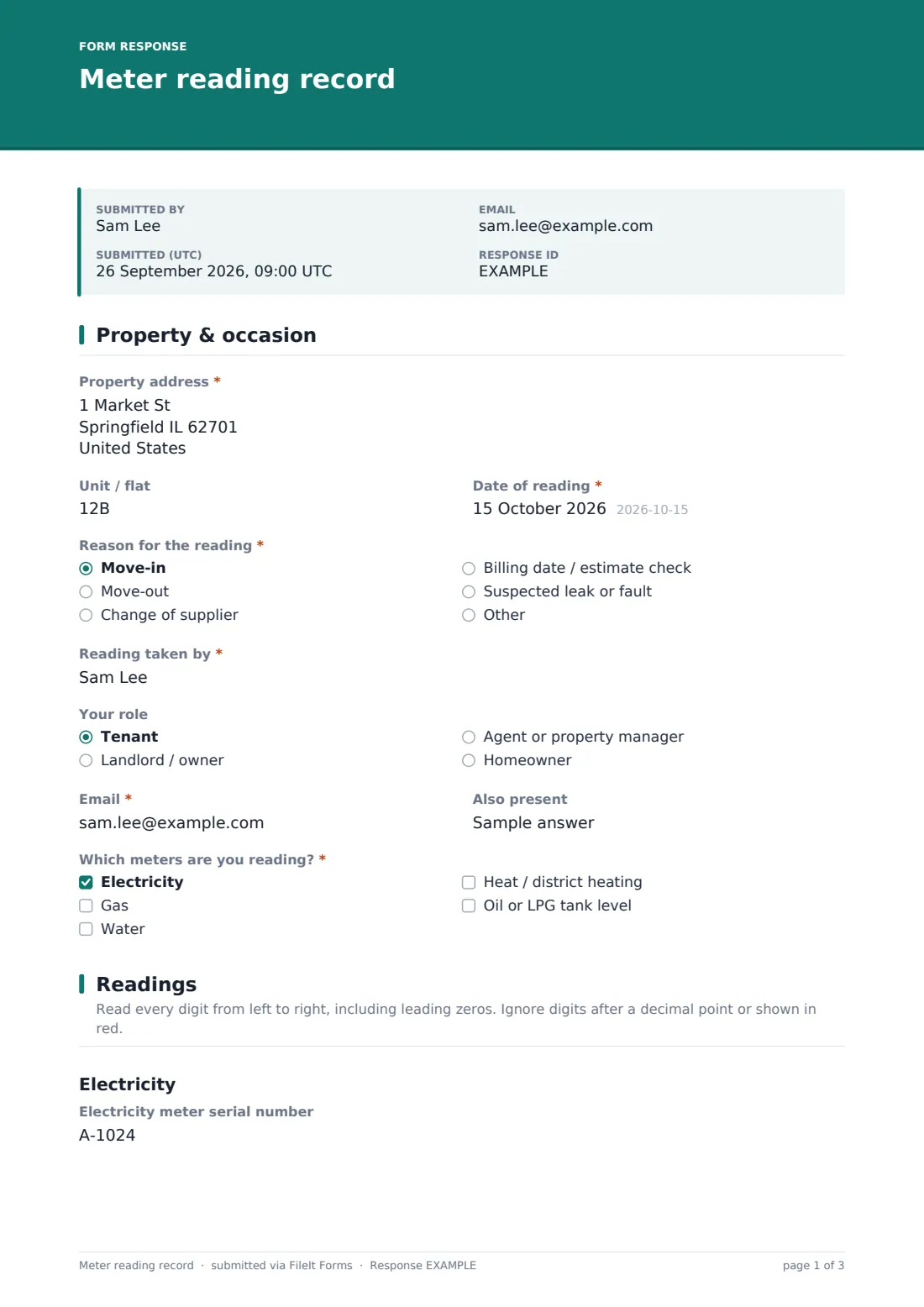
29 questions over 3 pages · includes signature, file upload, conditional questions, multiple pages, consent checkbox.
1 Property & occasion
- Property address*
- Unit / flat
- Date of reading*
- Reason for the reading* Move-in · Move-out · Change of supplier · Billing date / estimate check · Suspected leak or fault · Other
- Other reason* asked only when it applies
- Reading taken by*
- Your role Tenant · Landlord / owner · Agent or property manager · Homeowner
- Email*
- Also present
- Which meters are you reading?* Electricity · Gas · Water · Heat / district heating · Oil or LPG tank level
2 Readings
- Electricity meter serial number asked only when it applies
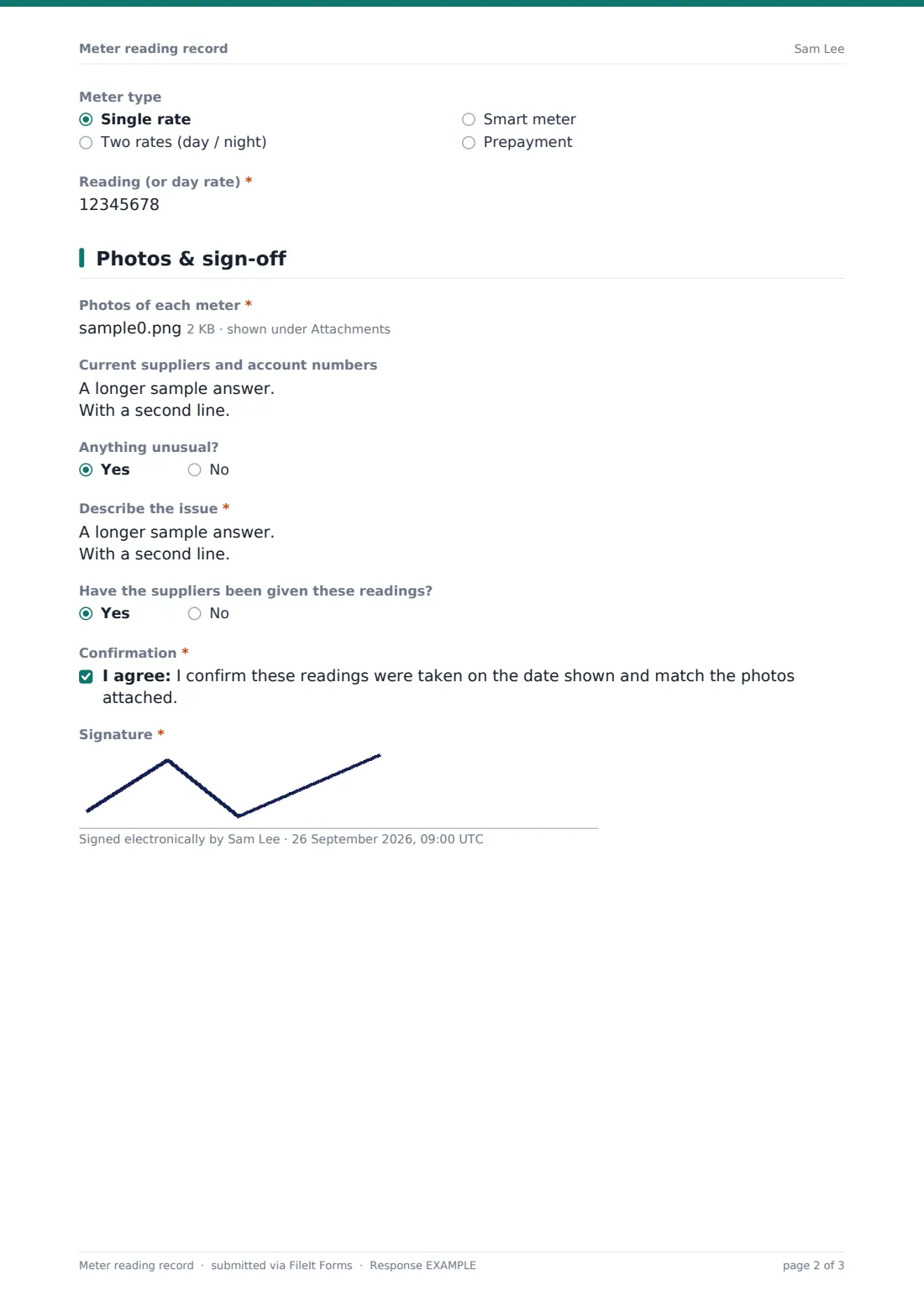
- Meter type asked only when it applies Single rate · Two rates (day / night) · Smart meter · Prepayment
- Reading (or day rate)* asked only when it applies
- Night rate reading* asked only when it applies
- Prepayment credit remaining asked only when it applies
- Gas meter serial number asked only when it applies
- Gas reading* asked only when it applies
- Gas meter units asked only when it applies Cubic metres (m³) · Cubic feet (ft³) · Not sure
- Water meter serial number asked only when it applies
- Water reading* asked only when it applies
- Heat meter reading* asked only when it applies
- Oil / LPG tank level (%)* asked only when it applies
3 Photos & sign-off
- Photos of each meter*
- Current suppliers and account numbers
- Anything unusual?
- Describe the issue* asked only when it applies
- Have the suppliers been given these readings?
- Confirmation*
- Signature*
The meter reading record form, page by page
1 Property & occasion
Property address, unit and date, then the reason: move-in, move-out, change of supplier, billing check, suspected leak or other. The reader gives their name, role and email, and can note who else was present. Which meters are you reading? decides which readings appear on the next page.
2 Readings
Each ticked meter gets its own section. Electricity asks for the serial number and meter type — single rate, two-rate, smart or prepayment — then the reading; two-rate meters add a night reading and prepayment meters add remaining credit. Gas asks for serial number, reading and units (cubic metres or cubic feet). Water asks for serial number and reading, and heat meters and oil or LPG tanks (as a percentage) have their own fields. Reading fields accept digits only.
3 Photos & sign-off
Photos of each meter are required — up to six — with a reminder to keep the digits and serial number readable. Current suppliers and account numbers can be listed, and Anything unusual? opens a field for damaged, inaccessible or suspicious meters. The reader records whether suppliers have been told, confirms the readings match the photos, and signs.
Make the template yours
- Remove the meter types that never apply to your properties
- Change the currency on prepayment credit
- Add a second signature for the landlord or incoming tenant if both are present
- Send it together with a move-in inspection so readings and condition are recorded on the same day
- File readings under each property so a year of readings sits in one folder
- Make supplier account numbers required if you pass readings on for tenants
Tips for a better meter reading record form
- Take the photo first, then type the reading from the photo — it's easier than reading a dim meter twice
- Include leading zeros and ignore digits after the decimal point or shown in red
- Read meters on the actual handover day, not the day before
- Record the serial number — it proves the reading came from the right meter, especially in shared buildings
- Send readings to each supplier the same day and note that you've done it
- If a meter moves when everything is off, report a possible leak or fault straight away
Every response becomes a PDF in your vault
When the form is submitted, FileIt saves a PDF with every reading, serial number and photo, files it in the vault folder you chose, and notifies the form owner. The person who took the readings gets their own copy if emailed copies are on.
FileIt doesn't send readings to utility suppliers — pass them on through each supplier's website or app. If a bill later looks wrong, open the dated PDF and compare its readings and photos with the bill.
- Start from this template. It opens in the FileIt Forms designer — change any question, add pages, set the rules for when questions appear.
- Share it. Turn on a public link, or send it to people by email, each with their own link. They don’t need a FileIt account.
- Get the answers as PDFs. Each response is saved as a PDF in the vault folder you choose, with uploaded files attached — and listed in a Responses table you can export to CSV.
Meter reading record form: frequently asked questions
Is this meter reading template free?
Yes. It's included in the Forms app on every FileIt account, including the free plan.
Does FileIt send the readings to my supplier?
No. The form keeps a dated, photographed record for you. Submit the readings to each supplier yourself.
Can I record two-rate or prepayment meters?
Yes. Choosing two-rate electricity adds a night-rate reading, and prepayment adds a field for remaining credit.
Why are photos required?
A photo of the meter showing the digits and serial number is the strongest evidence if a reading is questioned later. You can make the field optional in the designer.
Can the tenant fill it in without an account?
Yes. Share the link and they can submit it without a FileIt account.
Can I use it for oil or LPG tanks?
Yes — tick Oil or LPG tank level and record the level as a percentage.