What is the tour guide trip report form template?
Guides know exactly how a tour went — who didn't show, why the second stop was skipped, which restaurant kept the group waiting, the guest who twisted an ankle on the cobbles. Unless they write it down that evening, most of it is lost. This tour guide trip report gives every guide the same short set of questions to answer after each departure.
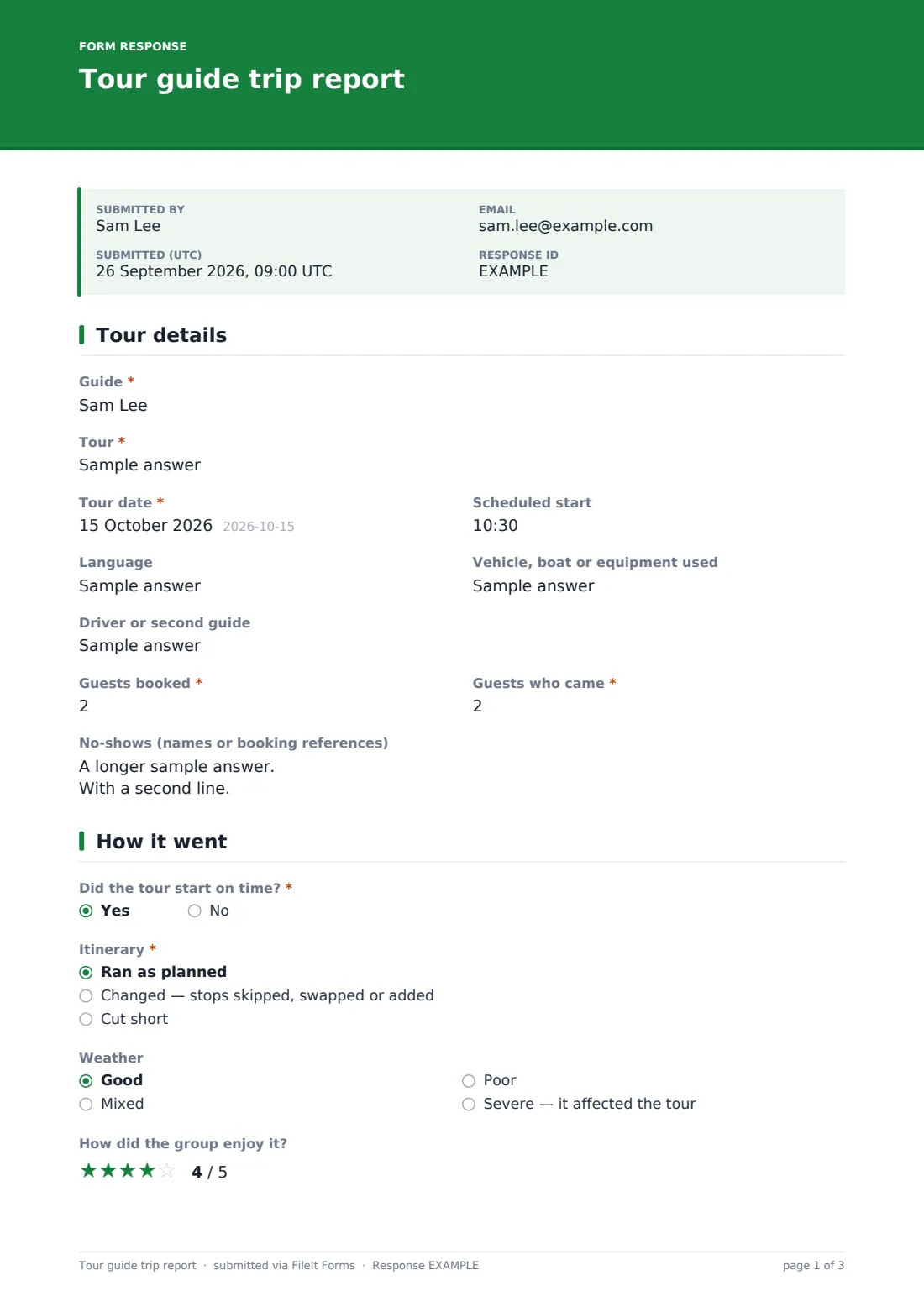
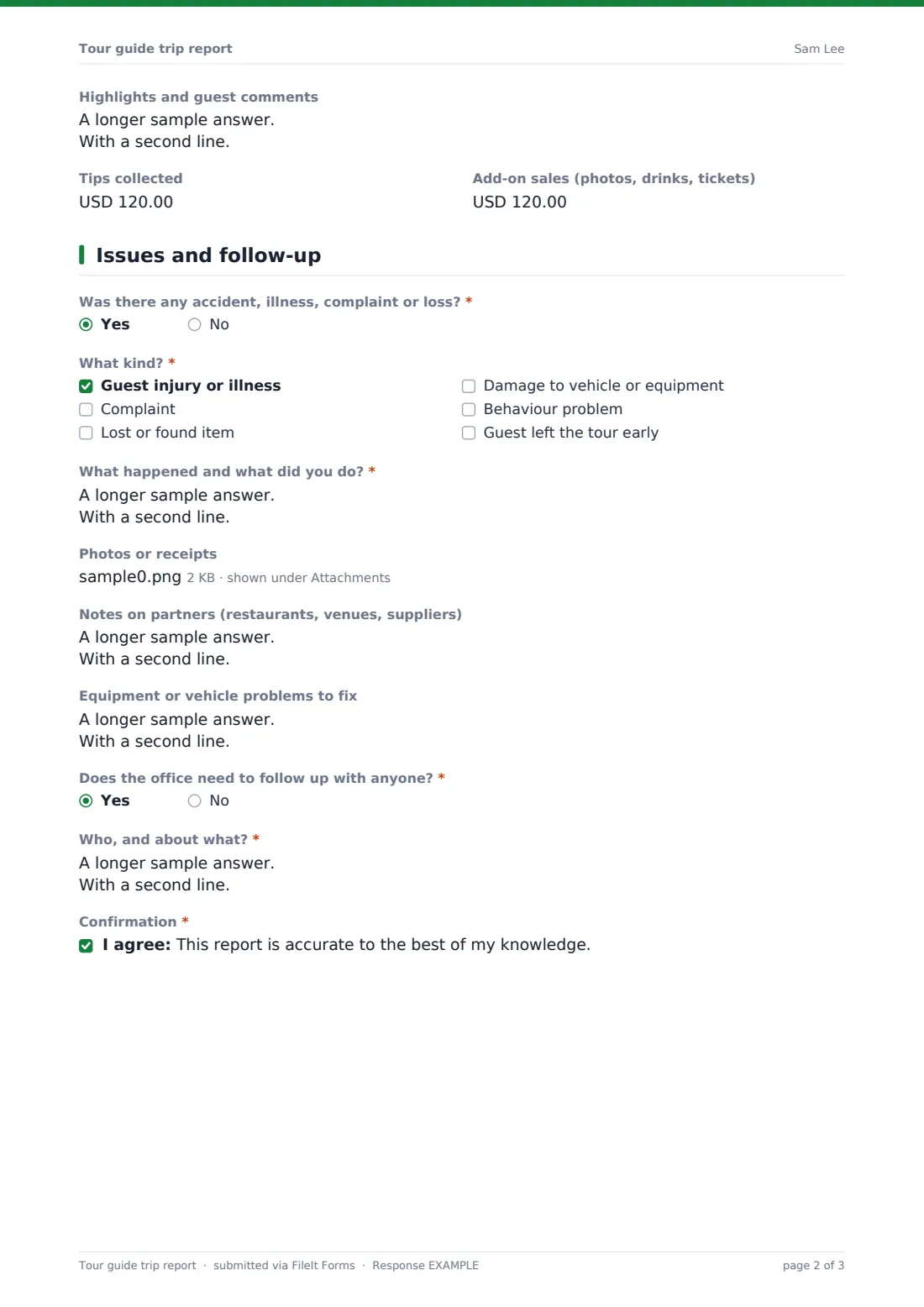
The form starts with the facts: guide, tour, date, vehicle and partner, guests booked against guests who came, and any no-shows by name or booking reference. The second page covers how the tour ran. A late start asks what caused the delay, and any change to the itinerary asks what changed and why. Weather, a star rating for how the group enjoyed it, highlights, tips and add-on sales follow. The last page is for anything the office has to act on: incidents, partner notes, equipment problems, and people to follow up with.
Every report is filed as a PDF in your FileIt vault, with photos and receipts attached, building a record of each tour over the season.
- Best for
- Tour operators, walking and food tour companies, boat and day-trip operators
- Filled in by
- The guide who led the tour
- Time to complete
- About 5 minutes
- Includes
- Attendance, delay and change notes, group rating, tips and sales, incidents, photos, follow-up flags
Who uses a tour guide trip report form?
- A walking tour company collecting no-shows to chase or charge per its policy
- A boat operator tracking weather-related changes over the season
- A day-trip company spotting a partner restaurant that keeps running late
- Recording a guest illness on tour while the details are fresh
- Comparing add-on sales and tips across guides and tours
Questions on this tour guide trip report form
28 questions over 3 pages · includes file upload, conditional questions, multiple pages, consent checkbox, ratings.
1 Tour details
- Guide*
- Tour*
- Tour date*
- Scheduled start
- Language
- Vehicle, boat or equipment used
- Driver or second guide
- Guests booked*
- Guests who came*
- No-shows (names or booking references)
2 How it went
- Did the tour start on time?*
- What caused the delay, and how long was it?* asked only when it applies
- Itinerary* Ran as planned · Changed — stops skipped, swapped or added · Cut short
- What changed and why?* asked only when it applies
- Weather Good · Mixed · Poor · Severe — it affected the tour
- How did the group enjoy it?
- Highlights and guest comments
- Tips collected
- Add-on sales (photos, drinks, tickets)
3 Issues and follow-up
- Was there any accident, illness, complaint or loss?*
- What kind?* asked only when it applies Guest injury or illness · Complaint · Lost or found item · Damage to vehicle or equipment · Behaviour problem · Guest left the tour early
- What happened and what did you do?* asked only when it applies
- Photos or receipts
- Notes on partners (restaurants, venues, suppliers)
- Equipment or vehicle problems to fix
- Does the office need to follow up with anyone?*
- Who, and about what?* asked only when it applies
- Confirmation*
The tour guide trip report form, page by page
1 Tour details
The guide gives their name, the tour, date, scheduled start, language, the "Vehicle, boat or equipment used", and any driver or second guide. Two numbers record "Guests booked" and "Guests who came", and a text box takes "No-shows (names or booking references)".
2 How it went
"Did the tour start on time?" is required, and a no asks what caused the delay and how long it was. "Itinerary" offers ran as planned, changed, or cut short. Anything other than as planned asks "What changed and why?". The guide records the weather, gives a star rating for "How did the group enjoy it?", and notes highlights and guest comments. Two currency fields capture tips collected and add-on sales such as photos, drinks or tickets.
3 Issues and follow-up
"Was there any accident, illness, complaint or loss?" is required. A yes opens a checklist — injury or illness, complaint, lost or found item, damage, behaviour, a guest leaving early — and "What happened and what did you do?". Help text reminds guides to complete the company's incident report too if someone was hurt.
Photos or receipts can be uploaded, and there are boxes for notes on partners and equipment or vehicle problems. "Does the office need to follow up with anyone?" asks who and about what when the answer is yes. The guide confirms the report is accurate to the best of their knowledge.
Make the template yours
- Turn the tour field into a dropdown of your real tours for cleaner reporting
- Set the currency on tips and add-on sales
- Remove the tips question if guides keep their own tips and you don't track them
- Add your operations manager to the notification emails so incidents are seen quickly
- File reports in a folder per tour or per month
Tips for a better tour guide trip report form
- Ask guides to submit before they leave the meeting point or vehicle
- Follow up every report that says the office needs to act, the same day
- Use the CSV export to compare guests booked with guests who came by tour
- Share partner notes with the venue or restaurant when a pattern appears
- Use the guest incident report for anything serious; this form only flags it
Every response becomes a PDF in your vault
Each report is saved as a PDF in your vault, with any photos or receipts attached to the same document, and the owner receives an email notice. The guide gets a copy of their own report.
In the Responses table you can search by guide, tour or date and open any report. Export to CSV to total attendance, tips and add-on sales over a week or season, or to list every tour that changed its itinerary.
- Start from this template. It opens in the FileIt Forms designer — change any question, add pages, set the rules for when questions appear.
- Share it. Turn on a public link, or send it to people by email, each with their own link. They don’t need a FileIt account.
- Get the answers as PDFs. Each response is saved as a PDF in the vault folder you choose, with uploaded files attached — and listed in a Responses table you can export to CSV.
Tour guide trip report form: frequently asked questions
Is this tour guide report template free?
Yes. It's one of the ready-made templates in the Forms app on every FileIt account, including the free plan.
Do guides need a FileIt account?
No. Share the link with your guides, or put it on the guides' group chat, and they submit from their phones.
Can guides attach photos?
Yes. Up to five photos or receipts per report, which are attached to the vault document.
Does it replace an incident report?
No. It flags incidents and records what happened, and the help text points guides to your full incident report when someone is hurt.
Can I see reports for one guide?
Yes. Search the Responses table by the guide's name, or export to CSV and filter there.
Can I change the questions?
Yes. Every question can be edited, removed or added to in the designer before or after you publish.