What is the guest incident report form template?
When a guest slips by the pool, reports a theft from their room or gets caught up in a disturbance in the bar, the details that matter most are the ones that fade first: the exact time and place, who saw it, what state the floor was in and what staff did in the first few minutes. A note scribbled in the duty log rarely captures all of that, and it's hard to find again weeks later when a guest, manager or insurer asks what happened.
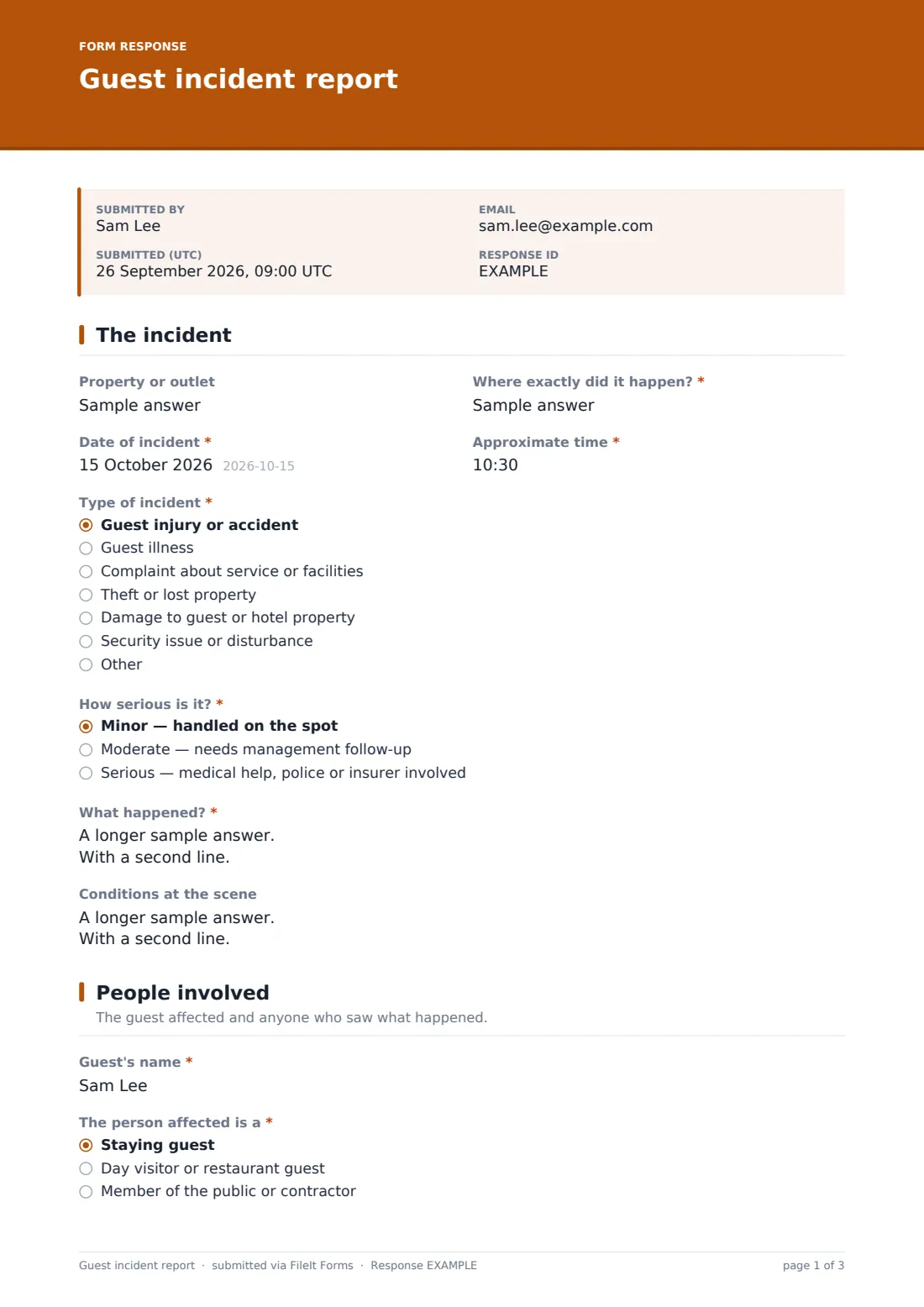
This guest incident report template walks staff through the facts in a sensible order — the incident itself, the people involved and any witnesses, then the action taken and what still needs following up. Questions adapt to what happened: injury incidents reveal questions about conditions at the scene, symptoms and first aid, ticking police shows a field for the police reference, and a staying guest is asked for their room number.
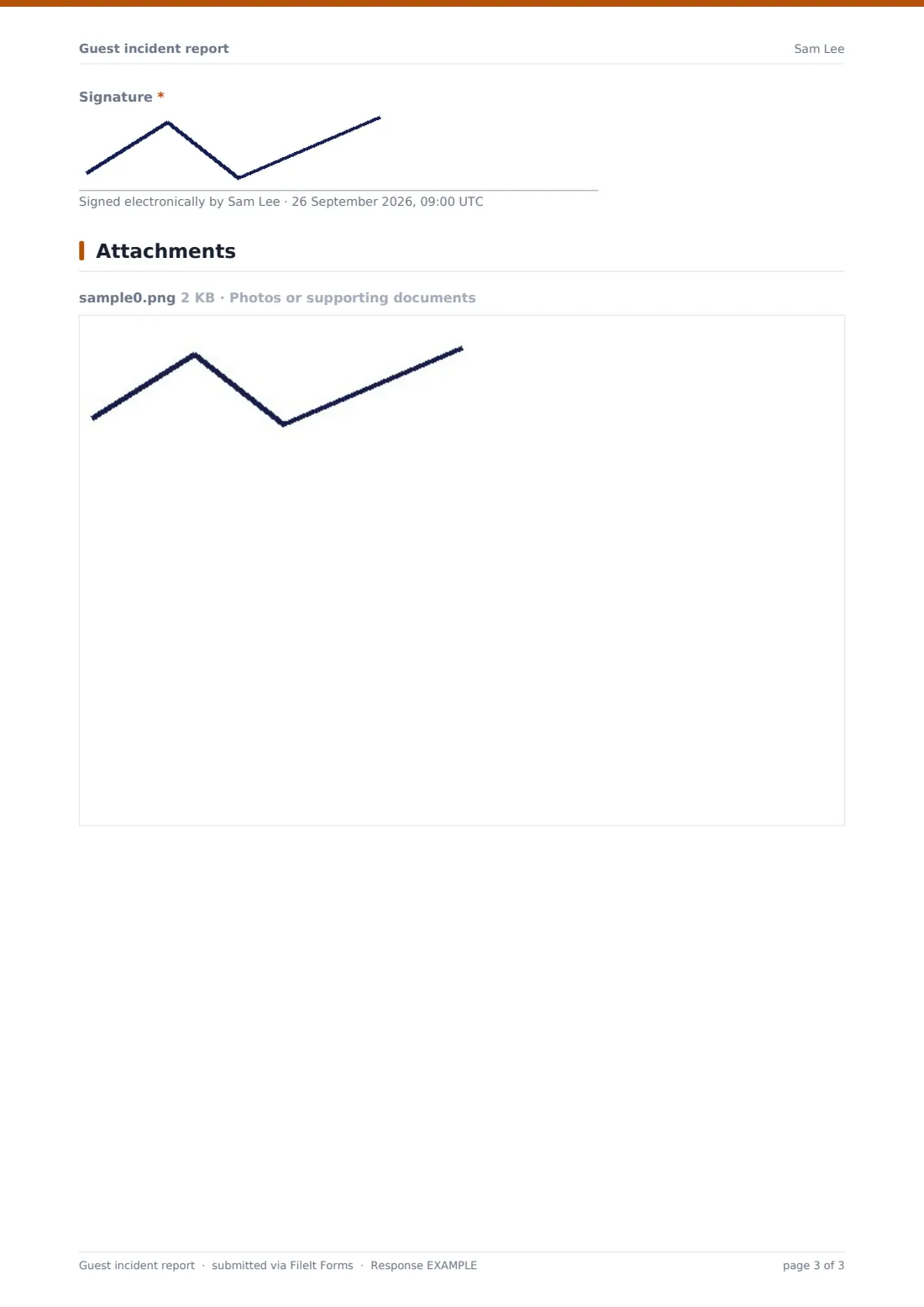
Every report is signed by the staff member who wrote it and saved as a dated PDF in your FileIt vault, with any photos attached, so management has one reliable record per incident instead of fragments spread across emails, logbooks and phones.
- Best for
- Hotels, resorts, restaurants, bars, spas and attractions
- Filled in by
- Front office, duty managers, security or any staff member who dealt with the incident
- Time to complete
- About 5–10 minutes
- Includes
- Conditional injury and first-aid questions, witness details, photo upload, staff signature
Who uses a guest incident report form?
- A duty manager records a guest who slipped on a wet floor in the lobby
- Front office logs a guest complaint that needed a refund or room move
- Security documents a noise disturbance or an intruder in a guest corridor
- Housekeeping reports that a guest's belongings were damaged during room cleaning
- A restaurant records a guest who became unwell during dinner
- A resort keeps a consistent incident log across several outlets and properties
Questions on this guest incident report form
30 questions over 3 pages · includes signature, file upload, conditional questions, multiple pages.
1 The incident
- Property or outlet
- Where exactly did it happen?*
- Date of incident*
- Approximate time*
- Type of incident* Guest injury or accident · Guest illness · Complaint about service or facilities · Theft or lost property · Damage to guest or hotel property · Security issue or disturbance
- How serious is it?* Minor — handled on the spot · Moderate — needs management follow-up · Serious — medical help, police or insurer involved
- What happened?*
- Conditions at the scene asked only when it applies
2 People involved
- Guest's name*
- The person affected is a* Staying guest · Day visitor or restaurant guest · Member of the public or contractor
- Room number asked only when it applies
- Guest's phone
- Guest's email
- Injury or symptoms asked only when it applies
- Was first aid given? asked only when it applies
- First aider's name asked only when it applies
- Emergency services called Ambulance · Police · Fire service · None
- Police reference number asked only when it applies
- Witnesses
3 Action & follow-up
- Immediate action taken*
- Duty manager informed?*
- Duty manager's name asked only when it applies
- Goodwill offered to the guest None · Apology only · Refund or discount · Room move or upgrade · Voucher or complimentary service
- Does anything still need following up?*
- What needs doing, and by whom?* asked only when it applies
- Photos or supporting documents
- Reported by*
- Job title*
- Date of this report*
- Signature*
The guest incident report form, page by page
1 The incident
Staff start with the property or outlet and exactly where it happened, then the date and approximate time. A required Type of incident choice covers guest injury or accident, illness, complaints, theft or lost property, damage and security issues, with room to describe something else, and a Severity rating separates minor issues handled on the spot from serious ones involving medical help, police or an insurer.
The What happened? box asks for events in order and in plain facts, with a reminder not to guess at causes or admit fault. When the incident is an injury, a Conditions at the scene field appears for lighting, wet floors, signage and anything else relevant.
2 People involved
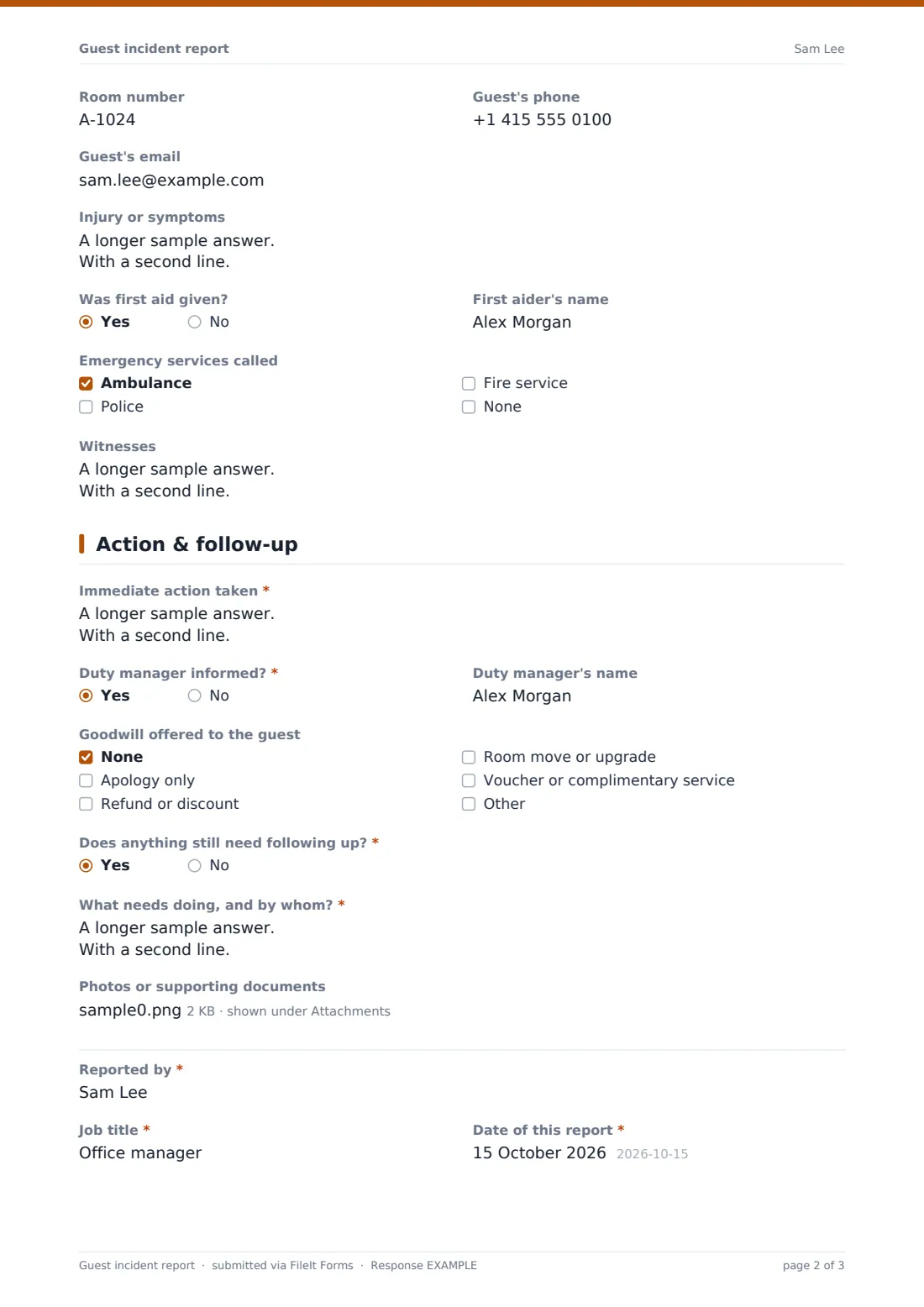
This page records the guest's name and whether they were a staying guest, a day visitor or a member of the public — a staying guest is also asked for a room number — along with phone and email for follow-up. For injuries, the form asks about the injury or symptoms, whether first aid was given and, if so, by whom.
Emergency services called lets staff tick ambulance, police, fire service or none; ticking police reveals a field for the police reference number. A Witnesses box collects names, room numbers or phone numbers of anyone who saw what happened.
3 Action & follow-up
Staff describe the immediate action taken, confirm whether the duty manager was informed (and name them), and record any goodwill offered, from an apology to a refund, room move or voucher. If something still needs doing, a required follow-up box asks what and by whom.
Photos of the scene or damage and other supporting documents can be uploaded. The report closes with the reporter's name, job title, the date of the report and their signature.
Make the template yours
- Replace the Property or outlet field with a dropdown listing your hotels or outlets
- Add your own incident categories, such as food safety or pool incidents, to the Type of incident question
- Route reports to a dedicated Incidents folder so they're kept apart from guest feedback
- Add the general manager or your risk lead to the notification emails
- Add a question for CCTV: whether footage exists and who has preserved it
- Remove the goodwill question if compensation decisions are made separately
Tips for a better guest incident report form
- Complete the report the same day, while staff and witnesses still remember the details clearly
- Write down what people said and saw, not opinions about who was to blame
- Take photos of the scene before it's cleaned up or rearranged, if it's safe to do so
- Get witness contact details before they check out or leave the venue
- Review reports monthly to spot repeat locations, such as the same stairs or pool area
- Keep medical details to what's needed and limit who can see the incident folder
Every response becomes a PDF in your vault
Each report is saved as a signed PDF in the vault folder you choose, with photos and documents attached, and the owner is notified straight away so a manager can pick up anything serious quickly.
The Responses table lists every incident with its type, severity and date, so it's easy to find a particular report when a guest writes in later, or to export everything to CSV for a monthly safety or service review.
- Start from this template. It opens in the FileIt Forms designer — change any question, add pages, set the rules for when questions appear.
- Share it. Turn on a public link, or send it to people by email, each with their own link. They don’t need a FileIt account.
- Get the answers as PDFs. Each response is saved as a PDF in the vault folder you choose, with uploaded files attached — and listed in a Responses table you can export to CSV.
Guest incident report form: frequently asked questions
Is this guest incident report template free?
Yes. It's included in the Forms app on every FileIt account, including the free plan, and every question can be edited.
Who should fill in the report — the guest or staff?
It's designed for staff to complete. If you also want the guest's own account, send them a separate witness statement form.
Can we use it for complaints that didn't involve an injury?
Yes. Choose the complaint, theft, damage or security type — the injury and first-aid questions only appear for injuries.
Can staff attach photos from their phone?
Yes. The upload accepts photos (including iPhone HEIC files) and PDFs, up to five files per report.
Is the report legal advice or an insurance claim?
No. It's a factual record of what happened. Follow your own company, insurer and local reporting procedures for serious incidents.
Can we limit who sees incident reports?
Reports are saved to the vault folder you choose, so you can keep them in a folder only managers use.
Can we fill it in on a tablet at the front desk?
Yes. The form works in any browser, and the signature field works with a finger or stylus.