What is the complaint form form template?
When a customer is unhappy, the last thing they want is to hunt for an email address, explain themselves twice, or wonder if anyone actually read their message. A complaint form template gives them one clear place to lay out what happened, when, and what outcome they're hoping for — while giving you a consistent, complete record to work from instead of a scattered inbox thread.
A phone call gets forgotten and an email gets buried under twenty others with no structure at all. An online complaint form asks the same core questions every time — what the complaint is about, when it happened, whether it's been raised before — so nothing important gets left out, and two people handling complaints on your team end up with the same information in the same shape.
This template is built in FileIt, where every submitted complaint becomes a PDF filed straight into your document vault, in whatever folder you choose. You keep a dated, complete record of every complaint you've ever received, without a separate spreadsheet or ticket system.
- Best for
- Retailers, service businesses, landlords, clubs and any organization that wants formal complaints logged in one place
- Filled in by
- The customer or client raising the complaint
- Time to complete
- About 5-7 minutes
- Includes
- Conditional questions, file upload for evidence, currency fields, a confirmation checkbox
Who uses a complaint form form?
- A shop or online store logging complaints about a faulty product or a delivery that went wrong
- A service business (cleaners, tradespeople, salons) collecting formal feedback when a job didn't go as expected
- A landlord or property manager giving tenants a proper channel to raise a grievance about the property or a charge
- A club or membership organization giving members a structured way to complain about staff conduct or an event
- A small business that wants a paper trail showing complaints were taken seriously and responded to consistently
- Any owner who currently handles complaints by phone or email and wants a single, searchable record instead
Questions on this complaint form form
21 questions over 3 pages · includes file upload, conditional questions, multiple pages, consent checkbox.
1 Your details
- Your name*
- Email*
- Phone
- Customer, account or order number
- How should we contact you about this?* Email · Phone · Either is fine
2 Your complaint
- What is your complaint about?* A product · A service we provided · A member of staff · Billing or charges · Delivery or timing · Our website or app
- Which product or service?*
- Staff member's name, if known asked only when it applies
- Amount in dispute asked only when it applies
- Where did this happen? In store or at our premises · Online · By phone · At your home or site · Somewhere else
- Date of purchase or service
- When did the problem happen?*
- What went wrong?*
- How has this affected you?
- Have you already raised this with us?*
- When, with whom, and what were you told?* asked only when it applies
3 Putting it right
- What would you like us to do?* Refund · Replacement · Repair · Redo the service · Account credit · An apology and explanation · Change how things are done
- Refund amount requested asked only when it applies
- Anything else about the outcome you'd like?
- Evidence
- Confirmation*
The complaint form form, page by page
1 Your details
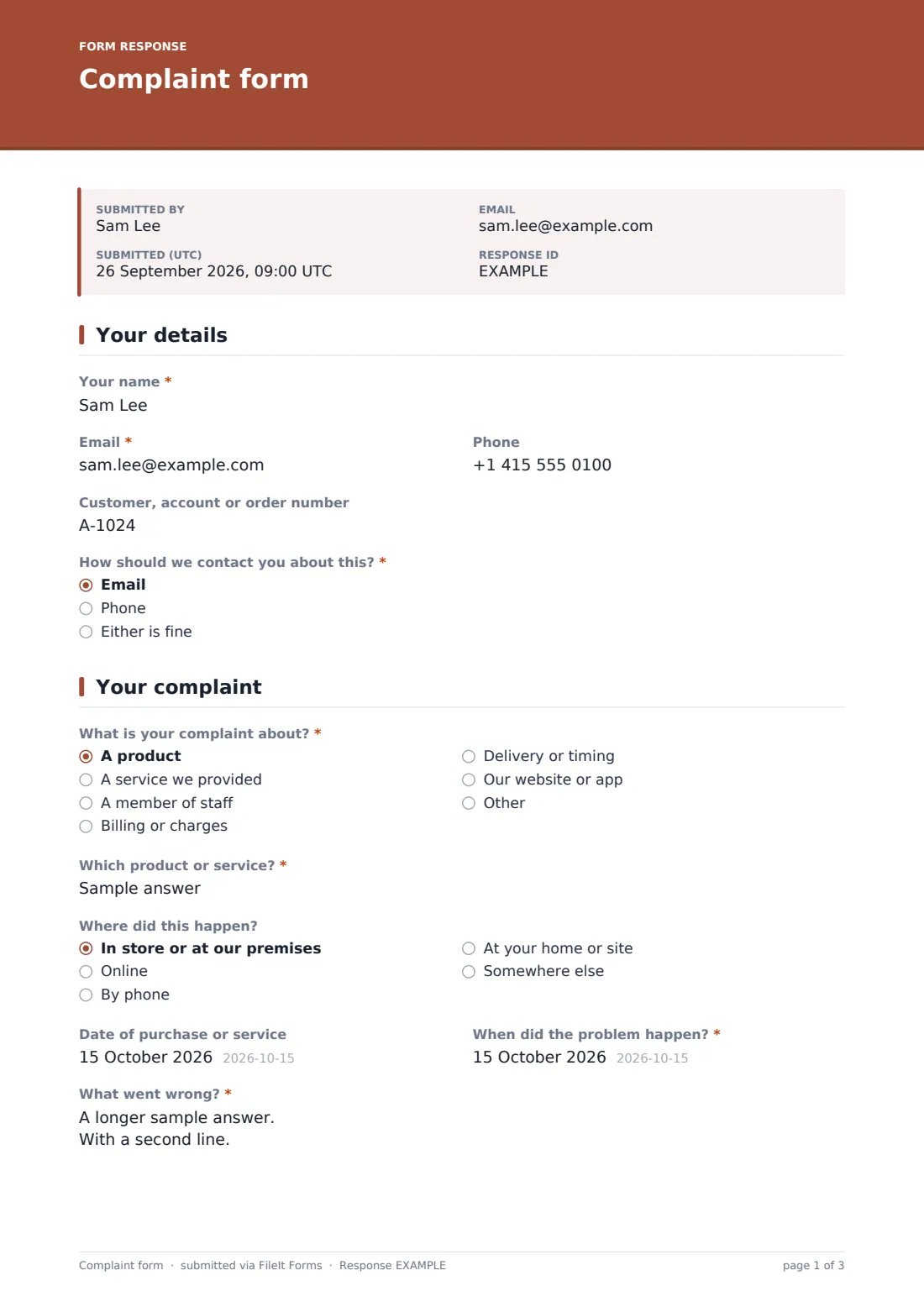
The form opens by asking for the customer's name, email, and an optional phone number, plus an optional Customer, account or order number so you can match the complaint to existing records without back-and-forth. A required How should we contact you about this? question (Email, Phone, or Either is fine) tells you the customer's preferred way to hear back before you even pick up the phone.
Keeping this section short means people who are already frustrated don't have to fight through a long form just to tell you their name — it takes seconds, and then they're straight into explaining the actual problem.
2 Your complaint
This page starts with What is your complaint about?, a required choice between A product, A service we provided, A member of staff, Billing or charges, Delivery or timing, Our website or app, or a typed-in option. Choosing A member of staff reveals a Staff member's name, if known field, and choosing Billing or charges reveals an Amount in dispute currency field, so nobody is asked about a staff member over a delivery delay.
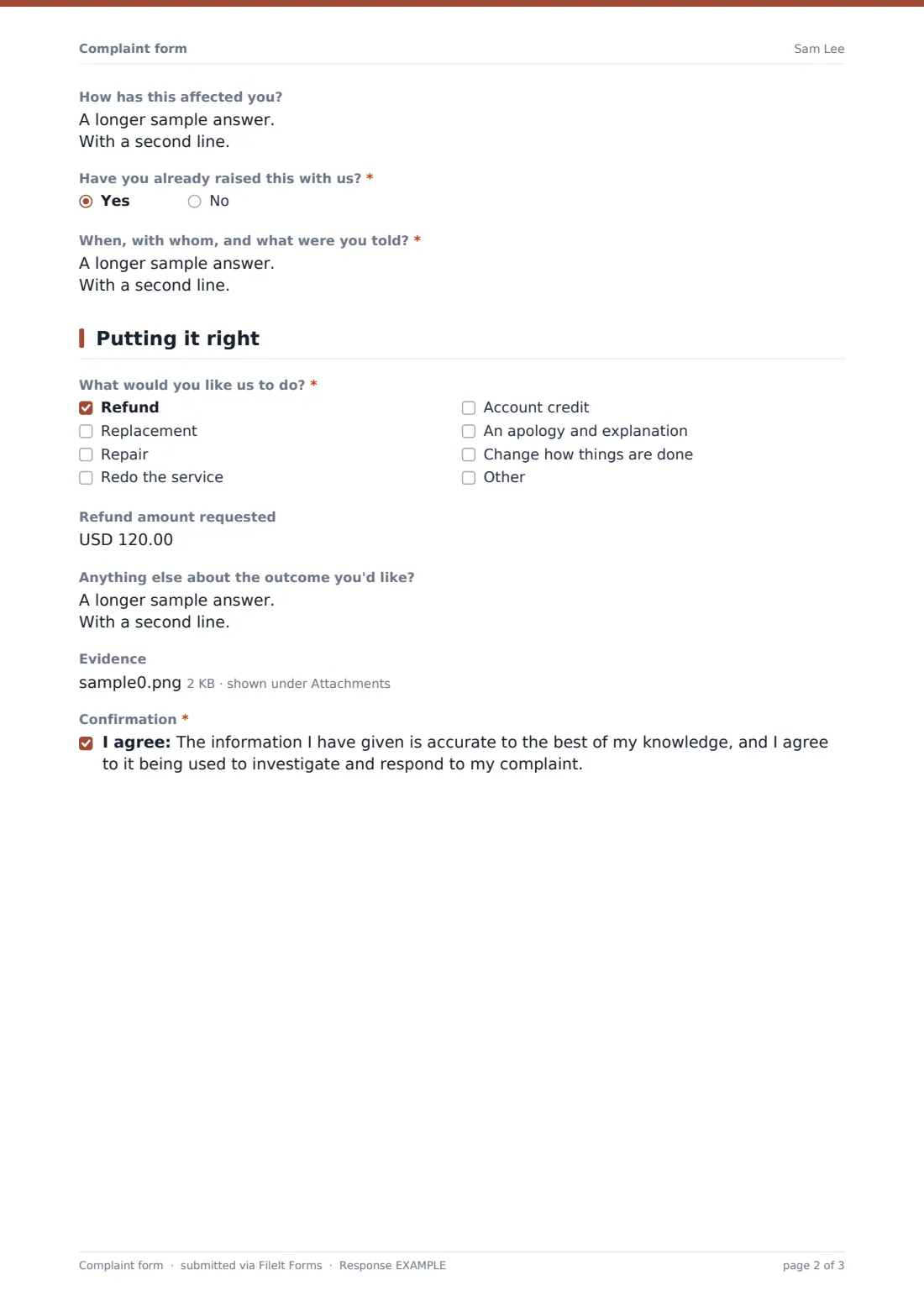
From there the form asks Which product or service?, an optional Where did this happen? dropdown, dates for the purchase and the problem, and the core What went wrong? question, with guidance to describe what happened, in what order, and what was expected instead. Have you already raised this with us? is required — answering Yes opens a When, with whom, and what were you told? field, so you see immediately if this is a repeat complaint.
3 Putting it right
The final page asks What would you like us to do?, a checkbox list covering Refund, Replacement, Repair, Redo the service, Account credit, An apology and explanation, or Change how things are done, plus a typed-in option. Ticking Refund reveals a Refund amount requested currency field.
An Evidence file upload lets the customer attach receipts, photos, emails or screenshots (up to 10 files), and a required confirmation checkbox has them confirm the information is accurate before submitting.
Make the template yours
- Edit the options under What is your complaint about? to match your own business — add or remove categories like Warranty, Staff conduct or Website bug
- Add a conditional question that only appears when the complaint is about Delivery or timing, asking for a tracking or order reference
- Turn on the email notification to more than one address so complaints reach both a manager and a customer service inbox
- Change the vault folder the PDFs are filed under, and adjust the document title so complaints file under the right customer or department
- Add a signature field on the final page if you want the customer to sign off before submitting
Tips for a better complaint form form
- Only ask for what you need to investigate and respond — avoid fields that feel like an interrogation when someone is already unhappy
- Reply to every complaint, even a short acknowledgment, so the customer knows someone is looking at it
- Use the What would you like us to do? answers as a starting point for a conversation, not a guaranteed outcome
- Review the Responses table regularly for patterns — several complaints about one product or staff member are worth flagging early
- Keep the confirmation message honest about what happens next rather than a generic thank-you
Every response becomes a PDF in your vault
As soon as someone submits the complaint form, FileIt turns their answers into a PDF and files it in the vault folder you've chosen, with any uploaded evidence attached to that same record. You (and any extra addresses you've added) get an email notification so a complaint never sits unseen, and if you've turned on the optional copy, the customer receives their own PDF for their records too.
From there, most owners open the new PDF, review what outcome the customer is asking for, and start their own investigation or response process outside the form. The Responses table keeps every complaint searchable and filterable, so you can look back at similar cases, check whether a customer has complained before, or export the list to CSV if you need to share it with a manager or a supplier.
- Start from this template. It opens in the FileIt Forms designer — change any question, add pages, set the rules for when questions appear.
- Share it. Turn on a public link, or send it to people by email, each with their own link. They don’t need a FileIt account.
- Get the answers as PDFs. Each response is saved as a PDF in the vault folder you choose, with uploaded files attached — and listed in a Responses table you can export to CSV.
Complaint form form: frequently asked questions
Is this complaint form template free?
Yes. This template, and the Forms app it's built with, are included on every FileIt account, including the free plan. There's nothing extra to unlock to use or customize it.
Do customers need a FileIt account to submit a complaint?
No. You share a public link or send a personal email invite, and the person filling it in doesn't need to sign up for anything or create an account.
How do I get complaints as PDFs?
Every submission is automatically converted into a PDF and saved in your FileIt vault, in the folder you choose when setting up the form, with any uploaded evidence attached to the record.
How do I create a complaint form online?
Start from this template in FileIt's Forms app, adjust the questions and options to fit your business in the drag-and-drop designer, then share it as a public link or email it to specific people.
Does this form guarantee a customer gets the refund or outcome they ask for?
No. The form only records what outcome the customer would like — it doesn't commit your business to anything. Every complaint still needs review on its own facts.
Can I see all my complaints in one place?
Yes, every submission appears in the Responses table with filters, so you can review, open, or export them to CSV without digging through email.
Is a complaint submitted this way legally binding?
No form makes a submission legally binding on its own — this is simply a structured way to collect and record a complaint, not legal advice or a legal process.